
Canon PIXMA TR4720 All-in-One Wireless Printer
3.8Editor score
Wireless printing and scanning
Built-in fax capability
Auto document feeder included
This guide compares the top ten cheap fax machines available in 2026 to help you find reliable performance for home or office communication needs.
Finding a cheap fax machine that delivers reliable performance without breaking the bank can be challenging in today's digital landscape. Whether you run a small business or need occasional home office support, selecting the right model ensures efficient document transmission and clear communication lines for your daily tasks.
We evaluated ten highly rated fax machines based on transmission speed, memory capacity, paper handling, and overall user satisfaction. Our comparison focuses on essential features that matter most for affordability and functionality, ensuring you get the best value for your investment in reliable office technology.
Each pick highlights key strengths and potential limitations to help you make an informed decision. Please note that prices and availability may change over time, so checking current listings before purchasing is always recommended to secure the best deal for your specific needs.
3.8Editor score

4.1Editor score

4.0Editor score
This side-by-side comparison outlines the core specifications and capabilities of each selected fax machine to help you identify the best fit for your workflow requirements and budget constraints.




The Brother FAX-575 stands out as a top contender for those seeking a reliable and straightforward fax solution. With a solid rating from users, it combines faxing, phone, and copying functions in a compact package that fits well in home offices or small business setups.
We may earn a commission when you buy through this link, at no additional cost to you.
Key strengths include its 512 KB memory which can store up to 25 pages, ensuring you never lose critical documents during transmission. The 9600 BPS modem transmits pages in about 15 seconds, providing efficient communication without long wait times. Additionally, the 50-sheet paper capacity reduces the need for frequent refills.
Honest trade-offs involve its basic design which lacks modern smart features like wireless connectivity. While this may seem limiting, it also ensures stability and simplicity for users who prioritize function over flashy tech. These limitations are acceptable given the core focus on dependable faxing.
This machine is ideal for small business owners or home office users who need consistent fax capabilities without complex setups. If you value reliability and ease of use, the Brother FAX-575 is a strong recommendation for your communication needs.
The fast modem speed ensures your documents reach recipients quickly, minimizing downtime during busy work periods.
Storing multiple pages in memory allows for batch sending, which is helpful when handling high-volume daily correspondence.
We may earn a commission when you buy through this link, at no additional cost to you.
The renewed version of the Brother FAX-575 offers the same trusted functionality as the original model but at a more accessible price point. Users appreciate the balance between affordability and performance, making it a practical choice for budget-conscious buyers.
We may earn a commission when you buy through this link, at no additional cost to you.
It retains the 9600 BPS modem and 512 KB memory ensuring consistent transmission speeds and document storage. The 50-sheet paper tray supports steady workflow without constant monitoring. Many reviewers note that the renewed units perform indistinguishably from new ones when inspected upon arrival.
Trade-offs include the fact that it is a refurbished unit which may carry minor cosmetic wear. The warranty is often shorter than new products, so understanding return policies is essential. However these factors are often outweighed by the significant cost savings offered.
This option suits individuals or small teams needing a backup fax machine or a primary device without high upfront costs. If you want proven performance without the new price tag, this renewed model delivers excellent value.
Choosing a renewed unit allows you to access premium features while maintaining a tight budget for other office essentials.
Since it shares the same design as the original, you benefit from years of field testing and user feedback on durability.
We may earn a commission when you buy through this link, at no additional cost to you.
The Sharp UXB20 brings inkjet versatility to faxing, allowing for better document clarity on various paper types. Its rating reflects mixed experiences but it remains a functional option for those preferring inkjet output over thermal or laser.
We may earn a commission when you buy through this link, at no additional cost to you.
Features like 30 speed dial presets make frequent contacts easy to reach without re-typing numbers. The 449 KB memory can store 24 pages when paper runs out preventing interruptions. The multi-copy function up to 99 copies helps when distributing documents internally.
Downsides include a lower average rating compared to competitors which suggests some reliability issues. The design is dated compared to modern all-in-one units but remains serviceable. These factors make it less ideal for high-volume professional use.
This machine works well for occasional faxing where document quality matters more than speed. If you need a dedicated fax with inkjet benefits for your home office it provides a balanced approach.
Preprogrammed numbers save time during urgent communication, reducing errors and speeding up daily workflows.
Even if the tray empties, incoming faxes are stored in memory so you never miss important documents.
We may earn a commission when you buy through this link, at no additional cost to you.
The HP DeskJet 2955 is a versatile all-in-one printer that supports basic faxing through its app interface. Designed for home use, it integrates well with mobile devices and offers smart features like Instant Ink trials.
We may earn a commission when you buy through this link, at no additional cost to you.
Dual-band Wi-Fi ensures stable connections for wireless printing from laptops or smartphones. The 60-sheet tray reduces refills during moderate tasks. HP AI helps optimize layouts to save paper and improve document readability automatically.
However, it is not a dedicated fax machine so advanced fax features may be limited compared to standalone units. Print speeds are slower than laser options making it better for low-volume needs. These constraints are typical for compact consumer printers.
Ideal for households needing occasional faxing alongside standard printing and scanning tasks. If wireless convenience and color output are priorities, this model fits well in modern home office environments.
Connect from any device on your network without cables, streamlining document handling across your home workspace.
Instant Ink trial ensures you never run out unexpectedly by delivering supplies before you need them automatically.
We may earn a commission when you buy through this link, at no additional cost to you.
The Canon PIXMA TR4720 delivers essential fax capabilities within an affordable all-in-one package. It is highly rated for ease of setup and provides core functions including printing scanning copying and faxing from a single device.
We may earn a commission when you buy through this link, at no additional cost to you.
The auto document feeder simplifies scanning multi-page documents without manual feeding. Wireless printing allows seamless integration with smartphones and tablets. The 100-sheet paper tray ensures you can handle moderate workloads without interruption.
Trade-offs include slower print speeds and a lightweight build which may not suit heavy daily usage. However for occasional or low-volume needs these are minor issues. The balance of features makes it a strong budget pick.
This model is perfect for small business owners or families needing a complete communication solution without high costs. If you want faxing integrated into a printer with mobile access, this is a reliable choice.
Batch scanning multi-page documents saves time and effort compared to placing each sheet individually on the glass.
Print and fax directly from your phone with the Canon app, keeping you connected while away from your desk.
We may earn a commission when you buy through this link, at no additional cost to you.
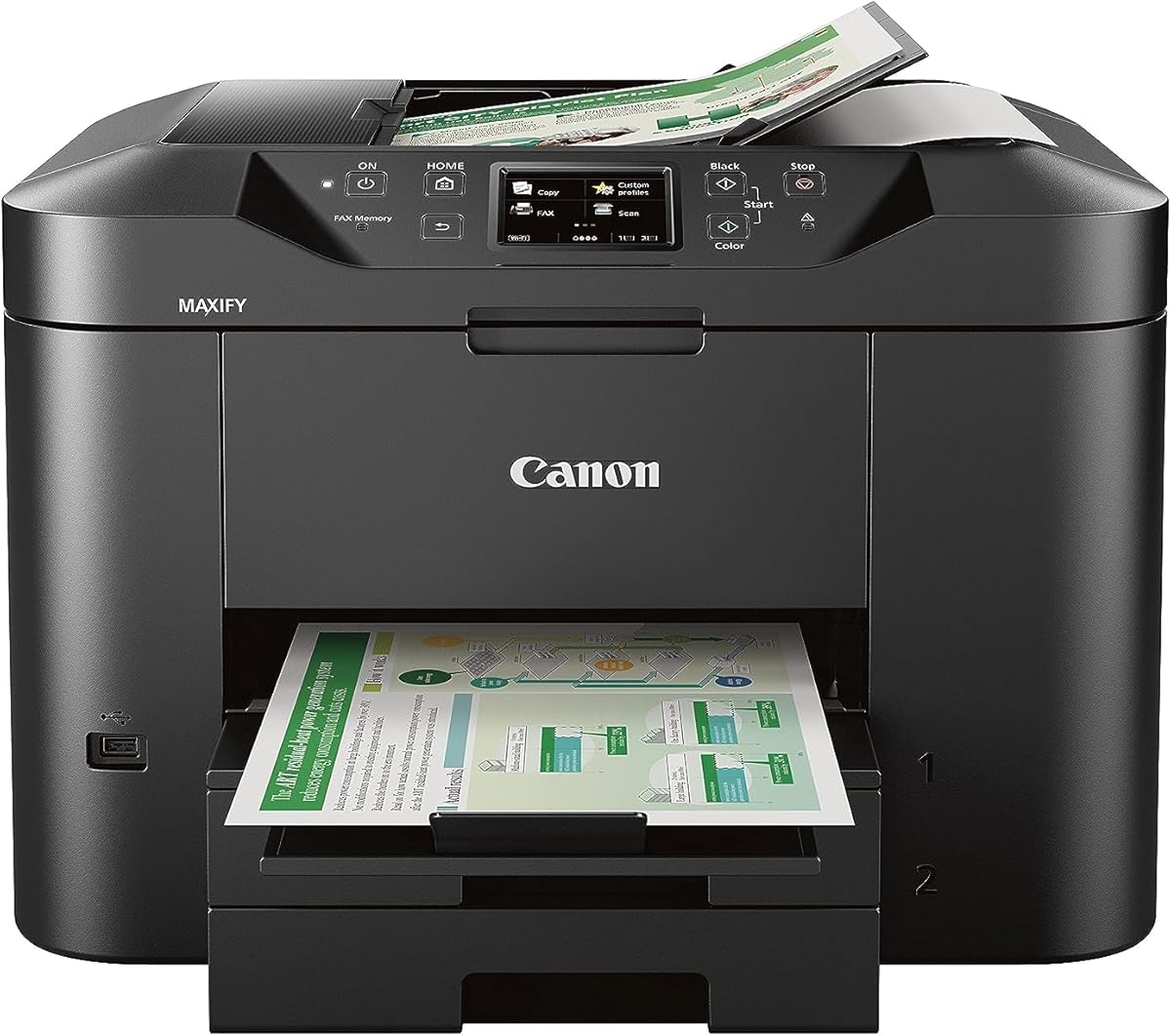
The Canon MAXIFY MB2720 is designed for business environments requiring robust performance and high volume handling. With a 20000 page duty cycle it is built to endure consistent daily use without frequent maintenance.
We may earn a commission when you buy through this link, at no additional cost to you.
Two paper cassettes provide 500 sheets total reducing downtime for refilling. The dual resistant inks ensure text remains legible and highlighter resistant which is crucial for legal or financial documents. Mobile scanning and printing add flexibility.
Downsides include its larger size and higher price point compared to home models. However the durability and capacity justify the investment for active offices. It is not strictly a fax machine but integrates fax functions well.
Choose this unit if you run a small business with regular document transmission needs. The reliability and capacity make it a smart long-term investment for busy workspaces.
Designed for heavy loads, this printer handles thousands of pages monthly without overheating or mechanical stress.
Documents stay clear even after handling, ensuring professionalism in shared office settings or client deliveries.
We may earn a commission when you buy through this link, at no additional cost to you.
The Canon PIXMA TR8620a combines premium features with reliable faxing capabilities for sophisticated home offices. Its compatibility with voice assistants adds a modern touch that enhances usability and convenience for daily tasks.
We may earn a commission when you buy through this link, at no additional cost to you.
Automatic two-sided printing saves paper and improves document presentation. The 200-sheet capacity supports larger batches without frequent refills. Smart reorder features ensure ink levels are managed automatically reducing human error and running out unexpectedly.
Higher cost compared to basic models is a trade-off but the advanced features justify the expense for power users. Setup can be intricate initially but offers greater flexibility. These factors align well with premium home office demands.
This machine is best for users who want top-tier convenience and integrated smart features. If voice control and auto-ink management are important, this model delivers unmatched efficiency.
Use Alexa commands to check ink levels or order supplies, freeing up time for more critical work tasks.
Two-sided printing reduces waste and costs while keeping documents professional and organized for recipients.
We may earn a commission when you buy through this link, at no additional cost to you.
The Brother IntelliFAX-2840 focuses on laser technology to deliver crisp and fast fax output. It is designed as a standalone unit ensuring it prioritizes faxing without needing extra print functions. This simplicity often translates to better reliability.
We may earn a commission when you buy through this link, at no additional cost to you.
Transmission speeds of 21 ppm make it one of the faster options on this list. Laser text quality is sharp and permanent which is ideal for official documents. The unit consumes energy efficiently aligning with office sustainability goals.
Downsides include fewer smart features compared to all-in-one units. It does not offer scanning or printing capabilities beyond faxing. While this limits versatility it enhances focus on core faxing performance and stability.
This unit is perfect for environments where faxing is the primary requirement. If you need speed and sharpness without additional features, this is a dependable specialized choice.
Laser technology ensures text remains sharp and clear, maintaining professionalism in all transmitted documents.
By focusing only on faxing, it reduces complexity and potential points of failure in your workflow.
We may earn a commission when you buy through this link, at no additional cost to you.
The Brother IntelliFax 575 Thermal utilizes thermal transfer technology for straightforward faxing. It is Energy Star rated, helping to lower electricity costs over time. This model is often chosen for its low operational complexity.
We may earn a commission when you buy through this link, at no additional cost to you.
Features include 512 KB memory for storage and a 10 sheet ADF for quick scanning. The compact footprint fits easily in tight spaces. Renewed options allow for even lower initial investment.
Trade-offs involve thermal paper which can be more expensive than standard paper and fades over time. The resolution is adequate but not suited for detailed graphics. These are acceptable if basic text documents are your focus.
This unit is suitable for low-volume users needing a simple, energy efficient fax machine. If you prioritize operational costs over advanced paper quality, this model is a practical solution.
Meeting Energy Star standards ensures the unit uses less power, saving money and reducing environmental impact.
Its small size allows placement in crowded workspaces without obstructing movement or other equipment.
We may earn a commission when you buy through this link, at no additional cost to you.
The Panasonic KX-FHD331 is a plain paper fax machine designed for standard document handling without special rolls. It integrates with answering machines, which is useful for voice and fax lines on a single phone line.
We may earn a commission when you buy through this link, at no additional cost to you.
Caller ID compatibility helps identify senders before they connect, improving security. The 6-month warranty offers exchange options providing peace of mind. Plain paper output ensures documents are compatible with standard filing systems.
However, it carries a lower rating compared to competitors suggesting reliability concerns. The modem speed of 9.6 Kbps is slower than modern standards which may delay transmission. These factors make it less ideal for urgent needs.
This machine works for very basic faxing where cost and simplicity are paramount. If you need basic functionality with standard paper and a low price, it serves its purpose adequately.
Using regular paper simplifies storage and archiving since documents don't require special handling or thermal sheets.
Integration with answering machines allows shared phone lines, reducing costs for setups with limited wiring options.
We may earn a commission when you buy through this link, at no additional cost to you.
Selecting the right fax machine involves weighing several critical factors that affect performance and usability. Here are the key elements to consider when shopping for an affordable fax solution.
Transmission speed determines how quickly your documents are sent to recipients. Faster modems like those with 9600 BPS reduce wait times, which is essential for busy offices handling high volumes. Slower speeds might save on cost but can delay communication significantly.
Prioritize a speed of at least 9600 BPS for efficient workflow without overpaying for unnecessary features.
Memory allows the machine to store pages when it is busy or out of paper. Models with 512 KB or more can store multiple pages ensuring you don't lose data during transmission. This feature is critical for reliability during peak usage times.
Look for memory that stores at least 20 pages to handle batch transmissions and unexpected interruptions smoothly.
Paper capacity affects how often you need to refill the machine. Higher capacity trays like 500 sheets reduce interruptions for manual refills. For smaller units, at least 50 sheets is standard for home offices. Matching capacity to your volume needs prevents downtime.
Choose a paper capacity that matches your daily fax volume to ensure continuous operation without constant monitoring.
Fax machines use thermal, inkjet, or laser technology. Thermal is cheap but paper fades; inkjet offers color; laser provides sharp text. Selecting the right one depends on whether you need color or just text clarity. Each has different maintenance costs and lifespan.
Laser is best for text durability, while thermal suits low-budget needs with standard document requirements.
Wireless capabilities allow you to fax from mobile devices without cables. This flexibility is important for modern home offices where devices are scattered. If you need to fax from phones or laptops, ensure the model supports Wi-Fi and mobile apps.
Opt for wireless models if you want to streamline your workflow and avoid physical connections for every task.
An auto document feeder lets you scan multiple pages at once. Manual placement can be tedious for multi-page documents. Units with ADF save time and reduce errors during input. Check the sheet capacity to ensure it meets your page limits.
If you fax multi-page contracts regularly, choose a model with an ADF to speed up your process.
The interface should be intuitive with clear menus and buttons. Complex setups can lead to errors and frustration for daily users. Models with simple control panels and clear instructions reduce training time. Consider if touch screens or physical buttons suit your preference.
Select a machine with a simple, clearly labeled control panel to minimize setup time and user confusion.
A good warranty protects your investment against defects. Longer warranties often indicate better build quality. Check if the brand offers responsive customer support for troubleshooting. Extended plans can add value if you plan long-term use.
Always verify the warranty terms and support availability to ensure help is available if issues arise.
Start by connecting the fax machine to a dedicated phone line and power source. Ensure the handset or corded phone is properly attached to the phone jack. Load the paper tray with the correct paper type specified in the user manual. Follow on-screen prompts to set up date time and your station ID.
To send a fax, place the document in the feeder or on the glass. Enter the recipient's fax number using the keypad and press send. Check that the machine reports a successful transmission after the process completes. Keep a log of sent numbers and times for record keeping.
Maintain your machine by regularly cleaning the rollers and glass with a soft cloth. Replace ink or toner cartridges when low to prevent streaks on copies. Store the machine in a cool dry place to protect electronics from heat or moisture. Perform self-tests monthly to ensure optimal performance.
A cheap fax machine is reliable if it has proven transmission speeds, adequate memory, and good user reviews. Look for models with simple designs and fewer complex features that might break. Brand reputation also plays a role in consistent performance over time.
Traditional fax machines need a phone line to transmit documents. Some modern all-in-one printers support Internet faxing services that work via Wi-Fi. However standalone cheap fax machines usually require a physical phone connection for operation.
Most cheap fax machines transmit in black and white only to save on ink and speed. Color faxing typically requires a more expensive all-in-one printer. If color is essential, consider an inkjet model that supports basic fax functions.
A memory capacity of 512 KB or higher is ideal for storing at least 20 pages. This prevents lost faxes if the machine runs out of paper or gets busy. Lower memory may work for very low-volume use but risks data loss.
Refurbished units can save money and often perform like new if certified. Check the return policy and warranty before buying. They are great for backup machines or budget setups but may lack full factory support compared to new items.
Using a dedicated line prevents missed faxes when the phone is in use. If you share a line, ensure the machine has a clear tone detector. Some models work with VoIP services but may require specific adapters to function correctly.
Thermal machines use special heat-sensitive paper that fades over time. Plain paper models use regular paper which lasts longer and is easier to file. Plain paper is better for legal or archival documents but may cost more to operate.
To speed up transmission, use a machine with a high BPS modem like 9600. Ensure the phone line quality is clear without static. Keep the document size small if scanning to reduce data load and processing time.
We have explored ten reliable options ranging from dedicated units to all-in-one printers. The Brother FAX-575 leads in core performance while the Canon PIXMA TR4720 offers great value for home users. Each choice balances price with essential features needed for clear communication.
When prioritizing, focus on memory capacity and transmission speed for efficiency. Wireless capabilities can add convenience for those working with mobile devices. Match the machine's features to your actual daily fax volume to avoid overspending or under-specifying your needs.
Remember that prices fluctuate based on supply and promotions. Always check current listings and compare total costs before deciding. With the right choice, you can maintain professional communication without unnecessary expenses.