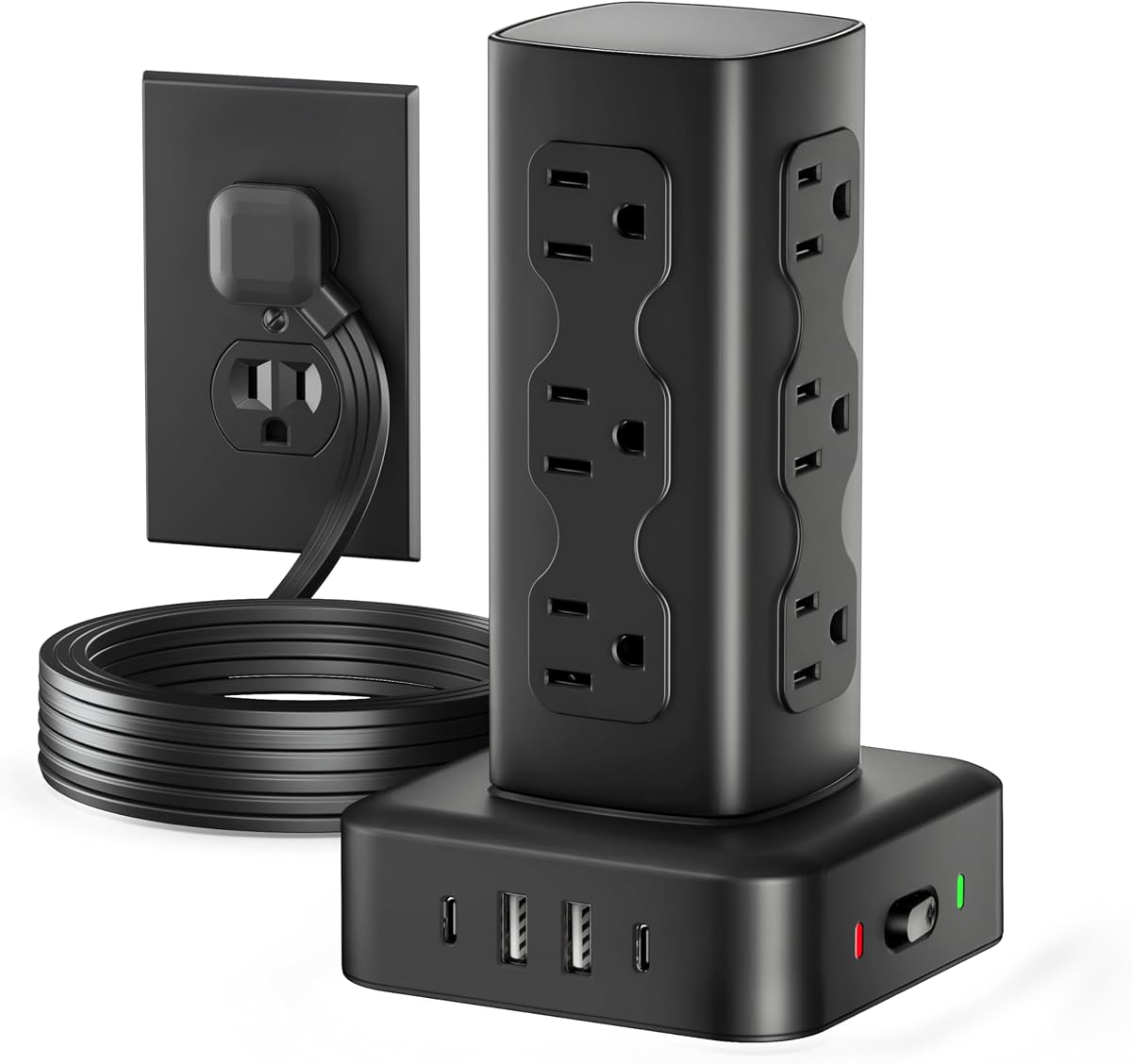
Power Strip Tower with 12 AC Outlets
4.7Editor score
12 AC outlets and 4 USB ports
0.31in ultra-thin flat plug
2000-joule surge protection
This guide compares the best charging tower options for home and office use, evaluating safety, outlet count, and USB charging speeds to help you choose.
In modern workspaces and homes, managing multiple devices requires reliable power solutions. A charging tower consolidates outlets into a vertical design, saving desk space while keeping cables organized and accessible for everyone.
We evaluated ten top-rated charging towers based on safety certifications, outlet configurations, and USB capabilities. Each product was reviewed for build quality, cord length, and overall value to ensure a comprehensive comparison for buyers.
Each pick highlights specific strengths like fast charging speeds or flat plugs. Prices fluctuate daily so verify current offers before purchasing. Our goal is to help you find a durable tower that fits your unique power needs today.
4.7Editor score

4.7Editor score

4.7Editor score
The following comparison table details the core specifications of each charging tower to help you quickly identify which model best suits your specific power requirements and spatial constraints.


The kakyanill Power Strip Tower stands out as a top contender with its massive 17-in-1 configuration. It earns a solid 4.5 rating from users who appreciate its ability to power everything from mini-fridges to laptops simultaneously.
We may earn a commission when you buy through this link, at no additional cost to you.
Its standout quality is the retractable 6-foot cord combined with a slim 0.35-inch flat plug. This design allows it to slip behind furniture easily while the 45-degree angled plug ensures lower outlets remain accessible for other devices.
While highly versatile, the tower is somewhat heavy and the retractable mechanism requires careful handling to avoid twisting the cord prematurely. These minor trade-offs are acceptable given the sheer volume of charging options it provides.
This tower is ideal for households needing maximum connectivity in a single unit. If you want to eliminate outlet hunting and keep your desk neat, this model offers the best balance of power and organization.
The 6-foot retractable cord rotates to store neatly at the base. This feature prevents tripping hazards and keeps your workspace looking clean even when the tower is plugged in permanently.
With an 1875W circuit breaker, this tower supports high-wattage appliances like printers or small coolers. It provides peace of mind for heavy users who need reliable power for multiple devices.
We may earn a commission when you buy through this link, at no additional cost to you.
The JACKYLED Power Strip Tower is a favorite for media centers and gaming setups. Its 4.7 rating reflects user satisfaction with the 18-in-1 layout that accommodates TVs, routers, consoles, and phones in one spot.
We may earn a commission when you buy through this link, at no additional cost to you.
The key strength lies in its widely spaced outlets which prevent bulky blocks from blocking each other. Individual layer switches let you manage power efficiently without unplugging devices, saving energy and extending device life.
One trade-off is the lack of high-speed Power Delivery ports for laptops. While it supports standard USB charging, power users with ultrabooks might need an additional adapter. However, the 1050J surge protection offers solid safety for sensitive electronics.
This tower is best for home entertainment systems where many devices run simultaneously. If you need to organize cables behind a TV stand, this model provides ample space and reliable protection.
Outlets are spaced 2.2 inches apart to ensure large adapters fit without blocking neighbors. This design is crucial for power strips in crowded media centers.
The 6.5ft pure copper cord extends and retracts via rotation. Copper ensures better current carrying capacity and durability for frequent use.
We may earn a commission when you buy through this link, at no additional cost to you.
Anker brings its reputation for reliability to the desktop charging space with this 9-in-1 charger. It scores a 4.7 rating for its premium build and ability to charge laptops at full speed via USB-C.
We may earn a commission when you buy through this link, at no additional cost to you.
The standout feature is the 100W USB-C port which can power MacBooks and other laptops directly. Combined with a heavy stable base, it stays put even when devices are plugged and unplugged frequently.
Compared to taller towers, it offers fewer AC outlets. If you need to plug in ten appliances, this might not suffice. However, for desk setups where laptops and phones dominate, it is an elegant solution.
Buy this if you prioritize charging speed and sleek design over raw outlet counts. It transforms a messy desk into a minimalist station while keeping your laptop and accessories fully powered.
With 100W output on select ports, you can charge modern laptops without a dedicated brick. This simplifies your desk and reduces cable clutter significantly.
Anker's 8-point safety system protects against overvoltage and short circuits. This rigorous engineering ensures your expensive electronics remain safe during power fluctuations.
We may earn a commission when you buy through this link, at no additional cost to you.
This tower offers exceptional value by packing 16 ports into an affordable package. With a 4.7 rating, users confirm it delivers solid performance for everyday charging needs without breaking the bank.
We may earn a commission when you buy through this link, at no additional cost to you.
Its strongest asset is the 2000-joule surge protection combined with a 0.31-inch flat plug. This high surge rating guards against electrical spikes effectively while the plug ensures a tidy fit against walls.
The main trade-off is the fixed 6-foot cord rather than a retractable one. You may need to manage excess length manually. However, for the price, the coverage and safety features are hard to beat.
Choose this tower if you need a budget-friendly solution for a dorm or home office. It handles daily device charging well and provides essential safety protection for your electronics.
The 2000J rating exceeds many standard strips. This higher rating means better defense against power surges which can damage sensitive devices over time.
The 0.31-inch flat plug fits flush against outlets. This design prevents the tower from sticking out awkwardly and blocks nearby wall outlets.
We may earn a commission when you buy through this link, at no additional cost to you.
The TenTrend Power Strip Tower focuses heavily on fast USB charging with a 230W total capacity. It is rated 4.5 by users who value quick laptop charging alongside standard device power.
We may earn a commission when you buy through this link, at no additional cost to you.
Key strengths include two orange USB-C ports delivering up to 65W each. These ports can charge laptops efficiently. The flat cable also lies flush on floors to prevent tripping in smaller rooms.
The shorter 5-foot cord is a limitation for distant outlets. Additionally fewer AC outlets mean you cannot plug in many large appliances. This tower suits desks where devices sit close to the unit.
This model is great for students or professionals needing fast USB-C power at their desk. If your setup prioritizes laptops and phones over multiple wall plugs, this offers excellent performance.
Ports are color coded to indicate power levels. This visual aid helps users quickly identify which port supports laptop charging versus phone charging.
The flat cord lies flush against surfaces. This design reduces tripping hazards and keeps cables tidy compared to round bulky cords.
We may earn a commission when you buy through this link, at no additional cost to you.
This tower stands out for its massive 10-foot extension cord made of pure copper. With a 4.7 rating, it is a top choice for rooms where the wall outlet is far from the desk.
We may earn a commission when you buy through this link, at no additional cost to you.
Its ultra-thin 0.27-inch plug hides behind furniture easily. The combination of 12 AC outlets and 8 USB ports ensures you have plenty of space for a full family of devices.
The tower is lightweight and may tip if pulled too hard. Also it lacks individual switches which limits granular power control. Still the reach it provides is unmatched for large spaces.
Select this tower if reach is your primary concern. The extra length ensures flexibility in placement while maintaining safety and charging capability for all your essential electronics.
The 10-foot cord allows placement away from the wall. This is ideal for beds or desks where a standard 5-foot cord would fall short.
ABS plus PC material resists high heat up to 1382 degrees. This fire retardant housing adds a layer of safety during long charging sessions.
We may earn a commission when you buy through this link, at no additional cost to you.
This tower specializes in iPhone charging with a dedicated 20W PD port that reaches 50% battery in minutes. It holds a 4.5 rating for its reliability in powering multiple family devices simultaneously.
We may earn a commission when you buy through this link, at no additional cost to you.
The key benefit is the 10-foot flat cord which offers ample reach. The weighted non-slip base ensures stability even when multiple heavy plugs are inserted into the outlets.
It lacks high wattage USB-C for laptops which limits versatility for professionals. However for phone and tablet charging it excels. The 1.5-inch spacing accommodates bulky chargers effectively.
This tower is perfect for family rooms or dorms where phones are the primary load. The long cord and stable base make it a practical choice for daily use.
The dedicated PD port charges iPhones significantly faster than standard ports. This saves time in the morning rush when you need power quickly.
The weighted base prevents tipping when devices are plugged in. This stability ensures safety on desks where the tower might be bumped accidentally.
We may earn a commission when you buy through this link, at no additional cost to you.
This tower earns a 4.7 rating for its compact yet functional design. It transforms one socket into a versatile station capable of powering sixteen devices at once.
We may earn a commission when you buy through this link, at no additional cost to you.
Its standout quality is the combination of wide outlets and smart USB ports. The USB-C port charges 30% faster than standard chargers making it a practical choice for tablets.
The fixed 6-foot cord might be too short for some setups but it keeps the design simple. The reset switch adds convenience for power management without unplugging the unit.
If you need a tidy desk setup without complex features this model fits well. It balances port count and safety features effectively for home or office environments.
The smart ports detect device needs to optimize charge speeds. This prevents overcharging and ensures safety for your connected electronics.
The reset switch allows quick power cycling during issues. This feature eliminates the need to fiddle with the wall outlet or unplug the tower.
We may earn a commission when you buy through this link, at no additional cost to you.
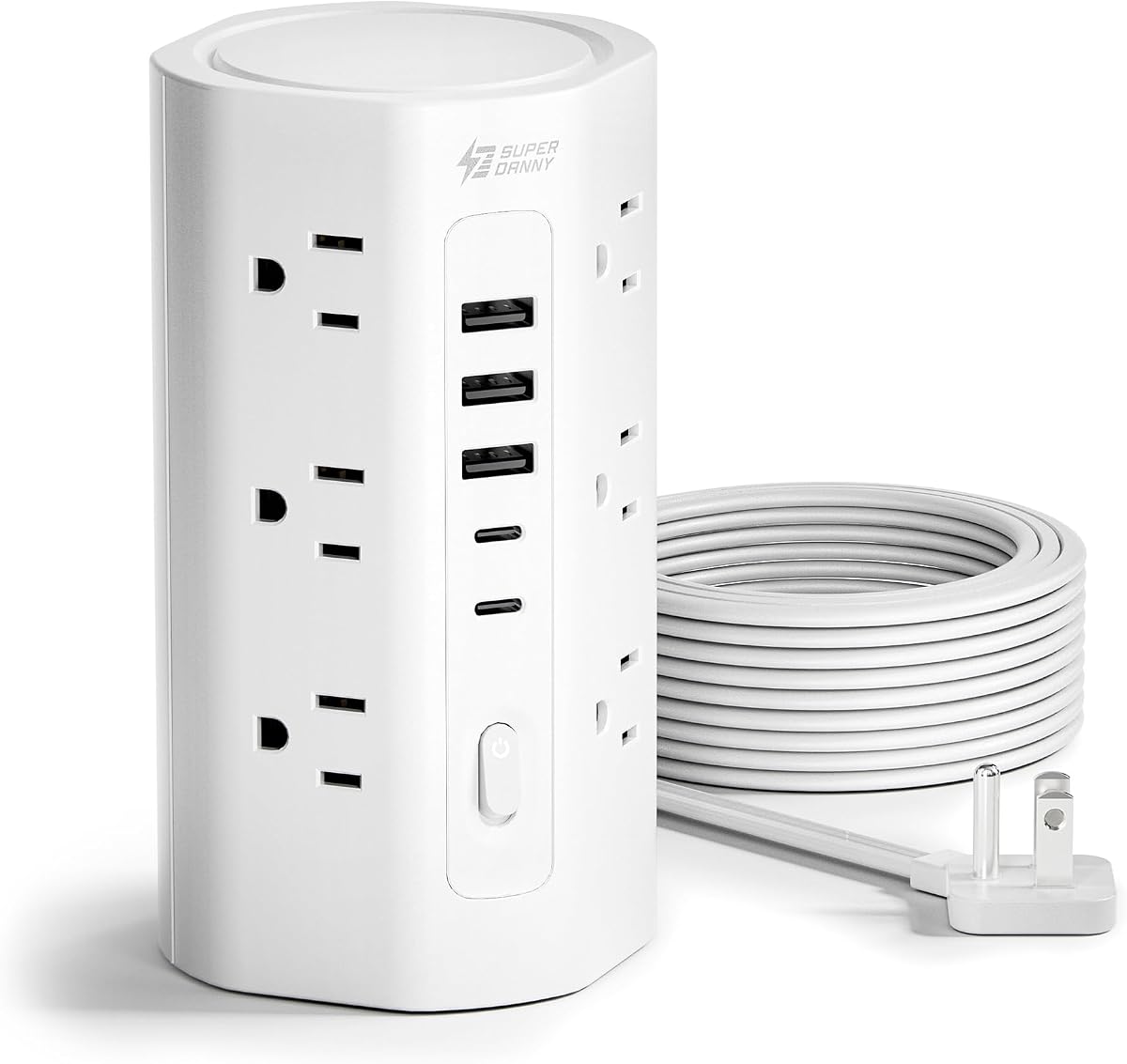
SUPERDANNY power strip delivers reliable performance with a 10-foot flat cord and strong safety features. It holds a 4.7 rating for users who prioritize distance and protection.
We may earn a commission when you buy through this link, at no additional cost to you.
The 1700J surge protection combined with V-0 fire retardant casing offers robust safety. The wide spaced outlets prevent blocking and ensure every plug fits comfortably without overlap.
The main drawback is the lack of high speed USB charging for laptops. While sufficient for phones it does not support high power delivery for modern notebooks. Still it is a safe bet.
This tower is excellent for living rooms or dorms needing a long reach. The cord tucks neatly along walls to avoid tripping hazards while keeping devices powered reliably.
The flat cord is only 0.12 inches thick. This allows it to hide under rugs or along baseboards without causing bumps or tripping.
The casing resists fire and the surge protection guards against spikes. These features provide peace of mind for valuable electronic devices.
We may earn a commission when you buy through this link, at no additional cost to you.
This charging station offers high speed USB-C performance with 65W ports for laptops. It earns a 4.5 rating for its ability to fast charge devices while maintaining a clean setup.
We may earn a commission when you buy through this link, at no additional cost to you.
The retractable 6-foot cord keeps your desk tidy. Combined with anti-slip rubber feet it stays stable even when handling multiple devices. The safety indicator light alerts you to any electrical issues.
Users note that cases should be removed to prevent overheating during fast charge. Also fewer AC outlets limit it for appliance-heavy setups. This is a solid desk solution for personal devices.
If you need to charge laptops and tablets quickly this tower is a strong choice. It balances speed and organization effectively for students and professionals alike.
The USB-C ports support up to 65W each. This allows charging laptops at standard speeds without needing a separate power brick.
The built-in light shows if the tower is functioning correctly. This gives users immediate feedback on power status for peace of mind.
We may earn a commission when you buy through this link, at no additional cost to you.
Choosing the right charging tower involves evaluating your device count and available space to ensure you select a model that meets your needs.
Consider how many devices you need to plug in simultaneously. Look for towers with enough AC and USB outlets to handle your desktop or living room setup without crowding.
Select a model that covers your current needs plus room for future growth.
Surge protection is measured in joules and indicates how much energy the tower can absorb. For valuable electronics choose a tower with at least 1000 joules to ensure safe operation.
Higher ratings provide better safety against unexpected power spikes.
Check the USB wattage if you charge laptops or tablets. Models with Power Delivery ports deliver faster charging speeds than standard USB-A ports.
Prioritize high wattage USB-C ports for modern devices.
Cord length determines where you can place the tower relative to outlets. Retractable cords help manage slack while fixed cords offer consistent reach.
Choose a length that fits your room layout.
A flat plug sits flush against the wall allowing other outlets to be used. This prevents obstruction behind furniture or desks.
Always verify the plug thickness is under 0.5 inches.
Look for certifications like UL or FCC which verify electrical safety standards. Certified products reduce the risk of fire or electrical failure.
Certified towers offer better long-term reliability.
Vertical towers take up less floor or desk space than horizontal strips. Compact dimensions help maintain a tidy workspace.
Measure your available surface before buying.
Switches on each outlet allow you to turn off power to specific devices. This feature helps manage heat and energy use.
Switches are useful for controlling high-power devices.
Place the tower on a stable flat surface near a wall outlet. Plug the tower directly into the wall rather than another extension cord to avoid overloading circuits.
Distribute plugs evenly across the tower to ensure balanced load and prevent heat buildup. Avoid bending the cord sharply as this can damage internal wires.
Periodically check the plug and outlet slots for dust or debris. Use a dry cloth to clean the exterior and store it in a cool place when not in use.
Yes charging towers are designed to power multiple devices simultaneously. They convert a single wall outlet into several AC and USB ports allowing you to plug in phones and laptops at once.
Most modern towers are safe to leave plugged in if they have surge protection. Ensure the unit is UL certified and has an automatic shutoff feature to prevent overheating issues.
Yes many dorms allow charging towers because they reduce fire hazards compared to daisy chained strips. Always check your dorm rules regarding surge protector wattage limits before buying.
AC outlets plug in standard power bricks while USB ports charge devices directly. USB outlets are convenient for phones but AC outlets offer more flexibility for large appliances.
Unplug the tower before cleaning. Use a soft dry cloth to wipe the exterior. Avoid water or liquid cleaners as moisture can damage the internal electronics or cause a short circuit.
Yes towers with Power Delivery USB-C ports can charge laptops. However standard USB ports may not provide enough wattage for high performance notebooks requiring dedicated chargers.
We highlighted top choices like the JACKYLED Tower for versatility and the TenTrend 40W model for long reach. These models cover most needs from basic outlets to fast USB charging.
Prioritize safety ratings and cord length when making your decision. A taller tower with reliable surge protection ensures your devices stay powered safely over time.
Prices change frequently so check current offers before purchasing. Our list serves as a guide to help you find a durable solution that fits your space.