
Brailliant BI 40X Braille Display
5.0Editor score
40-cell refreshable display
Bluetooth 5 technology
32GB internal storage
Comfortable daily use design
This guide compares the top Braille displays for blind users, covering refreshable models, slates, and keyboards to help you find the right accessibility tool.
Braille displays for blind users provide essential access to digital text and information. These devices transform screen content into tactile dots, allowing independent reading and navigation across various platforms and applications.
We evaluated ten top products based on portability, connectivity, build quality, and user feedback. Our analysis includes refreshable displays, manual slates, and specialized keyboards to cover diverse needs and budgets.
Each pick highlights key features, pros, and cons to guide your decision. Prices and availability change frequently, so verify current details before purchasing to ensure you get the best value available today.
5.0Editor score

4.5Editor score

4.9Editor score
The following table offers a side-by-side comparison of all ten products featured in this guide. Review the key specifications and features to quickly identify which device aligns best with your specific accessibility requirements and usage scenarios.




The Brailliant BI 20X is a highly rated refreshable braille display designed for blind users who need reliable access to digital text. It offers a 20-cell display that translates screen content into tactile dots for reading and writing.
We may earn a commission when you buy through this link, at no additional cost to you.
This device supports connections to five Bluetooth devices and one USB device simultaneously, making it versatile for use with phones, tablets, and computers. Onboard KeySoft Lite apps provide tools like editors and calculators directly on the device.
While the 20-cell format is compact, it may require more scrolling for longer documents compared to larger models. However, its portability and battery life make it a strong choice for daily mobile use.
Buyers seeking a balance between functionality and portability will find this display suitable. It is recommended for users who prioritize connectivity and built-in apps over larger display sizes.
Connect to multiple devices simultaneously for seamless transitions between your phone, tablet, and computer.
Access onboard apps like Editors and Calculators without needing external software.
We may earn a commission when you buy through this link, at no additional cost to you.
The Brailliant BI 40X stands out as a top premium option for blind users requiring more screen real estate. Its 40-cell refreshable display provides more context for reading text without frequent scrolling.
We may earn a commission when you buy through this link, at no additional cost to you.
With Bluetooth 5 technology, this device ensures a stable and fast wireless connection. It also offers 32GB of internal storage, allowing users to store more documents and data locally.
The larger size may make it less convenient for carrying in small bags, but it enhances comfort during extended reading sessions. The 20-hour battery life supports all-day use without frequent recharging.
Users who need a comprehensive braille experience with more storage and display width should consider this model. It is ideal for professional or educational settings where detailed reading is required.
The 40-cell display offers more context for reading complex documents and long-form content.
Bluetooth 5 technology ensures faster and more stable connections to your devices.
We may earn a commission when you buy through this link, at no additional cost to you.
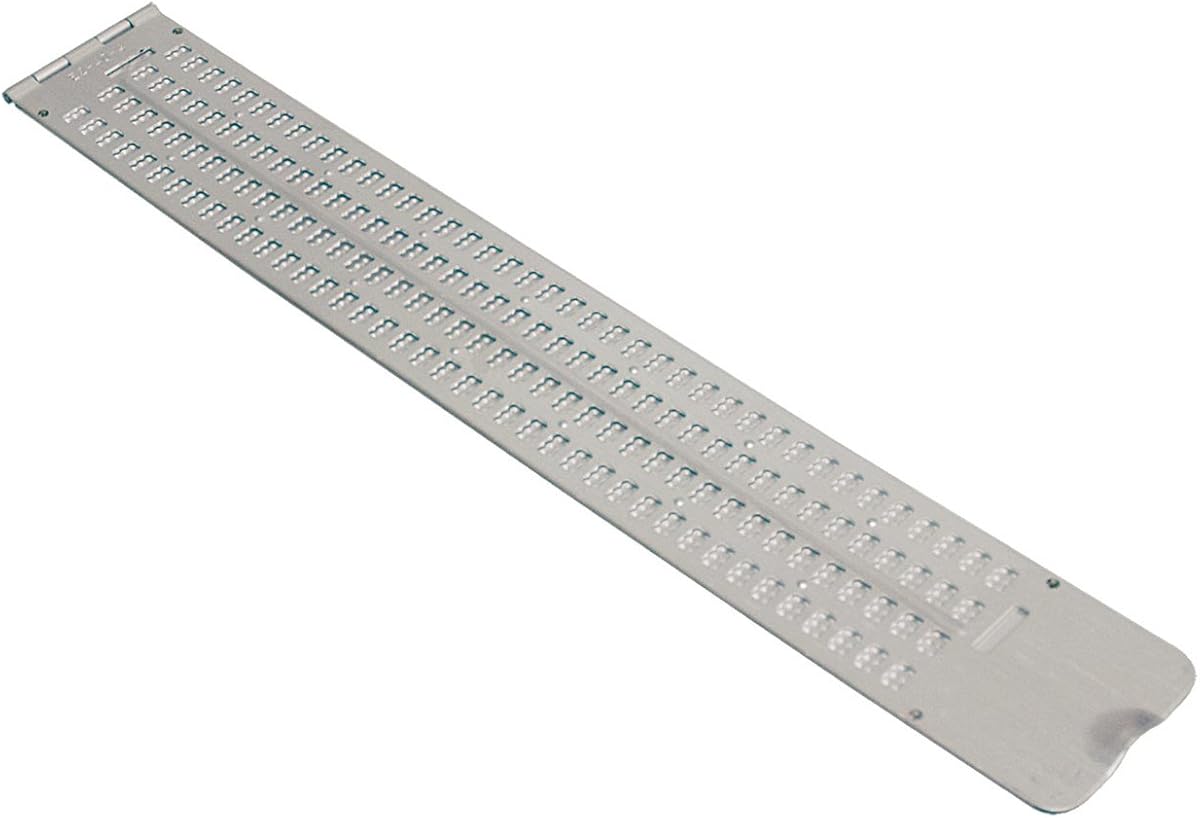
This manual slate provides a substantial writing area with 13 lines and 36 cells across. It is designed for embossing braille directly onto paper for notes or assignments without electronic components.
We may earn a commission when you buy through this link, at no additional cost to you.
The aluminum construction ensures durability for daily use in school or work settings. A thumb notch facilitates easy opening and closing, while the included stylus allows for immediate writing.
While effective for static notes, it requires manual effort and lacks the speed of refreshable displays. Users should be prepared for the physical process of writing braille by hand.
This slate is suitable for students or professionals who need a reliable, non-electronic option for braille writing. It serves well for quick notes where digital access is not necessary.
13 lines allow for extensive notes or assignments without constant page turning.
Aluminum construction withstands daily wear and tear in various environments.
We may earn a commission when you buy through this link, at no additional cost to you.
The Business Card Slate is an ultra-thin aluminum tool perfect for embossing short braille messages or signatures. It features a built-in guide to ensure straight lines for professional-looking cards or labels.
We may earn a commission when you buy through this link, at no additional cost to you.
Its compact size makes it easy to carry in a pocket or small bag. This slate is ideal for quick notes, demonstrations, or creating braille on business cards where space is limited.
The 4-line capacity limits longer text but is sufficient for its intended purpose. Users looking for a basic, low-cost tool for braille practice will find this highly effective.
This slate is recommended for beginners or those needing a portable option for occasional braille writing. Its high rating reflects its reliability and ease of use for specific tasks.
The built-in guide helps you emboss straight lines for consistent and professional results.
Its small size ensures it fits easily in pockets or bags for on-the-go use.
We may earn a commission when you buy through this link, at no additional cost to you.
This full-page slate accommodates standard letter-size paper, allowing extensive writing without moving the tool. It is made of durable plastic that operates quietly, making it suitable for shared environments.
We may earn a commission when you buy through this link, at no additional cost to you.
The design allows users to leave paper inside the slate between sessions, preventing wrinkles. Built-in guides support embossing on labeling tape, adding versatility for organizational tasks.
While effective for large documents, it is heavier than pocket models and requires manual effort. Users should consider the weight if portability is a primary concern for daily carrying.
This slate is recommended for users who need a stationary tool for long-form braille writing or labeling. It serves well in home or office settings where space is available.
Designed to fit standard North American letter-size paper for full-page writing.
Plastic construction ensures a quiet writing experience that does not disturb others.
We may earn a commission when you buy through this link, at no additional cost to you.
The Pocket Slate offers a balance of capacity and portability with 4 lines and 40 cells each. Its lightweight aluminum construction ensures durability while remaining easy to carry in daily bags.
We may earn a commission when you buy through this link, at no additional cost to you.
Designed to fit in a briefcase or backpack, this slate is ideal for students or professionals on the go. The pins-up design provides a clear surface for reading written braille.
Although it is compact, it still requires manual effort for writing. Users should be prepared for the physical process of embossing notes or small assignments by hand.
This slate is recommended for those needing a durable, portable option for short to medium-length braille writing. It is a practical tool for travel or daily commute use.
Designed to fit comfortably in briefcases or backpacks for easy transport.
Aluminum material ensures longevity without adding excessive weight to your bag.
We may earn a commission when you buy through this link, at no additional cost to you.
The Hable One is a portable braille keyboard designed for smartphones and tablets. It allows users to navigate and type accurately using 8 tactile buttons without prior braille knowledge.
We may earn a commission when you buy through this link, at no additional cost to you.
This device enhances accessibility by working with built-in screen readers and voice commands. Its compact design keeps the phone secure while allowing private typing in public spaces.
Battery life exceeds one month on a single charge, ensuring reliable use during daily activities. The intuitive setup makes it accessible for users of various technical levels.
Buyers seeking an easy-to-use input method for their mobile devices will find this keyboard effective. It is recommended for those who need private and efficient text input on the go.
Works with Siri or Dictation for enhanced voice and screen reader control.
Keep your phone in your pocket while typing privately with this small device.
We may earn a commission when you buy through this link, at no additional cost to you.
This handheld labeler produces braille letters and numbers on vinyl tape for organizing items around the home. It is lightweight and durable, suitable for marking containers or labels clearly.
We may earn a commission when you buy through this link, at no additional cost to you.
Users can spin a dial to select letters and squeeze a trigger to emboss the symbols. The included tape roll allows immediate use for labeling tasks without additional purchases.
The device is limited to labeling and does not support general text writing. However, it is effective for creating accessible labels for storage or personal organization projects.
This labeler is recommended for users who need accessible organization solutions for home or office. It serves well for creating clear, tactile identifiers for everyday items.
Spin the dial and squeeze the trigger to easily emboss braille on tape.
Comes with a roll of half-inch vinyl tape for immediate labeling tasks.
We may earn a commission when you buy through this link, at no additional cost to you.
These transparent stickers add braille to existing keyboards for a bilingual experience. They are made of Lexan material with adhesive that does not slip, ooze, or curl during use.
We may earn a commission when you buy through this link, at no additional cost to you.
The clear design allows users to see the original key legends underneath while feeling the braille dots. This makes them a practical and economical solution for home computer users.
Installation is straightforward with a peel-and-stick method. However, over long periods, stickers may require replacement depending on usage frequency and wear.
This option is recommended for users seeking a budget-friendly way to access braille on home PCs. It serves well for low vision individuals or those learning braille.
See original key legends through clear Lexan material for easy reference.
3M adhesive ensures stickers stay in place without slipping or curling.
We may earn a commission when you buy through this link, at no additional cost to you.
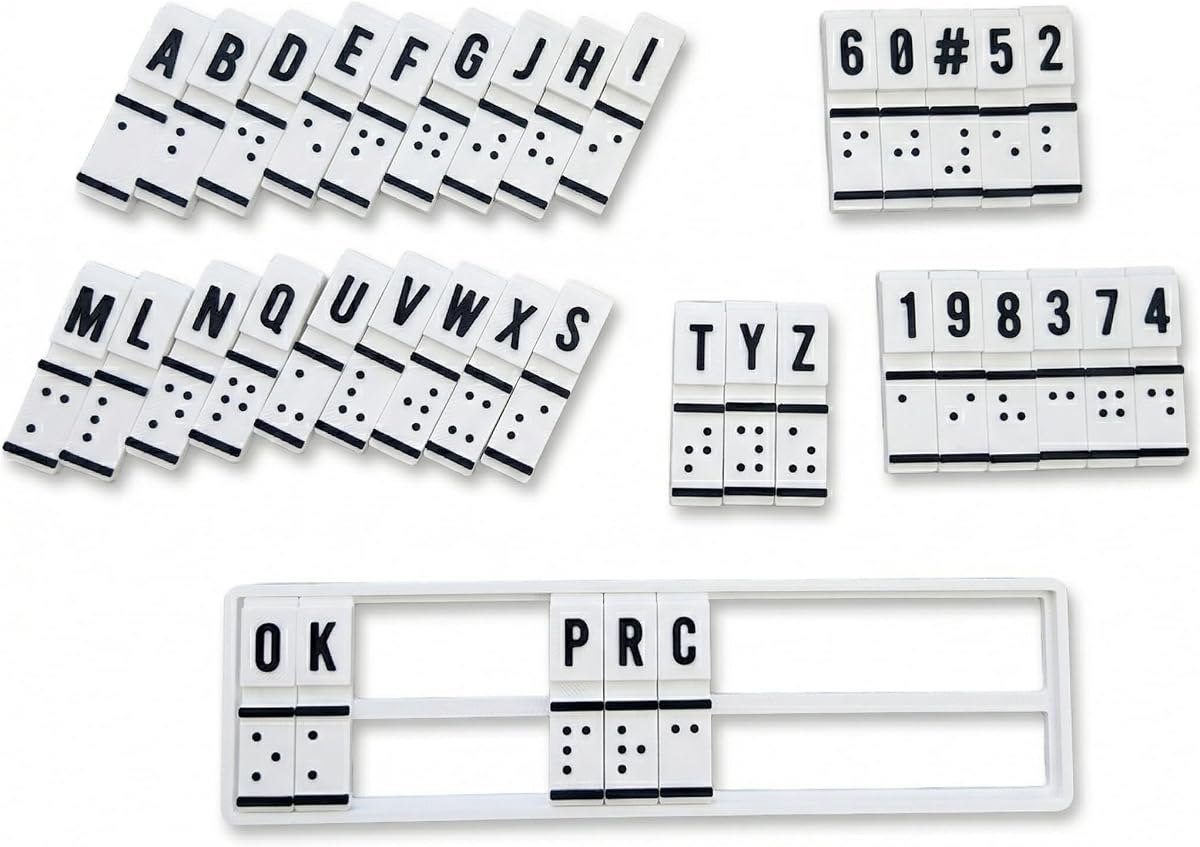
This training machine combines braille education, hands-on training, and translation functions in one compact device. It is designed for beginners learning braille, practicing dot patterns, or converting text.
We may earn a commission when you buy through this link, at no additional cost to you.
The interactive tactile design allows users to feel and create braille directly, building muscle memory without electronics. It supports visually impaired users, educators, and rehabilitation specialists.
Despite its educational intent, user ratings indicate potential challenges with functionality or ease of use. Buyers should weigh these factors against their specific learning goals and expectations.
This device is recommended for educators or families seeking a physical tool for braille literacy. It may serve well as a supplementary aid in classroom or home practice.
Build muscle memory by creating and reading braille directly without electronics.
Useful for educators, parents, and rehabilitation specialists working with beginners.
We may earn a commission when you buy through this link, at no additional cost to you.
Choosing the right braille display involves considering your daily tasks, budget, and specific accessibility needs. This guide outlines key factors to help you make an informed decision.
Refreshable displays come in sizes like 20-cell or 40-cell, affecting how much text you can view at once. Larger displays reduce scrolling but may be less portable. Consider your reading habits and whether you need detailed context or basic access.
Choose a size that balances comfort with portability based on your daily routine.
Modern devices often support Bluetooth and USB connections to multiple devices like phones and computers. Ensure the display connects to your primary devices without lag or complexity.
Look for models offering stable multi-device support for seamless workflow integration.
Battery life impacts how long you can use the device away from a power source. Aim for devices offering at least 20 hours to cover a full work or school day.
Prioritize long battery life if you travel frequently or lack easy charging access.
Some displays include onboard apps like editors or calculators that enhance functionality without external tools. Check if the device supports libraries or translation tools you use.
Select a model with built-in features that match your productivity requirements.
Weight and dimensions matter for carrying the device daily. Compact models fit easily in bags but may have fewer features. Consider how much you will move it daily.
Balance the weight with necessary features to ensure comfortable daily transport.
Prices vary significantly between premium refreshable displays and basic manual slates. Determine your budget and prioritize essential features over extra bells and whistles.
Invest in a device that fits your financial constraints while meeting core needs.
Devices should withstand daily use and potential drops. Look for durable materials like aluminum or reinforced plastic that protect internal components.
Choose models with proven build quality to ensure long-term reliability.
Some devices require prior braille knowledge while others are intuitive for beginners. Consider your current skill level and available training resources before purchasing.
Opt for easier-to-use devices if you are new to braille or accessibility tech.
For refreshable displays, pair the device with your smartphone or computer via Bluetooth before use. Configure your screen reader settings to output braille on the display for accurate navigation.
Clean the braille cells gently with a soft brush to remove dust. Avoid harsh chemicals or liquids that could damage the sensitive internal mechanisms.
Charge the device using the provided USB-C cable at least once a week. Store it in a protective case when not in use to prevent scratches and impact damage.
A refreshable display electronically changes braille cells to show dynamic text from a screen. A slate is a manual tool used to emboss braille onto paper. Displays offer real-time access while slates require physical writing effort.
Yes, most modern displays connect via Bluetooth to smartphones running iOS or Android. They allow navigation and reading through the phone's screen reader, offering full mobile accessibility.
Many models can connect to multiple Bluetooth devices and one USB device simultaneously. This allows seamless switching between a computer, tablet, and phone without disconnecting and reconnecting manually.
Battery life varies by model but many offer up to 20 hours on a single charge. Always check the specific product details to ensure it meets your daily usage needs without frequent recharging.
Yes, manual slates and basic keyboards offer lower-cost alternatives to premium displays. They are ideal for learning braille or for those who need simple labeling without full digital integration.
A 20-cell display is often considered the best balance for portability and readability. Larger 40-cell models provide more context but add bulk that may not suit daily commuting or travel.
Most premium displays include a manufacturer warranty covering defects for at least a year. Always verify the specific warranty terms with the seller before purchasing to ensure proper protection.
Yes, many refreshable displays support access to online libraries like Bookshare and NLS BARD. They often include built-in apps or software that allow browsing and reading directly on the device.
The Brailliant BI 20X and 40X stand out as top choices for dynamic digital access, offering reliability and connectivity. For those seeking simplicity, manual slates provide durable and affordable writing tools.
When prioritizing features, focus on battery life and connectivity options that match your daily workflow. Ensure the device supports the apps and libraries you use most frequently for seamless integration.
Always check current prices and availability before purchasing to secure the best value. Accessibility technology evolves rapidly, so verifying product updates ensures you choose a device that meets modern needs.