
Logitech G F310 Wired Gamepad Controller Console – Blue/Black
4.4Editor score
Broad game support for old and new titles
Profiler software for custom keyboard mapping
Familiar Xbox 360 control layout
Find the best controller for retro console gaming with our expert guide comparing top models for PC, Switch, and classic systems.
Choosing the right controller for retro console gaming is essential for preserving the authentic feel of classic titles while ensuring modern compatibility. Whether you are playing on PC, Switch, or dedicated emulation hardware, the right input device can make or break your experience.
We have carefully selected and reviewed ten top-rated controllers based on build quality, connectivity options, and compatibility with various retro systems. Our analysis focuses on features that matter most to enthusiasts, such as button responsiveness, wireless range, and ergonomic design for long sessions.
Each pick in this guide highlights unique strengths, from budget-friendly wired options to premium wireless models with advanced features. Please note that prices and availability change frequently, so check the current listings before making your final purchase decision.
4.4Editor score

4.6Editor score
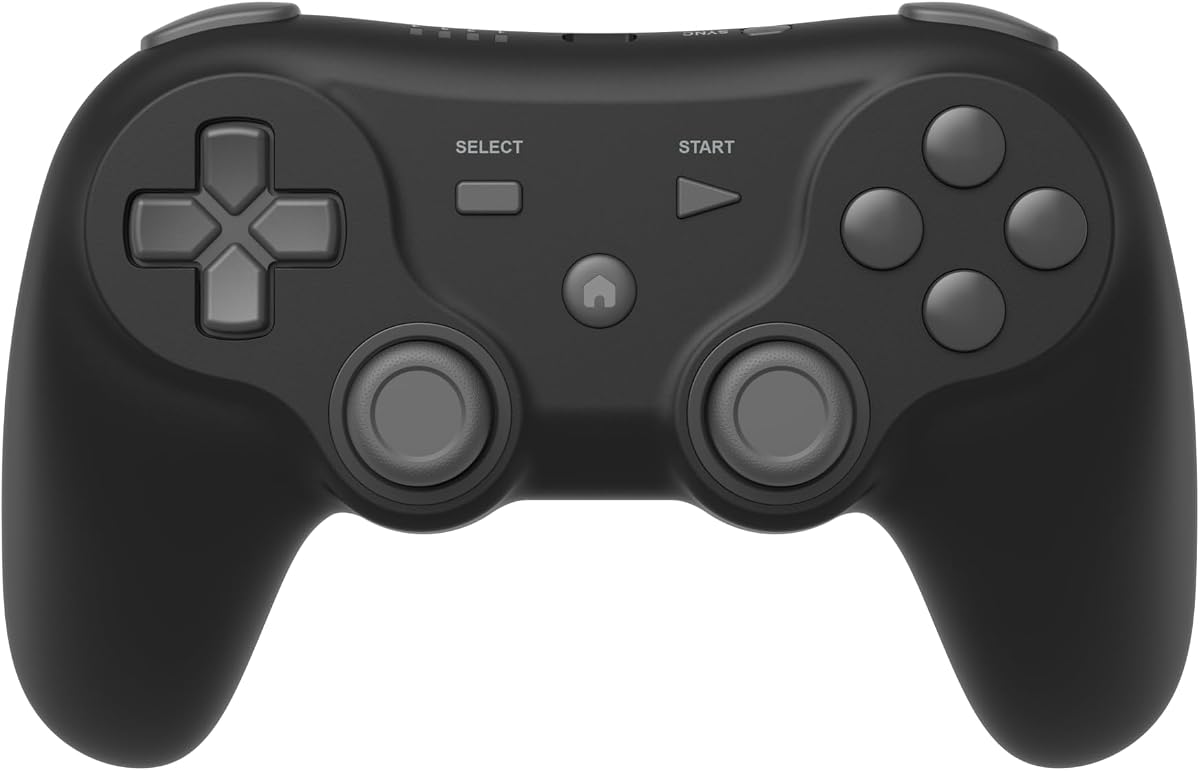
3.8Editor score
This side-by-side comparison highlights the key specifications and strengths of each controller to help you find the perfect match for your setup.


The Logitech G F310 stands out as an excellent entry-level option for retro gaming enthusiasts. With a solid 4.4 rating, it offers broad support for everything from old standbys to modern titles, making it versatile for mixed setups.
We may earn a commission when you buy through this link, at no additional cost to you.
Its familiar control layout mirrors the Xbox 360 design, ensuring there is no learning curve for most players. The unique floating D-pad rests on four switches for responsive directional changes, while the six-foot cord provides comfortable distance from your monitor.
While the Profiler software requires installation to map keyboard commands for games without native support, this adds significant utility. The main trade-off is the wired connection, which limits mobility compared to wireless alternatives, but ensures stable input.
This controller is perfect for budget-conscious gamers who want a reliable, plug-and-play experience on PC. If you value wide compatibility and customizable inputs over wireless freedom, the F310 delivers exceptional value for the price.
Works seamlessly with both classic emulators and modern PC titles, adapting to various genres without hassle.
The Profiler software enables advanced users to map gamepad actions to keyboard keys for broader game support.
We may earn a commission when you buy through this link, at no additional cost to you.
The 8Bitdo SN30 Pro earns our Editor's Choice for being the world's first fully featured retro controller. It combines nostalgic design with modern tech like Hall Effect joysticks, motion controls, and wireless Bluetooth connectivity for top-tier performance.
We may earn a commission when you buy through this link, at no additional cost to you.
Its robust build ensures long-lasting precision with clickable joysticks and dual micro-vibration motors that provide varied rumble effects. The battery supports up to 18 hours of play on a single charge, making it ideal for extended sessions or travel.
While it is pricier than basic wired controllers, the features justify the cost for serious enthusiasts. The only minor drawback is the need for occasional firmware updates to maintain compatibility, which is a common requirement for advanced wireless devices.
This controller is the top pick for those seeking a premium retro experience across Switch, PC, and mobile. Its blend of classic feel and cutting-edge features makes it a standout choice for versatile gaming needs.
Hall Effect sensors eliminate stick drift and offer higher sensitivity for precise control during intense gameplay.
Compatible with Switch, PC, Android, and even Apple devices, ensuring you can play anywhere without extra adapters.
We may earn a commission when you buy through this link, at no additional cost to you.
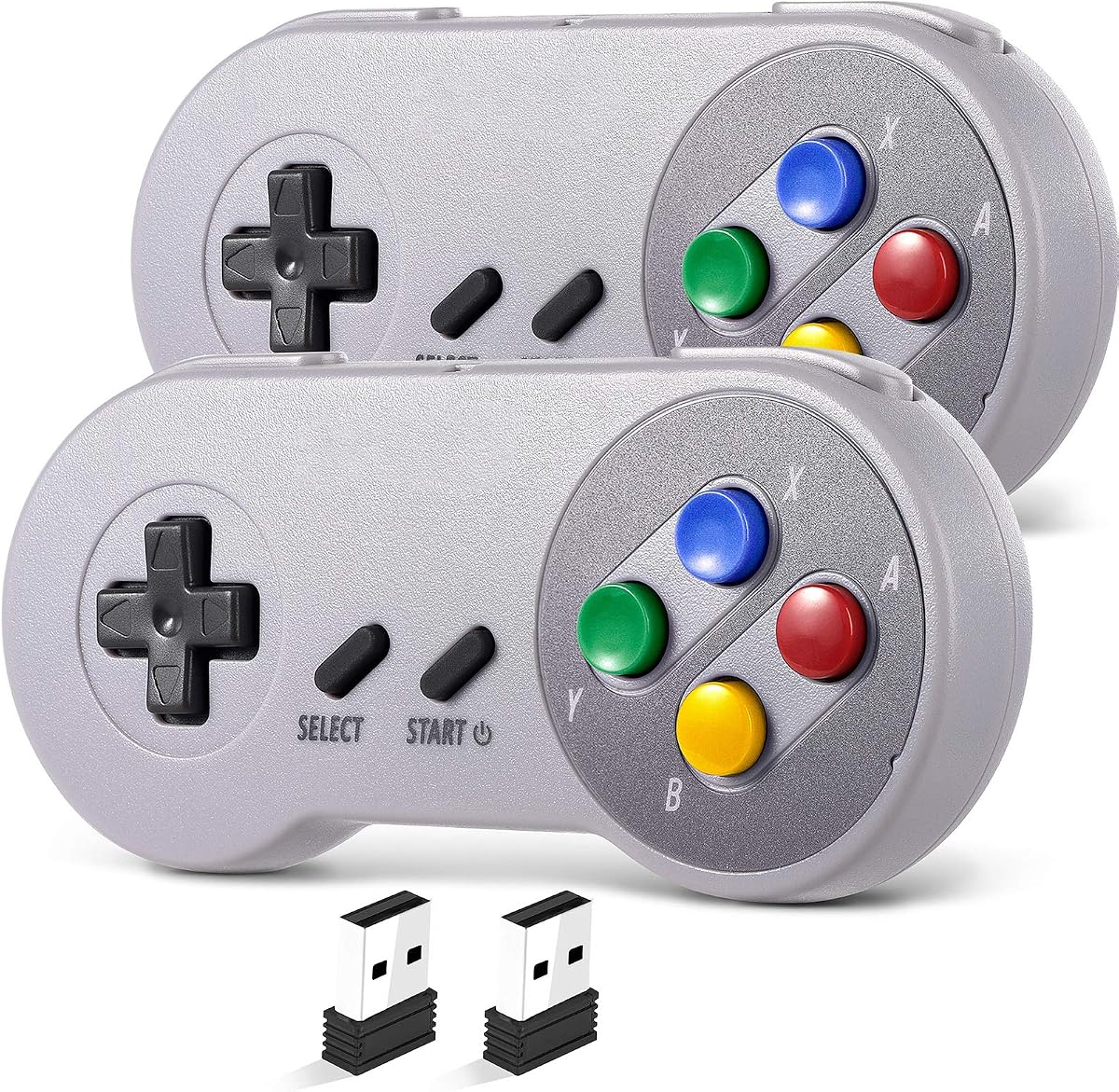
This 2 Pack Wireless USB SNES Controller set offers exceptional value for gamers looking to enjoy classic multiplayer sessions. With a 4.2 rating, it delivers stable 2.4GHz wireless performance and a 10-hour runtime per charge for convenient usage.
We may earn a commission when you buy through this link, at no additional cost to you.
The plug-and-play design means no drivers are needed for compatible devices like Windows PC and macOS. The multi-color keys add a vibrant touch to the retro aesthetic, while the responsive controls ensure precise input during gameplay.
However, compatibility is limited; it does not work with Switch or Android TV boxes, which restricts its use to specific setups. Users should verify their device compatibility before purchasing to avoid disappointment with platform restrictions.
Ideal for dedicated PC or Mac emulation setups, this pack provides all you need for local co-op gaming. If you prioritize multiplayer capability and simplicity over universal platform support, these controllers are a strong choice.
Includes two controllers and receivers, enabling immediate split-screen action for fighting or racing games.
The 2.4GHz connection maintains a stable 10-meter range with zero lag for smooth uninterrupted gameplay.
We may earn a commission when you buy through this link, at no additional cost to you.
The happymaxplus Retro Classic Controller is a specialized option designed specifically for AV 620, HD 621, and HD 821 retro consoles. With an impressive 4.8 rating, it ensures reliable compatibility and ease of use for these niche systems.
We may earn a commission when you buy through this link, at no additional cost to you.
Its 9 Pin DB9 plug port design allows for instant plug-and-play functionality without any setup hassles. The 4-button controller features continuous fire, giving you an edge in rapid-fire action games and adding to the authentic retro experience.
While it excels with targeted consoles, it is not a general-purpose controller for Switch or PC. The wired nature also means less mobility, but for shared gaming moments with kids on compatible hardware, it builds lasting memories.
This pack is essential for owners of specific retro consoles who need reliable replacements. If your setup matches these models, it delivers high-quality performance and shared fun without any compatibility concerns.
Designed explicitly for AV 620 HD and similar retro game consoles to ensure perfect port compatibility and function.
The continuous fire feature allows for rapid presses without constant finger movement during intense action sequences.
We may earn a commission when you buy through this link, at no additional cost to you.
The Retro-Bit Legacy 16 brings the golden era of gaming to modern setups with its authentic 16-bit design. With a 4.3 rating, it combines nostalgic styling with practical features like a 10 ft cable and extra buttons for enhanced functionality.
We may earn a commission when you buy through this link, at no additional cost to you.
Its responsive D-pad and precision buttons work well for both retro and modern games, including fighting and platformers. The inclusion of Home and Screenshot buttons adds modern convenience without sacrificing the classic feel of the original controllers.
While it is durable for the price, the wired connection may restrict movement compared to wireless options. However, the long cable helps mitigate this, allowing comfortable play distance from your console or monitor.
This controller is perfect for fans who crave vintage aesthetics on Switch or PC. If you value classic design paired with essential modern features, the Legacy 16 delivers an affordable and reliable retro gaming experience.
Engineered to capture the look and feel of original 16-bit controllers, evoking nostalgia for retro fans.
Dedicated Home and Screenshot buttons allow quick system navigation without disrupting your retro immersion.
We may earn a commission when you buy through this link, at no additional cost to you.
The 8Bitdo 64 Bluetooth Controller is crafted to complement the Analogue 3D console while offering broader utility. With a strong 4.6 rating, it bridges the gap between retro authenticity and modern connectivity like Bluetooth and wired USB.
We may earn a commission when you buy through this link, at no additional cost to you.
It features D-input and S-input modes for flexible system support, ensuring compatibility with Switch, Windows, and Android. The classic 64-bit design brings back the iconic layout, enhanced by turbo functions for efficient gameplay.
While vibration is supported on Analogue 3D and Switch, users should note that Switch 2 requires the latest firmware. This minor limitation does not hinder overall performance but highlights the need for updates to unlock full features.
Ideal for owners of the Analogue 3D or classic enthusiasts on Switch, this controller delivers high-quality input. Its blend of heritage design and versatile connectivity makes it a top pick for dedicated retro gaming setups.
Switch between D-input and S-input modes to match the requirements of different emulation systems easily.
Built-in turbo allows rapid button presses for competitive advantage in action and racing games.
We may earn a commission when you buy through this link, at no additional cost to you.
The Retro Fighters Defender Pro offers a premium experience with pressure-sensitive buttons and Hall Effect sticks for superior control. It supports a wide range of systems from PS1 to Switch and PC, making it a versatile choice for diverse libraries.
We may earn a commission when you buy through this link, at no additional cost to you.
Its dual wireless modes allow flexible switching between 2.4GHz and Bluetooth, while customizable trigger stops let you adjust to your playstyle. The pressure sensitivity provides nuanced input, which is rare in retro controllers and adds depth to gameplay.
However, it comes at a higher cost and has a lower rating than some peers, which might concern budget-conscious buyers. The feature set is robust, but ensuring proper setup is crucial to avoid configuration issues with certain platforms.
This controller is best for enthusiasts willing to invest in high-end input for retro systems. If you prioritize precision and system versatility over cost, the Defender Pro stands out as a premium option in the market.
Pressure-sensitive buttons allow for more precise control, enhancing gameplay in games that support this feature.
Hall Effect sticks eliminate drift and provide long-lasting accuracy, ensuring consistent performance over time.
We may earn a commission when you buy through this link, at no additional cost to you.
The GameSir Tegenaria Lite blends 90s nostalgia with high-speed performance via its 1000Hz polling rate and wired connection. With a 4.3 rating, it ensures near-instantaneous response times, ideal for competitive or fast-paced retro gaming sessions.
We may earn a commission when you buy through this link, at no additional cost to you.
Its Hall Effect sticks provide anti-drift precision and durability, while dual asymmetric motors deliver subtle vibration feedback. Mappable back buttons add extra control options, letting you map essential functions for quicker actions during gameplay.
While the wired design ensures low latency, it limits mobility compared to wireless models. Additionally, membrane triggers may not offer the same tactile feedback as mechanical switches, which could matter to touch-sensitive players.
This controller suits competitive retro gamers on PC or Switch who value response speed. If you prioritize performance and ergonomic comfort over wireless freedom, the Tegenaria Lite delivers a powerful and reliable experience.
The 1000Hz polling rate ensures inputs are registered almost instantly, minimizing lag during critical moments.
Hall Effect sticks are immune to wear and tear, providing seamless 360-degree control for the long term.
We may earn a commission when you buy through this link, at no additional cost to you.
The ZAMPAM 2 Pack offers impressive battery life with up to 100 hours of play on a single charge. With a 4.0 rating, it delivers wireless convenience for PC, Mac, and Linux via 2.4GHz connection, ideal for extended gaming marathons.
We may earn a commission when you buy through this link, at no additional cost to you.
Each controller includes turbo functions that can be set to rapid buttons, enhancing gameplay in shooters or platformers. The range supports up to 10 meters, giving you plenty of freedom to move while playing on compatible systems.
However, users should be aware of compatibility limits, as it does not work with Super Nintendo or Mini NES. Accidental turbo activation is another minor issue, but the manual helps manage settings effectively to prevent disruptions.
This pack is a strong choice for PC users who value battery endurance and cost efficiency. If you need multiple controllers for long sessions without constant charging, these offer practical value and reliability.
Built-in lithium-ion battery supports around 100 hours per charge, reducing interruptions during gaming.
Turbo allows customizable rapid button presses, adding an edge to competitive gameplay across supported titles.
We may earn a commission when you buy through this link, at no additional cost to you.
The Hyperkin Trooper 2 is designed for emulation on Windows, macOS, and Linux with a classic Atari feel. It has a 4.2 rating, combining a premium USB build with ergonomic grips that ensure comfort during long gaming sessions.
We may earn a commission when you buy through this link, at no additional cost to you.
Its joystick and buttons operate quietly, providing smooth and precise inputs for old arcade games. The 10-foot USB cable and mappable buttons add modern utility, allowing easy menu navigation without disrupting your flow.
While it offers durable construction, it lacks wireless capability or advanced features found in newer models. This makes it best for stationary setups where wired stability is preferred over mobility and customization options.
For retro gamers seeking a straightforward, comfortable controller for emulation, this is a solid option. If you prioritize durability and classic ergonomics on PC or Mac, the Trooper 2 delivers reliable performance.
Chamfered corners grips provide increased comfort, reducing strain during extended retro gaming sessions.
High-quality materials like soft rubber grommets and solid base ensure the controller lasts longer under use.
We may earn a commission when you buy through this link, at no additional cost to you.
Selecting the right controller for retro console gaming depends on several factors that affect compatibility, comfort, and overall experience.
Ensure the controller works with your specific setup, such as PC, Switch, or dedicated retro hardware. Some models support multiple platforms, while others are optimized for specific consoles.
Always check product specifications to confirm support for your operating system or hardware before purchasing.
Decide between wired and wireless based on your needs. Wired connections offer low latency, while wireless provides mobility and cleaner setups.
Consider the range and battery life for wireless models to avoid interruptions during play.
Look for controllers with comfortable grips and button layouts that suit your hand size and playing style. Comfort is crucial for long gaming sessions.
Test the feel if possible, or check reviews to confirm ergonomic quality.
Advanced features like motion controls, rumble, turbo buttons, or Hall Effect sticks can enhance your experience depending on the games you play.
Prioritize features that add value to your specific retro library and play habits.
Build quality ensures the controller withstands regular use. Materials like high-quality plastics and robust internal components extend lifespan.
Check for warranties or customer feedback to assess long-term reliability.
Prices vary widely, so determine how much you are willing to spend. Budget options offer basic functionality, while premium models include more advanced tech.
Balance cost with the features that matter most to you for a smart purchase.
Connect the controller to your device using the appropriate method, such as USB or Bluetooth. Follow the product manual to install any required drivers or software for full functionality.
Adjust settings like button mapping or sensitivity through the controller's software to tailor it to your preferences. Keep firmware updated to maintain compatibility with newer systems.
Store the controller in a cool, dry place to prevent damage. Clean buttons and sticks regularly with a soft cloth to ensure responsive inputs and prolong its lifespan.
Many retro controllers are designed with compatibility in mind for platforms like Switch, PC, and Android. However, it is important to verify specific support before buying since not all models work universally.
Hall Effect sticks use magnetic technology to prevent drift and provide precise, durable control. This is especially valuable for retro gaming where accurate inputs are essential for classic titles.
Wired controllers offer lower latency and no need for charging, making them ideal for competitive play. Wireless models provide convenience and mobility but require battery management.
Yes, most retro controllers work well with PC emulators when connected via USB or Bluetooth. You may need to map keys in emulator settings to match the controller's layout.
Check that the device is supported and drivers are installed. Try resetting the controller or updating its firmware to resolve connectivity issues.
Use a soft, dry cloth to wipe the surface. For buttons and sticks, gently clean with compressed air or a soft brush to remove dust and debris.
Our top picks, including the Logitech G F310, 8Bitdo SN30 Pro, and Retro Fighters Defender Pro, cover a range of budgets and features for diverse needs.
Prioritize compatibility with your devices and consider factors like connectivity and ergonomics to ensure a smooth gaming experience.
Always check current prices and availability before purchasing to get the best deal for your chosen controller.