
Crenova Laminator Machine
4.6Editor score
1-2 minute warm-up time
Hot and cold mode support
230mm inlet for A4 size
Choosing the right cold laminator machine ensures your delicate documents survive without heat damage. This guide reviews the best models for photos, posters, and sensitive materials.
We compared ten top-rated machines based on speed, width, ease of use, and durability. Our analysis covers manual crank options and automatic thermal and cold dual-mode devices.
Each pick highlights key features, pros, and cons to help you decide quickly. Remember that availability and offers may change, so check current listings before purchasing.
4.6Editor score

4.3Editor score

4.5Editor score
As an Amazon Associate we earn from qualifying purchases.
The following table compares all ten selected machines side by side. Look at feed width, speed, and included accessories to find the perfect match for your needs.


This manual laminator stands out for its industrial strength and reliability. With a 29.5 inch capacity, it handles large posters and photos effortlessly.
We may earn a commission when you buy through this link, at no additional cost to you.
Its all-metal construction ensures stability during use. The adjustable rollers allow for various material thicknesses, making it ideal for artists and photographers.
Manual operation means you have total control but requires physical effort. It is best suited for those who prioritize durability over speed.
Perfect for studios needing a sturdy, non-electric solution. This machine protects documents with precision without risking heat damage.
The thick metal materials make this unit stable and durable for heavy use.
Operation relies on hand cranks, eliminating electricity costs and outlet needs.
We may earn a commission when you buy through this link, at no additional cost to you.
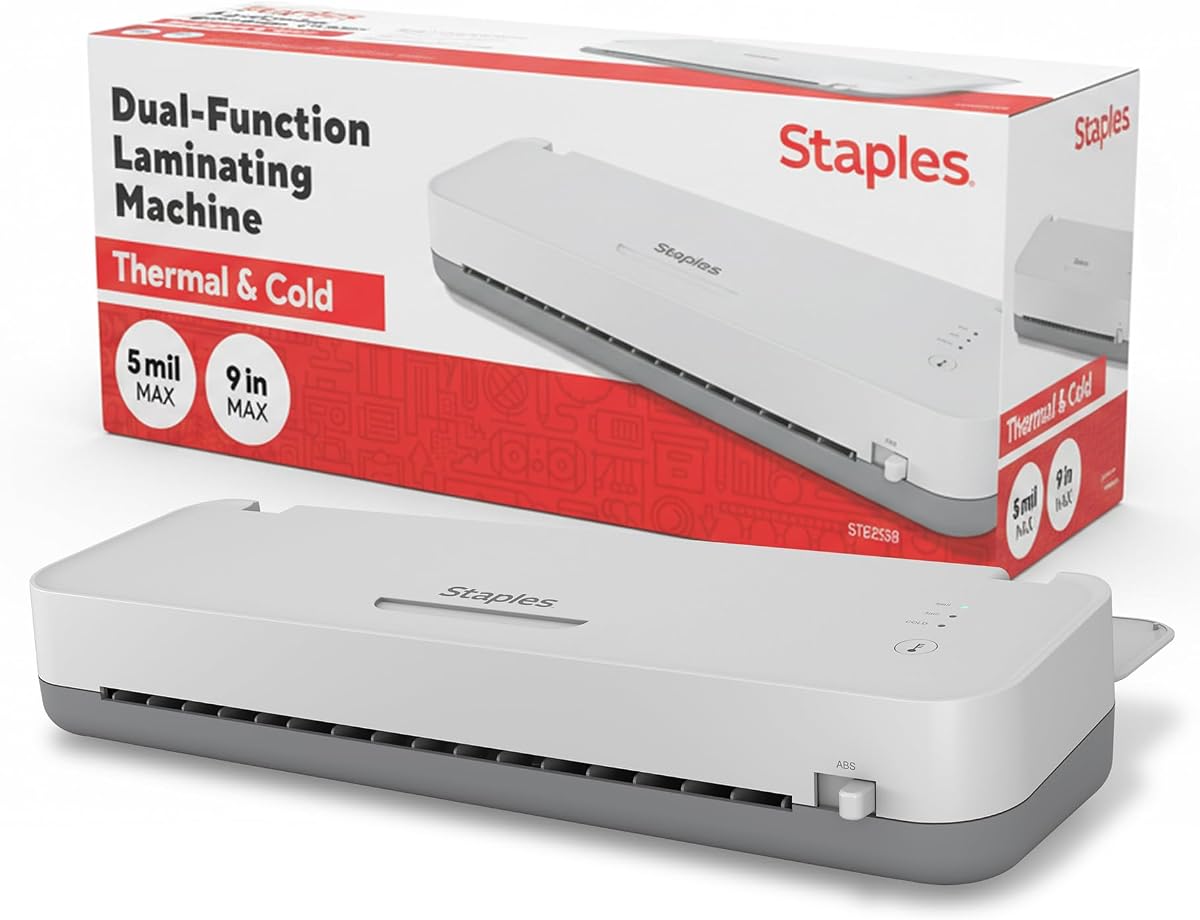
This compact device is perfect for home or school tasks. It supports both hot and cold modes, offering versatility for different document types.
We may earn a commission when you buy through this link, at no additional cost to you.
Its small size and low weight make it easy to store. The fast warm-up ensures you can start laminating quickly without long waits.
The ABS lever helps prevent paper jams and protects documents. It provides bubble-free results ideal for ID cards and letters.
Ideal for students or light office use needing a budget solution. It combines convenience with effective protection for small documents.
Switch between hot and cold settings to suit various paper and photos.
Its mini size fits any desktop and allows easy carrying anywhere.
We may earn a commission when you buy through this link, at no additional cost to you.
Designed for peaceful environments, this laminator operates quietly. It warms up in three minutes, letting you start tasks quickly.
We may earn a commission when you buy through this link, at no additional cost to you.
The ABS button resolves jams instantly without damaging documents. This ensures a smooth workflow for classrooms or late-night projects.
Its compact size allows storage anywhere in a drawer. It supports both hot and cold modes for versatile protection.
Great for teachers needing a silent, reliable machine. It keeps your workspace calm while protecting important items efficiently.
Quiet operation ensures creative flow is not disturbed by machine noise.
Warm up in just three minutes for immediate use without delay.
We may earn a commission when you buy through this link, at no additional cost to you.
This versatile machine combines lamination with cutting and binding tools. It handles 13-inch formats, perfect for large posters and menus.
We may earn a commission when you buy through this link, at no additional cost to you.
The dual hot and cold modes protect both standard and heat-sensitive items. Fast 60-second warm-up saves valuable time for busy professionals.
Its intelligent temperature control prevents bubbles and protects artwork. Accessories store neatly inside to keep your workspace organized.
Ideal for schools or offices needing a complete solution. It streamlines document prep with a single comprehensive device.
Includes cutting and rounding tools to handle full document prep tasks.
NTC sensors ensure even heat and prevent overheating for safety.
We may earn a commission when you buy through this link, at no additional cost to you.
This unit offers a generous 50-sheet kit for immediate use. Its 13-inch feed supports large A3 documents without trimming.
We may earn a commission when you buy through this link, at no additional cost to you.
The dual modes allow protection for standard and delicate items. A fast 95-second warm-up gets you started quickly.
The ABS button handles jams safely to prevent document damage. It is a reliable choice for schools or home offices.
Perfect for users wanting a complete set out of the box. It balances width, speed, and included accessories effectively.
Includes 50 pouches and cutter for immediate large format work.
Handles 11×17 inch posters easily without requiring extra cutting.
We may earn a commission when you buy through this link, at no additional cost to you.
This teacher-focused kit includes everything for classroom prep. It features a fast 60-second warm-up and a 13-inch wide feed.
We may earn a commission when you buy through this link, at no additional cost to you.
The 11-in-1 design provides all necessary tools in one place. This reduces clutter and saves time during busy teaching hours.
With dual modes, it protects both standard paper and sensitive labels. The 450mm speed ensures high output for large batches.
Ideal for educators needing efficient, complete document protection. It simplifies organizing materials with a single reliable machine.
Includes cutter and punch for full document prep without extra tools.
450mm per minute speed helps process many documents quickly.
We may earn a commission when you buy through this link, at no additional cost to you.
Known for reliability, this laminator delivers a professional finish. Its two heated rollers ensure bubble-free results for any document.
We may earn a commission when you buy through this link, at no additional cost to you.
The compact size fits well in dorm rooms or small desks. A release lever allows quick pouch exit to save time.
It accepts standard 3 and 5 mil pouches for versatility. Perfect for students or office staff needing consistent quality.
Ideal for small spaces requiring a trusted name. It balances size and performance effectively for basic needs.
Scotch brand offers consistent performance and long lasting durability.
Two heated rollers provide a smooth clear bubble-free finish.
We may earn a commission when you buy through this link, at no additional cost to you.
This kit includes a built-in trimmer for precise cutting. Its 13-inch width supports various sizes from business cards to A3.
We may earn a commission when you buy through this link, at no additional cost to you.
The 3-in-1 trimmer offers straight perforated and wave cuts. Low noise ensures a quiet environment for focused work.
With 50 pouches and a corner rounder, it covers many needs. The ABS button makes jam removal simple and safe.
Ideal for crafts needing custom shapes and protection. It combines cutting tools with efficient lamination seamlessly.
Built-in trimmer allows straight or decorative cuts easily.
Low noise ensures quiet workspace even during heavy use.
We may earn a commission when you buy through this link, at no additional cost to you.
This system works entirely without electricity using a manual crank. It uses a cartridge system for consistent heat-free lamination.
We may earn a commission when you buy through this link, at no additional cost to you.
The heat-free process protects photos and labels from thermal damage. It includes 18ft of material plus five bonus cartridges.
Loading is simple and designed for professional results. It is ideal for those needing protection without power access.
Perfect for remote use or sensitive documents. It offers a reliable manual solution for finishing tasks.
Works without electricity making it great for remote locations.
Cartridge system ensures smooth lamination every time.
We may earn a commission when you buy through this link, at no additional cost to you.
Designed for business, this machine offers reliable dual-mode protection. Its 13-inch width supports large formats like menus and posters.
We may earn a commission when you buy through this link, at no additional cost to you.
Jam-free technology ensures uninterrupted workflow for high-volume tasks. The warm-up time is quick enough for urgent office needs.
It replaces bulky solutions with a sleek professional design. The dual modes handle standard and sensitive documents efficiently.
Ideal for offices requiring robust daily protection. It balances speed and reliability for professional environments.
Jam-free tech prevents interruptions during busy business hours.
Dual modes protect everything from receipts to standard paper.
We may earn a commission when you buy through this link, at no additional cost to you.
Selecting the right laminator involves considering several technical aspects.
The width determines the largest document size you can laminate. Standard models support A4 but 13-inch units handle posters easily.
Choose a width that matches your typical projects to avoid cutting paper.
Hot lamination uses heat for strong durable seals while cold relies on pressure. This is crucial for heat-sensitive items like receipts or photos.
Ensure the machine offers cold mode or manual operation if you need heat-free options.
Fast warm-up saves time especially in high-frequency use environments. Modern units heat in under two minutes to maximize efficiency.
Look for 60-second warm-up times for quicker start times in busy offices.
Jam prevention features like ABS release buttons protect documents from tearing. This is vital when laminating important materials like IDs or photos.
Prioritize models with clear jam-release mechanisms to minimize frustration and damage.
Some kits include cutters and pouches which add immediate value. These tools help streamline your document prep workflow efficiently.
Check if pouches and tools are included to save on separate purchases.
Most units need electricity but some manual models do not. Manual options offer flexibility for locations without power access.
Decide if a manual crank or plug-in design suits your workspace best.
Metal construction and stable feet ensure the machine lasts longer. Heavy-duty designs reduce vibration and improve laminate quality.
Opt for metal bodies if you plan to use the device frequently.
The thickness of pouches you can laminate varies by model. Standard 3 to 5 mil pouches cover most professional needs.
Verify the supported thickness to ensure it matches your chosen pouches.
To start plug the device in and wait for the warm-up light to indicate readiness. Insert your pouch with the sealed edge facing the rollers.
If jams occur turn off the machine and use the ABS release button to gently pull out the paper. Never pull forcefully to avoid damage.
Clean the rollers regularly with a soft cloth to prevent dust buildup. Store the machine in a cool dry place when not in use.
Yes cold laminators use pressure instead of heat to protect photos without heat damage. This preserves color and texture over time effectively.
Most machines support 3 to 5 mil pouches. Choose thicker ones for heavy-duty protection and thinner ones for flexibility.
Most automatic machines need electricity but some manual crank models operate without power. Check the specific model requirements before buying.
Ensure pouches are flat before inserting and avoid thick pouches. Use the adjustable roller settings to fit your document correctly.
Yes thermal receipts need cold lamination to avoid heat fading. Always check the device supports cold mode before printing receipts.
Standard models support A4 but 13-inch units handle 11×17 posters. Always check the feed width for your specific needs.
Turn off the machine and press the ABS release button. Gently pull the paper out without forcing it to protect the rollers.
Manual cranking requires physical effort but provides precise control over speed. It is suitable for low-volume or specialized applications.
We reviewed ten top models ranging from manual units to dual-mode automatic systems. Each option serves specific needs from home office to industrial use.
Prioritize width and warm-up speed based on your typical projects. Ensure the mode supports the type of documents you handle daily.
Prices and availability may vary so check current listings before purchasing. This guide helps you make a confident choice quickly.