
ARCTIC P9 PWM PST
4.5Editor score
Wide RPM range control
High static pressure design
Includes cable splitter
This guide compares the top 10 92mm case fans for quiet cooling and high performance to help you choose the right model for your build.
Finding the right cooling solution for your compact build requires careful consideration of size and noise. A 92mm case fan offers a perfect balance between airflow and space efficiency. Whether you are upgrading an old system or building a new small form factor PC, choosing the right fan ensures your components stay cool without drowning out your surroundings.
We evaluated ten top-rated models based on their performance specifications and user feedback. Each fan was assessed for its noise levels, bearing technology, and overall cooling capability. This list covers a range of options from budget-friendly choices to premium high-performance units designed for demanding thermal environments.
Each pick in this guide highlights specific strengths and ideal use cases for different builds. You will find detailed insights into why each fan stands out in its category. Please note that availability and pricing can change frequently, so always check the current listing before making your final decision.
4.5Editor score

4.8Editor score

4.8Editor score
The following table provides a side-by-side look at the key specifications and features of each fan to help you make an informed choice.


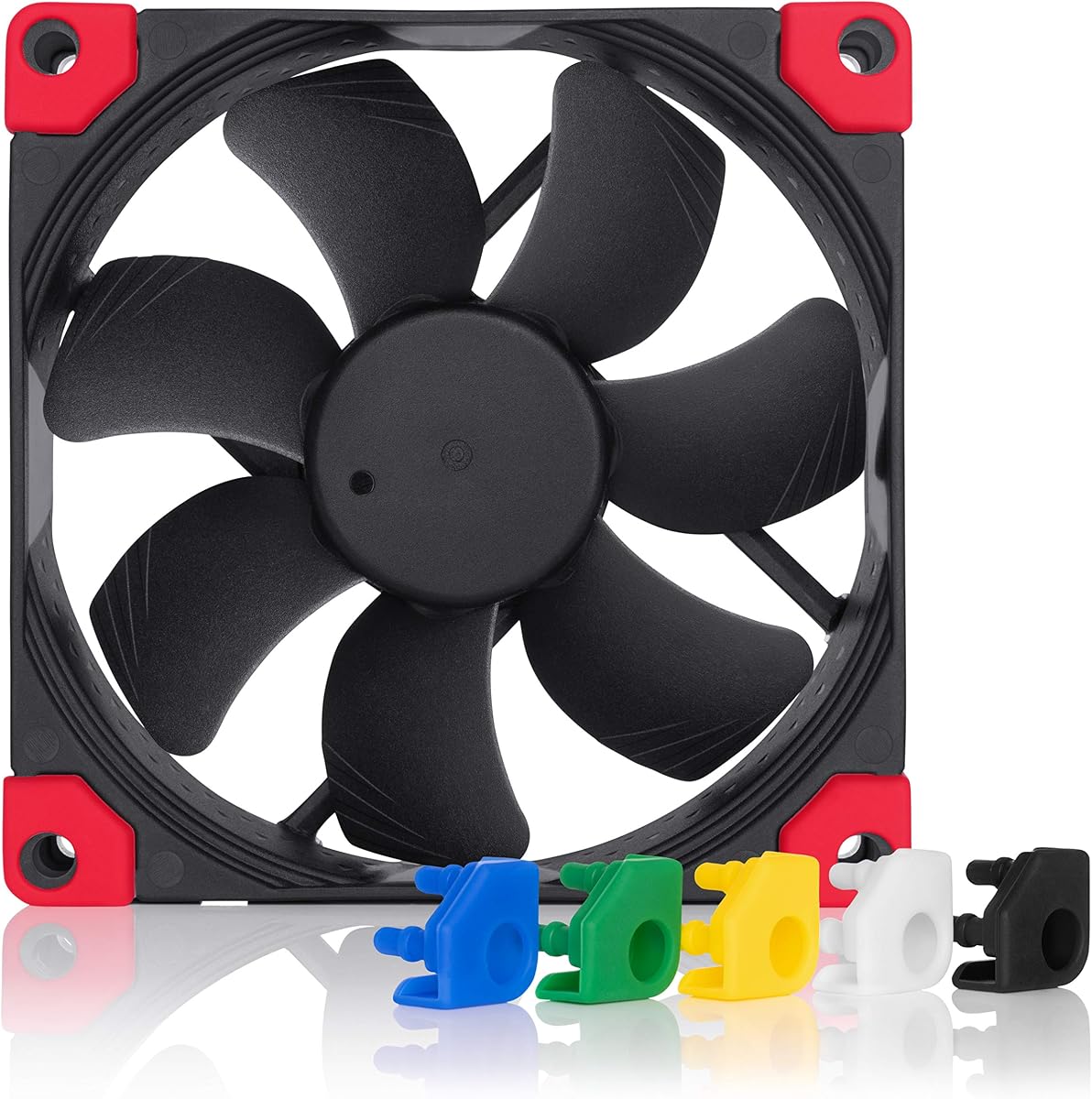


The Noctua NF-A9 PWM stands out as the top choice for anyone prioritizing silence and reliability. With a stellar 4.8 rating from users, this fan delivers consistent performance without the noise typically associated with high-speed cooling.
We may earn a commission when you buy through this link, at no additional cost to you.
Its advanced acoustic optimization frame and Flow Acceleration Channels work together to smooth airflow and reduce turbulence. This engineering ensures that even at maximum speed, the fan remains surprisingly quiet while pushing enough air to cool compact cases effectively.
While the price is higher than budget models, the included accessories like low-noise adaptors and extension cables add significant value. The long mean time between failures rating confirms that this is a long-term investment for your system's health.
If you need a fan that simply works perfectly every day without hassle, this is the one to choose. It is ideal for users who want a set-and-forget solution that keeps their components cool and their environment peaceful.
The frame design reduces noise significantly by managing air pressure and blade shape for smoother rotation.
With over 150,000 hours of estimated lifespan, this fan is built to last through many years of use.
We may earn a commission when you buy through this link, at no additional cost to you.
The ARCTIC P9 PWM PST offers exceptional value for budget-conscious builders who still want modern PWM control. Its 4.5 rating reflects solid performance and reliability for its price point. The fan delivers plenty of airflow for standard case ventilation or heat sink cooling.
We may earn a commission when you buy through this link, at no additional cost to you.
One of its best features is the wide RPM range which allows fine-tuned speed control via your motherboard. The included cable splitter makes it easy to connect multiple fans to a single header, saving valuable ports on your board.
While it may not match the ultra-quiet feel of premium options at top speeds, it stays manageable in most environments. The high static pressure makes it a great choice for radiators or cases with restricted airflow where pushing air through resistance is key.
Choose this fan if you want to save money without sacrificing essential features like PWM speed adjustment. It is perfect for users who need a reliable cooling solution and want to allocate their budget to other components.
You get high-quality cooling features without the premium price tag, making it great for budget builds.
The included splitter allows you to daisy-chain fans easily, reducing cable clutter in your case.
We may earn a commission when you buy through this link, at no additional cost to you.
This specialized model from Noctua is designed for tight spaces where standard depth fans simply will not fit. At only 14mm thick, it clears the way for low-profile CPU coolers while maintaining strong cooling power. The 4.8 rating highlights its success in balancing thin design with performance.
We may earn a commission when you buy through this link, at no additional cost to you.
The chromax.black.swap edition gives you control over the aesthetic with swappable colored pads to match your build. Even though it is slim, the advanced frame design keeps noise levels low relative to its high 2500 RPM capability.
The trade-off for the slim profile is slightly higher airflow resistance compared to thicker fans, but it remains excellent for its intended use. If you have a small form factor build, this fan solves clearance issues without forcing you to sacrifice much cooling ability.
Ideal for enthusiasts who need every millimeter of clearance, this fan is worth the extra cost. It ensures your compact system runs cool and looks great with the included color customization options.
The 14mm thickness allows it to fit in cases and coolers where standard 25mm fans cannot be installed.
Include swappable vibration pads in multiple colors help you match your system's visual theme perfectly.
We may earn a commission when you buy through this link, at no additional cost to you.
Similar to the chromax variant, this standard version offers the same slim profile and performance. It is a solid choice for those who do not need custom colors but still want the benefits of a low-profile design. The rating remains high due to its consistent reliability.
We may earn a commission when you buy through this link, at no additional cost to you.
The SSO2 bearing ensures smooth rotation and long life, which is critical for fans running in tight spaces. With PWM control, you can adjust speeds to match your thermal needs exactly, balancing noise and cooling effectively.
The main difference from the chromax version is the lack of color pads, making it more utilitarian. It works perfectly for internal builds where appearance is less important than function. It remains a top pick for slim cooling solutions.
Choose this if you prioritize function over form in your compact build. It delivers the cooling power you need while fitting where other fans cannot.
The SSO2 bearing design reduces friction and noise while extending the lifespan of the fan significantly.
PWM connectivity allows your system to adjust fan speeds automatically based on real-time temperature data.
We may earn a commission when you buy through this link, at no additional cost to you.
The Thermalright TL-P9 brings strong cooling performance at a competitive price point. Its 4.7 rating suggests users are happy with its balance of noise and airflow. The fan features a seven-blade design optimized for pushing air efficiently through standard cases.
We may earn a commission when you buy through this link, at no additional cost to you.
S-FDB bearings help keep noise levels down during operation, making it suitable for both gaming and office PCs. The included vibration pads minimize rattling, which is a common issue with cheaper fans that often lack proper damping.
While it does not have some of the premium features of higher-end models, it covers all the basics very well. It is a safe choice for anyone needing reliable cooling without breaking the bank or compromising on build quality too much.
Consider this fan if you want reliable cooling and low noise without paying for premium branding. It is a solid workhorse for general case ventilation or CPU cooling tasks.
The seven blades are shaped to move more air at lower speeds, reducing noise while maintaining cooling.
Silicone feet and damping pads ensure the fan does not transmit vibration to the case panels.
We may earn a commission when you buy through this link, at no additional cost to you.
This model from ARCTIC focuses on providing a quiet and simple solution for case cooling. It operates at a fixed 1900 RPM, which avoids the complexity of PWM wiring while maintaining a steady and low noise output. The rating reflects user satisfaction with its silent operation.
We may earn a commission when you buy through this link, at no additional cost to you.
It is optimized for static pressure, making it a good choice for locations where air needs to be pushed through filters or heatsinks. The bearing quality ensures it runs smoothly over time without developing the rattle often found in older fans.
If you prefer simplicity and do not need dynamic speed control, this fan is a great fit. It requires less setup than PWM options and provides consistent performance as long as your system is powered on.
Choose this if you want a quiet, plug-and-play fan that keeps your case cool without any configuration. It is perfect for users who prefer a simple approach to system cooling.
Fixed speed operation means you do not need to configure BIOS settings to get consistent airflow.
The design prioritizes silence, making it an excellent choice for media center PCs or quiet offices.
We may earn a commission when you buy through this link, at no additional cost to you.
For those who prefer an all-black build, this chromax edition of the classic Noctua fan offers the same high quality with a sleek look. It matches the performance of the brown version perfectly but integrates better into dark cases or components. The rating stays high due to this consistency.
We may earn a commission when you buy through this link, at no additional cost to you.
It includes swappable pads that let you add a splash of color if you decide to change your build style later. The advanced acoustic frame ensures that despite the aesthetic changes, the performance remains top-tier with minimal noise.
While it is priced higher than standard fans, the included accessories and build quality justify the cost for enthusiasts. It is a great choice for anyone who wants a high-performance fan that matches a specific aesthetic theme.
Choose this if you are building a black-themed PC and want premium cooling without compromises. It combines style and substance effectively for a high-end result.
The black design integrates seamlessly with dark cases, while the swappable pads offer optional customization.
Noctua's famous engineering ensures silence is maintained even with the sleek chromax design.
We may earn a commission when you buy through this link, at no additional cost to you.
This slim fan stands out for its ability to reach 2700 RPM in a 15mm form factor. Such high speeds usually imply noise, but users report it remains surprisingly quiet for its performance level. The perfect rating suggests it is highly trusted by those who have used it.
We may earn a commission when you buy through this link, at no additional cost to you.
It provides ample airflow for its size, making it a strong candidate for tight spots where extra cooling power is needed. The PWM connection allows you to limit speed when full power is not required, helping to balance noise and thermal performance.
The slim profile makes it ideal for low-profile coolers or cases with restricted rear space. While it is not as widely known as other brands, it delivers on its promises effectively without requiring special tools to install.
Pick this fan if you need high speed in a thin profile and want to avoid paying for a premium brand. It is a smart choice for users looking for value and performance in a slim package.
The thin frame allows for high RPM operation in tight spaces without the bulk of a standard fan.
Delivers high airflow and speed features at a price point that competes with budget options.
We may earn a commission when you buy through this link, at no additional cost to you.
The FLX version offers a different connection style with a 3-pin header that allows for manual speed tuning. It is designed to be very quiet, running at lower maximum speeds than PWM models. This makes it perfect for users who prioritize silence over raw airflow power.
We may earn a commission when you buy through this link, at no additional cost to you.
Included adaptors let you drop the speed further if you need near-silent operation. The build quality remains consistent with the rest of the Noctua range, ensuring it will not fail prematurely even with continuous use.
While it lacks automatic speed control, the fixed speeds are optimized for typical cooling tasks. It is a great choice for cases where noise reduction is the primary goal and you want to avoid complex wiring or configuration.
Choose this if you need a fan that stays quiet and does not require motherboard PWM headers. It is a reliable option for older systems or setups where simplicity is preferred.
Manual adaptors let you set the fan to run slower for extreme silence without needing BIOS control.
Noctua materials ensure this fan lasts as long as its more advanced counterparts.
We may earn a commission when you buy through this link, at no additional cost to you.
This fan pushes the limits of what a 92mm case fan can do with speeds up to 4300 RPM. It is designed for maximum cooling power, offering high static pressure to force air through restricted paths. The rating shows that users appreciate its raw performance capabilities.
We may earn a commission when you buy through this link, at no additional cost to you.
At lower speeds, it remains quite quiet thanks to the fluid dynamic bearing and optimized motor design. However, at full speed, it will be audible, so it is best used when you need to cool high-heat components or are not sensitive to fan noise.
The 0dB mode allows the fan to stop completely when temperatures are low, adding to its versatility. This makes it suitable for systems that can run passively until load increases. It is a strong tool for enthusiasts focused on thermal headroom.
Opt for this fan if you need the highest possible cooling performance in a small form factor. It is ideal for overclocked systems or cases where airflow resistance is a major bottleneck.
With 58 CFM of airflow, it delivers more air than most competitors in the same size class.
The 0dB mode stops the fan when cooling is not needed, creating silent periods during idle.
We may earn a commission when you buy through this link, at no additional cost to you.
Selecting the right 92mm case fan involves balancing noise, size, and cooling power. Understanding the technical details helps you pick a model that fits your system requirements.
Most 92mm fans are 25mm thick, but slim versions like 14mm or 15mm exist. Check your case clearance or CPU cooler gap to ensure the fan fits without interference. A slim fan might reduce airflow but is essential for tight spaces.
Measure your available space before buying to avoid compatibility issues during installation.
Fans come with 3-pin or 4-pin connectors. 4-pin PWM fans allow your motherboard to adjust speeds automatically, while 3-pin fans run at fixed speeds. Choose PWM if you want automatic control and silence during idle.
Ensure your motherboard header matches the fan connector type for proper operation.
Airflow (CFM) matters for open areas like case intake or exhaust, while static pressure is vital for radiators or filters. High static pressure fans push air through resistance better than standard fans.
Match the fan type to its location: high static for radiators, high airflow for open cases.
Noise is measured in decibels (dB). Lower dB means a quieter fan, but this often comes with slower speeds. Look for fans with advanced acoustic features if you need a silent environment.
Read user reviews to understand real-world noise levels, not just the specs.
Bearing types affect lifespan and noise. SSO2, Fluid Dynamic, and rifle bearings offer better longevity and lower friction than sleeve bearings. Higher quality bearings also reduce the risk of noise over time.
Choose fans with proven bearing tech for long-term reliability and consistent performance.
The RPM range determines how fast the fan can spin. Higher RPM usually means more cooling but also more noise. A wide range gives you flexibility to balance performance and silence.
Check the minimum and maximum speeds to see if the fan fits your cooling needs.
Some fans include screws, vibration mounts, or cable splitters. These extras save you money and make installation easier. Vibration mounts help reduce rattling noise in the case.
Prioritize packages that include necessary hardware to avoid buying parts separately.
Color matters if you care about how your build looks. Some fans come in black or offer swappable pads. Match the fan color to your case and components for a cohesive look.
If aesthetics are key, choose models with customizable or all-black designs.
Always install the fan with the airflow direction matching your case ventilation plan. Most fans have arrows on the frame showing which way air should move. Proper orientation ensures efficient cooling and reduces dust buildup inside your system.
Secure the fan tightly using screws or rubber mounts to prevent vibration noise. Loose fans can rattle against case panels, increasing noise levels significantly. Use vibration pads to absorb movement if your case has screw holes that do not align perfectly.
Clean the fan blades regularly with compressed air to maintain performance. Dust buildup can balance the fan and cause noise or heat issues. Aim to clean your system every few months to keep airflow unobstructed and components running cool.
Not necessarily. Modern 92mm fans are designed to be very quiet even at high speeds. Quality models use advanced blades and bearings to minimize noise, so you can get good cooling without loud operation if you choose the right fan.
PWM is useful if you want automatic speed control. It helps save power and reduce noise during low loads. However, if you prefer a simple fixed-speed fan, 3-pin options work well for basic cooling without extra wiring.
Typically one or two are enough for small cases. Aim for at least one intake and one exhaust for balanced airflow. Adding more fans can increase noise and power draw without significant cooling benefits.
Yes, many CPU coolers use 92mm fans. Make sure the fan fits the cooler mount and has the right size. Slim fans are often preferred for low-profile coolers to avoid touching other components.
MTTF stands for Mean Time To Failure and estimates how long the fan should last. Higher numbers indicate better durability. Look for MTTF over 100,000 hours to ensure a long lifespan for your cooling solution.
Premium fans use better materials, quieter bearings, and superior engineering. They often come with longer warranties and accessories. If you value silence and reliability, the extra cost is usually worth it.
Yes, high static pressure 92mm fans work well on radiators. They push air through the fins effectively to dissipate heat. Choose a fan specifically rated for static pressure if using it with a radiator setup.
Start by cleaning dust and checking for tight screws. If noise persists, vibration may be the cause. Adding rubber mounts or replacing the fan with a higher quality model often solves the issue completely.
Choosing a 92mm case fan depends on your specific needs for noise, performance, and budget. Whether you want a silent Noctua unit or a budget-friendly ARCTIC model, each fan on this list offers reliable cooling.
Prioritize features like bearing type and connection style to ensure long-term satisfaction. The right fan will keep your components cool while maintaining a quiet environment for work or play.
Remember to check current stock and compatibility before making your final choice. Your build deserves the best cooling, and the right fan will help it run smoothly for years.