
MikroTik NetBox 5 ax AP/CPE
4.6Editor score
Outdoor Enclosure Design
Wi-Fi 6 Support
PoE In and DC Jack
This guide compares the top 5G routers with external antenna ports for reliable connectivity in remote areas and high-density environments.
Modern connectivity demands robust solutions for remote work and travel. A 5G router with external antenna ports offers superior signal reception compared to standard devices. These units allow users to mount high-gain antennas for better range and stability.
We evaluated ten leading models based on performance, feature sets, and build quality. Our analysis considers modem capabilities, Wi-Fi standards, and ease of setup. Each product brings unique advantages for different use cases including RVs and offices.
Each pick highlights specific strengths like VPN support or dual SIM failover. Prices fluctuate often due to market demand and carrier promotions. Always verify current listings before purchase to ensure you get the best value available today.
4.6Editor score

4.8Editor score

4.4Editor score
This table provides a side-by-side view of key specifications for all ten selected routers. It helps you quickly identify which model matches your specific needs for speed and connectivity options.



The GL.iNet GL-X3000 Spitz AX is a top tier 5G router designed for versatile use cases. It holds a 4.2 rating for its balanced performance. This unit shines with its detachable antennas and dual-SIM capabilities for reliable connectivity.
We may earn a commission when you buy through this link, at no additional cost to you.
Its Wi-Fi 6 capability ensures fast local network speeds up to 2402 Mbps on the 5GHz band. The device supports both NSA and SA 5G standards making it future proof. Pre-installed OpenVPN and WireGuard allow secure remote access easily.
While highly capable the setup can be intricate for non-technical users due to OpenWrt options. The price point is also a consideration compared to simpler routers. However the reliability justifies the cost for those needing robust mobile internet.
This router is ideal for remote workers RV owners and those in rural areas. It provides secure failover and high-speed access where wired internet fails. We recommend it for anyone needing advanced networking features and strong signal retention.
Built-in VPN tools let you encrypt traffic and connect to home networks securely from anywhere.
Switch between carriers automatically to ensure you always have the strongest available signal.
We may earn a commission when you buy through this link, at no additional cost to you.
The RM520N stands out for its extensive antenna configuration offering unmatched flexibility for signal optimization. It features nine detachable high gain antennas to cover cellular and Wi-Fi needs. This makes it a powerhouse for signal tuning enthusiasts.
We may earn a commission when you buy through this link, at no additional cost to you.
Powered by the Qualcomm SDX62 5G modem it delivers impressive data rates up to 3.4 Gbps. The router supports multiple VPN clients including WireGuard and Zerotier for secure data transport. It is designed for demanding users who need control.
The sheer number of antennas can be overwhelming to set up correctly without technical knowledge. Some users report mixed results with connection stability depending on the environment. Proper aiming and placement are critical to get the best performance.
Choose this unit if you require maximum signal control and have experience with network hardware. It is well suited for fixed installations where external antennas are viable. It offers great value for advanced networking scenarios needing deep customization.
Multiple high gain antenna options allow precise tuning for maximum signal strength in difficult locations.
Support for various protocols ensures you can secure your connection with your preferred service.
We may earn a commission when you buy through this link, at no additional cost to you.
The Teltonika RUTM50 is built for heavy duty environments where reliability is non-negotiable. It boasts a 4.8 rating reflecting its stable performance in industrial settings. This router ensures uninterrupted connectivity through dual SIM failover and load balancing.
We may earn a commission when you buy through this link, at no additional cost to you.
Its design supports extreme temperatures and harsh conditions ensuring it keeps working when other devices might fail. RMS Remote Management allows you to configure and monitor devices from anywhere efficiently. Gigabit Ethernet ports provide stable wired connections for critical applications.
While it offers top tier stability its Wi-Fi 5 standard is older compared to competitors. The price also reflects its industrial positioning which might be steep for home users. But for business continuity it remains a top choice for stability.
Ideal for factories remote sites and critical infrastructure this router guarantees uptime. It offers robust security features and easy management for IT teams. We recommend it for anyone needing a rugged solution for mission-critical internet access.
The RMS platform gives you total control over device settings and monitoring from a central dashboard.
Dual SIM failover ensures your network stays online even if one carrier drops the connection.
We may earn a commission when you buy through this link, at no additional cost to you.
The Cudy 5G router offers a strong balance of performance and redundancy for business use. It features dual nano SIM slots allowing you to switch providers or keep a backup. Triple failover ensures your internet stays live under almost any network condition.
We may earn a commission when you buy through this link, at no additional cost to you.
With Qualcomm X62 chipset it supports speeds up to 3.4 Gbps for fast data transfer. The detachable SMA antennas allow you to upgrade to external gain units for better reception in weak areas. This flexibility makes it versatile for various sites.
Users may need to buy the mesh satellite separately for whole-home coverage which adds cost. The device focuses heavily on cellular reliability so wired options are somewhat standard. However for backup connections it is highly effective.
Choose this model if you need reliable internet for retail shops or offices. It keeps systems running even when primary connections fail. We suggest it for businesses where downtime means lost revenue and stability is key.
Multiple SIM slots ensure you can switch networks instantly to maintain critical online operations.
Wall-mount options and desktop designs make it easy to fit into any office or retail space.
We may earn a commission when you buy through this link, at no additional cost to you.
The Chateau LTE6 is a powerful home access point designed for areas where broadband is scarce. It uses a CAT6 LTE modem to double internet speeds in rural settings. While not a full 5G router it offers high performance for cellular connections.
We may earn a commission when you buy through this link, at no additional cost to you.
It includes five gigabit Ethernet ports providing ample wired connections for devices around your house. The quad core CPU ensures it handles multiple users without lag. Carrier aggregation helps optimize signal usage for better throughput.
It might not offer the latest 5G speeds which could limit future proofing for high bandwidth tasks. The learning curve for MikroTik interface can also be steep for new users. Yet for stable LTE connection it is highly efficient.
This router is perfect for households needing wired options and strong cellular reception. It provides a reliable backbone for smart homes in remote locations. We recommend it for users prioritizing wired stability over pure 5G speed.
Advanced carrier aggregation allows you to combine frequencies for faster download speeds.
Multiple Ethernet ports and a powerful CPU handle heavy home network traffic smoothly.
We may earn a commission when you buy through this link, at no additional cost to you.
The NetBox 5 ax is a compact upgrade bringing Wi-Fi 6 to outdoor setups. It is designed to be weather resistant for reliable point-to-point links. It includes PoE support allowing for flexible installation without extra power cables.
We may earn a commission when you buy through this link, at no additional cost to you.
This unit acts as an AP or CPE giving you flexibility in network design. Its dual-core CPU ensures solid performance for streaming or gaming. The durable casing means it can withstand rain and sun without damage.
Lacking internal SIM slots it depends on wired backhaul or tethering which limits standalone use. It is also not a full 5G router but rather a powerful access point. Still for outdoor extension it is unbeatable for the price.
Use this to extend your existing network to a shed or workshop. It offers robust weather protection and modern wireless speeds at a low cost. We recommend it for extending range where running cable to the modem is difficult.
Designed with a rugged enclosure this unit handles harsh weather conditions reliably year round.
PoE support means you only need one cable to power and connect the device to your network.
We may earn a commission when you buy through this link, at no additional cost to you.
The LHG XL 5 ax is built for connecting buildings across long distances. With a 27 dBi grid antenna it can reach up to 30 km for point-to-point links. Its 100 rating ensures it works reliably in outdoor environments.
We may earn a commission when you buy through this link, at no additional cost to you.
Wi-Fi 6 technology delivers high throughput for data heavy tasks over long distances. The unit uses passive PoE which simplifies power setup for remote locations. It is designed to minimize interference and maximize stability.
You must have clear line of sight between units which limits indoor or obstructed use. The narrow beam requires careful alignment during installation. However for rural links it offers a perfect wireless bridge solution.
Install this to connect a main house to a barn or separate property. It provides a stable high-speed link where running cables is impossible. We suggest it for anyone needing a reliable long range wireless bridge.
High gain antenna technology bridges distances of kilometers with reliable high speed internet.
The IP54 enclosure protects the device from rain and dust ensuring long lasting outdoor use.
We may earn a commission when you buy through this link, at no additional cost to you.
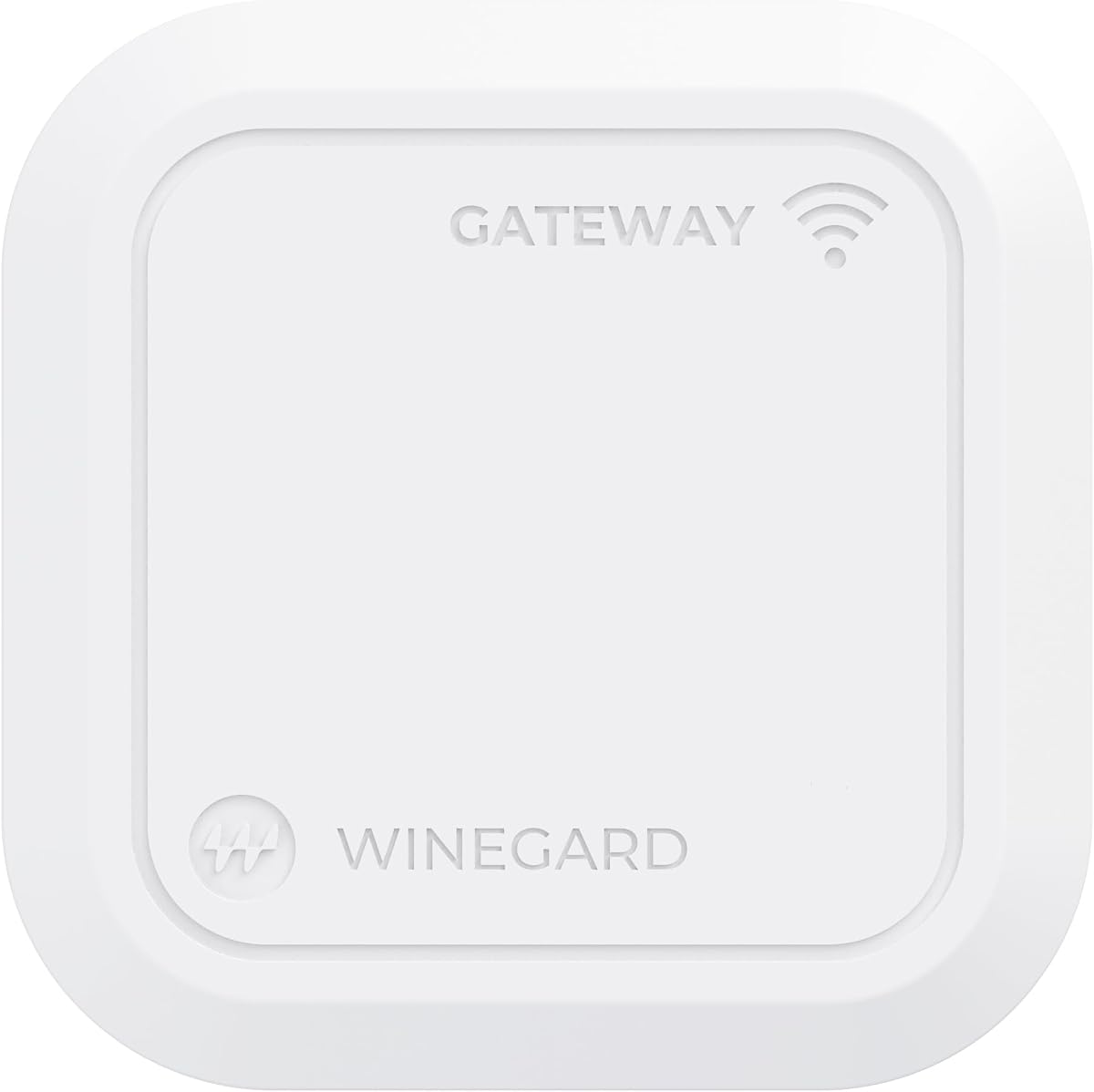
This router is designed specifically for RVs to work with Winegard Air 360+ systems. It supports multiple carriers and data plans for flexible travel internet. The device allows hybrid connections combining satellite and cellular for redundancy.
We may earn a commission when you buy through this link, at no additional cost to you.
It integrates directly with the Winegard dome antenna simplifying the setup for users. You can connect Ethernet WAN to add Starlink or other satellite networks for better coverage. It also provides Wi-Fi for all devices inside the vehicle.
It relies heavily on the Winegard ecosystem which limits flexibility with other antenna brands. Some users report mixed connectivity speeds depending on location and carrier. The specialized nature makes it a niche product for RVers.
Choose this if you already have or plan to get a Winegard dome system. It simplifies connectivity for travelers needing reliable internet on the road. We recommend it for dedicated RV users wanting a seamless ecosystem.
Combine cellular and satellite connections to ensure you stay online even in remote areas.
Integration with smart sensors helps monitor your RV systems alongside your network.
We may earn a commission when you buy through this link, at no additional cost to you.
The GL-E5800 is a premium travel router offering cutting-edge Wi-Fi 7 capabilities. It supports both eSIM and physical SIM for global connectivity without swapping cards. A large battery ensures it runs for hours away from power sources.
We may earn a commission when you buy through this link, at no additional cost to you.
Its 2.5G Ethernet and USB-C ports make it ideal for content creators and power users. You can offload footage or tether external storage easily. The touchscreen controls provide easy access to settings without a phone.
The price is steep compared to standard routers but the features justify the cost. Its size might be bulky for pocket travel but perfect for briefcases. It remains a top choice for high-performance mobile networking.
Use this for business trips or offloading work that demands fast and secure internet. It offers freedom and speed for professionals on the move. We recommend it for those needing the best mobile internet tech.
eSIM support allows you to switch data plans internationally with a simple QR code scan.
2.5G Ethernet and USB-C let you connect high-speed storage for rapid data transfers.
We may earn a commission when you buy through this link, at no additional cost to you.
The QuadMini is an accessory antenna designed to boost signal for routers with ports. It offers a 4×4 MIMO setup to improve data rates without aiming. It includes a complete kit with cables for easy installation.
We may earn a commission when you buy through this link, at no additional cost to you.
Its ultra-thin profile makes it easy to mount on windows or walls. It helps isolate signals to reduce interference and improve reliability in noisy areas. This is not a standalone device but a booster for existing routers.
It requires a router with multiple external antenna ports to function correctly. It might not help if your router has internal antennas only. However for setups that support it it significantly enhances performance.
Choose this if you have a compatible router and need to boost signal strength. It is a simple solution to improve internet speed in weak coverage zones. We recommend it for anyone struggling with cellular signal at home.
4×4 MIMO configuration ensures your router can use multiple streams for faster data.
Includes all necessary cables and mounts to get installed in minutes without tools.
We may earn a commission when you buy through this link, at no additional cost to you.
Selecting the right router involves understanding your specific connectivity needs and environment. This guide outlines key factors to help you make an informed decision.
Ensure the router supports the latest 5G standards (SA and NSA) to future proof your connection. Older models may limit speeds even if your carrier has upgraded towers. Look for modems from reliable vendors like Qualcomm for consistent performance.
Check for support of carrier aggregation to maximize speed on available networks.
External antenna ports are crucial for improving signal in areas with weak coverage. Look for routers with multiple SMA connectors to allow for dual antenna setups or MIMO configurations. Detachable antennas provide flexibility to upgrade later.
Choose routers that support high-gain external antennas for better range and stability.
For local network speeds prioritize routers with Wi-Fi 6 or Wi-Fi 7. These standards handle more connected devices simultaneously without slowing down. This is vital for smart homes or offices with many users.
Wi-Fi 7 offers the highest speeds but costs more than Wi-Fi 6.
Dual-SIM capabilities allow for carrier redundancy and failover. This ensures you stay online even if one provider loses signal. Some models support eSIM which adds flexibility for switching data plans.
Choose dual-SIM models to maintain reliable connectivity across different providers.
Built-in VPN clients like WireGuard or OpenVPN enhance security on public networks. This is important for remote workers needing to access corporate resources securely. Check for supported protocols to match your security needs.
Ensure the router supports your preferred VPN service for secure connections.
Advanced routers offer multi-WAN failover to switch between connections automatically. This prevents downtime when cellular signal drops or wired internet fails. Load balancing is also useful for optimizing bandwidth usage.
Prioritize models with automatic failover to keep critical devices always online.
Industrial or outdoor rated enclosures are essential for harsh environments. Look for IP ratings to ensure water and dust resistance. Rugged designs prevent damage from temperature fluctuations or physical shocks.
Select a build type that matches your installation environment for longevity.
User-friendly admin panels or apps make setup and monitoring easier. Remote management features are beneficial for managing devices across different locations. Good interfaces reduce the time needed for maintenance.
Choose routers with intuitive apps to simplify network management tasks.
Start by inserting a compatible SIM card into the designated slot or activating your eSIM profile. Ensure the router is powered on and place it near a window for initial setup. The device will automatically search for the strongest available signal.
Connect external antennas to the SMA ports to improve reception. Orient the antennas vertically for best results unless your manual suggests otherwise. Adjust their placement slightly until the signal strength indicators improve in the admin panel.
Regularly update the firmware to ensure security patches and performance improvements. Keep the router in a well ventilated area to prevent overheating during extended use. Check antenna connections periodically to ensure they are secure against weather elements.
Most routers accept standard Nano SIM cards or eSIM profiles. Ensure your carrier plan is compatible with 5G data networks for the best performance. Some models require carrier specific configurations to work properly.
Yes many of these routers serve as primary home internet solutions where wired broadband is unavailable. They support unlimited data plans depending on your carrier. They are especially useful in rural areas with strong cellular coverage.
Connect the antenna cables to the SMA ports labeled on the router. Position them as high as possible for better signal reception. Secure the connections tightly to prevent them from loosening over time or due to wind.
NSA Non-Standalone uses existing 4G infrastructure while SA Standalone uses a dedicated 5G core network. SA offers lower latency and better speeds. Check your carrier to see which standards they support in your area.
Standard indoor routers are not waterproof. Industrial and outdoor models often have IP ratings like IP54 or higher for weather resistance. Check the specific IP rating before using a device outside.
Many models support global frequency bands and eSIMs for international use. However some carriers may lock routers to specific networks. Unlocked models provide the most flexibility for global travel.
Only premium models like the GL-E5800 offer Wi-Fi 7 support. Most current units use Wi-Fi 6 for a balance of speed and cost. Wi-Fi 7 provides higher speeds and capacity for future needs.
Change default passwords and enable WPA3 encryption for your Wi-Fi. Use built-in VPNs or firewalls to protect your network traffic. Keep firmware updated to patch security vulnerabilities.
The top picks for 5G routers offer a range of options for different needs from industrial to travel. Our top choice for overall versatility is the GL.iNet GL-X3000 for its advanced features. Industrial users should consider the Teltonika RUTM50 for maximum durability.
When choosing a router prioritize features like dual-SIM and external antenna ports for reliability. These capabilities ensure you maintain connectivity even in challenging environments. Select a model that matches your budget and performance needs.
Prices for 5G routers can fluctuate based on carrier deals and inventory levels. Always check current listings for the best available deals before purchasing. This guide helps you identify the right model for your specific connectivity needs.