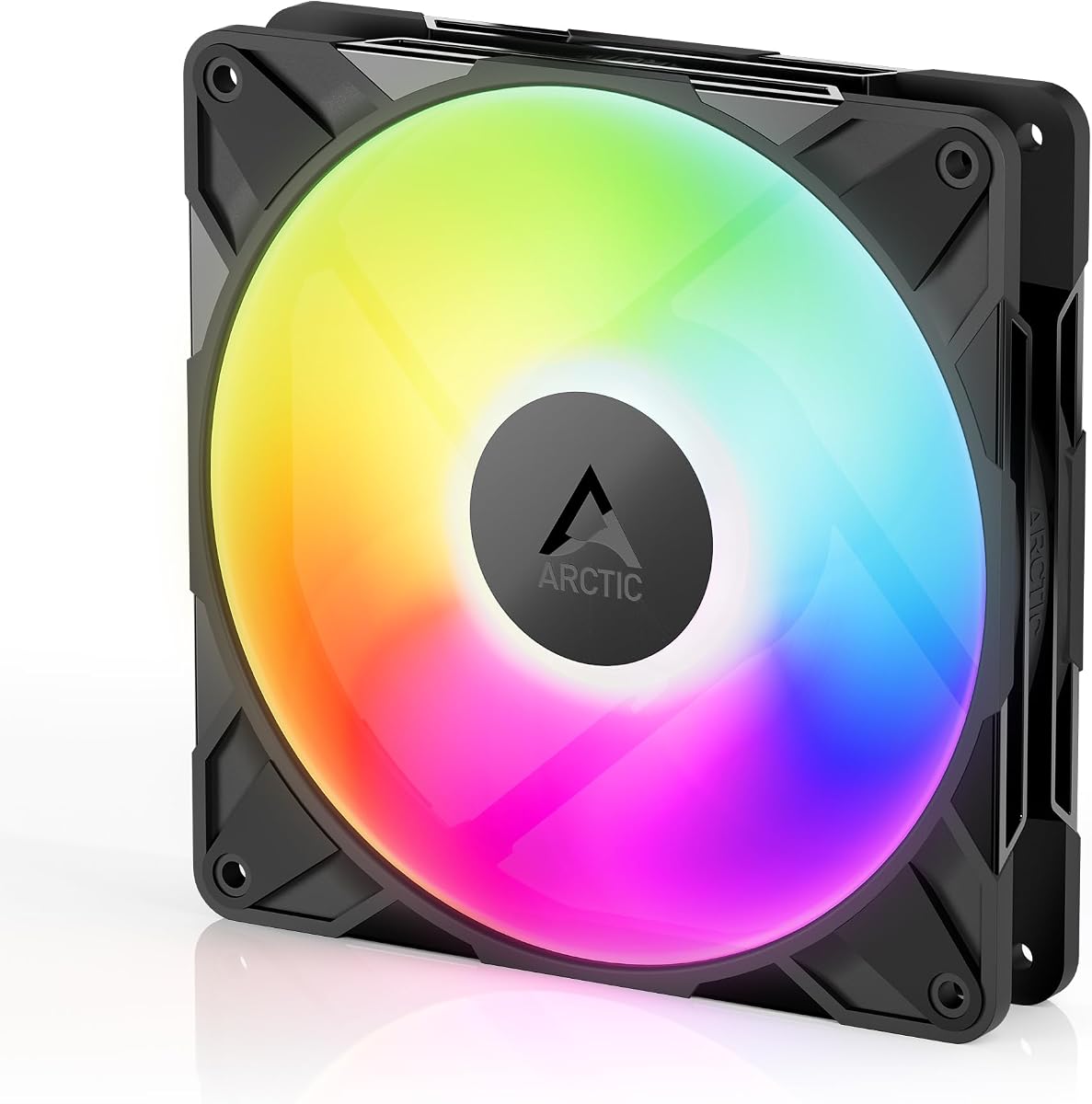
ARCTIC P14 Pro A-RGB
4.6Editor score
Fluid Dynamic Bearing
High Static Pressure
Wide Speed Range
This guide compares the top ARGB 140mm fans for cooling performance noise levels and lighting effects to help you choose the best airflow solution.
Selecting the right cooling solution is crucial for maintaining optimal system temperatures and ensuring hardware longevity. ARGB 140mm fans offer a balance of high airflow and aesthetic appeal for modern PC builds.
We evaluated ten leading models based on bearing technology, static pressure, noise output, and lighting synchronization capabilities. Each product was analyzed against rigorous performance criteria to ensure reliable recommendations for various build types.
Each pick highlights unique strengths such as silent operation, reverse airflow design, or premium daisy-chaining features. Please note that prices fluctuate frequently, so verify current costs before finalizing your purchase decision.
4.6Editor score

4.7Editor score

4.6Editor score
The following table provides a side-by-side comparison of all ten selected models to help you quickly identify key specifications and features relevant to your specific cooling needs.
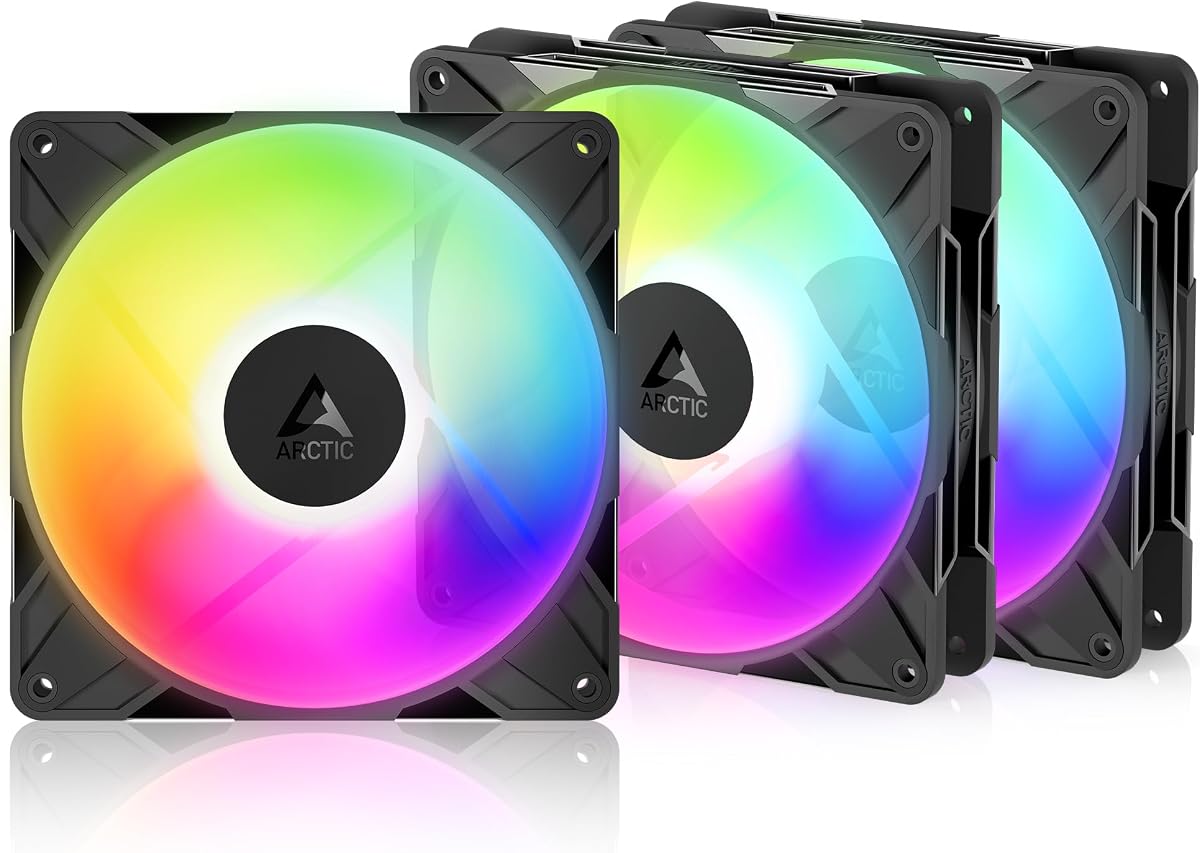



The Thermalright TL-C14C-S X3 stands out as a top contender for builders seeking efficient cooling without breaking the budget. With a strong 4.7 rating, this 3-pack delivers impressive performance and aesthetic versatility for any mid-tower build.
We may earn a commission when you buy through this link, at no additional cost to you.
Its S-FDB bearing technology ensures smooth, whisper-quiet operation while maintaining an impressive 75.8CFM airflow. The atomizing ARGB fan blades create a soft light effect that integrates seamlessly with motherboard lighting synchronization software.
While the fans are designed for standard intake and exhaust, users looking for reverse airflow might need to explore other specialized models. However, the standard configuration is robust enough for most cases and radiators.
This set is ideal for enthusiasts who prioritize silence and value. We recommend it for anyone building a new system or upgrading an older one needing reliable airflow without noise issues.
The S-FDB bearing reduces friction significantly, allowing the fans to run at 1500RPM while staying under 26.4dBA of noise.
Up to 17 light modes are supported via 5V 3PIN ARGB, offering customizable visual flair managed through your motherboard headers.
We may earn a commission when you buy through this link, at no additional cost to you.
The CORSAIR RS140 ARGB fans represent a premium choice for those willing to invest in higher-end cooling aesthetics and engineering. Their dual-pack configuration offers versatility for front intakes or rear exhausts with distinct magnetic bearing reliability.
We may earn a commission when you buy through this link, at no additional cost to you.
Featuring AirGuide technology, these fans direct airflow precisely to where it is needed most, such as radiators or heatsinks. The magnetic dome bearing ensures minimal vibration and noise even at speeds up to 1700 RPM.
While the cost is higher than many competitors, the daisy-chain capability simplifies cable management significantly. This is crucial for clean builds where cluttered wiring can disrupt airflow or aesthetics.
We recommend these for high-end gaming rigs or workstations where silent, efficient cooling is paramount. They are especially suited for users deeply integrated into the CORSAIR ecosystem or who value cable management.
Anti-vortex vanes direct airflow at your hottest components, ensuring concentrated cooling where it matters most during heavy loads.
This bearing design minimizes noise and vibration, providing a smoother, quieter, and longer-lasting fan lifecycle than standard sleeves.
We may earn a commission when you buy through this link, at no additional cost to you.
For budget-conscious builders, the ARCTIC P14 Pro A-RGB offers performance that rivals far more expensive options. Its ability to reach 3000 RPM ensures it can handle even the most demanding thermal throttling scenarios efficiently.
We may earn a commission when you buy through this link, at no additional cost to you.
The fluid dynamic bearing ensures long service life and minimal noise during operation. Precision manufacturing reduces gaps and vibrations, making it a reliable component for years of stable cooling performance.
While it lacks the premium materials found in high-end models, the performance per dollar is exceptional. It is a workhorse fan that prioritizes function over flashy design elements.
We suggest this model for bulk builds or users who want maximum cooling potential without overspending. It is a staple for performance-oriented systems that demand raw efficiency.
PWM control allows speeds up to 3000 RPM, providing ample headroom for pushing airflow through dense radiators or heatsinks.
Automatic balancing and minimal gaps reduce vibrations significantly, keeping noise levels low even at higher RPM settings.
We may earn a commission when you buy through this link, at no additional cost to you.
This specialized model solves the aesthetic challenge of visible fan hubs in cases with glass panels. Drawing air from the back, it ensures the sleek frame is visible while maintaining standard cooling direction.
We may earn a commission when you buy through this link, at no additional cost to you.
The hydrodynamic bearing ensures reliable cooling and low noise even with the reverse design. The included Y cable splitter makes PWM control manageable even when integrating multiple reverse fans into the loop.
It may require careful cable management to fully hide the reverse connectors. However, for modern cases, this trade-off is worth the visual consistency it provides.
We recommend this specifically for builds prioritizing visual clean lines. It is the go-to for glass-fronted cases where standard fans ruin the look.
Special design draws in air from the back side, preventing visible fan motors from spoiling the appearance of glass-fronted builds.
Self-lubricating bearings minimize noise during operation, ensuring a reliable service life and consistent cooling performance.
We may earn a commission when you buy through this link, at no additional cost to you.
Thermaltake introduces MagForce 2.0 to simplify the installation process significantly. This system allows users to connect multiple fans via magnetic interfaces, reducing the need for excessive daisy-chain cables.
We may earn a commission when you buy through this link, at no additional cost to you.
The 5V motherboard sync ensures all LEDs remain synchronized across the 3-pack. The anti-vibration mounting system helps maintain a quiet environment, crucial for office or bedroom setups.
While the magnetic connectors are robust, care must be taken during installation to avoid damaging the ports. However, the convenience of reduced clutter makes this a preferred choice for modders.
We suggest this for users seeking a streamlined installation process. The magnetic ease of use combined with vibrant lighting makes it stand out in crowded markets.
A new magnetic connection design optimizes fan daisy-chaining, allowing multiple fans to connect with only one cable.
Anti-vibration mounting systems are embedded into the frame to reduce noise and vibration transmission to the case chassis.
We may earn a commission when you buy through this link, at no additional cost to you.
The AsiaHorse Amici focuses heavily on aesthetics with its infinity mirror design and 24 LED beads. It delivers a striking visual effect that enhances any case with a tempered glass side panel.
We may earn a commission when you buy through this link, at no additional cost to you.
It boasts an ultra-long lifespan of 50,000 hours due to its closed-loop lubrication system. This durability ensures consistent cooling performance over time without frequent replacements.
At 2000 RPM, noise levels might rise during heavy loads. However, the silent rubber pads help dampen vibration, keeping the overall profile acceptable for most users.
We recommend this for gamers prioritizing visual impact. The compatibility with major motherboard software ensures easy integration into existing RGB ecosystems.
The fan is designed with an infinity mirror effect and 24 LED beads, supporting 16.8 million colors for stunning visuals.
Premium hydraulic bearings form a lubricating film to reduce friction, extending operational efficiency and lifespan significantly.
We may earn a commission when you buy through this link, at no additional cost to you.
This model stands out with its duo-ring ARGB lighting, offering two distinct lighting zones for enhanced visual depth. It is designed to tackle resistance in radiators while maintaining low noise through sound-absorbing materials.
We may earn a commission when you buy through this link, at no additional cost to you.
Noise reduction technology helps minimize operational sound, making it suitable for quiet environments. The hybrid static pressure blade design ensures efficient airflow even against significant resistance from filters or radiators.
While priced higher than standard options, the build quality justifies the cost. It is a solid choice for those needing reliable, stylish cooling for liquid cooling setups.
We recommend this for liquid cooling setups requiring extra pressure. Its lighting and sound absorption features make it a standout in the mid-range market.
Hybrid static pressure blade design tackles resistance in CPU liquid radiators or mesh chassis ventilation while boosting airflow.
Sound absorbing materials and noise reduction technology ensure a quieter and longer lifespan cooling solution for users.
We may earn a commission when you buy through this link, at no additional cost to you.
This specific version emphasizes silent cooling performance without RGB distractions. The 1500RPM speed ensures effective heat dissipation while maintaining a quiet environment for work or gaming.
We may earn a commission when you buy through this link, at no additional cost to you.
It uses PBT+PC material for durability and features soft silicone feet to minimize vibration noise. This design ensures the fan remains stable during high-speed operation.
While it lacks the lighting effects of other models, it is perfect for users prioritizing silence. The PWM control allows for automatic speed adjustments based on temperature.
We recommend this for silent PC builds. It provides reliable cooling without the visual distractions, making it ideal for professional workstations.
Noise-reducing 7-blade design and soft silicone feet ensure high heat dissipation and low noise combination performance.
The PWM fan adopts PBT+PC material with insulation level for robust performance and long-term reliability.
We may earn a commission when you buy through this link, at no additional cost to you.
Rated 4.9, this single reverse fan offers a premium build for specialized cases. It draws air from the back side to ensure a seamless look on glass fronts.
We may earn a commission when you buy through this link, at no additional cost to you.
The fluid dynamic bearing minimizes noise during operation, ensuring reliability and smooth running. High static pressure ensures efficient airflow even through dense radiators.
While it is a single unit, its performance justifies the investment for enthusiasts. It complements existing cooling loops with precise airflow management.
We recommend this for high-end builds requiring specific airflow routing. Its quality and rating make it a top choice for serious modders.
Self-lubricating fluid dynamic bearing minimizes noise and ensures long-term reliability for efficient cooling.
Minimal gaps and automatic balancing reduce vibrations noticeably, ensuring quiet and efficient long-lasting performance.
We may earn a commission when you buy through this link, at no additional cost to you.
This single unit offers versatile cooling for specific needs. The atomizing ARGB fan blade reflects light softly, making the lighting effect more appealing than standard bright LEDs.
We may earn a commission when you buy through this link, at no additional cost to you.
It features a high-performance cooling design that adapts speed automatically via PWM. The bearing ensures silent operation while maximizing airflow efficiency.
While not as high airflow as premium models, it is sufficient for most cases. It is an excellent choice for replacing a single noisy fan.
We suggest this for individual replacement or small builds. Its balance of lighting and cooling makes it a versatile option.
High-brightness LED atomizing fan blades reflect light effectively, making ARGB lighting effects softer and more integrated.
Noise-reducing 7-blade design and soft silicone feet ensure high heat dissipation and low noise performance.
We may earn a commission when you buy through this link, at no additional cost to you.
Choosing the right fan involves balancing cooling efficiency, noise levels, and visual aesthetics. This guide breaks down the critical factors to consider before purchasing.
Airflow (CFM) measures how much air the fan moves, crucial for case ventilation. Static pressure (mm H2O) measures force to push air through obstacles like radiators or filters.
Choose high airflow for open cases and high static pressure for radiators or dense filters.
Bearings determine fan lifespan and noise. S-FDB and Fluid Dynamic Bearings (FDB) offer longevity and silence compared to sleeve bearings.
Opt for FDB or hydrodynamic bearings for quieter and more durable systems.
PWM fans allow motherboard-controlled speed adjustments. This ensures the fan runs fast only when needed, reducing noise during idle.
Always look for 4-pin PWM connectors for automatic temperature-based control.
Noise is measured in decibels (dBA). Lower values indicate quieter operation. High speeds often increase noise, so balance airflow with noise tolerance.
Aim for fans below 25dBA for silent builds, or accept higher dBA for extreme cooling.
ARGB lighting requires 5V 3-pin headers. Ensure your motherboard supports sync software like Aura Sync or Mystic Light.
Check for daisy-chaining capability to reduce cable clutter when connecting multiple fans.
140mm fans move more air than 120mm fans but require larger case mounts. Ensure your case supports 140mm mounting points.
Verify dimensions and screw hole spacing to avoid compatibility issues.
Reverse fans draw air from the back to hide hubs on glass panels. This is essential for clean aesthetics in modern builds.
Choose reverse fans if your case front is glass and you want a seamless look.
Daisy-chaining allows multiple fans to connect via one cable. This reduces motherboard header usage and improves cable management.
Prioritize models with magnetic or modular daisy-chain connectors for cleaner setups.
Install fans securely using rubber screws or anti-vibration mounts to minimize noise transfer to the case. Ensure the airflow direction matches your intake/exhaust plan for optimal cooling.
Connect PWM cables to motherboard headers and ARGB cables to 5V headers. Use daisy-chain connectors to simplify wiring. Ensure cables do not touch the fan blades to prevent damage.
Clean fans periodically using compressed air to remove dust buildup. Dust reduces efficiency and increases noise. Check bearings occasionally for any unusual noise or resistance.
RGB fans have color zones that change together, while ARGB fans have individually addressable LEDs. ARGB allows for custom lighting effects like rainbows or patterns per LED.
Most ARGB fans require a 5V 3-pin motherboard header. If your motherboard lacks this, you will need an RGB controller hub compatible with 5V ARGB.
140mm fans move more air at lower RPM, making them quieter. However, 120mm fans fit more compact cases. Choose based on your case size and noise preferences.
Yes, but mixing brands may result in mismatched lighting effects. Ensure they share the same voltage and protocol to avoid sync issues.
Usually, the arrow on the frame indicates direction. The side with the support structure usually pushes air out. Always verify before mounting.
It will likely burn out the LEDs immediately. Always ensure you connect 5V ARGB to 5V headers and 12V RGB to 12V headers to avoid damage.
High-quality fans with FDB bearings can last 50,000+ hours. Lifespan depends on RPM and environmental dust levels. Regular cleaning extends life significantly.
They require careful cable routing to hide connectors, but the mounting process is identical. They are designed for specific cases with glass panels.
We have highlighted ten excellent options ranging from budget models to premium daisy-chain sets. The Thermalright TL-C14C-S X3 offers the best balance, while ARCTIC provides incredible value for performance.
Prioritize your specific needs: choose reverse airflow for glass panels, high static pressure for radiators, or silent bearings for office setups. Lighting is secondary to cooling efficiency.
Prices and availability change frequently. Please verify current stock and pricing before purchasing to ensure you get the best deal available today.