
HP OfficeJet Pro 8125
3.9Editor score
HP AI optimizes print formatting
Wireless dual band Wi Fi
2.7 inch touchscreen control
This guide compares the top AI printers for home and office use, highlighting smart features that optimize formatting, enhance security, and streamline your
AI printers are transforming how we produce documents by integrating smart algorithms that optimize layout and reduce waste. These devices go beyond traditional printing to offer enhanced efficiency and connectivity for modern workspaces.
We compared ten leading models based on their AI capabilities, print quality, speed, and overall value. Each product was evaluated for its ability to handle diverse tasks from basic home use to professional office demands.
Each pick showcases key strengths and ideal use cases to help you find the right fit. Please note that availability and pricing change frequently so verify details before making your final purchasing decision.
3.9Editor score

4.7Editor score

4.2Editor score
The following table provides a side by side comparison of all ten AI printers featured in this guide to help you quickly identify the right match for your specific needs and budget.



The HP OfficeJet Pro 8125 stands out as a reliable choice for home offices needing smart printing capabilities. With a solid rating and essential AI features, it delivers professional results without breaking the bank.
We may earn a commission when you buy through this link, at no additional cost to you.
Its standout quality is the HP AI optimization which removes unwanted content from web pages and emails before printing. This saves paper and ensures your documents look polished and professional every time.
Trade-offs include a modest paper tray size and reliance on specific HP cartridges. These are acceptable for small home setups where volume is low and convenience is prioritized over bulk capacity.
Buy this if you need an affordable all-in-one printer with smart formatting tools. It is ideal for students or small business owners who print frequently but do not require high speed or massive volume.
HP AI automatically adjusts web pages and emails to prevent wasted pages and awkward layouts during printing.
Dual band Wi-Fi ensures stable connections while HP Wolf Essential Security protects your data from cyber threats.
We may earn a commission when you buy through this link, at no additional cost to you.
The HP Smart Tank 5003 is designed for users who prioritize long term savings and reliability over speed. Its high capacity ink system reduces the need for frequent refills making it perfect for busy households.
We may earn a commission when you buy through this link, at no additional cost to you.
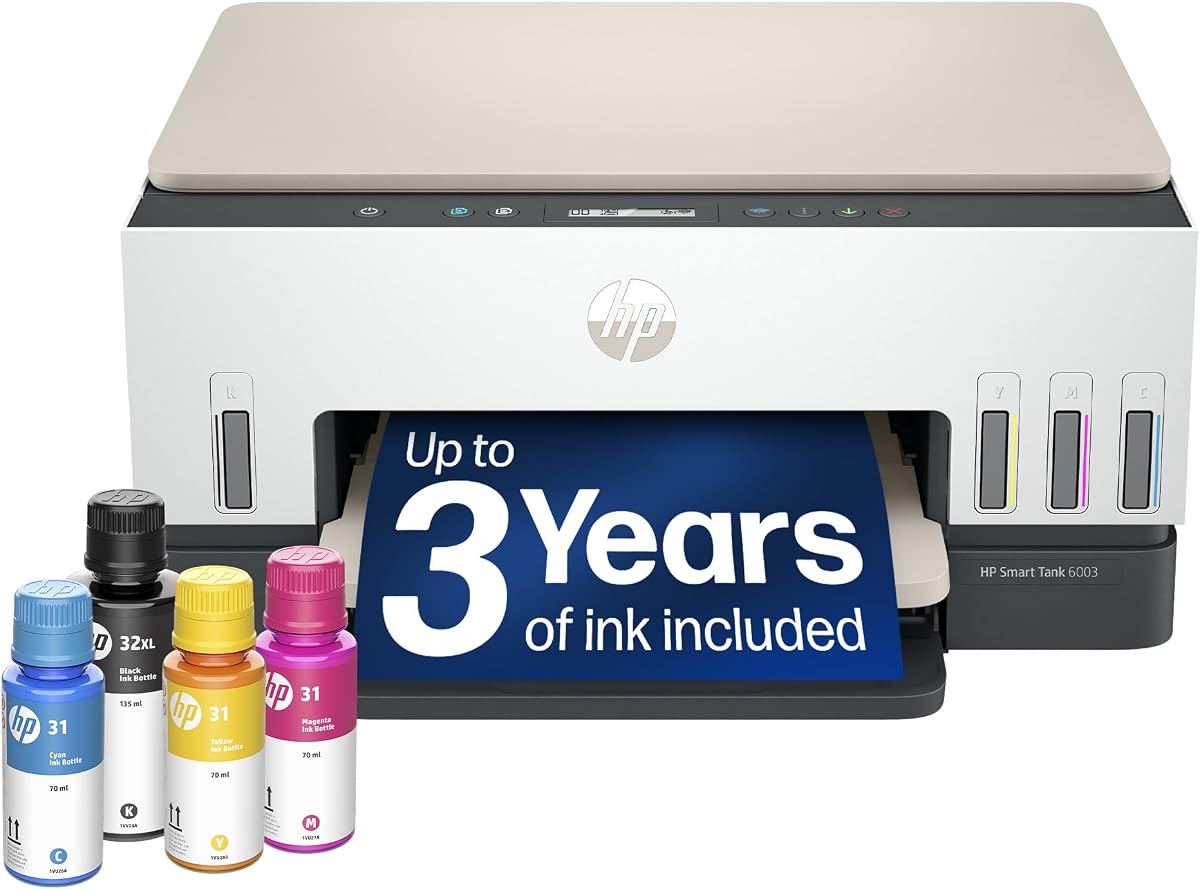
Key strengths include the mess free refill system and the inclusion of up to three years of ink. These features eliminate the hassle of buying cartridges and keep printing costs incredibly low over time.
Trade-offs involve slower print speeds compared to cartridge models and a larger physical size. These are acceptable trade-offs for users who print high volumes and want to minimize maintenance and supply costs.
Buy this if you need a reliable workhorse for high volume home printing. It suits families or remote workers who produce many documents and want to avoid the recurring expense of traditional cartridges.
The tank system supports high volume printing with easy access refill bottles that prevent spills and mess during maintenance.
Users report sharper text and richer colors compared to standard cartridge printers due to the advanced ink delivery technology.
We may earn a commission when you buy through this link, at no additional cost to you.
The HP Envy 6155 is tailored for home users who value color quality and ease of use. Its True to Screen tech ensures photos and documents look vibrant on paper just like they do on your monitor.
We may earn a commission when you buy through this link, at no additional cost to you.
Standout qualities include the intuitive color touchscreen and the AI formatting feature that optimizes web content for printing. These make it simple to get professional results without needing technical expertise.
Trade-offs include moderate print speeds and a small input tray. These are acceptable for casual users who print occasional homework projects or photos rather than daily business documents.
Buy this if you want a stylish printer for home photos and school projects. It is ideal for parents or creatives who need reliable color printing without compromising on desk space or budget.
P3 technology ensures that printed documents and photos match the vibrant colors seen on your digital screen.
The smooth navigation touchscreen allows quick access to scan copy and print functions directly from the device.
We may earn a commission when you buy through this link, at no additional cost to you.
The Bambu Lab P2S Combo is a powerhouse for makers and engineers seeking professional grade 3D printing capabilities. Its high speed precision and AI driven features make it a top choice for complex projects.
We may earn a commission when you buy through this link, at no additional cost to you.
Key strengths include the AI failure detection which alerts you to issues before they ruin a print. The multi color capability allows for intricate designs without manual intervention saving time and effort.
Trade-offs involve a higher initial investment and a slight learning curve for new users. These are acceptable for serious hobbyists or professionals who need reliability and speed in their 3D workflow.
Buy this if you want advanced 3D printing with minimal manual setup. It is perfect for engineers or designers who need fast accurate prints and multi color capabilities for prototypes or final parts.
Built-in AI monitors the print process to detect errors early ensuring successful results and reducing material waste.
The AMS 2 Pro enables seamless multi-color and multi-material printing for complex creative and technical projects.
We may earn a commission when you buy through this link, at no additional cost to you.
The HP OfficeJet Pro 9135 is built for busy offices requiring speed security and advanced connectivity. Its robust features support high volume workflows while maintaining professional print quality for client facing documents.
We may earn a commission when you buy through this link, at no additional cost to you.
Standout qualities include the fast print speeds and single pass 2-sided scanning which save valuable time. The HP Wolf Pro Security ensures that sensitive office data remains protected from cyber threats.
Trade-offs include a larger physical footprint and higher initial cost. These are acceptable for office environments where productivity and security outweigh the need for compact design or lower entry prices.
Buy this if you need a reliable workhorse for a small business office. It is ideal for teams that print frequent presentations and documents while requiring secure wireless access to sensitive information.
HP Wolf Pro Security bolsters network protection and helps keep your office data safe from potential cyber attacks.
Single pass 2-sided scanning and large input trays streamline document processing for high volume office tasks.
We may earn a commission when you buy through this link, at no additional cost to you.
The HP Smart Tank 7603 offers exceptional value for home offices needing high volume printing with fax capabilities. Its large ink supply ensures you stay productive without frequent interruptions for supplies or maintenance.
We may earn a commission when you buy through this link, at no additional cost to you.
Key strengths include the high page yield and the inclusion of up to three years of ink. The auto document feeder simplifies scanning multi-page documents making it efficient for administrative tasks.
Trade-offs involve slower print speeds and a potentially complex initial setup. These are acceptable for users who prioritize long term cost savings and document handling efficiency over immediate speed.
Buy this if you need a multifunction printer for heavy home office use. It suits freelancers or remote workers who require faxing high volume printing and cost effective operation without constant refills.
The tank system provides up to 8000 color or 6000 black pages reducing the need for frequent ink replacements.
An auto document feeder allows quick scanning and copying of multi-page documents without manual page turning.
We may earn a commission when you buy through this link, at no additional cost to you.
The HP OfficeJet Pro 8139 is an excellent option for home offices needing fax capabilities and extended ink coverage. Its AI features ensure documents are printed efficiently saving paper and time on routine tasks.
We may earn a commission when you buy through this link, at no additional cost to you.
Standout qualities include the one year trial of Instant Ink which significantly reduces supply costs for the first year. The AI formatting removes unwanted content from web pages ensuring clean professional prints.
Trade-offs include moderate paper capacity and reliance on original cartridges. These are acceptable for home offices where convenience and cost savings on supplies are prioritized over bulk printing volume.
Buy this if you need a reliable printer with fax support and long term ink savings. It is ideal for small business owners who manage administrative documents and want to minimize operational costs.
The one year Instant Ink trial ensures you have supplies delivered before you run out for a full year.
AI optimization ensures web pages and emails print with precision avoiding wasted paper and awkward layouts.
We may earn a commission when you buy through this link, at no additional cost to you.
This variant of the HP Smart Tank 7603 delivers robust multifunction capabilities for busy home offices. It combines printing scanning faxing and copying into one reliable unit with high capacity ink tanks.
We may earn a commission when you buy through this link, at no additional cost to you.
Key strengths include the magic touch control panel and mess free refill system. These features make operation intuitive and maintenance simple ensuring smooth daily workflow without technical interruptions.
Trade-offs involve slower print speeds and a larger physical design. These are acceptable for users who need versatility and volume over speed and compact space saving in smaller home offices.
Buy this if you need a versatile workhorse for various document tasks. It is ideal for remote workers who handle frequent scanning copying and printing while needing long term ink supply savings.
The magic touch control panel offers intuitive navigation for easy access to all printing and scanning functions.
Cartridge free refillable tanks provide up to 8000 color pages reducing the need for frequent cartridge purchases.
We may earn a commission when you buy through this link, at no additional cost to you.
The HP Smart Tank 6003 is designed for home users prioritizing cost efficiency and ease of maintenance. It delivers reliable printing quality while eliminating the need for expensive cartridges through its tank system.
We may earn a commission when you buy through this link, at no additional cost to you.
Standout qualities include the mess free refill system and high page yield. These features save time and money by allowing you to refill ink easily without spills or frequent purchases.
Trade-offs include slower print speeds and fewer advanced features compared to higher models. These are acceptable for casual home users who need dependable printing without needing high speed or fax capabilities.
Buy this if you want an affordable printer for basic home needs. It is ideal for families or individuals who print occasionally and want to avoid the ongoing costs of traditional ink cartridges.
The refillable tank system eliminates complicated maintenance and allows you to focus on printing without interruptions.
With up to 8000 color pages you save significantly on ink costs compared to standard cartridge based printers.
We may earn a commission when you buy through this link, at no additional cost to you.
The Liene PixCut S1 revolutionizes DIY crafting by integrating printing and cutting into a single streamlined device. Its AI driven tools make creating custom stickers and labels fun and accessible for everyone.
We may earn a commission when you buy through this link, at no additional cost to you.
Key strengths include the AI image extraction and precise auto cutting which ensure flawless edges every time. The thermal dye sublimation technology produces vivid waterproof stickers that last longer than standard prints.
Trade-offs involve a specialized purpose and smaller print size. These are acceptable for creatives and crafters who need professional quality custom items without investing in separate expensive machinery.
Buy this if you love crafting custom labels stickers or gifts. It is perfect for hobbyists or small businesses who want to create durable vibrant branded products without technical design skills.
AI technology automatically recognizes and extracts subjects from photos to create custom stickers with professional edges.
Thermal dye sublimation creates waterproof scratch resistant stickers that maintain vibrant colors over time.
We may earn a commission when you buy through this link, at no additional cost to you.
Choosing the right AI printer involves understanding several key factors that impact performance cost and user experience in your specific environment.
AI capabilities in printers today range from basic layout optimization to advanced image recognition and failure detection. Look for features that save you time such as automatic content removal or smart calibration.
Prioritize models that offer clear benefits like reduced paper waste or error prevention to maximize the value of the technology.
Print speed varies significantly between models and affects productivity especially in high volume environments. Consider how many pages you need to print daily and choose a speed that matches that demand.
For home use moderate speeds are often sufficient while offices may need faster models to keep up with workflow demands.
Supply costs can exceed the price of the printer over time so calculate the cost per page before buying. Tank systems generally offer lower costs per page than traditional cartridges.
Consider models with subscription services or bundled ink trials to reduce initial expenses and manage long term supply budgets effectively.
Modern printers should support reliable wireless connections including dual band Wi-Fi and mobile apps for seamless printing from various devices. Ensure compatibility with your existing network and operating systems.
Select a model that offers stable connectivity options to avoid interruptions during important work tasks.
Security is increasingly important for printers that handle sensitive business or personal data. Look for features like network protection encryption and secure print access.
Choose models with proven security protocols to ensure your documents remain safe from unauthorized access or cyber threats.
The physical size and design of the printer should fit your available space while allowing easy access for maintenance. Compact designs are better for small home offices.
Ensure the design includes accessible controls and trays to simplify daily use and reduce the effort required to operate it.
Many users benefit from all-in-one functionality including scanning copying and faxing alongside printing. Evaluate which functions you truly need to avoid paying for unused features.
Prioritize models that combine the essential functions you use most frequently to streamline your workflow and save space.
An intuitive user interface simplifies operation and reduces the time needed to learn the device. Touchscreens with clear menus are generally preferred for ease of use.
Choose a model with a user friendly interface to ensure quick access to features without navigating complex settings.
Start by connecting your printer to your Wi-Fi network through the built-in setup wizard or the companion mobile app. Ensure you place the device in a well ventilated area away from direct sunlight to prevent overheating.
Regularly update the firmware to keep AI features functioning optimally and to patch any potential security vulnerabilities. These updates often improve print quality and introduce new smart capabilities for your device.
Clean the print heads and rollers periodically to avoid jams and maintain sharp output quality. Follow the manufacturer's instructions for cartridge or tank refills to prevent spills and ensure proper ink flow.
An AI capable printer uses machine learning algorithms to optimize tasks such as document formatting error detection and image enhancement. These features allow the device to adjust automatically to improve efficiency and output quality.
Yes many AI printers reduce waste by optimizing layouts and removing unnecessary content before printing. This smart formatting ensures that only relevant information appears on the page reducing the number of sheets used.
Ink tanks are generally better for high volume users because they offer lower costs per page and easier refilling. They reduce the need for frequent cartridge replacements making them more economical over time.
Secure your printer by updating its firmware regularly and using strong Wi-Fi passwords. Enable any built-in security features like network protection and secure print to prevent unauthorized access.
Most modern AI printers support mobile printing via dedicated apps or wireless protocols like AirPrint or Mopria. This allows you to send documents directly from your smartphone or tablet without a computer.
2D printers produce flat documents on paper while 3D printers build physical objects layer by layer. AI features in 3D printers often include failure detection and material calibration for complex builds.
We reviewed ten top models ranging from budget friendly home office solutions to high-end creative tools. Each offers unique smart features designed to enhance productivity and simplify your printing tasks.
Prioritize factors like ink costs speed and security to match your specific needs. For most users balancing performance with long term supply costs will deliver the best value over time.
Always check current availability and pricing before buying as offers change frequently. Verify the latest features and specs on the product page to ensure you get the most up-to-date device.