
ASUS ProArt PA248QV
4.6Editor score
100% sRGB Color Coverage
Calman Verified Accuracy
Ergonomic Stand Design
Choosing the right display is critical for creative professionals who demand precision and reliability. The ASUS Proart lineup offers a wide range of options tailored for graphic design, video editing, and photography. Each model brings unique features like factory calibration and versatile connectivity to streamline your workspace.
We have carefully evaluated ten top models based on resolution, color gamut coverage, and ergonomic design. Our analysis focuses on how well each screen handles professional tasks while maintaining value. This list covers everything from budget-friendly 24-inch displays to high-end 32-inch OLED and Mini-LED options.
Each pick highlights key strengths and potential trade-offs to help you decide quickly. We include detailed specs and real-world usage scenarios for every monitor. Please note that prices and availability change frequently so always check current listings before purchasing.
4.6Editor score
4.2Editor score
4.5Editor score
As an Amazon Associate we earn from qualifying purchases.
The following table provides a side-by-side comparison of all ten ASUS Proart monitors. It highlights key specifications such as resolution, color accuracy, and connectivity options to help you identify the best fit for your specific needs.




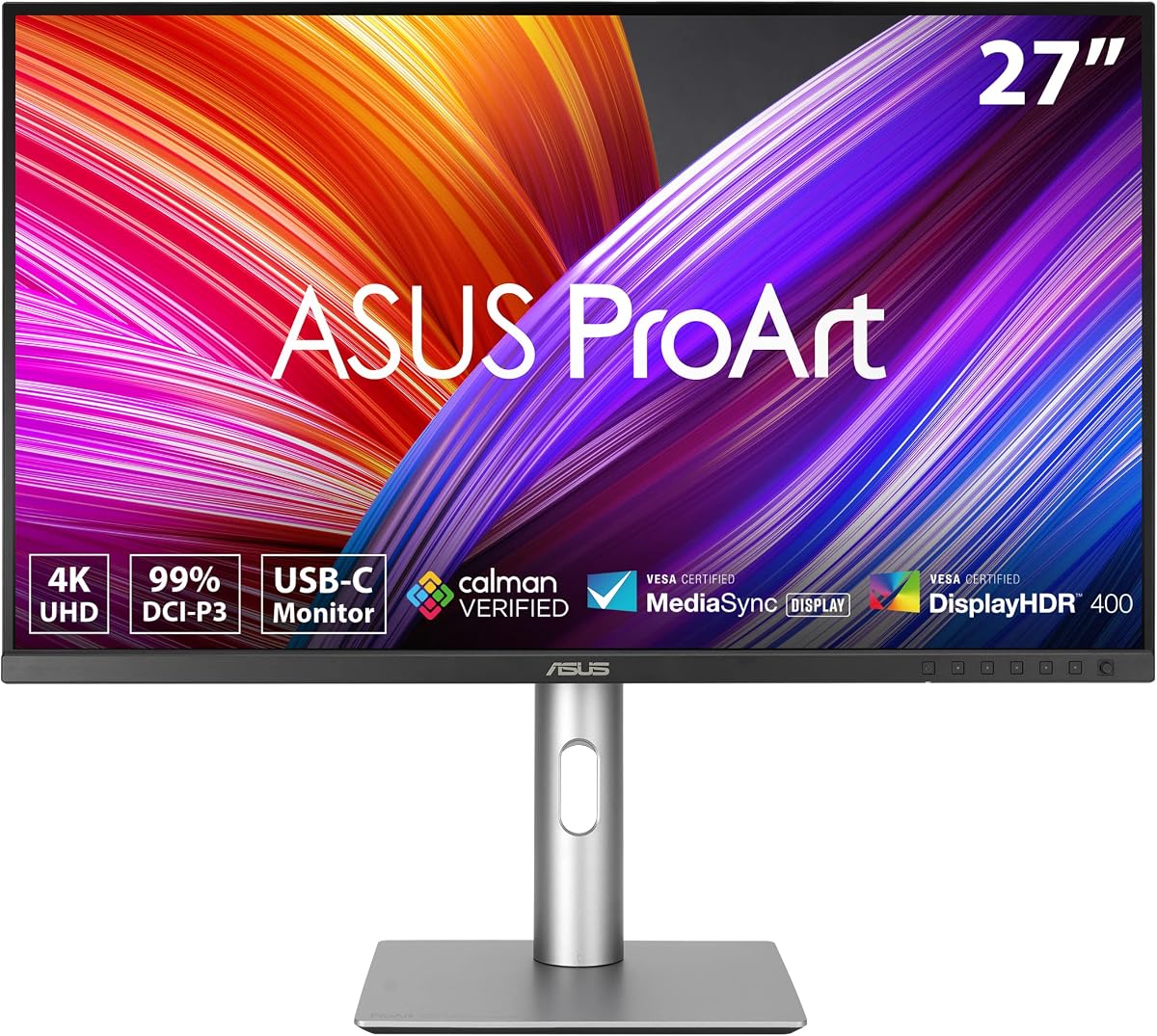
The ASUS ProArt PA279CRV stands out as a top choice for professionals needing reliable color accuracy. With a 27-inch 4K display and factory calibration delivering Delta E less than 2 it ensures your work looks exactly as intended. Its high rating reflects strong user satisfaction with build quality and performance.
We may earn a commission when you buy through this link, at no additional cost to you.
Key strengths include extensive color gamut coverage reaching 99% DCI-P3 and Adobe RGB. The versatile connectivity with USB-C offering 96W Power Delivery simplifies cable management for laptops. It also supports display daisy-chaining allowing you to expand your workspace efficiently.
Trade-offs include limited HDR brightness compared to higher-end models. The stand is functional but bulky which may reduce available desk space. These drawbacks are acceptable given the competitive price point and professional features included.
This monitor is ideal for graphic designers and video editors seeking precision without breaking the bank. It offers a balanced mix of resolution color accuracy and connectivity making it a strong recommendation for most creative workflows.
Factory calibration ensures Delta E less than 2 accuracy right out of the box for reliable results.
USB-C with 96W power delivery lets you charge and connect your laptop with a single cable.
We may earn a commission when you buy through this link, at no additional cost to you.
The ASUS ProArt PA248QV offers exceptional value for entry-level professionals needing accurate colors. Its 24-inch WUXGA display covers 100% of sRGB and Rec.709 ensuring vivid images. With a 4.6 rating it remains a favorite for budget-conscious buyers.
We may earn a commission when you buy through this link, at no additional cost to you.
Color fidelity is maintained through Calman Verified technology and factory calibration achieving Delta E less than 2. The 16:10 aspect ratio provides more vertical space for documents and timelines. Anti-glare technology reduces reflections for comfortable viewing.
The main limitations are the lack of USB-C and lower resolution compared to modern 4K standards. These are acceptable trade-offs considering the affordable price and strong color performance. It suits users who prioritize accuracy over high resolution.
This monitor is perfect for students or professionals starting out in design fields. It delivers professional-grade color at a fraction of the cost making it a smart entry point into the ProArt ecosystem.
Get professional color accuracy without the high price tag thanks to factory calibration and sRGB coverage.
The 16:10 aspect ratio offers extra vertical space ideal for editing software and multitasking.
We may earn a commission when you buy through this link, at no additional cost to you.
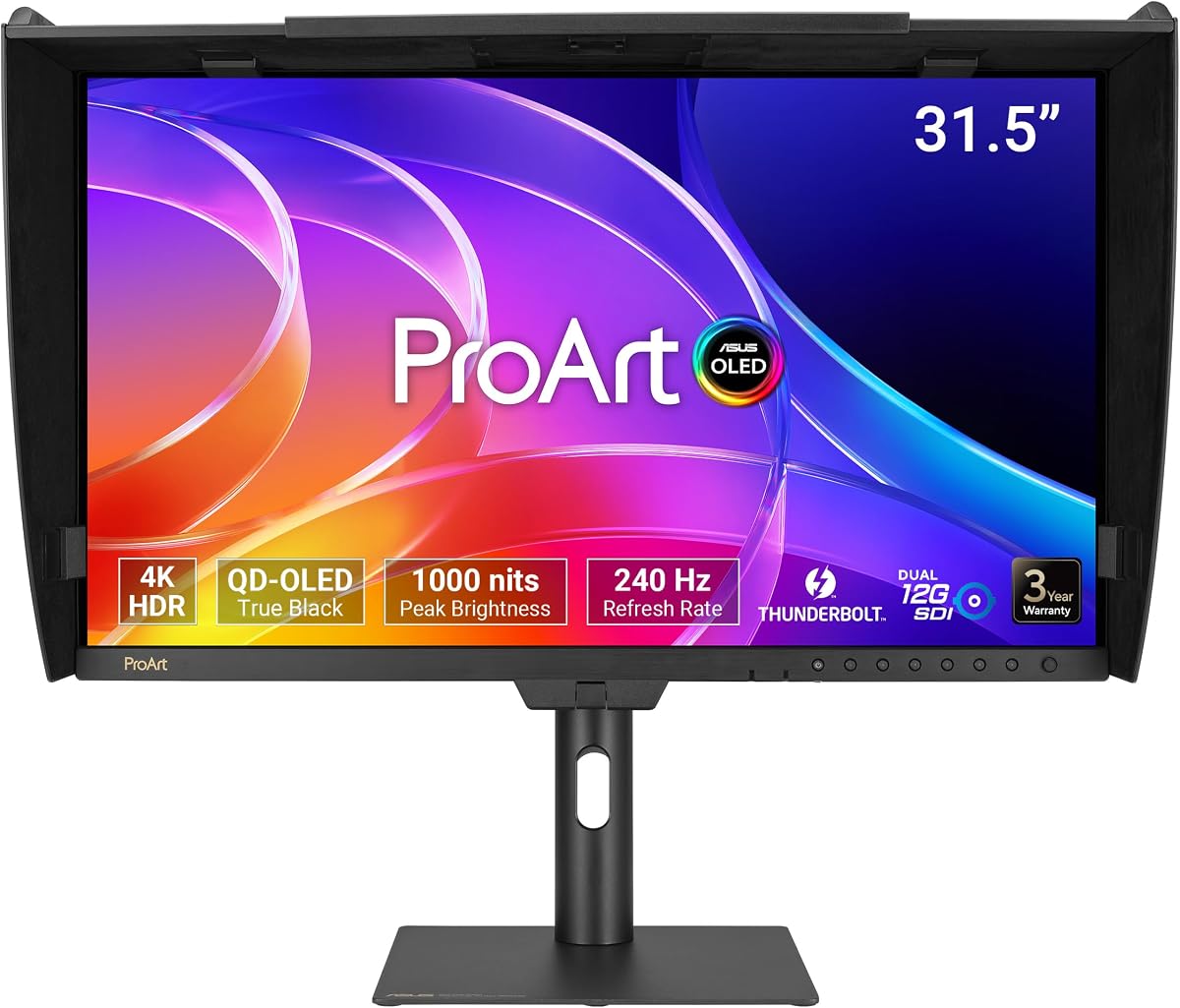
The ASUS ProArt PA32USD redefines professional monitoring with its QD-OLED panel technology. It delivers perfect blacks and infinite contrast for unmatched visual fidelity. With a 240Hz refresh rate it also suits high-end motion content needs.
We may earn a commission when you buy through this link, at no additional cost to you.
Color accuracy reaches new heights with Delta E less than 1 and wide gamut coverage including BT.2020. Professional SDI connectivity ensures uncompressed 4K playback for broadcast environments. Hardware calibration supports long-term consistency.
The primary downsides are the high cost and potential OLED burn-in risks over time. These concerns are mitigated by features and warranties for professional use. It remains the top choice for those requiring the best display quality.
Ideal for broadcast professionals and high-end colorists this monitor sets the standard for performance. It combines cutting-edge panel tech with professional features ensuring flawless visuals for critical work.
QD-OLED technology provides perfect blacks and vibrant colors for a truly lifelike viewing experience.
Dual 12G-SDI ports support uncompressed 4K playback essential for professional video workflows.
We may earn a commission when you buy through this link, at no additional cost to you.
The ASUS ProArt PA278CV provides a sharp workspace with its 27-inch QHD resolution. It balances cost and performance effectively for everyday professional tasks. The 4.4 rating indicates consistent reliability for general creative work.
We may earn a commission when you buy through this link, at no additional cost to you.
Features include 100% Rec.709 coverage and Delta E less than 2 calibration for video editing. USB-C with 65W Power Delivery simplifies connectivity for laptops. DisplayPort daisy-chaining supports multi-monitor setups.
It lacks HDR support and advanced brightness options compared to premium models. The stand is functional but may require a secure surface for pivot adjustments. These limitations are minor for standard SDR content creation.
This monitor is excellent for editors who need a reliable QHD screen on a budget. It offers the necessary accuracy and ergonomics for daily productivity without extra costs.
USB-C port delivers both data and power keeping your desk organized with just one cable.
Daisy-chaining capability lets you connect multiple displays through a single port for expanded space.
We may earn a commission when you buy through this link, at no additional cost to you.
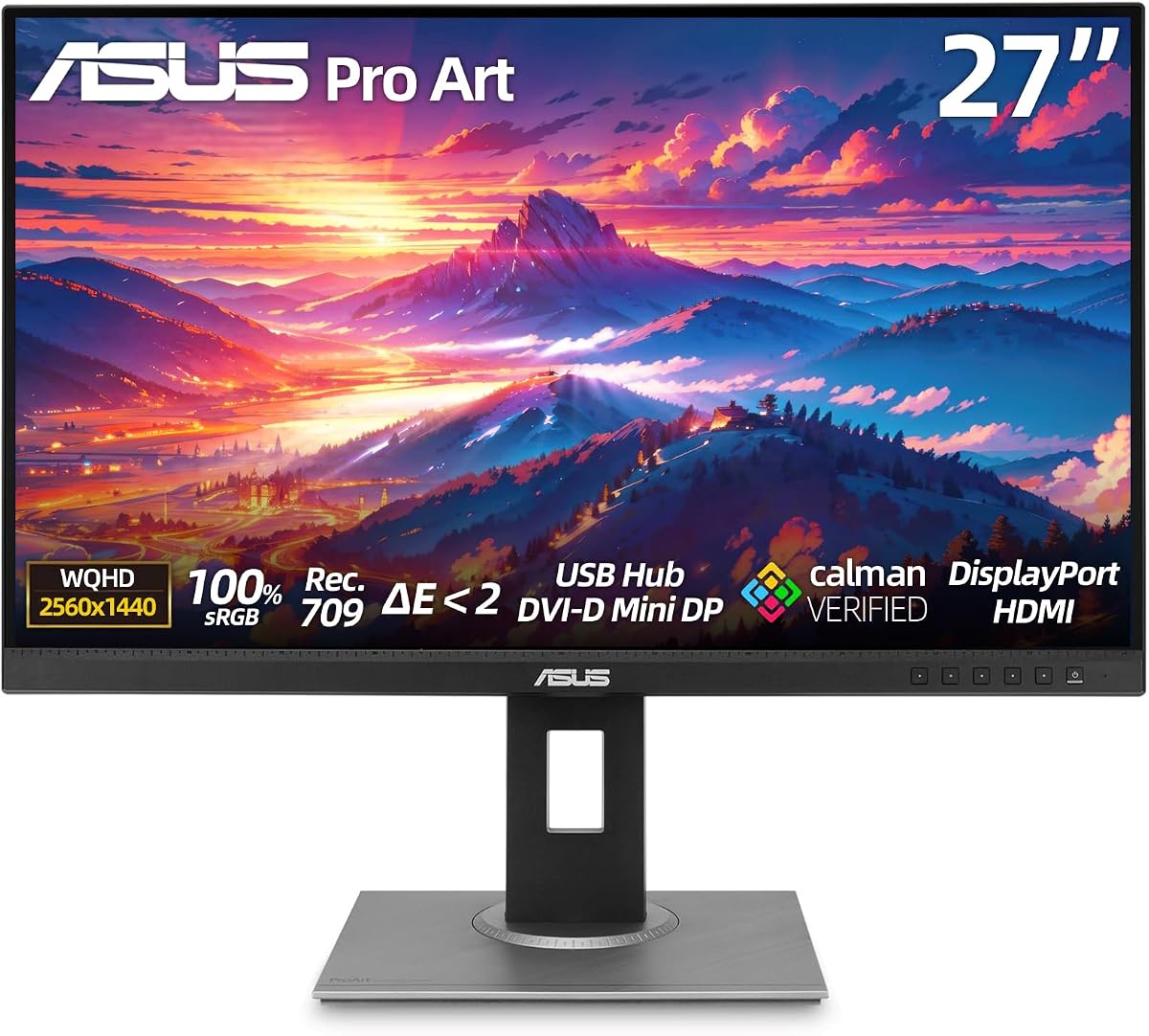
The ASUS ProArt PA279QV achieves a perfect user rating thanks to consistent performance. It features a 27-inch WQHD panel with 100% sRGB for accurate editing. Users appreciate its reliability and eye care technologies for long sessions.
We may earn a commission when you buy through this link, at no additional cost to you.
Calman Verified accuracy ensures Delta E less than 2 precision for professional work. The fully ergonomic stand supports tilt swivel pivot and height adjustments. Eye Care technology reduces strain during extended use.
It lacks advanced USB-C connectivity and higher refresh rates found in newer models. These are acceptable limitations for standard graphic design and photo editing workflows. The build quality justifies the reputation.
This is a top recommendation for users prioritizing reliability and user satisfaction. It delivers professional color and comfort at a reasonable price point for daily tasks.
A perfect five-star rating reflects high satisfaction among users regarding reliability and color accuracy.
Eye Care technologies and an adjustable stand reduce strain during extended creative sessions.
We may earn a commission when you buy through this link, at no additional cost to you.
The ASUS PA329CRV-P offers a spacious 32-inch display for demanding professional workflows. It covers 98% of DCI-P3 ensuring vibrant color reproduction for design work. TAA compliance makes it suitable for government and enterprise procurement.
We may earn a commission when you buy through this link, at no additional cost to you.
Connectivity includes 96W USB-C Power Delivery and dual DisplayPorts for daisy-chaining. HDR400 support provides basic dynamic range enhancement. The stand is highly adjustable for ergonomic flexibility.
It requires significant desk space and power compared to smaller models. These drawbacks are minor given the large screen size and professional features. It suits studios needing expansive high-resolution workspaces.
Ideal for video editors and designers requiring a large canvas this monitor delivers reliable performance. Its enterprise compliance and connectivity make it a versatile choice for professional environments.
TAA compliance ensures eligibility for government and large organizational purchasing programs easily.
The 32-inch screen provides ample space for timelines and tool palettes simultaneously.
We may earn a commission when you buy through this link, at no additional cost to you.
The ASUS ProArt PA32QCV brings 6K resolution to professional workflows for extreme detail. It features a MacBook Color Preset for seamless visual integration with Apple devices. Thunderbolt 4 connectivity supports daisy-chaining and power delivery.
We may earn a commission when you buy through this link, at no additional cost to you.
Auto KVM switching allows effortless control of multiple laptops with one keyboard. The 98% DCI-P3 coverage ensures professional color standards are met. Factory calibration supports Delta E less than 2.
User ratings are mixed potentially due to setup complexity or cost. The premium price reflects the cutting-edge resolution and Mac-specific features. It suits users needing maximum pixel density.
This monitor is perfect for Mac users requiring high resolution for design or coding. Its specialized features make it a top choice for Apple-centric professional environments.
The MacBook Color Preset mode matches Apple displays for a consistent look across devices.
Built-in Auto KVM lets you switch between two laptops with just one mouse and keyboard.
We may earn a commission when you buy through this link, at no additional cost to you.
The ASUS ProArt PA32UCR-K uses Mini-LED backlighting for high brightness and contrast. With 1000 nits peak brightness it handles HDR content effectively. It includes an X-rite i1 Calibrator for precise color accuracy.
We may earn a commission when you buy through this link, at no additional cost to you.
Quantum-dot technology provides 99.5% Adobe RGB coverage for print work. Hardware calibration allows writing profiles directly to the monitor. This ensures consistent results over time.
Reviews are mixed potentially due to blooming with Mini-LED technology. This is a common trade-off for high brightness at this price point. It suits users needing high brightness for HDR grading.
Ideal for video editors working in bright environments this monitor delivers strong HDR performance. The included calibration tool adds value for precise color work.
Hardware calibration lets you save color profiles directly on the monitor for consistent results.
1000 nits brightness ensures clear visibility even in well-lit studio environments.
We may earn a commission when you buy through this link, at no additional cost to you.
The ASUS ProArt PA278CGV combines QHD resolution with a 144Hz refresh rate. This hybrid design suits both creative work and lighter gaming. It covers 95% DCI-P3 for vibrant colors.
We may earn a commission when you buy through this link, at no additional cost to you.
USB-C with 90W Power Delivery supports most laptops and MacBooks easily. DisplayHDR 400 adds basic dynamic range capabilities. FreeSync Premium ensures smooth visuals without tearing.
It lacks full Adobe RGB coverage which may limit print professionals. HDR is basic compared to OLED or Mini-LED options. These are reasonable trade-offs for the hybrid feature set.
This is ideal for users wanting a versatile monitor for creative tasks and entertainment. The high refresh rate and connectivity make it a flexible choice.
The 144Hz refresh rate allows smooth scrolling and gaming alongside editing tasks.
USB-C with 90W Power lets you run most laptops without extra chargers.
We may earn a commission when you buy through this link, at no additional cost to you.
The ASUS ProArt PA32UCG-K features a powerful Mini-LED backlight with local dimming. With 1600 nits peak brightness it handles high-contrast HDR content well. It supports multiple formats including Dolby Vision for flexibility.
We may earn a commission when you buy through this link, at no additional cost to you.
Hardware calibration supports Delta E less than 1 accuracy for professional grading. The 120Hz refresh rate supports variable refresh rates for smooth visuals. Included accessories like a hood aid in controlled environments.
High cost and mixed user reviews may deter some buyers. It is built for high-end professional workflows rather than general use. The brightness and local dimming justify the investment for HDR work.
Best for post-production studios needing high brightness and precise control. Its advanced features provide the reliability needed for critical video and image work.
With 1600 nits peak brightness this monitor excels at HDR grading and review.
Includes a monitor hood to reduce reflections for accurate viewing in any lighting.
We may earn a commission when you buy through this link, at no additional cost to you.
Selecting the right monitor involves balancing resolution color accuracy and connectivity for your specific workflow. This section outlines key factors to consider when choosing an ASUS Proart display.
Resolution determines the level of detail you can see on screen. 4K UHD provides sharp text and fine details ideal for image editing. 6K offers extreme clarity for large-format work. Size impacts desk footprint and viewing distance comfort.
Choose 27-inch for standard desk setups or 32-inch for expansive workspaces.
Color coverage ensures your work appears consistently across devices. Look for high Adobe RGB or DCI-P3 percentages for print or video. Factory calibration with Delta E less than 2 guarantees accuracy out of the box.
Prioritize models with Calman Verified certification for professional results.
Connectivity defines how easily you can link devices. USB-C with Power Delivery simplifies laptop setups. Thunderbolt 4 supports high bandwidth and daisy-chaining. HDMI and DisplayPort remain essential for older systems.
Ensure the monitor offers the ports your devices require.
HDR enhances contrast and brightness for dynamic content. Standard HDR400 is basic while OLED or Mini-LED provides true blacks. Check brightness ratings for HDR workflows.
Select HDR type based on your content creation needs.
Refresh rate affects motion smoothness. Standard 60Hz suffices for static editing but 120Hz or higher helps animation or video. Higher rates reduce eye strain during scrolling.
Opt for 120Hz if motion content is part of your workflow.
Ergonomic stands reduce neck strain during long sessions. Look for tilt swivel pivot and height adjustments. A flexible stand helps achieve optimal viewing angles.
Confirm the stand supports your preferred posture.
Reliable support ensures peace of mind. Most ProArt monitors come with extended warranties. Check terms for calibration or defect coverage.
Register the product for warranty extension when required.
Price varies by panel technology and features. Budget models offer basic accuracy while premium ones deliver high brightness or refresh rates. Balance cost with essential features.
Focus on needs rather than extra features you won't use.
Start by adjusting the stand to your eye level to reduce strain. Connect cables securely and install drivers from the ASUS website for best performance.
Use calibration tools to verify color accuracy regularly. Keep the display away from direct sunlight to prevent glare and ensure consistent colors.
Clean the screen with a microfiber cloth gently. Avoid chemical cleaners that can damage coatings. Turn off the display before cleaning to avoid static.
Yes many models include USB-C connectivity and color presets optimized for MacBooks. Features like Thunderbolt support ensure seamless integration with macOS workflows.
Delta E measures color accuracy compared to a standard. Lower values mean more accurate colors. Delta E less than 2 is ideal for professional color-critical work.
Many ProArt monitors support DisplayPort daisy-chaining allowing multiple screens via one cable. Check model specs to confirm compatibility with your setup.
Many models support HDR formats including HDR400 and True Black. Higher-end OLED or Mini-LED options provide more advanced HDR performance for video.
Most models include a 3-year standard warranty with an optional 2-year extension upon registration. Check product pages for specific terms and registration links.
Yes they feature Eye Care technology including flicker-free and low blue light modes. These reduce strain during extended working hours significantly.
Our top picks include the PA279CRV for overall value and the PA248QV for budget needs. The PA32USD stands out for premium OLED quality.
Prioritize color accuracy and connectivity that match your daily workflow. Consider size and ergonomics to maintain comfort during long sessions.
Always verify current pricing and availability before purchase. This guide aims to simplify your search for the perfect professional display.