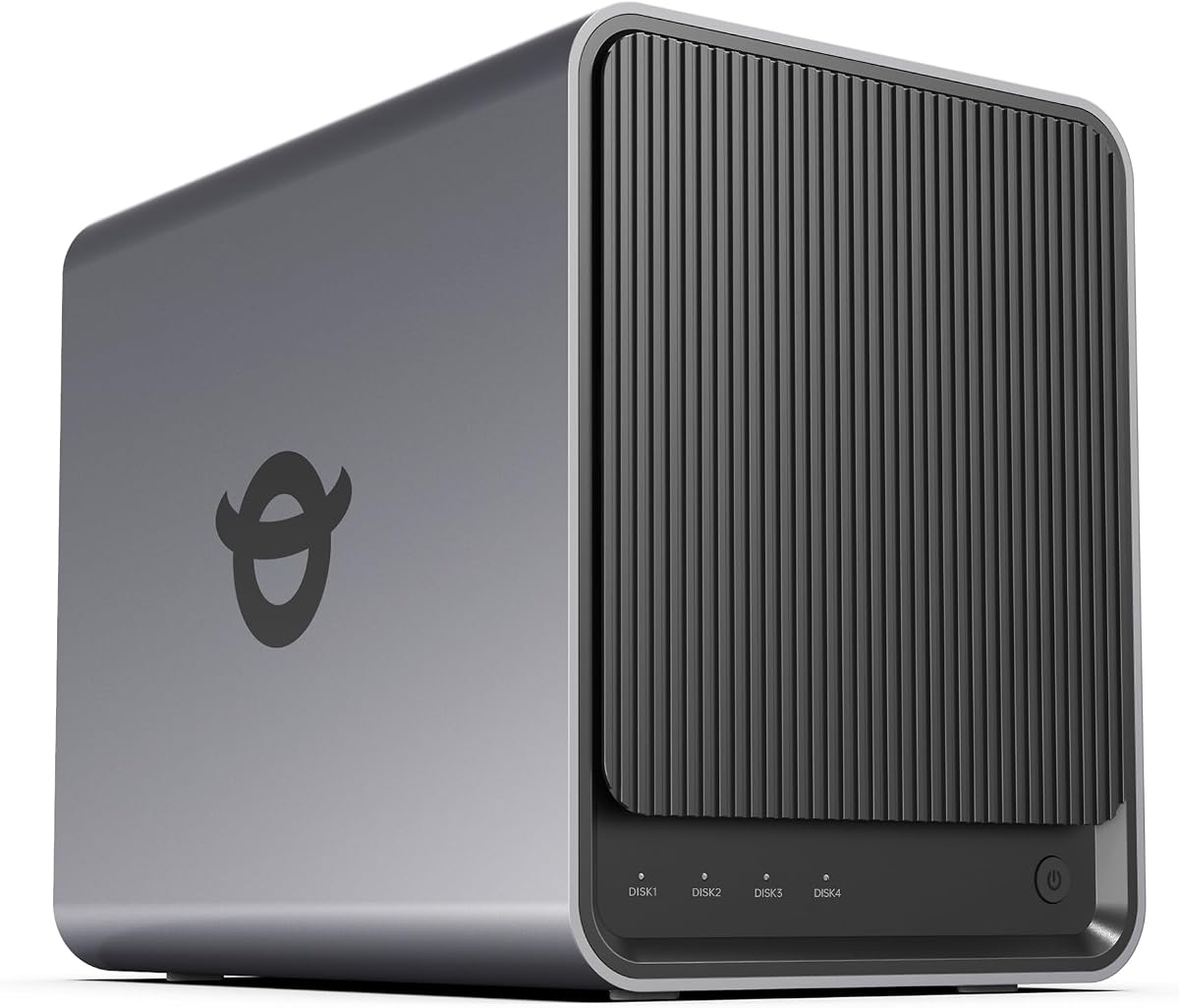
Yxk Zero1 Pro
4.4Editor score
Intel N100 processor
Beginner friendly setup
Docker support included
This expert guide compares the top 10 4 Bay NAS systems for home and business, evaluating performance, storage, security, and media features to help you choose
Finding the right network attached storage solution is crucial for modern digital needs. A 4 Bay NAS offers ample room for drives, redundancy, and performance without overwhelming complexity or cost for most users seeking reliable data management.
We evaluated ten leading models based on processor power, memory capacity, networking options, and software ecosystems. Each unit was assessed for ease of setup, multimedia capabilities, security features, and overall value to create this definitive ranking list.
Every recommendation highlights specific strengths like budget friendliness or professional grade power. Prices and availability change frequently so check current listings before purchasing. Our goal is to provide clear insights for informed decisions on your next storage investment.
4.4Editor score

4.6Editor score

4.4Editor score
The following table provides a side-by-side technical overview of all ten selected network attached storage units. Compare processors, memory, networking ports, and storage capacities to identify which model aligns best with your specific performance and capacity requirements.





The Synology DS425+ leads our ranking with its powerful Intel processor and robust software ecosystem. It consistently delivers fast file transfer speeds and handles media transcoding efficiently for smooth streaming across devices.
We may earn a commission when you buy through this link, at no additional cost to you.
Its standout quality lies in the intuitive DiskStation Manager interface which simplifies complex tasks like RAID setup and user permissions. The built-in surveillance support allows monitoring up to 30 IP cameras making it a true home office hub.
While the hardware is premium priced the value comes from long term software updates and reliability. Users appreciate the snapshot technology that protects against ransomware and accidental deletion instantly preserving data integrity without extra tools.
This unit is ideal for families or small businesses needing reliable central storage with minimal fuss. Whether sharing documents or streaming 4K content the DS425+ offers a balanced mix of speed security and ease of use.
Snapshot technology allows instant recovery to previous data states protecting against malware or user error effectively.
Integrated support for up to 30 IP cameras turns your NAS into a central security management platform easily.
We may earn a commission when you buy through this link, at no additional cost to you.
The Yxk Zero1 Pro offers exceptional value by integrating a modern Intel N100 processor at a budget friendly price. It handles everyday file storage and media streaming tasks with ease making it accessible for first time NAS buyers.
We may earn a commission when you buy through this link, at no additional cost to you.
Users benefit from 8GB of RAM and dual 2.5GbE ports which provide surprisingly fast network performance for the cost. The inclusion of 4K HDMI output allows direct connection to a TV for local media playback without extra hardware.
While the software ecosystem is not as mature as Synology it provides essential features like AI photo organization and Docker support. This flexibility lets enthusiasts run custom applications like Plex or Home Assistant directly on the device.
This NAS is perfect for home users wanting a private cloud without monthly subscription fees. Its compact aluminum design fits neatly in living rooms or offices while delivering solid performance for shared family storage needs.
Support for Docker containers enables running custom server applications like media libraries or download managers locally.
Direct TV connection allows playback of stored media files without needing network streaming software or extra devices.
We may earn a commission when you buy through this link, at no additional cost to you.
The UGREEN DXP4800 Pro stands out as the most powerful option on this list targeting professionals and heavy users. Its Intel Core i3 processor and DDR5 RAM ensure blazing fast multitasking even when running virtual machines and containers simultaneously.
We may earn a commission when you buy through this link, at no additional cost to you.
Network speeds are significantly boosted by dual 10GbE ports allowing transfers up to 1.25GB/s which is vital for video editors. The storage potential reaches a massive 144TB with M.2 NVMe slots providing cache or additional high speed storage pools.
Security features are robust with ETSI EN certification and granular permissions ensuring data remains safe even in complex environments. The UGOS Pro operating system integrates media management and cloud sync in one unified interface for streamlined workflow control.
This unit is best for businesses or creators needing workstation level performance in a storage box. While expensive the investment pays off in productivity and reliability for teams that depend on constant fast access to large datasets.
High speed networking and DDR5 memory eliminate bottlenecks when editing 4K video directly from the network storage.
Certifications ensure data protection meets international standards giving enterprise users confidence in local storage security.
We may earn a commission when you buy through this link, at no additional cost to you.
The TERRAMASTER F4-425 delivers solid performance for media enthusiasts with its quad core processor and 4GB RAM. It handles hardware level 4K H.265 decoding which ensures smooth playback on Plex or Emby servers without lag.
We may earn a commission when you buy through this link, at no additional cost to you.
One of its most appealing features is the ultra quiet operation rated at just 21dB making it suitable for bedrooms or living rooms. The push lock design simplifies drive installation allowing setup in seconds without needing tools or technical expertise.
Storage flexibility is enhanced by TRAID arrays which offer data redundancy similar to RAID but utilize capacity more efficiently. This helps users maximize their drive investment while keeping files safe from accidental hardware failures or accidental deletion.
Ideal for home users focusing on video and photo storage this NAS balances price and performance well. It may lack some premium software polish but offers reliable hardware capable of managing millions of photos and streaming media efficiently.
Dedicated decoding hardware supports smooth high resolution video streaming across multiple devices simultaneously without buffering.
Low noise levels ensure the device remains unobtrusive even when placed in quiet environments like living rooms.
We may earn a commission when you buy through this link, at no additional cost to you.
UGREEN DXP4800 GT targets creators who need rapid data transfers and versatile media management tools built into the system. It features dual 10GbE ports and a built-in SD card slot allowing direct import of photos and videos without external readers.
We may earn a commission when you buy through this link, at no additional cost to you.
The AMD Ryzen processor provides strong multi-threaded performance ideal for backups Docker apps and multi-user workloads simultaneously. Local privacy is emphasized with features like local account mode ensuring data remains on-premise unless you choose to share it online.
Surveillance capabilities are robust supporting PTZ control and event detection directly through the NAS interface. Footage stays stored locally which avoids recurring cloud fees and keeps sensitive security data under your direct physical control easily.
This model is excellent for teams or creators managing large files who want hardware speed without subscription costs. While initial setup requires some learning the ecosystem supports virtual machines and advanced workflows for growing professional needs.
Integrated SD card slots streamline workflows by allowing quick copying of camera files directly to secure storage.
Options for LAN-only access ensure sensitive files remain secure within the local network without external exposure.
We may earn a commission when you buy through this link, at no additional cost to you.
The UGREEN DXP4800 Plus is optimized for collaboration offering features that make file sharing seamless across different operating systems. It supports Docker and virtual machines allowing small teams to host custom environments while keeping files centrally managed and safe.
We may earn a commission when you buy through this link, at no additional cost to you.
Transfer speeds are maximized through 10GbE network ports and USB 10Gbps connections enabling backup times measured in seconds. The AI powered photo album automatically organizes images by faces and scenes saving time when managing massive personal or family libraries.
Data ownership remains strictly local with advanced encryption protecting files from unauthorized access. Permissions are flexible so you can grant specific read or write rights to team members ensuring privacy while maintaining efficient team workflows.
This unit suits small offices or families wanting a private cloud alternative to public services. It provides the reliability of enterprise storage in a user-friendly form factor that grows with your needs and protects your digital assets effectively.
Seamless cross-platform access allows Windows macOS and mobile users to work on shared files without friction.
High speed USB and network ports ensure quick transfers of large media files to external drives or internal storage.
We may earn a commission when you buy through this link, at no additional cost to you.
Designed specifically for beginners the UGREEN NAS DH4300 Plus simplifies the setup process with NFC connectivity and guided mobile app instructions. It provides a straightforward entry into private cloud storage without requiring technical knowledge or complex network configurations initially.
We may earn a commission when you buy through this link, at no additional cost to you.
It includes essential features like real-time photo backup and AI albums to keep family memories organized automatically. Users can access files from anywhere via mixed devices while avoiding recurring monthly fees associated with public cloud storage providers.
Security is a priority with TRUSTe certification ensuring data privacy and protection against unauthorized access. The magnetic dust cover adds a touch of practical design allowing easy maintenance while keeping the internal components free from dust and debris.
This model is ideal for remote workers and families transitioning from external drives or public clouds. It offers a secure one-time purchase solution that pays for itself quickly by eliminating ongoing subscription costs for digital storage.
Switching from monthly cloud plans to a one-time NAS purchase saves significant money over the long term.
Near field communication allows rapid device pairing for simplified setup without navigating complex network menus.
We may earn a commission when you buy through this link, at no additional cost to you.
The Synology 4-Bay DS925+ balances performance and features ideal for small office environments requiring reliable file sharing. It supports dual 2.5GbE ports for faster transfers and includes built-in virtualization for running lightweight applications directly on the storage unit.
We may earn a commission when you buy through this link, at no additional cost to you.
File and photo management tools are integrated seamlessly making it easy to organize and share assets with team members. The unit supports granular access controls and audit logs ensuring compliance and security for business critical documents stored locally.
Data protection is enhanced through snapshot technology preventing loss from ransomware or accidental deletion instantly. The three-year limited hardware warranty reflects the company confidence in its build quality and provides peace of mind for business buyers.
This device is perfect for professional offices needing central storage with enterprise capabilities at a consumer price. Its stable software ecosystem ensures smooth operation for daily tasks while providing room to grow as business storage needs expand.
Centralized file repository with access controls streamlines document sharing and collaboration across the team effectively.
Built-in virtualization support allows running light business applications without needing a separate dedicated server hardware.
We may earn a commission when you buy through this link, at no additional cost to you.
Asustor Drivestor 4 Gen 2 brings affordable entry into 4 Bay NAS with a quad core processor and modern networking. The 2.5GbE port ensures file transfers are significantly faster than traditional Gigabit systems improving backup and streaming performance noticeably.
We may earn a commission when you buy through this link, at no additional cost to you.
Enterprise grade data protection is included via Btrfs snapshots allowing instant restoration of files to previous states. WORM technology ensures critical documents remain immutable making them safe from deletion or overwriting by malicious software or human error.
Media capabilities include 4K playback support enabling smooth streaming to smart TVs and mobile devices without extra hardware. The personal cloud features allow secure remote access without relying on third party services keeping your data under your direct control.
This model is ideal for budget conscious users needing more than basic cloud storage. While RAM is limited the efficient design handles daily tasks like photo backup and document sharing well enough for most home office scenarios.
Write Once Read Many technology locks critical files ensuring they cannot be altered by ransomware or accidental changes.
2.5GbE connectivity provides a substantial speed boost over standard 1GbE ports for faster backup and streaming.
We may earn a commission when you buy through this link, at no additional cost to you.
Synology DS423 focuses on secure family and business backup ensuring files remain safe through comprehensive data protection tools. It supports snapshots and versioned files which shield against malware attacks and accidental deletion providing a robust recovery safety net easily.
We may earn a commission when you buy through this link, at no additional cost to you.
The versatile video surveillance system supports intuitive monitoring and archiving for up to 30 IP cameras keeping your home secure. It functions as a local file server replacing expensive external services like SharePoint or Dropbox while retaining full data ownership privacy.
Security features include remote access capabilities that keep collaborators in sync without compromising sensitive information. The hardware is backed by a two-year warranty and Synology support ensuring reliability for everyday storage needs without frequent disruptions.
This unit is best for families wanting centralized storage that prioritizes privacy and security. It balances essential features with reliability making it a smart choice for protecting personal photos documents and videos from various digital threats effectively.
Versioned files and snapshots ensure you can restore lost data instantly even after malware infection or accidental deletion.
Encrypted remote access allows safe sharing of files with family or business partners without using public cloud servers.
We may earn a commission when you buy through this link, at no additional cost to you.
Selecting the right 4 Bay NAS requires understanding your specific needs for capacity speed and software features. This guide breaks down the critical factors to consider before making a purchase to ensure you get the best fit.
The CPU is the brain of your NAS determining how fast it can handle file transfers and run apps. Look for Intel or AMD processors with at least 4 cores if you plan to stream media or use Docker containers for flexibility and speed.
RAM affects multitasking abilities especially when multiple users access files simultaneously. For basic storage 4GB is enough but 8GB or more is recommended for advanced tasks like running virtual machines or processing large photo libraries efficiently.
Check the Ethernet ports on the device; 1GbE is standard but 2.5GbE or 10GbE offers much faster transfer rates. Faster networking reduces wait times when backing up large files or streaming high resolution video directly to your TV.
Consider if the unit supports M.2 NVMe SSDs for caching or extra storage. This allows you to speed up read write operations without replacing existing hard drives and provides room to grow as your data needs increase over time.
The operating system matters as much as hardware. Synology offers polished software for ease of use while UGREEN provides high performance features. Choose a system with apps that match your needs like surveillance photo management or cloud sync tools.
Look for support for RAID configurations and snapshot technology to guard against data loss. Snapshots allow instant recovery from ransomware or accidental deletion ensuring your family photos and business documents remain safe without complex recovery processes.
If you plan to store movies or TV shows ensure the NAS supports hardware transcoding. This allows smooth playback on various devices without needing to convert files manually and keeps the experience seamless for all family members using it.
Sturdy enclosures with efficient cooling systems ensure longevity and quiet operation. Aluminum housings help dissipate heat better than plastic and quiet fans are essential for living room or bedroom placements where noise could be disruptive during use.
Start by installing compatible hard drives into the drive bays using the tool-free trays provided. Follow the on-screen guided setup to initialize the operating system and configure your network connection for immediate access from connected devices.
Regularly update the NAS firmware to patch security vulnerabilities and improve performance. Use the built-in backup tools to automatically sync important files from computers and mobile devices ensuring you always have a current copy of your data stored locally.
Keep the unit in a well ventilated area to prevent overheating and ensure fans operate quietly. Periodically check the health status of your hard drives through the storage manager dashboard to detect early signs of failure before data is lost.
The Synology DS425+ and TERRAMASTER F4-425 are top choices for media streaming. Both support hardware 4K decoding allowing smooth playback on smart TVs and mobile devices. Their processors handle multitasking well ensuring no buffering while you stream content.
Yes you can use most standard SATA hard drives provided they are on the manufacturer's compatibility list. Avoid drives with incompatible firmware that might cause instability. Always check the official support page for your specific model before purchasing drives.
High end models like the UGREEN DXP4800 GT and Pro support 10GbE for faster transfers. Most budget and mid range units use 2.5GbE which is still significantly faster than standard Gigabit Ethernet for modern home networks and needs.
Diskless NAS units are usually cheaper and allow you to choose drives that match your exact needs. Buying drives separately gives you control over speed capacity and redundancy. However some bundles offer a convenient all-in-one solution for beginners.
RAID configurations like RAID 5 or 6 distribute data across multiple drives so if one fails your files remain safe. This redundancy ensures you can replace a failed drive without losing information. Always keep a backup for critical data though.
Most modern 4 Bay NAS units support Docker which allows you to run applications like Plex. Some models like UGREEN or Synology offer dedicated app centers with one-click installs making setup easier for media server needs without technical coding.
You typically need standard Ethernet cables (Cat5e or Cat6) to connect the NAS to your router. For 10GbE networks use Cat6a or higher cables to ensure you get the maximum speed possible without signal degradation over distance.
A quality 4 Bay NAS can last 5 to 7 years or longer with proper care. The electronics are durable but hard drives inside may need replacing sooner. Regular maintenance and firmware updates extend the lifespan of the device significantly.
Our review highlights that the Synology DS425+ offers the best all-around experience with premium software and support. For budget buyers the Yxk Zero1 Pro provides excellent value with modern hardware capable of handling daily tasks effortlessly.
Prioritize processor speed and RAM if you plan to run virtual machines or serve high bandwidth media files. Security features like snapshots and encryption should be a major consideration to protect your data from ransomware and accidental loss effectively.
Always check current pricing and availability as these figures change frequently. Whether you need a basic cloud or a pro workstation the right 4 Bay NAS secures your digital life and ensures fast access whenever you need it.