
SunFounder AI Fusion Lab Kit
4.6Editor score
Multi-LLM support
Pan-Tilt HAT included
Video courses included
Explore the top AI Raspberry Pi Kits for 2026. Our guide compares hardware specs, learning resources, and AI capabilities to help you choose the perfect kit.
AI Raspberry Pi Kits are powerful tools for enthusiasts wanting to explore artificial intelligence on affordable hardware. These bundles combine the Raspberry Pi computer with sensors, cameras, and software to make AI development accessible for beginners and experts alike.
We compared ten leading kits based on hardware quality, included components, learning materials, and AI performance. Our analysis focuses on real-world usability, community support, and the breadth of projects each kit enables for users at different skill levels.
Each pick highlights key strengths like vision tracking, voice interaction, or preloaded models. Prices and availability change frequently, so verify details before purchasing. This guide ensures you find the right balance of power and education for your AI journey.
4.6Editor score

5.0Editor score

4.5Editor score
This table compares the core specifications and features of the ten selected AI Raspberry Pi Kits. Review each entry to find the right match for your budget and learning goals.
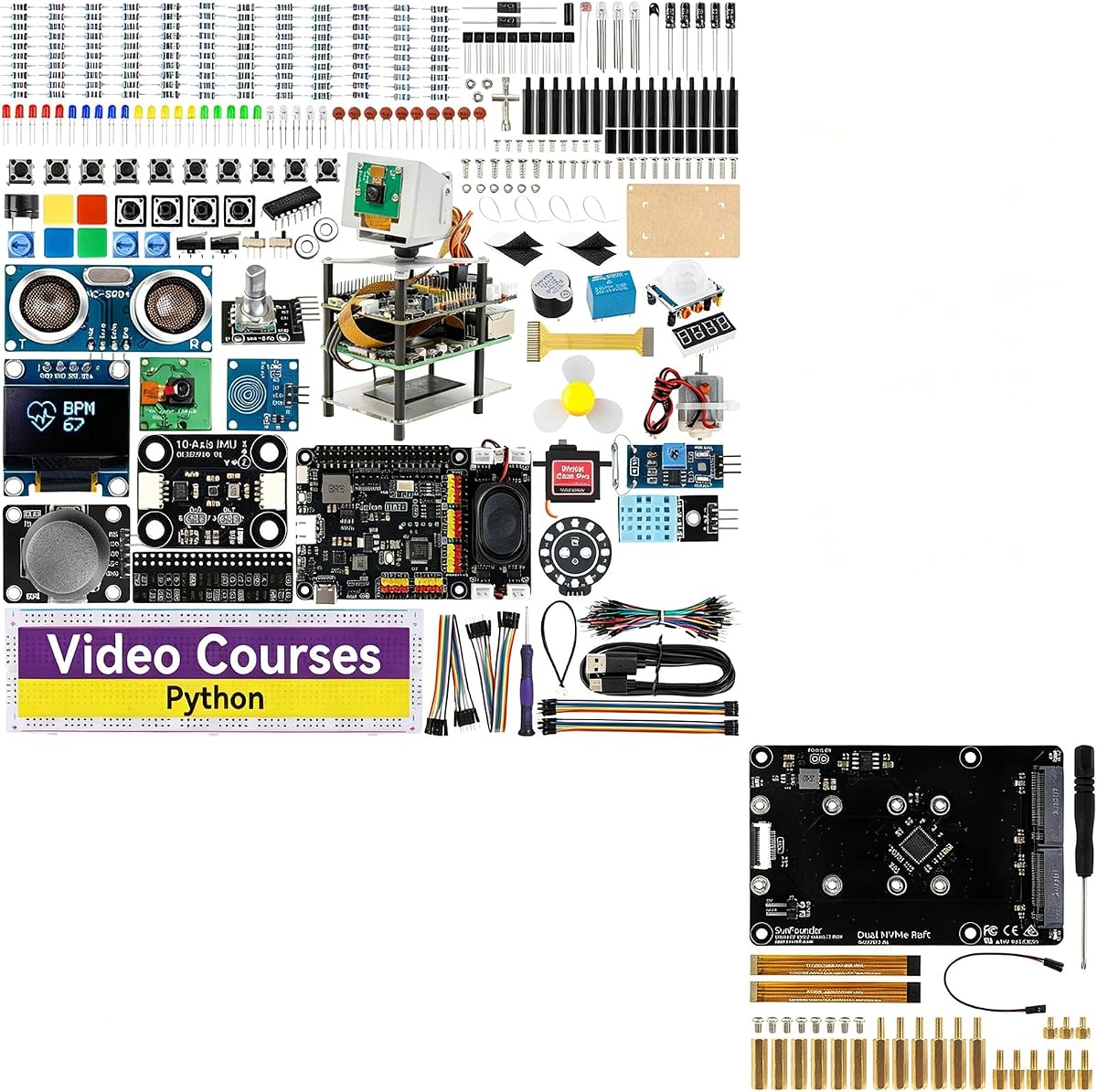


The SunFounder AI Fusion Lab Kit stands out as a top choice for beginners. It combines a wide range of sensors with support for multiple large language models. Users report it is intuitive and well-supported by tutorials.
We may earn a commission when you buy through this link, at no additional cost to you.
This kit shines with its multi-modal capabilities. You can build projects that see and hear. The Fusion HAT+ simplifies power and control. The voice interaction features are particularly engaging for learning STT and TTS.
While it does not include the Raspberry Pi itself, the components are high quality. The 10-axis module adds motion sensing versatility. Beginners might find initial setup tricky without prior experience.
It is perfect for students wanting hands-on AI projects without high costs. If you want to learn Python and AI simultaneously, this kit provides the tools you need to succeed.
Guided video lessons help beginners grasp concepts quickly. Paul McWhorter's involvement adds credibility and clarity to the curriculum.
Access to models like ChatGPT, Gemini, and Grok lets you experiment with different AI capabilities. This flexibility makes future projects more interesting.
We may earn a commission when you buy through this link, at no additional cost to you.
The Vilros Raspberry Pi 5 AI Kit delivers exceptional performance for AI workloads. It includes everything needed to start immediately. The Hailo-8 accelerator offers significant speed boosts for object detection.
We may earn a commission when you buy through this link, at no additional cost to you.
Users appreciate the 26 TOPS capability. This allows for smooth real-time inference. The included Active Cooler keeps temperatures stable during heavy tasks. It is ideal for serious makers.
The main drawback is the higher cost compared to basic kits. However, the included components justify the price. Ensure your software stack supports the accelerator for full benefits.
Choose this if you need speed and reliability. It is a professional-grade solution for robotics and vision tasks. The build quality ensures long-term usage without issues.
Hailo-8 handles neural networks efficiently. This means faster object detection and segmentation tasks compared to standard CPUs.
The preloaded SD card simplifies setup. You can power on and start coding in minutes without configuring the OS manually.
We may earn a commission when you buy through this link, at no additional cost to you.
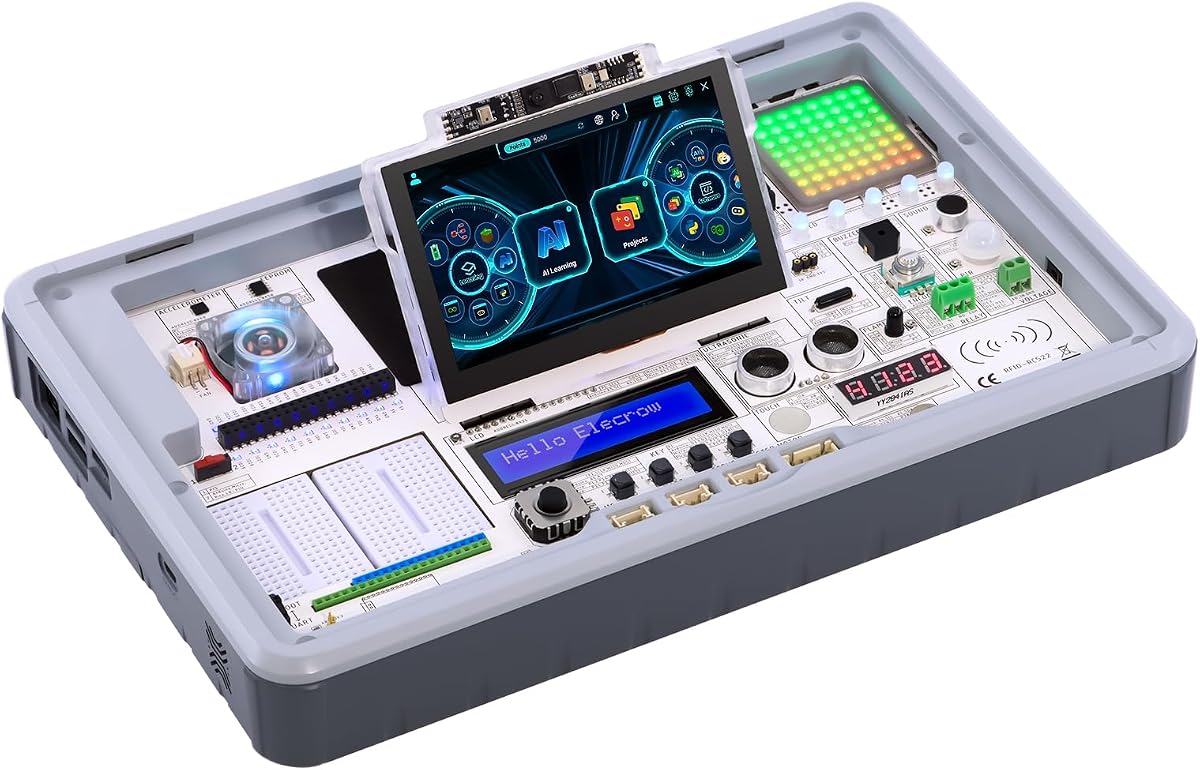
The CrowPi 3 is a powerful development station designed for ease of use. It bundles a high-end board with a touch display. The 41 sensors allow for diverse experiments instantly.
We may earn a commission when you buy through this link, at no additional cost to you.
Its standout feature is the pre-integrated hardware. You can build complex projects without wiring. The touchscreen interface makes interaction smooth. It is excellent for prototyping and education.
The premium price is significant. However, the convenience saves time. If you prefer ready-made modules over breadboarding, this fits well. It reduces friction in development.
This station is best for professionals or educators needing a reliable lab. It supports rapid iteration. Use it to focus on logic and application rather than hardware debugging.
The 4.3-inch touch screen allows direct user interaction. You can display sensor data and control projects easily without a separate monitor.
With sensors already wired, you save hours on setup. This allows for more time on coding and testing AI models.
We may earn a commission when you buy through this link, at no additional cost to you.
This bundle enhances the Fusion Lab with high-speed storage options. It allows adding two M.2 SSDs for massive capacity. This is crucial for data-heavy AI applications or media servers.
We may earn a commission when you buy through this link, at no additional cost to you.
The NVMe Raft supports RAID configurations. You get reliability and speed combined. It turns the Pi into a capable server. The power pack ensures stable operation.
Keep in mind this is an expansion. It works best with the main Fusion Lab kit. Without the main kit, it serves as a storage hub. It lacks sensors on its own.
Ideal for NAS builders or developers managing large datasets. The speed improvement over SD cards is noticeable. It makes the Pi a serious server contender.
Two M.2 slots let you add terabytes of space. This is vital for storing video logs or model weights locally.
RAID 1 mirrors data for safety. If one drive fails, your data remains safe. It is a robust solution for home servers.
We may earn a commission when you buy through this link, at no additional cost to you.
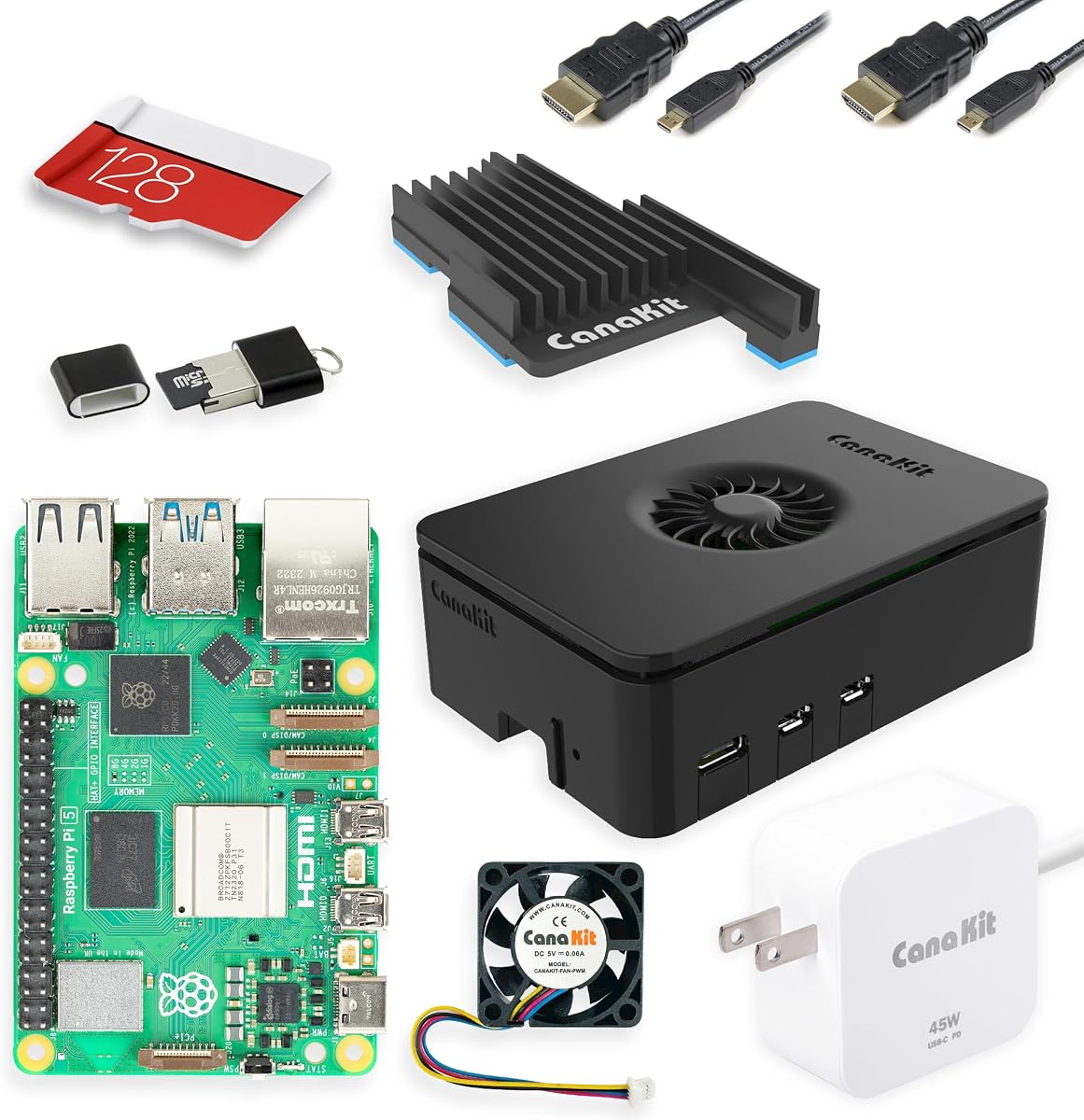
The CanaKit Starter Kit PRO provides a solid foundation for any project. It includes the Pi 5 and essential accessories. The Turbine case ensures cool performance during heavy loads.
We may earn a commission when you buy through this link, at no additional cost to you.
Its strength lies in reliability. The 45W power supply handles high-demand tasks easily. It is perfect for those starting their journey. You can add AI modules later.
Since it is a base kit, it lacks AI sensors. You must buy HATs separately for vision. It is a great starting point but not a full solution.
Choose this if you want to build your own setup. It offers quality and value. The high wattage power supply is future-proof for expansion.
The Turbine case uses a silent fan. It keeps the CPU cool even under load. This ensures stable performance for long tasks.
With 45W available, you can power SSDs and cameras. This reduces power issues common in older kits.
We may earn a commission when you buy through this link, at no additional cost to you.
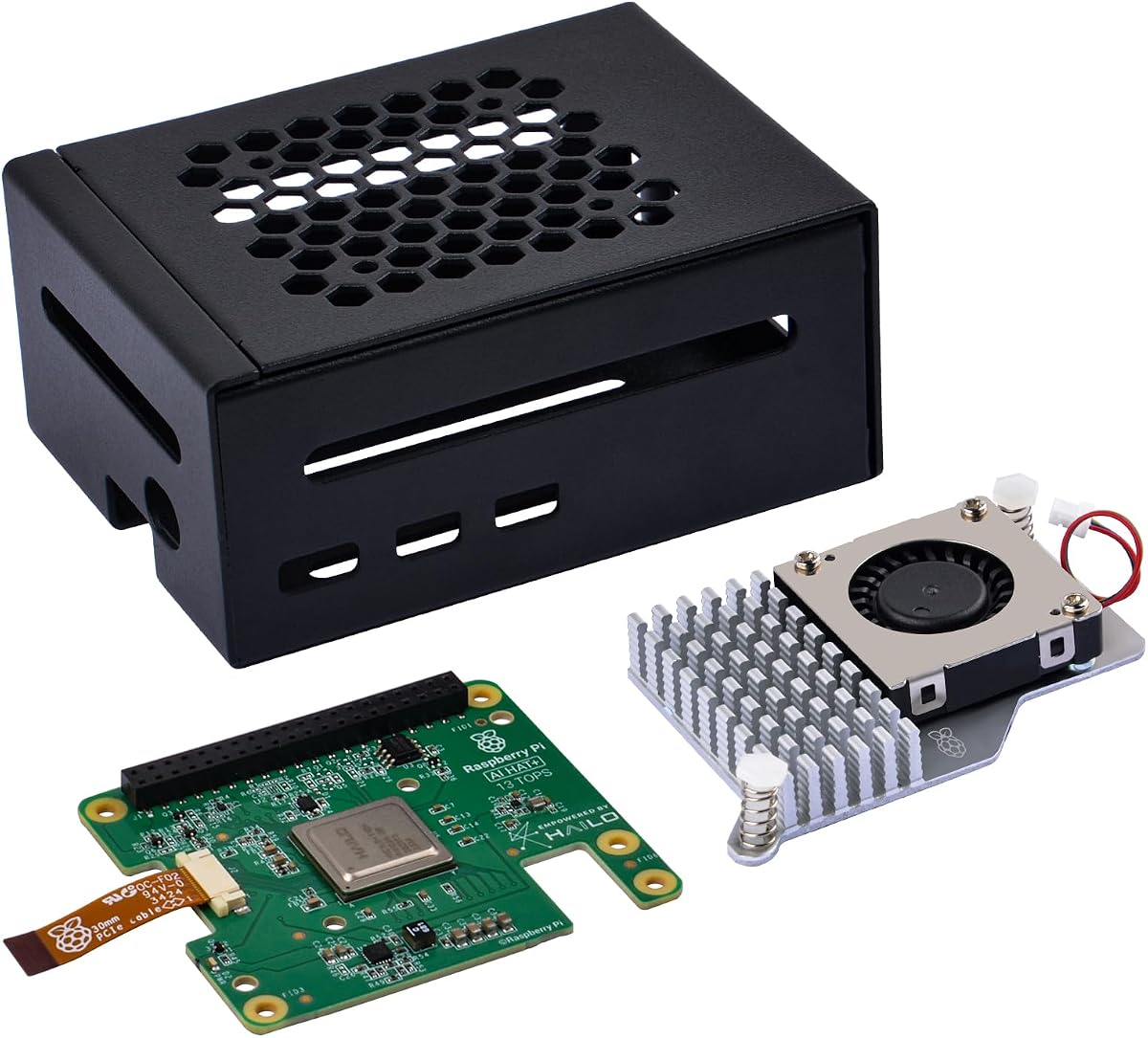
The GeeekPi AI HAT+ bundle offers dedicated neural processing power. It integrates seamlessly with the Pi 5 OS. The 13 TOPS capability supports common AI tasks well.
We may earn a commission when you buy through this link, at no additional cost to you.
The metal case adds durability and airflow. Active cooling keeps the board safe. This setup is robust for edge AI applications. It is easy to install.
While 13 TOPS is less than 26, it covers most needs. Ensure your code uses the NPU APIs correctly. It is a solid choice for focused AI tasks.
Use this if you need dedicated inference power. It is efficient and reliable. The bundled cooler and case simplify hardware setup.
The system automatically detects the accelerator. You do not need complex drivers. This simplifies the coding process significantly.
The metal case protects against dust and static. It adds a layer of safety for field deployments.
We may earn a commission when you buy through this link, at no additional cost to you.
The Seeed Studio Essentials kit focuses on official quality. It includes everything needed for a stable system. The preloaded card gets you running in minutes.
We may earn a commission when you buy through this link, at no additional cost to you.
Official parts mean better compatibility. The 27W supply is tailored for the board. It supports Docker and heavy applications well. This is a professional workhorse.
It lacks AI peripherals. You need extra purchases for vision. But the base is strong. You avoid hardware compatibility issues entirely.
Perfect for developers needing a reliable workstation. It minimizes downtime. The warranty adds confidence for critical projects.
All components are designed for the Pi 5. This ensures maximum stability and performance without conflicts.
Seeed Studio offers technical support. This helps if you encounter software issues. It is valuable for enterprises.
We may earn a commission when you buy through this link, at no additional cost to you.
The SunFounder AI Robot Kit brings AI to movement. It uses 12 servos for lifelike actions. The ChatGPT-4o integration adds voice intelligence.
We may earn a commission when you buy through this link, at no additional cost to you.
FPV control lets you see from the robot's eye. The gyroscope and sensors handle balance. It is fun and educational for robotics.
The Pi Zero limits heavy computation. But for control tasks, it works well. Ensure you have WiFi for cloud LLMs. It is less powerful than Pi 5.
Ideal for hobbyists wanting a smart robot. The visual and voice features are exciting. It inspires learning in mechanics and code.
ChatGPT-4o enables natural language control. You can speak commands and get responses. This creates a very engaging experience.
The 12 servos allow walking and dancing. This physical output makes learning robotics rewarding and hands-on.
We may earn a commission when you buy through this link, at no additional cost to you.
The CrowPi 3 AI Station focuses on interactive learning. It has a built-in touchscreen. This makes debugging and monitoring projects easy.
We may earn a commission when you buy through this link, at no additional cost to you.
It includes 41 sensors in a tidy layout. You can test projects immediately. The 200+ lessons guide you step-by-step. It is structured for students.
The board is not included. You must buy a Pi 5. This adds cost but keeps the kit clean. It is worth it for the interface.
Choose this for classroom or self-study. The display adds immediate feedback. It removes friction from the learning curve.
The touch screen lets you see data graphs. You can control variables directly. This makes testing AI behaviors intuitive.
The course materials cover Node-RED and Python. This broadens learning beyond basic hardware to full IoT projects.
We may earn a commission when you buy through this link, at no additional cost to you.
The CrowPi3 Basic Kit offers core components. It is more affordable than the full station. You still get a display and camera.
We may earn a commission when you buy through this link, at no additional cost to you.
It supports 400 sensors. This is enough for most tasks. The lessons are clear. It helps you read code effectively.
You must buy the board. The price difference helps budget users. It is a smart start. You can upgrade later.
This kit suits learners on a budget. It covers essentials without extra bulk. It is a solid step into AI.
By omitting some modules, it saves money. You can choose exactly what you need. It avoids waste for beginners.
It works with multiple boards like Arduino. This allows for cross-platform learning. It is versatile for different interests.
We may earn a commission when you buy through this link, at no additional cost to you.
Selecting the right AI kit depends on your goals. Consider hardware, components, and learning materials carefully.
Evaluate the CPU and RAM included. Higher specs like 8GB or 16GB RAM help with complex models. Check if the kit includes an accelerator for speed.
Choose boards with more RAM for better performance.
Look for sensors, cameras, and HATs. Kits with many sensors save money and time. Ensure the kit has power and storage included.
Prioritize kits with essential peripherals included.
Check for video courses or lessons. Structured guides make learning easier. Quality content helps you progress faster.
Select kits with comprehensive documentation and video.
Ensure support for modern models like LLMs. Compatibility with frameworks like OpenCV matters. Verify community updates for new tools.
Choose kits that support modern AI models.
Decide how much you want to spend. Some kits include the board, others do not. Calculate total costs including the computer.
Compare total cost including necessary add-ons.
Pick kits that allow expansion. Look for PCIe or GPIO headers. A modular kit grows with your skills.
Opt for designs that allow easy expansion.
AI loads generate heat. Ensure active cooling is included. Fans and heatsinks protect hardware and boost speed.
Ensure active cooling is included.
Check if wiring is required. Pre-wired kits save time. Touch displays help with intuitive interaction.
Choose pre-integrated kits for faster setup.
Start by installing the OS and following the guide. Ensure all drivers are up to date. Test sensors one by one to verify functionality before building projects.
Keep components clean from dust. Use cases to protect against scratches. Monitor temperatures to prevent overheating during long sessions.
Regularly update your code and libraries. Join forums to get help with errors. Backup your data to avoid losing projects.
Not all kits include the board. Some bundles are standalone accessories. Check product descriptions to confirm if a Pi is included before buying.
TOPS stands for Trillions of Operations Per Second. It measures AI speed. Higher TOPS means faster inference for tasks like object detection and image analysis.
Yes, many kits include step-by-step lessons. Some have video tutorials to guide you. You do not need prior coding experience to start learning.
Most kits support models like YOLO and LLMs. Check if the kit offers ChatGPT integration. OpenCV is standard for vision tasks.
Some kits include a touchscreen. Others use HDMI output. If the kit lacks a screen, connect a monitor to see the interface.
Most kits support GPIO and USB. You can add sensors later. Some bundles include headers for extra HATs.
The best kit depends on your needs. Vilros offers high performance. SunFounder is great for learning. CrowPi 3 is ideal for prototyping.
Prioritize components and learning materials. Check if the board is included. Ensure support for the AI models you want to use.
Prices vary by region. Always check current availability. Choose the kit that matches your goals and budget.