
Yealink Sp92 Conference Speaker
4.1Editor score
AI noise cancelling
20 hour battery life
Compact portable design
Discover the top Bluetooth speakerphone for the Home Office options. This guide compares features audio quality and connectivity to help you choose the ideal
Choosing the right Bluetooth speakerphone for the Home Office is essential for professional meetings and clear communication. A good device ensures everyone hears you clearly without background noise distractions during video calls.
We compared ten top-rated models based on microphone quality battery life and ease of use. Each product was evaluated for performance in typical home office environments with varying noise levels.
Each pick highlights specific strengths and ideal use cases for different needs. Please note that availability and deals may change so check current stock before making your final decision today.
4.1Editor score
4.4Editor score

4.6Editor score
The following table provides a quick side-by-side overview of key specifications for each model. This helps you compare microphone counts connectivity options and battery life at a glance.

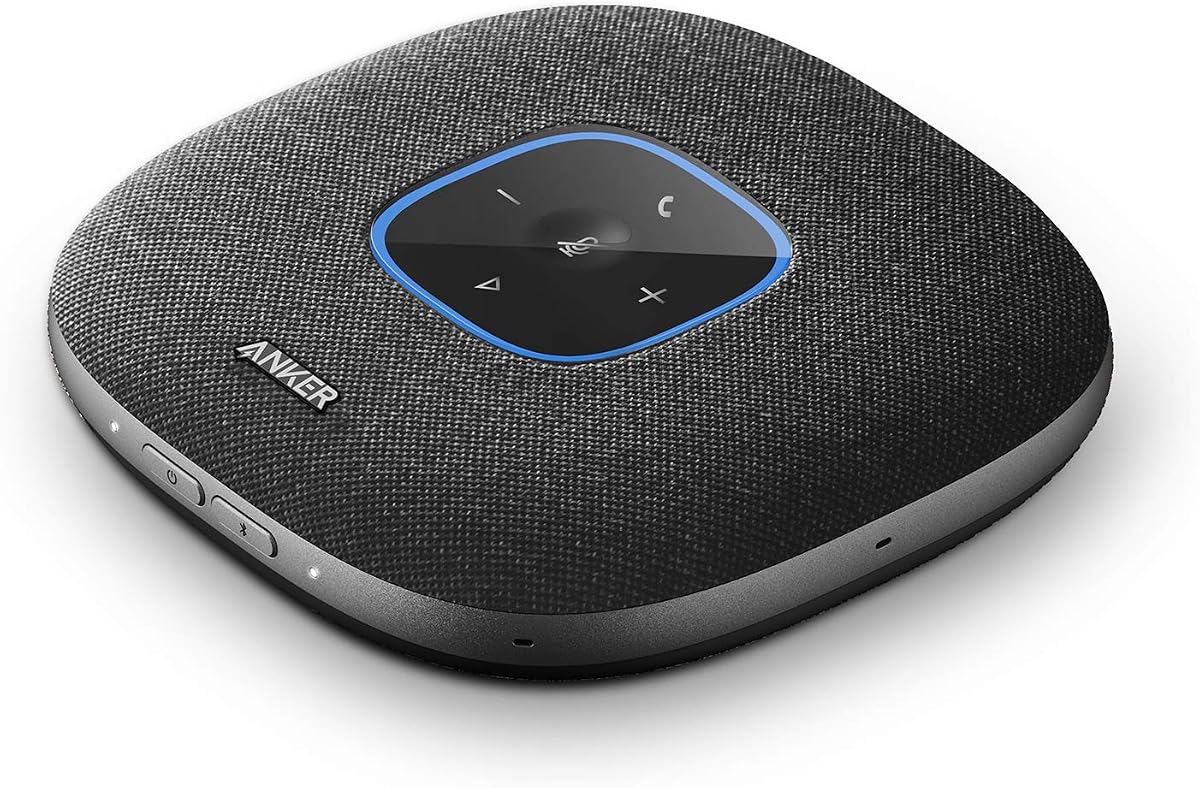


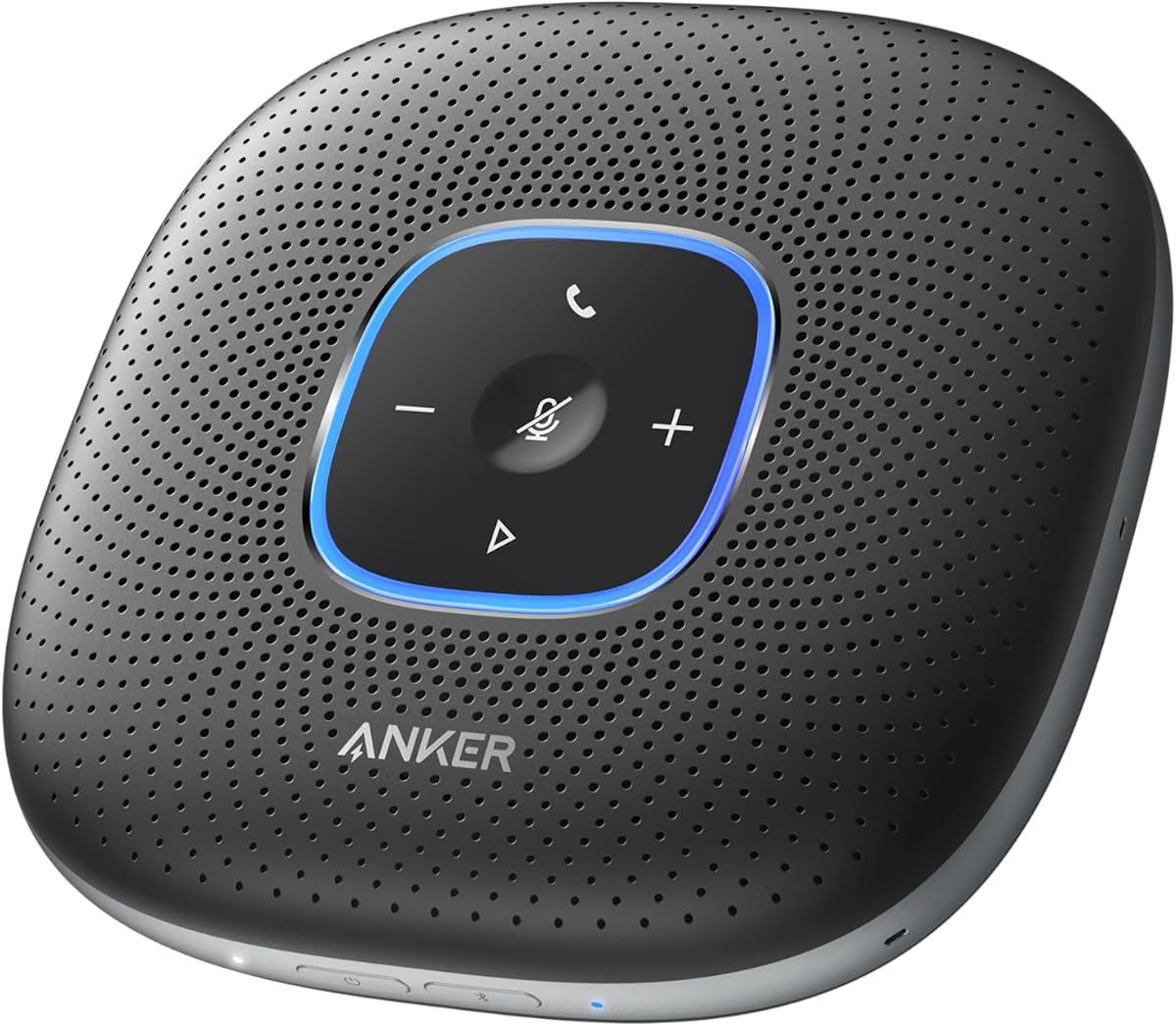
The Anker PowerConf Speakerphone stands out as the top choice for home office professionals. With a 4.4 rating it delivers exceptional audio clarity. Its six microphone array ensures no voice is missed.
We may earn a commission when you buy through this link, at no additional cost to you.
Powered by Voice Radar 3.0 technology this device uses AI to cancel echo and reduce noise effectively. It balances your voice automatically regardless of distance. This creates a seamless meeting experience.
While it offers premium features the price reflects the high build quality. The app control adds complexity for some users but ensures optimized performance. These trade-offs are acceptable for professional needs.
If you need reliable audio for daily calls this is the best option. It supports Zoom and other platforms perfectly. We recommend this for anyone prioritizing sound quality.
The AI deep learning capabilities filter out distractions like keyboard taps. This ensures your voice remains the focus during meetings.
With up to 24 hours of call time you can work all day without recharging. It also acts as a power bank for other devices.
We may earn a commission when you buy through this link, at no additional cost to you.
The Anker PowerConf S330 is ideal for those who prefer a stable wired connection. It connects via USB-C and offers instant setup. The four microphones capture voices clearly.
We may earn a commission when you buy through this link, at no additional cost to you.
Its smart voice enhancement eliminates background noise effectively. The driver provides solid audio with depth for meetings. It is a reliable tool for office environments.
The lack of Bluetooth limits movement around the room. However this ensures consistent audio quality without interference. This is a fair trade for desk-bound users.
For users who prioritize connection stability this model is excellent. It simplifies meetings by removing pairing issues. It is a solid choice for fixed workspaces.
Connect via USB-C and join meetings instantly without driver installation. This saves time and reduces technical hassle.
Passive bass radiators add depth to voice and music. The audio remains clear even during loud conversations.
We may earn a commission when you buy through this link, at no additional cost to you.
The Anker PowerConf S3 offers robust features for home office use. It combines Bluetooth and USB-C options for flexibility. The app allows deep customization of audio settings.
We may earn a commission when you buy through this link, at no additional cost to you.
With six microphones it covers the entire room effectively. The DSP algorithm optimizes voice clarity in real time. This ensures you sound professional on every call.
Managing settings through an app adds a learning curve. The cost is also higher than basic models. However the control you gain justifies the investment.
Tech savvy users will appreciate the control features. It adapts to specific environment needs perfectly. Choose this if you want tailored audio performance.
The customized DSP algorithm handles noise reduction automatically. It ensures crystal clear sound for everyone on the call.
Volume is adjusted automatically to balance differences in distance. This prevents some voices from being too loud or quiet.
We may earn a commission when you buy through this link, at no additional cost to you.
The Jabra Speak 510 is renowned for its portability and ease of use. It offers a hassle-free setup process. You can connect via Bluetooth or USB instantly.
We may earn a commission when you buy through this link, at no additional cost to you.
Its audio quality ensures meetings sound professional and sharp. It works with almost any device you own. This flexibility is key for hybrid workers.
While it is a reliable unit it lacks some modern AI features. The mic coverage is sufficient for small groups only. It may struggle in noisy large rooms.
For frequent travelers this speakerphone is a top pick. It fits easily in a laptop bag. We recommend it for those on the go.
Start meetings in seconds with plug and play connectivity. There is no need for complex driver installation.
Connect to laptop or smartphone with ease. The flexible options ensure you stay connected regardless of location.
We may earn a commission when you buy through this link, at no additional cost to you.
The Yealink Sp92 offers excellent value for small home offices. It features AI noise cancellation to filter distractions. The battery lasts up to 20 hours per charge.
We may earn a commission when you buy through this link, at no additional cost to you.
Its compact design makes it easy to carry anywhere. It supports multiple platforms including Teams and Zoom. The audio is clear for speech reproduction.
The design is functional but not aesthetically premium. Bass is adequate but not deep. However for its price these are minor issues.
Budget conscious buyers will love this option. It balances cost and performance effectively. It is a smart choice for casual use.
Filters over 1000 noises like keyboard taps. This ensures accurate speech reproduction during busy calls.
Weighing just 276g it slips into any bag. It includes a carrying case for travel.
We may earn a commission when you buy through this link, at no additional cost to you.
The Lenovo Speakerphone delivers enterprise grade audio for meetings. It features eight beamforming microphones for clarity. It is specifically designed for Teams environments.
We may earn a commission when you buy through this link, at no additional cost to you.
Full duplex performance allows natural conversation flow. The AI prioritizes voices over background noise. This ensures professional sound quality everywhere.
The size is larger than portable options. It may take up desk space. However the performance quality makes it worth it.
Teams users will benefit from the dedicated controls. It integrates seamlessly with your workflow. We suggest this for office heavy users.
Eight microphones reduce distractions effectively. Voices remain the focus during critical discussions.
Connect to two devices simultaneously with Bluetooth. Switch between sources effortlessly without unpairing.
We may earn a commission when you buy through this link, at no additional cost to you.
The Jabra Speak2 55 is designed for seamless Teams integration. It features four beamforming microphones. This ensures clear voice pickup from all sides.
We may earn a commission when you buy through this link, at no additional cost to you.
Level normalization equalizes surrounding voices for clarity. It includes a USB-C charging adapter for convenience. The range supports devices up to 30 meters.
The cost is higher than average models. It is not as portable as smaller units. Yet the quality justifies the premium for professionals.
Teams users should consider this device. It complements video solutions perfectly. It is a reliable choice for hybrid meetings.
Fully compatible with Microsoft Teams. The range perfectly complements other Jabra video solutions.
Get up to 30 meters of Bluetooth range. Move freely while staying connected to your call.
We may earn a commission when you buy through this link, at no additional cost to you.
The Jabra Speak 510 MS version remains a solid device. It offers HD voice for high definition sound. It works well with softphone systems.
We may earn a commission when you buy through this link, at no additional cost to you.
It supports USB and Bluetooth for flexibility. The battery lasts up to 15 hours easily. It is reliable for daily professional use.
It lacks modern AI features found in newer units. It might feel basic compared to others. However it is robust and easy to use.
Users needing a simple speakerphone will like this. It connects easily to many devices. Choose it for reliability over new tech.
Provides conversations in high definition sound. The audio is sharp and clear for meetings.
Works with Lync and Office Communicator. Ideal for legacy enterprise communication systems.
We may earn a commission when you buy through this link, at no additional cost to you.
The Jabra Speak 710 delivers immersive sound for meetings. It supports up to six people in a room. It is certified for Zoom and Google Meet.
We may earn a commission when you buy through this link, at no additional cost to you.
It comes with a Link 370 adapter for PC. The setup is intuitive and requires no IT help. You can take it anywhere for meetings.
It is slightly heavier than other models. The cost is premium for its size. However the performance is great for team settings.
Teams needing larger room audio should consider this. It ensures everyone is heard clearly. We recommend it for group meetings.
Setup is a breeze with plug and play. Connect in seconds to any device easily.
Works with many platforms like Skype. You can plug into any device without issues.
We may earn a commission when you buy through this link, at no additional cost to you.
The YAMAHA YVC-330 offers premium audio quality for business. Its SoundCap technology eliminates background noise effectively. It uses three unidirectional microphones.
We may earn a commission when you buy through this link, at no additional cost to you.
Self silence muting protects your privacy automatically. It handles 5 to 8 people well. The audio is professional grade for critical meetings.
The price is high compared to others. It is specialized for serious business use. It may be overkill for simple calls.
Corporate users needing top tier audio should choose this. It elevates your conferencing experience. It is a premium investment for pros.
Built-in far field noise reduction eliminates distractions. It focuses on voices within a specific range.
Human voice activity detection ensures clear speech. It handles larger groups during meetings effectively.
We may earn a commission when you buy through this link, at no additional cost to you.
Selecting the right device depends on your specific needs and environment. We break down the key factors to help you decide.
Microphones determine how well your voice is heard. Look for units with multiple microphones or beamforming technology. This ensures voice pickup from all angles without distortion.
Prioritize models with clear omnidirectional coverage. This reduces strain on you and keeps everyone on the call engaged.
Background noise can ruin a professional call. AI powered noise cancellation filters out typing and environmental sounds. This keeps the focus on the conversation.
Choose speakers that filter over 1000 types of noise. It makes a huge difference in busy home environments.
Flexibility is key for remote work. Ensure the speaker supports both Bluetooth and USB-C options. This allows easy switching between mobile and desktop devices.
Dual connectivity prevents disruptions if one method fails. It ensures you stay connected during critical meetings.
Long battery life ensures you do not run out of power. Look for units offering 10 hours of talk time. This covers a full day of meetings without recharging.
Short battery limits your movement and flexibility. Choose models with at least 20 hours for extended work sessions.
If you travel often the weight and size matter. Lightweight designs fit easily into laptop bags. Compact shapes save desk space when not in use.
A portable unit lets you move freely. It transforms any room into a meeting space instantly.
Certified devices work smoothly with tools like Teams or Zoom. This guarantees compatibility and access to specific features. It prevents software conflicts.
Always check for the logos relevant to your team. This ensures a seamless user experience.
Clear output is as important as clear input. Drivers with deep bass ensure voices sound natural. Avoid units that sound tinny or distorted.
Professional audio builds trust with clients. It ensures your message is received clearly.
You should not waste time on technical issues. Plug and play models connect instantly. Look for intuitive buttons that indicate mute status.
Simplicity saves you stress during urgent calls. Prioritize devices that are ready to use.
First ensure the speaker is fully charged before your first call. Plug it into your device via USB or pair via Bluetooth settings. Follow the onscreen prompts if needed.
Place the unit in the center of the room. Ensure nothing covers the microphones so sound is captured evenly. This position prevents audio dropouts during conversation.
Regularly update the firmware via the app. Wipe the surface with a soft cloth to keep it clean. Store it in a case to prevent damage when traveling.
No these speakers do not need their own internet connection. They use the internet connection from your laptop or phone. Just connect them to the device that is online.
Most models support between 4 to 8 people depending on the size. Large rooms need better coverage than small desks. Check the mic range before buying.
Yes all featured speakers work with both systems. They support standard drivers or plug and play modes. Just ensure your OS is updated to the latest version.
Yes they can play music as well as calls. They offer stereo sound for casual listening. The main focus is voice optimization for meetings.
You can switch to USB if it disconnects. Many units support dual connectivity for redundancy. This ensures you do not lose the call unexpectedly.
Most brands offer a two year warranty. This covers manufacturing defects and standard issues. Check the product page for specific terms.
We highlighted the Anker PowerConf Yealink Sp92 and YAMAHA YVC-330 as top picks. These models balance features and performance for diverse needs.
Focus on microphone quality and battery life for your daily routine. These factors directly impact your productivity and comfort.
Check current stock and deals before finalizing your purchase. Prices and availability may fluctuate.