
VAYDEER Volume Control Knob
4.5Editor score
One-click mute functionality
Sturdy metal shell construction
Plug and play setup
Compact portable design
This guide compares the top ten Bluetooth volume control knobs available in October 2026, evaluating connectivity, build quality, programmability, and battery
A Bluetooth volume control knob transforms your desk setup by offering tactile audio management without keyboard shortcuts. These devices streamline workflow for creators and gamers who need quick access to volume, mute, and playback controls during intensive sessions.
We evaluated ten top-rated models based on connectivity options, build materials, and customization capabilities. Our analysis focuses on wireless stability, battery longevity, and compatibility across Windows, macOS, and mobile devices to ensure reliable performance.
Each selection highlights specific strengths such as RGB lighting, programmable macros, or durable metal construction. Please note that product availability and pricing fluctuate frequently, so verify current details before making a purchase decision.
4.5Editor score

4.7Editor score

3.8Editor score
The following table provides a side-by-side comparison of all ten selected Bluetooth volume control knobs. It highlights key specifications including connectivity types, material quality, and unique features to help you identify the right model for your needs.


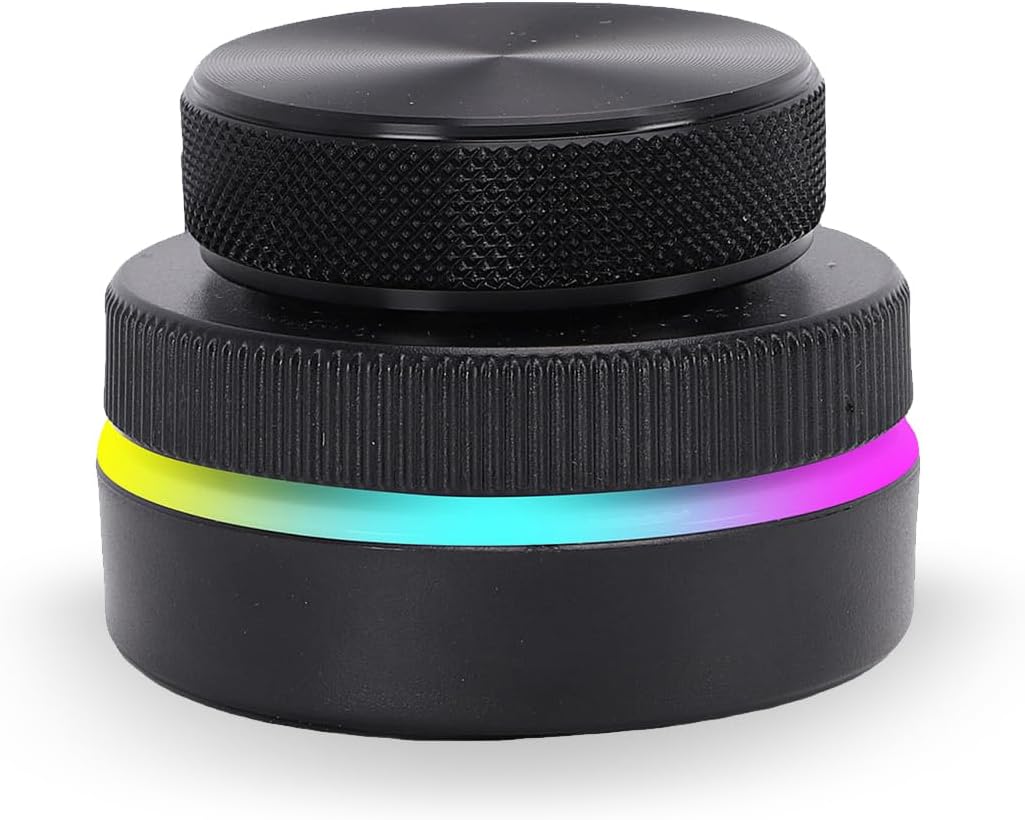
The LICAEVEY Volume Control Knob stands out as a top contender in the Bluetooth volume control knob market. With a robust 4.7 rating, it offers a seamless blend of connectivity options including Bluetooth 2.4G and USB-C. Its standout quality lies in the ability to customize keyboard shortcuts for efficient workflow.
We may earn a commission when you buy through this link, at no additional cost to you.
Its key strengths include the 360-degree infinite rotation shaft which ensures long-term durability. The built-in 400mAh battery supports reliable anytime usage without frequent recharging. Users can adjust screen brightness, browse short videos, or flip electronic book pages with one input.
Honest trade-offs involve the initial setup of custom shortcuts which may require navigating specific software. Additionally, the compact design fits well on most desks but is slightly larger than minimalist USB-only models. These are acceptable given the feature-rich performance.
This device is ideal for tech enthusiasts and professionals who need precise control over multimedia and productivity tools. Whether you are editing video or listening to music, the LICAEVEY knob provides a tactile upgrade over standard keyboard keys.
Supports Bluetooth, 2.4G, and USB-C for universal compatibility with phones tablets and PCs.
Customize complex keyboard shortcuts to streamline workflows across various applications.
We may earn a commission when you buy through this link, at no additional cost to you.
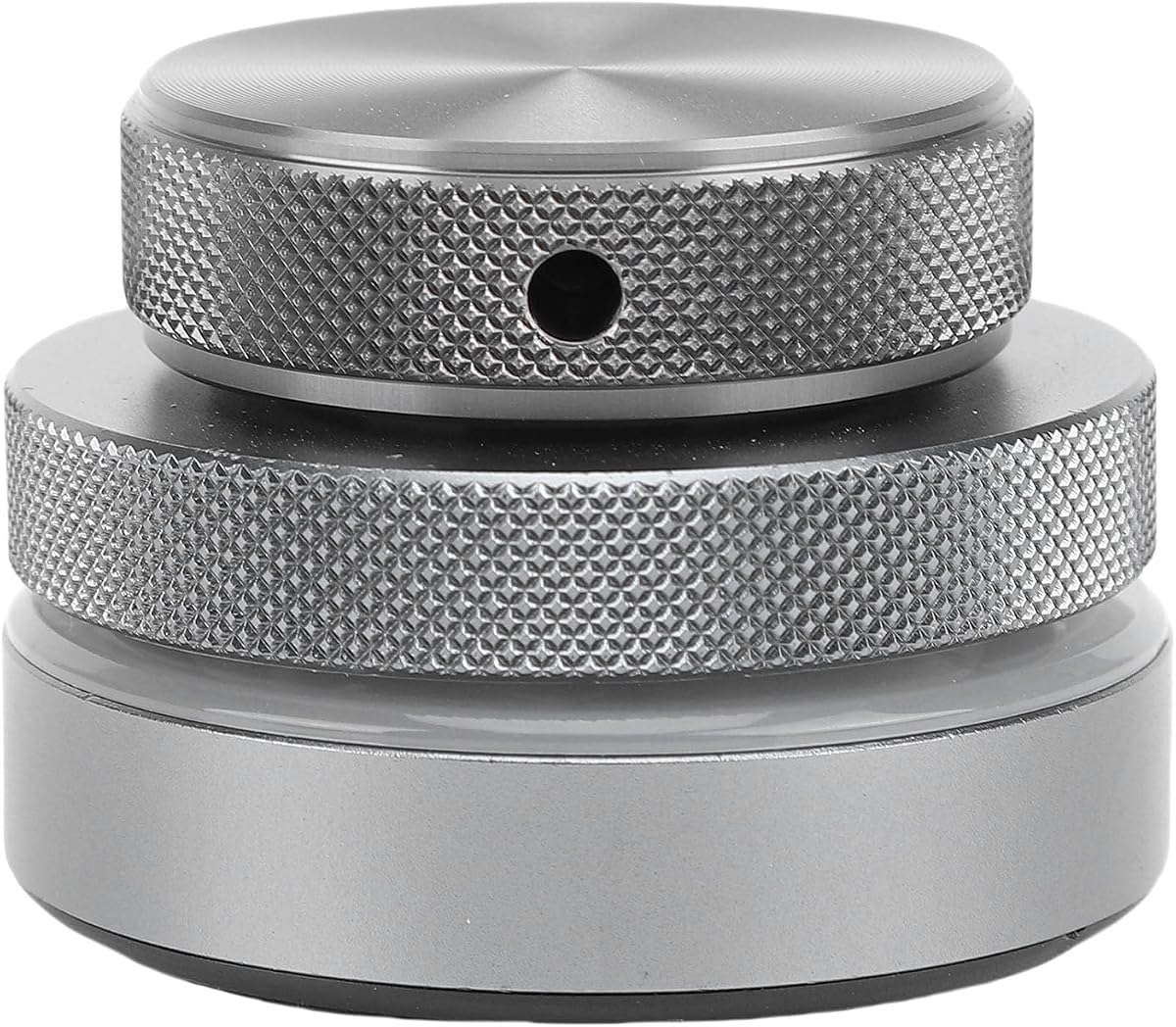
The Anticater VK-01 is a professional-grade volume control knob designed for users seeking a premium metal aesthetic. It features a durable CNC aluminum body and a precision-engineered textured grip for smooth adjustments. While its rating is moderate, it offers strong build quality and cross-platform support.
We may earn a commission when you buy through this link, at no additional cost to you.
Key strengths include the ability to assign any function using intuitive macro software. This flexibility allows users to tailor the knob to specific creative apps or system controls. The triple-mode connectivity ensures it works seamlessly via Bluetooth 2.4 GHz or USB-C wired connections.
Trade-offs include the need for specific software to unlock full functionality which might deter simple plug-and-play users. Some users report lower satisfaction regarding initial pairing stability. However, the metal construction justifies the investment for desktop enthusiasts.
Ideal for users who prioritize aesthetics and deep customization over immediate simplicity. If you work heavily with music or creative apps on Windows or macOS, this knob provides a sophisticated tactile interface.
Features durable metal construction and a precision-engineered textured grip for a premium look.
Assign any function using software to maximize workflow efficiency.
We may earn a commission when you buy through this link, at no additional cost to you.
The Jiawu USB Volume Control Knob brings modern connectivity to your desktop with Bluetooth 5.1 support. It is designed for tech enthusiasts who value customization and aesthetics. The aluminum alloy material ensures a sturdy feel while RGB lighting adds a unique touch to your setup.
We may earn a commission when you buy through this link, at no additional cost to you.
Key strengths include the ability to customize up to five functions for a personalized experience. Dual connectivity modes allow flexible usage via Bluetooth or USB. The multifunctional sound control handles volume, mute, track switching, and playback easily.
Trade-offs include limited user reviews which makes long-term durability harder to verify. Some users may prefer a dedicated physical mute button for quick access. Despite this, the compact design and advanced features make it a strong contender.
This knob is perfect for those seeking a blend of style and functionality. If you want to enhance your setup with RGB lighting and modern Bluetooth capabilities, the Jiawu model is a great choice.
Bluetooth 5.1 ensures stable connections for seamless volume control.
Customize up to five functions for a truly personalized experience.
We may earn a commission when you buy through this link, at no additional cost to you.
The Razer Wireless Control Pod offers specialized control for gamers and audio professionals. It integrates deeply with Razer devices allowing users to manage Chroma effects and EQ presets. Its durable aluminum alloy build is designed for daily heavy use without wear.
We may earn a commission when you buy through this link, at no additional cost to you.
Key strengths include the rotatable clickable dial that allows fine-tuning settings instantly. The source button enables quick switching between connected devices without unpairing. With up to eight months of battery life, it is a reliable companion for extended use.
Trade-offs involve the cost and specific ecosystem requirements. If you do not use Razer audio gear, you might not utilize the Chroma features. However, the build quality and battery life remain excellent regardless of software integration.
Ideal for Razer ecosystem users who want precise control over their battlestation. If managing audio presets and visual effects is part of your routine, this control pod offers unmatched functionality.
Change Chroma effects and cycle through EQ presets via the Razer Audio App.
Powered by two AAA batteries for up to eight months of use.
We may earn a commission when you buy through this link, at no additional cost to you.
This Bluetooth Volume Control Knob features an upgraded Bluetooth 5.3 chip for instant pairing and stable connections. It is designed to free you from frequent keyboard shortcuts for daily audio control. The solid zinc alloy construction ensures it resists sliding and wear.
We may earn a commission when you buy through this link, at no additional cost to you.
Key strengths include support for various scenarios like ebook page flipping and short video switching. The 300mAh battery supports up to 90 days standby after a two-hour charge. RGB lighting adds vibrant customization to match your desk aesthetic.
Trade-offs involve a higher price point compared to standard USB models. Some users report mixed feedback on initial pairing stability. Despite this, the feature set and build quality offer strong value for regular users.
Best for users who need reliable connectivity and long battery life. If you frequently switch between music, video, and reading, this knob provides the control you need.
Built-in upgraded Bluetooth 5.3 chip for instant pairing with multiple devices.
Built-in 300mAh lithium battery supports up to 90 days standby.
We may earn a commission when you buy through this link, at no additional cost to you.
The VAYDEER Volume Control Knob is an excellent budget option for users seeking simple audio management. It offers a sturdy metal shell and a one-click mute function that stops music instantly. Its driver-free USB connection makes setup effortless on any computer.
We may earn a commission when you buy through this link, at no additional cost to you.
Key strengths include its durability and user-friendly design. The non-slip base ensures stability during use, and the lightweight construction makes it easy to carry. It is an ideal gift for festivals, music fans, and content creators.
Trade-offs include the lack of wireless connectivity which requires a physical USB connection. This limits portability compared to Bluetooth models. However, for fixed desk setups, it provides reliable performance at a lower cost.
Perfect for users who want straightforward functionality without complex setups. If you prioritize budget and simplicity over wireless features, this model is a strong choice.
Supports Windows and Mac with plug and play functionality requiring no drivers.
High-quality metal shell and solid rotary shaft ensure long-term durability.
We may earn a commission when you buy through this link, at no additional cost to you.
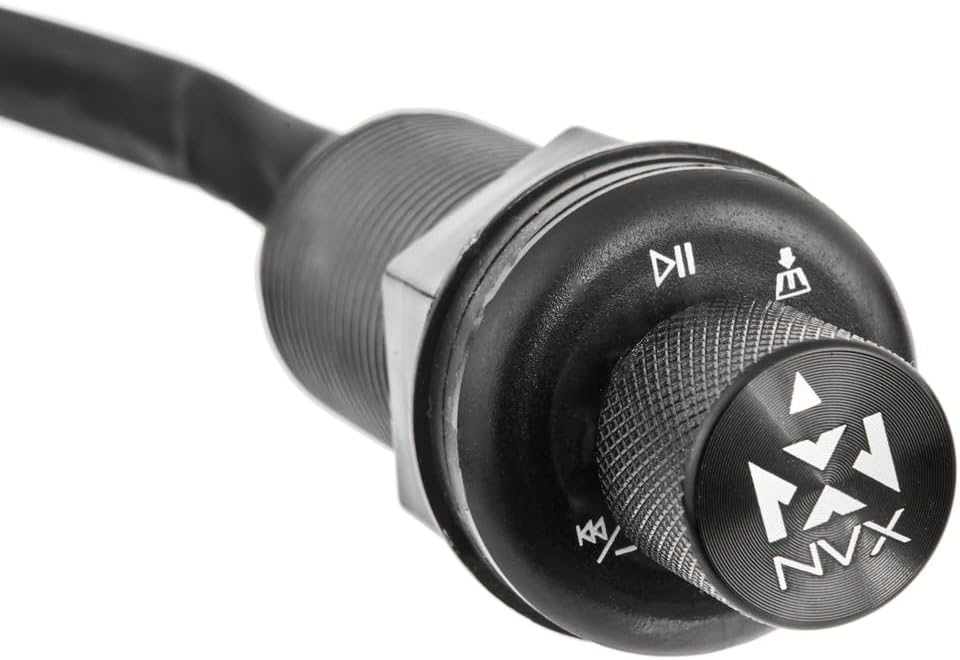
The NVX Universal Bluetooth Audio Receiver is uniquely designed for automotive audio control. It allows you to add Bluetooth functionality to any radio with an AUX input. The single knob controls track, pause, and volume effortlessly while driving.
We may earn a commission when you buy through this link, at no additional cost to you.
Key strengths include the flush-in dash or under-dash mounting options which ensure safety and aesthetics. It is iPhone and Android ready, making it compatible with most smartphones. This solution upgrades older car stereo systems instantly.
Trade-offs include its specific use case for vehicles which limits general desktop utility. Some users might prefer integrated car systems over external add-ons. However, for older vehicles, this is a cost-effective upgrade.
Ideal for car owners looking to modernize their audio systems. If you want hands-free control without replacing your entire stereo, this receiver provides a practical solution.
Add-on to any radio or device with AUX input for seamless Bluetooth integration.
One knob controls track, pause, and volume for easy operation.
We may earn a commission when you buy through this link, at no additional cost to you.
This Volume Control Knob offers seamless dual-mode connectivity via 2.4G wireless or USB-C wired. It supports major operating systems including Windows, macOS, Android, and iOS for broad usability. The ergonomic design ensures comfortable control during long work or gaming sessions.
We may earn a commission when you buy through this link, at no additional cost to you.
Key strengths include the RGB lighting which adds a personalized immersive atmosphere to any setup. It handles volume adjustments, play/pause, and instant mute efficiently. The aluminum-alloy knob provides a tactile grip that prevents accidental movement.
Trade-offs involve the lack of deep software customization compared to higher-end models. It focuses on basic functions which is sufficient for most users but limits power users. The non-slip base ensures stability regardless of surface type.
Best for users seeking a universal companion for multiple devices. If you switch between phones, tablets, and PCs frequently, this controller offers the flexibility you need.
Works flawlessly with major operating systems including Windows macOS and mobile devices.
Vibrant RGB light enhances your desktop or gaming station visually.
We may earn a commission when you buy through this link, at no additional cost to you.
The Bluetooth 5.1 & USB Volume Control Knob provides advanced programmability through a dedicated app. It supports programming via rotation or press to output specific keys or characters. This feature-rich device is ideal for users who need complex shortcuts on the fly.
We may earn a commission when you buy through this link, at no additional cost to you.
Key strengths include the dual connectivity modes and customizable RGB lighting. You can adjust volume and mute with a single press for a seamless listening experience. The compact design fits easily in a bag for use anywhere.
Trade-offs include the need to install an app for full functionality which adds initial setup time. The software is less intuitive than hardware-only shortcuts. Despite this, the versatility makes it a strong tool for tech-savvy users.
Perfect for creators and professionals who need deep customization. If you want to map specific functions to the knob for productivity, this model offers the control you need.
Customize up to five functions using app software for complex workflows.
Bluetooth wireless or USB cable connection for convenient operation and flexibility.
We may earn a commission when you buy through this link, at no additional cost to you.
The VBESTLIFE USB Volume Control Knob offers three connectivity options for ultimate flexibility. It supports Bluetooth 5.0, 2.4G, and USB-C to cover various device needs. Built-in memory stores customized key mappings for complex shortcut combinations across different systems.
We may earn a commission when you buy through this link, at no additional cost to you.
Key strengths include its ability to simplify repetitive tasks across applications like video editing or presentations. The compact and versatile design allows easy customization for various functions. Aluminum alloy construction ensures it withstands prolonged use.
Trade-offs involve the requirement for an additional receiver for 2.4G mode and a learning curve for setup. Some users might find the number of options overwhelming initially. However, once configured, it provides significant workflow efficiency.
Best for users who manage multiple applications and need specific shortcuts. If you want to optimize your workflow with custom commands, this controller provides the tools you need.
Offers three options including BT5.0, 2.4G, and USB C for universal access.
Built-in memory stores customized key mappings for complex shortcut combinations.
We may earn a commission when you buy through this link, at no additional cost to you.
Selecting the right Bluetooth volume control knob depends on your specific workflow needs and technical requirements. This guide outlines key factors to consider before making your decision.
Connectivity is the most critical factor. Bluetooth offers wireless freedom but can introduce latency. USB-C or USB-A wired connections ensure zero lag and constant power. Some models offer hybrid modes allowing you to switch between wireless and wired based on your environment.
Choose a model that supports the connection type you need most frequently. If you need stable audio for gaming, prioritize low-latency wired or 2.4G wireless options.
For wireless models, battery life dictates how often you must recharge. Look for capacity in milliamp hours (mAh) and estimated standby time. Some models offer weeks of standby while others require weekly charging based on usage intensity.
Consider the convenience of USB-C charging versus disposable batteries. A long-lasting rechargeable battery ensures uninterrupted use during critical work sessions.
Materials affect durability and tactile feel. Aluminum alloy or zinc construction provides a premium, heavy feel that prevents sliding. Plastic models may be lighter but can feel less robust over time. Weighted bases are preferred for desktop stability.
Inspect the shaft mechanism. 360-degree rotation or durable rotary shafts indicate better long-term performance. A satisfying click confirms high-quality internal components.
Many knobs allow mapping specific functions beyond volume. Look for support for macros, brightness control, or media navigation. Dedicated software enhances utility but requires installation. Hardware-only buttons offer simplicity without setup.
Evaluate how much control you need. Basic users may prefer simple volume and mute buttons. Power users benefit from programmable keys that reduce reliance on keyboard shortcuts.
Ensure the knob supports your specific operating system. While many claim universal support, macOS and Windows often have distinct drivers. Check if the manufacturer provides dedicated software for your OS to unlock full features.
Mobile compatibility is also important if you plan to use it with tablets or phones. Bluetooth support generally ensures broader compatibility across mobile and desktop platforms.
Features like RGB lighting, mute buttons, or source switching can enhance usability. Lighting adds aesthetic value but may drain battery faster. Mute buttons provide quick access to silence audio during meetings or calls.
Decide which extra features align with your daily routine. If you frequently join video calls, a hardware mute button is invaluable. If aesthetics matter, RGB customization may be worth the trade-off.
Plug-and-play models are preferred for immediate use. Drivers or software installations add time but unlock customization. Read reviews to ensure the setup process is straightforward and reliable for your specific device.
Prioritize models that work out of the box if you want minimal hassle. However, software-based models often offer superior flexibility for advanced users.
Price ranges vary based on features and materials. Higher cost often correlates with better build quality and support. Check warranty terms to ensure protection against manufacturing defects or connectivity issues.
Invest in a reputable brand that offers customer service. A solid warranty provides peace of mind especially for electronic accessories subject to daily use.
To begin using your knob, ensure it is charged via USB-C if wireless. For wired models, simply plug the USB cable into your computer. The device should be automatically recognized by your operating system without needing additional drivers.
For wireless connectivity, hold the pairing button for a few seconds until the LED indicator flashes. Open Bluetooth settings on your computer or phone and select the device from the list. Once paired, test the volume adjustment to ensure responsiveness.
To maintain longevity, avoid exposing the knob to dust or excessive moisture. Clean the surface gently with a dry cloth. If using programmable features, ensure your firmware is updated via the manufacturer's app for optimal performance.
Yes, many models support multi-device connectivity allowing you to switch between computers or phones. You may need to manually re-pair or switch modes using a dedicated button depending on the model. Some support Bluetooth multipoint to connect two devices simultaneously.
Most basic models work plug and play without drivers. However, advanced programmable models may require specific software to unlock macros or lighting controls. Always check the product description for system requirements before purchasing.
Bluetooth latency varies by version and hardware quality. Modern Bluetooth 5.0 and 5.3 models generally offer low latency suitable for music and video. For critical audio work, wired connections are recommended to eliminate any delay.
Customization requires specific software provided by the manufacturer. Download the app to assign actions like media control or system commands. Not all models support deep customization so check product specs for software support.
Yes, many advanced knobs allow mapping volume to other functions like brightness or scrolling. This depends on the device's programmability. Check if the model supports custom macros or keyboard shortcuts.
Battery life ranges from 90 days standby to several hours of continuous use depending on features like RGB lighting. Models with larger batteries last longer. Check the mAh capacity and charging method before buying.
Most modern volume knobs support both macOS and Windows. Ensure the product specifically mentions compatibility with your OS. Some features may work differently on macOS compared to Windows due to system limitations.
Ensure the device is charged and in pairing mode. Try disconnecting and reconnecting via Bluetooth settings. If using USB, try a different port. If issues persist, check if your OS requires a driver update.
Our top picks highlight the versatility available in Bluetooth volume control knobs today. The LICAEVEY model offers the best balance of features and connectivity for most users.
When choosing, prioritize connectivity stability and build quality over aesthetic features. A durable aluminum model with reliable Bluetooth will serve you better long-term than a flashy one with poor battery life.
Remember to check current pricing and availability before buying as these details change frequently. A small adjustment in price might offer a significant upgrade in features or durability for your specific needs.