
Bootable USB Drive for Windows 11 – NO TPM Requirement – 8GB USB Installer for Setup & Recovery – UEFI/Legacy Compatible
4.0Editor score
Affordable 8GB storage option
Simple recovery and setup tool
Compatible with UEFI systems
This guide compares the top bootable Windows 11 USB drives for installation and recovery. Find the best tool to fix your PC without needing TPM or specific
When your computer fails to boot, a bootable Windows 11 USB drive becomes an essential lifeline for restoring functionality. These tools allow you to reinstall the operating system, repair corrupted files, and recover data without relying on complex external resources.
We evaluated ten popular options based on compatibility, ease of use, and included features like network drivers or password resets. Our comparison focuses on drives that support both UEFI and Legacy BIOS systems to ensure broad usability across different computer models.
Each pick highlights specific strengths such as TPM bypass capabilities or included recovery suites. Prices and availability change frequently, so verify the latest details before purchasing to ensure you get the right solution for your specific hardware needs.
4.0Editor score

4.3Editor score

This side-by-side comparison examines all ten selected products to help you identify the right fit for your system requirements and budget constraints.


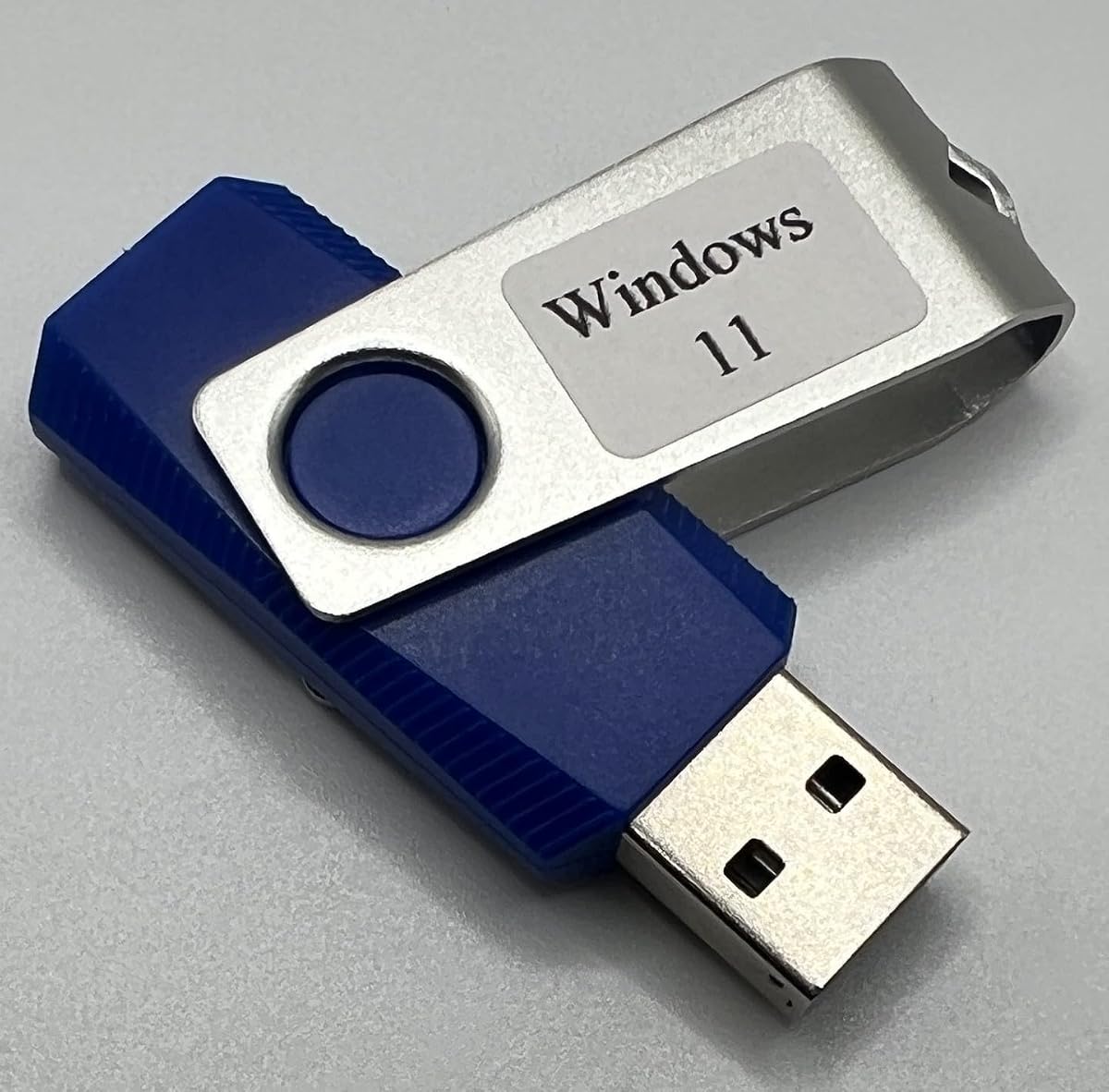


This 64GB bootable USB drive is a powerful solution for installing or recovering Windows 11 and 10 systems. It rates highly for its ability to bypass TPM requirements and include essential network drivers for post-installation connectivity.
We may earn a commission when you buy through this link, at no additional cost to you.
The drive includes a suite of maintenance tools that allow users to partition hard drives and recover data without needing external software. It also provides tutorials for beginners on how to boot from a USB effectively.
Users must disable Secure Boot in the BIOS settings before attempting to boot from this device, which may confuse some less technical users. Additionally, existing Windows installations cannot be kept during the reinstall process.
It is best suited for technicians or users who need a reliable tool for fixing boot issues across different hardware configurations without worrying about TPM constraints.
This tool allows Windows 11 installation on systems that do not meet the official TPM requirements, expanding compatibility significantly.
WiFi and LAN drivers are included on the drive to ensure connectivity after OS installation without needing a separate Ethernet cable.
We may earn a commission when you buy through this link, at no additional cost to you.
This compact 8GB USB drive offers a straightforward path to reinstalling Windows 11 without the need for complex configuration. It is highly rated for its simplicity and direct approach to system recovery and setup tasks.
We may earn a commission when you buy through this link, at no additional cost to you.
The drive focuses solely on OS installation and recovery, making it an ideal choice for users who need a quick fix without additional maintenance tools. It is compatible with both UEFI and Legacy BIOS systems.
Users should be aware that this drive cannot repair failing hardware components like bad RAM or dead motherboards. It is strictly a software solution and requires the PC to power on and access BIOS.
It is best for budget-conscious users who simply need to restore Windows functionality on a working machine without requiring extensive additional features.
The drive is pre-configured to minimize user steps, allowing for a quick installation without downloading extra ISO files or tools.
As one of the most affordable options available, it provides essential functionality for users who do not need advanced recovery suites.
We may earn a commission when you buy through this link, at no additional cost to you.
This 32GB USB drive provides a balanced option for users needing storage space for additional recovery utilities while maintaining high compatibility. It is praised for its ability to install Windows 11 and 10 without TPM constraints.
We may earn a commission when you buy through this link, at no additional cost to you.
The drive includes network drivers and data recovery tools which help users back up files before reinstalling the operating system. It supports both UEFI and Legacy boot modes to cover a wide range of computer ages.
Users must disable Secure Boot in the BIOS to boot from this drive, which may require technical knowledge. Additionally, the drive is intended for clean installs and does not preserve existing Windows installations.
It is an excellent choice for users who need a middle-ground solution with enough storage for utilities but without the cost of premium enterprise tools.
Users can access the hard drive through this tool to backup important files before proceeding with a fresh operating system installation.
This drive is designed to work with all major PC brands ensuring that users do not need specific hardware for the tool to function.
We may earn a commission when you buy through this link, at no additional cost to you.
This 64GB drive stands out for its inclusion of a password reset tool and WinPE utilities which are essential for locked out users. It is designed to be a comprehensive solution for both installation and system maintenance.
We may earn a commission when you buy through this link, at no additional cost to you.
The drive supports a wide range of Windows versions from 7 to 11 and includes necessary network drivers for connectivity after reinstall. It also provides video tutorials to guide beginners through the boot process.
Users must disable Secure Boot to utilize the drive which might be a hurdle for some. The drive is also not intended for hardware failure repair and requires a functioning PC to boot.
It is highly recommended for users who need to regain access to their accounts via password reset while also having a reliable OS reinstall option available.
This tool allows users to reset Windows user account passwords directly from the bootable environment without losing data.
The included WinPE tools provide a lightweight operating system environment to run diagnostics and repairs before installing Windows.
We may earn a commission when you buy through this link, at no additional cost to you.
This tool distinguishes itself by supporting Secure Boot without requiring BIOS changes, which simplifies the process for modern computers. It offers a clean installation experience by downloading the latest Windows versions directly from Microsoft.
We may earn a commission when you buy through this link, at no additional cost to you.
The company provides real US based support through live chat or email which adds a layer of trust and reliability for users. It is designed for UEFI systems found in PCs from 2013 and newer.
The drive requires users to have their own Windows license key as it does not include one. Additionally it is not compatible with Legacy BIOS systems which limits its use on older hardware.
It is the premium choice for users who value security and official software sources while needing a hassle free experience with modern UEFI systems.
Unlike many other tools this drive works with Secure Boot enabled removing the need to disable security features in BIOS.
The tool downloads genuine Windows files directly from Microsoft servers to ensure security and eliminate outdated ISO risks.
We may earn a commission when you buy through this link, at no additional cost to you.
This drive focuses on clarity by providing detailed instructions for system recovery and proper boot setup for different computer configurations. It is a reliable tool for users who prefer step by step guidance.
We may earn a commission when you buy through this link, at no additional cost to you.
It includes essential repair and recovery options to resolve issues like black screens or slow performance. The drive is designed for 64-bit architecture systems and is compatible with Windows 11 Home and Pro.
The storage capacity is limited which may restrict the number of additional tools available. It also requires UEFI compliant systems and does not support Legacy BIOS options.
It is best for users who need a clear and straightforward path to recovering Windows 11 without needing complex technical knowledge.
The packaging and device include detailed guides to help users set up the boot process correctly for their specific computer model.
Users can choose between fresh installation system restore and data recovery tools depending on the specific issue faced.
We may earn a commission when you buy through this link, at no additional cost to you.
This drive offers a unique value by including a license key for installation which removes the need to purchase a separate product key. It provides a comprehensive set of tools for recovery and password resets.
We may earn a commission when you buy through this link, at no additional cost to you.
The drive supports the latest versions of Windows 10 and 11 and includes video instructions to help users through the process. It also allows for hardware testing and hard drive backup before reinstalling.
Users may need to disable Secure Boot to boot from the drive on newer systems. The redemption instructions for the key are separate and may require attention during setup.
It is a practical option for users who want to install Windows quickly without worrying about obtaining a license key separately.
The drive comes with a license key for install to simplify the activation process after the operating system is set up.
Users can run hardware tests to ensure their PC components are functioning correctly before proceeding with a system reinstall.
We may earn a commission when you buy through this link, at no additional cost to you.
This installer is an all-in-one PC rescue USB that combines installation media with robust repair and recovery tools. It features a WinPE utility suite that allows users to troubleshoot startup problems and recover data.
We may earn a commission when you buy through this link, at no additional cost to you.
The drive supports Windows 7 10 and 11 Home and Pro editions making it versatile for mixed environments. It also includes video guides and printable instructions to assist users in setting up the boot process.
Users should be prepared to disable Secure Boot if their system does not allow booting from USB directly. Technical support is available if users encounter difficulties during the process.
It is highly useful for IT professionals or advanced users who need a comprehensive toolkit to manage multiple operating system versions.
The included WinPE tools allow users to run diagnostics and repair boot issues before installing a new operating system.
Users can recover Windows user account passwords which helps regain access to locked systems without losing data.
We may earn a commission when you buy through this link, at no additional cost to you.
This drive offers a wide array of tools including installation and recovery options for startup failures and boot errors. It is designed to eliminate the need to download large system files individually.
We may earn a commission when you buy through this link, at no additional cost to you.
It supports Windows 11 10 8.1 and 7 making it a versatile tool for maintaining older computers. The drive is reusable allowing users to perform multiple operations without creating new media.
Users should note that activation keys are not included and may require existing digital licenses. The success of the repair depends on the hardware condition of the computer.
It is ideal for enthusiasts and technicians who need a single drive that handles a variety of system tasks for different PC ages.
The drive supports multiple operating systems from 7 to 11 ensuring it can be used on a wide range of computers.
This tool helps keep older PCs useful by providing refresh and reinstall options before deciding on replacement hardware.
We may earn a commission when you buy through this link, at no additional cost to you.
This installer is built with a 16GB high quality USB flash drive to ensure reliability and smooth performance. It deploys the latest official original version of Windows 11 to ensure security and compatibility.
We may earn a commission when you buy through this link, at no additional cost to you.
The drive is compatible with all PC brands including Dell HP Lenovo and more making it a versatile option for most users. It comes with a user guide and online technical support services to assist with setup.
The storage capacity is limited compared to larger drives which may restrict additional tools. Support is provided online rather than through live chat which may affect response times.
It is a reliable choice for users who want a clean and professional installation of Windows 11 Pro or Home without additional complications.
This tool ensures the latest official original version of Windows 11 is deployed to avoid viruses or outdated software risks.
The drive is created using professional Windows production tools to ensure high quality and reliable installation media.
We may earn a commission when you buy through this link, at no additional cost to you.
Selecting the right bootable USB drive involves considering storage capacity and compatibility features to ensure it meets your specific recovery needs.
Storage capacity determines how many additional tools you can carry on the drive. While installation media typically requires about 8GB, drives with 32GB or 64GB allow for extra utilities like password resets or hardware diagnostics. A larger capacity provides flexibility for technicians who need a comprehensive toolkit in one place.
Choose at least 32GB if you plan to use recovery tools alongside the OS installer.
Windows 11 requires a Trusted Platform Module which many older PCs lack. Drives that support TPM bypass allow you to install Windows 11 on these systems without hardware upgrades. This feature is crucial for maintaining older hardware while upgrading to modern software versions. Always verify if the drive explicitly mentions TPM bypass capabilities.
Ensure the product states TPM requirement bypassed if you have an older computer.
Modern computers typically use UEFI BIOS while older models rely on Legacy BIOS. A versatile bootable drive should support both boot modes to ensure maximum compatibility across different systems. Checking this feature prevents issues where the USB cannot be recognized during the boot process. Most top rated drives offer dual support for broader use.
Look for drives that support both UEFI and Legacy systems for broader compatibility.
Secure Boot is a security feature that prevents unauthorized software from loading during startup. Some drives require you to disable Secure Boot to function which can be a hassle for less technical users. Premium options allow you to boot with Secure Boot enabled maintaining better security standards. This feature can save time and configuration steps.
Prefer drives that work with Secure Boot enabled to avoid changing BIOS settings.
Some drives come with WinPE suites or specific tools like password resets and data backups. These utilities add significant value by allowing you to troubleshoot issues before or after OS installation. If you need to recover files or reset passwords without a separate disk this feature is essential. It reduces the need to download and carry multiple recovery tools.
Choose drives with built-in recovery tools if you need to reset passwords or backup data.
After installing Windows you may need internet access to download updates or drivers. Drives that include WiFi and LAN network drivers ensure you can connect immediately after reinstall. This prevents a common issue where the OS installs but lacks network connectivity to fix itself. It is a vital convenience for users without an Ethernet cable.
Ensure the drive includes network drivers to enable connectivity after OS installation.
Clear instructions and responsive support are critical when dealing with boot failures. Look for drives that include video tutorials or detailed user guides to simplify the process. Some manufacturers offer real human support which can be invaluable for complex issues. This reduces the frustration of troubleshooting errors alone.
Prioritize options with video guides or responsive human support for easier setup.
Verify that the drive supports the specific version of Windows you need. Some tools cover Windows 7 8 10 and 11 while others focus only on the latest versions. Ensure the product includes your required OS version to avoid limitations during installation. This ensures you are not stuck with outdated software options.
Confirm the drive supports your target Windows version such as 10 or 11.
To use the drive insert it into a working USB port on your computer. Restart the machine and enter the BIOS or Boot Menu by pressing the appropriate key such as F2 F12 or Delete during startup.
Select the USB drive from the boot menu options to load the installation or recovery environment. Follow the on-screen instructions to proceed with Windows installation or run specific repair tools provided by the drive.
Store the drive in a safe and dry place to prevent physical damage. Avoid exposing it to extreme temperatures and use a cap to protect the connector when not in use to ensure longevity.
These products come pre-formatted as bootable drives so you do not need to format them before use. However if you are creating your own bootable media you will need to format the drive to FAT32 or NTFS using a tool like Rufus. Always backup any existing data on your USB drive before creating bootable media.
Many drives in this list support both UEFI and Legacy BIOS systems ensuring compatibility with older hardware. However some premium options are designed for UEFI only so check the specifications before purchasing. If your computer is older than 2013 verify Legacy support is included.
Some drives include data recovery tools that allow you to access and backup files before reinstalling the operating system. However they cannot repair failing hard drives physically so ensure the drive is detected by the system. Use the backup tools provided to save important data first.
Most drives do not include a Windows product key as you are expected to use your existing license or purchase one separately. A few exceptions include activation keys so review the product details carefully before buying. Check the product description for key inclusion specifics.
Installation times vary based on your computer hardware and the USB port speed. Using a USB 3.2 drive typically speeds up the process significantly compared to USB 2.0. Expect the install to take between 30 minutes to 2 hours depending on the system speed.
These drives are designed specifically for Windows systems and are generally not compatible with Apple silicon Macs or Chromebooks. They target PC environments with UEFI or Legacy BIOS boot options. For Mac recovery you would need a macOS compatible bootable USB.
Some drives require you to disable Secure Boot in the BIOS settings to boot successfully. However newer options are compatible with Secure Boot enabled to simplify the process. Check the product description for Secure Boot requirements before using.
If the drive is not detected ensure it is plugged into a working USB port and try another port if available. Check your BIOS boot order to prioritize USB devices and confirm the drive is recognized there. You may also need to disable Secure Boot or switch boot modes if supported.
The top picks offer a range of options from budget friendly installers to comprehensive recovery suites with password tools. The 64GB Bootable USB Drive stands out for its balance of capacity and network driver support.
Prioritize features like TPM bypass and Secure Boot compatibility based on your hardware needs. If you need human support consider the premium option with official downloads and US based assistance.
Prices and availability are subject to change so verify the current status of the product before purchasing. Ensure you select a drive that matches your system architecture to avoid compatibility issues during installation.