
MSI Z370-A PRO
4.5Editor score
ATX Form Factor
64GB DDR4 Support
AMD CrossFireX Ready
Explore the top brands for Z370 motherboards compared in this guide to find the best fit for your Intel Coffee Lake build needs.
Choosing the right motherboard is crucial for any system build. The Z370 chipset offers great performance for Intel processors. Understanding the available brands helps you make an informed decision for your needs.
This guide compares ten top Z370 motherboards from leading manufacturers. We look at features like connectivity, cooling, and build quality. Each model brings unique strengths to the table for builders.
Every pick highlights key specifications and real-world performance insights. Prices can change frequently so check current listings before buying. Our goal is to help you find the perfect match.
4.5Editor score
4.6Editor score

4.4Editor score
This side-by-side comparison helps you evaluate the top Z370 motherboards available. We highlight key differences in specs and features to simplify your selection process.


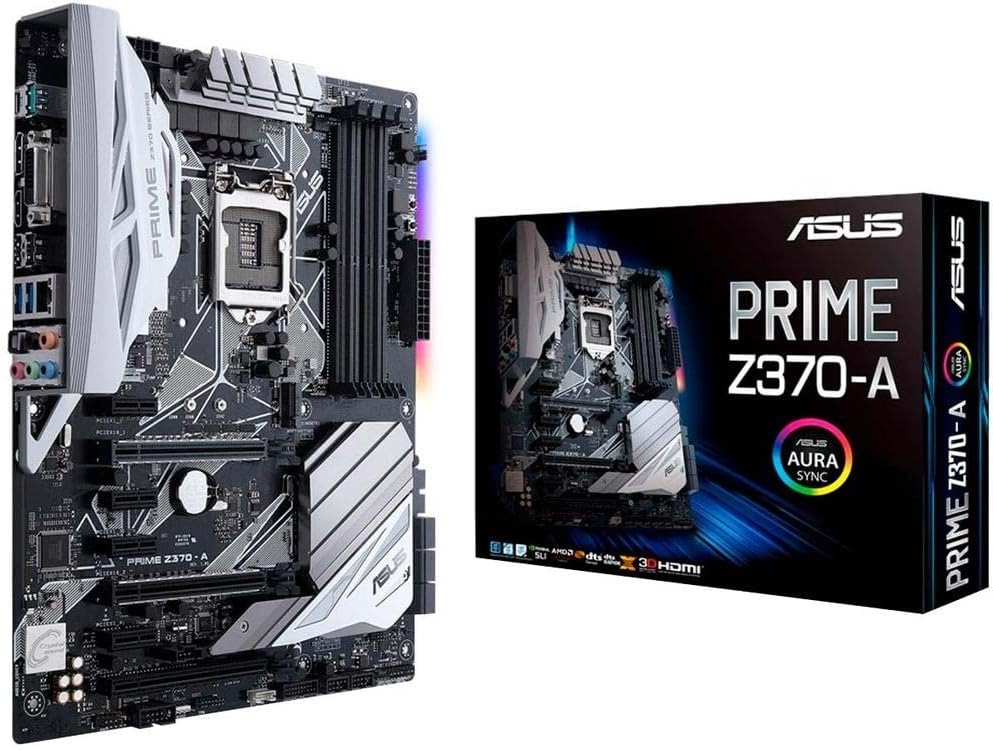
The ASUS Prime Z370-A stands out as a top choice for builders seeking balance. It offers a high rating and solid features for Intel Coffee Lake processors. The board ensures great speed and connectivity for modern setups.
We may earn a commission when you buy through this link, at no additional cost to you.
Key strengths include dual M.2 slots and USB 3.1 Gen2 support. Intel Optane Memory compatibility adds storage flexibility. AURA Sync RGB allows personalization. FanXpert 4 ensures efficient cooling for stability.
Trade-offs involve a higher price compared to basic models. Some users might need a BIOS update for specific CPUs. These are minor issues given the premium features and reliability offered.
This board suits users wanting high performance and customization. Gamers and creators will appreciate the speed and sound quality. It is a reliable pick for those prioritizing quality.
Dual M.2 slots allow for fast SSDs and extra storage space easily.
Crystal Sound 3 and high-grade capacitors deliver immersive audio quality.
We may earn a commission when you buy through this link, at no additional cost to you.
The MSI Z370-A PRO is ideal for budget-conscious builders. It carries a strong rating and supports 8th Gen Intel Core processors well. Its design focuses on core functionality without extra costs.
We may earn a commission when you buy through this link, at no additional cost to you.
It supports up to 64GB DDR4 memory which is generous. AMD CrossFireX support allows multi-GPU setups. VR Ready status ensures smooth virtual reality experiences. The ATX form factor fits most cases.
Trade-offs include fewer RGB options compared to gaming boards. The audio is functional but not high-end. These limitations are acceptable for users prioritizing value and stability.
This board is great for entry-level gaming or office builds. It provides essential features without bloat. Those seeking a simple reliable board should consider this option.
Supporting up to 64GB DDR4 allows for heavy multitasking and future proofing.
VR Ready certification ensures the system meets requirements for virtual reality applications.
We may earn a commission when you buy through this link, at no additional cost to you.
The Gigabyte Z370 AORUS Gaming 7 targets serious gamers and enthusiasts. It features an ESS Sabre DAC for superior sound. Three M.2 slots provide exceptional storage speed options.
We may earn a commission when you buy through this link, at no additional cost to you.
RGB FUSION offers customizable lighting zones. Killer E2500 Network helps prioritize gaming traffic. Fan Stop technology reduces noise when idle. The board supports SLI for dual GPUs.
Trade-offs involve a higher cost and some software complexity. Users may find the RGB settings tricky at first. These are minor drawbacks for the premium hardware quality provided.
This board suits those wanting top-tier features. Gamers will love the network optimization and audio. It is a strong choice for high-end builds.
ESS Sabre DAC delivers high-fidelity sound for immersive gaming and music.
RGB FUSION allows synchronized lighting effects across compatible components.
We may earn a commission when you buy through this link, at no additional cost to you.
The ASUS Prime Z390-P is noted for mining and multi-GPU setups. It has a solid rating and supports both 8th and 9th Gen Intel. Above 4G Decoding aids specific workloads.
We may earn a commission when you buy through this link, at no additional cost to you.
It features six PCIe slots for expansion. Safe Slot Core protects heavy GPUs from damage. LANGuard and overvoltage protection enhance reliability. FanXpert 4 manages system cooling effectively.
Trade-offs include marketing aimed at crypto mining. The audio is standard and not high-fidelity. These are acceptable for those focused on connectivity and expansion.
This board works well for multi-GPU builds. It offers robust protection and cooling. Users needing many expansion slots will find it useful.
Six PCIe slots allow for extensive hardware additions and multi-GPU configurations.
5X Protection III provides safeguards against power and physical stress.
We may earn a commission when you buy through this link, at no additional cost to you.
The GIGABYTE Z390 UD offers strong power delivery for stability. It supports both 8th and 9th Gen Intel processors. The 10+2 phase design helps with efficient performance.
We may earn a commission when you buy through this link, at no additional cost to you.
Six PCIe slots provide great expansion options. 8118 Gaming LAN manages bandwidth for online activities. Smart Fan 5 uses multiple sensors for cooling. RGB Light strip support adds customization.
Trade-offs involve similar mining-focused marketing. There is no dedicated thermal guard for M.2. These are minor given the robust power and connectivity features.
This board is suitable for multi-GPU or heavy computing. It handles power well and offers LAN control. Users needing expansion will appreciate the slots.
10+2 Phase digital PWM design ensures consistent voltage for stable performance.
8118 Gaming LAN includes bandwidth management for better gaming experiences.
We may earn a commission when you buy through this link, at no additional cost to you.
The ASUS TUF Z370 Plus Gaming emphasizes durability and reliability. It comes with a 5-year warranty and military-grade components. This design aims for long-term performance.
We may earn a commission when you buy through this link, at no additional cost to you.
Dual M.2 slots provide storage flexibility. TUF LANGuard protects the network connection. FanXpert 4 ensures cooling. AURA Sync RGB allows personalization. Safe Slot protects GPUs.
Trade-offs include limited RGB zones and basic audio. The board focuses on function over flash. These are acceptable for users prioritizing stability.
This board is great for those needing long reliability. It handles stress well. Those wanting a sturdy build will appreciate the warranty.
Military-grade components and engineering ensure the board withstands daily use.
Gigabit LAN and USB 3.1 provide standard fast data transfer speeds.
We may earn a commission when you buy through this link, at no additional cost to you.
The ASUS PRIME Z370-P is a practical choice for general use. It features dual M.2 slots and USB 3.1 Gen1. Safe Slot Core protects PCIe components from damage.
We may earn a commission when you buy through this link, at no additional cost to you.
5X Protection III offers hardware-level safeguards. FanXpert 4 manages fan speeds for cooling. Audio is standard for daily tasks. The design is clean and functional.
Trade-offs include Gen1 USB speeds on some ports. Aesthetics are simple compared to gaming boards. These are minor for the reliability provided.
This board works well for general builds. It offers protection and decent connectivity. Users needing a no-frills option should consider it.
Safe Slot Core uses injection molding to prevent GPU damage effectively.
FanXpert 4 optimizes cooling by adjusting fan speeds dynamically.
We may earn a commission when you buy through this link, at no additional cost to you.
The Gigabyte Z370 HD3 offers essential features for basic builds. It supports dual-channel DDR4 memory and provides one M.2 slot. This keeps it simple and affordable.
We may earn a commission when you buy through this link, at no additional cost to you.
It includes 2 Way Crossfire for multi-GPU setups. Intel LAN ensures stable internet. ALC892 provides standard audio. HDMI connects to modern monitors easily.
Trade-offs include fewer advanced features. There is no thermal guard for M.2. These are acceptable for budget-focused users.
This board fits simple home or office needs. It handles core tasks well. Users wanting basic functionality will find it sufficient.
2 Way Crossfire allows connecting multiple AMD GPUs for performance.
HDMI port ensures easy connection to modern displays.
We may earn a commission when you buy through this link, at no additional cost to you.
The ASRock Z370 EXTREME4 brings solid connectivity to the table. It supports 8th Gen Intel Core processors well. USB 3.1 Gen2 Type-A and Type-C are included.
We may earn a commission when you buy through this link, at no additional cost to you.
Four DDR4 slots provide good memory capacity. HDMI supports modern displays. The design focuses on I/O options. It offers a good balance for standard users.
Trade-offs include less brand recognition. Detailed specs are limited in some sources. These are acceptable for the connectivity provided.
This board is good for those needing USB options. It fits standard desktop needs. Users looking for Type-C support will like it.
USB 3.1 Gen2 Type-A and Type-C ensure compatibility with new devices.
Four DDR4 slots allow flexible memory configurations and upgrades.
We may earn a commission when you buy through this link, at no additional cost to you.
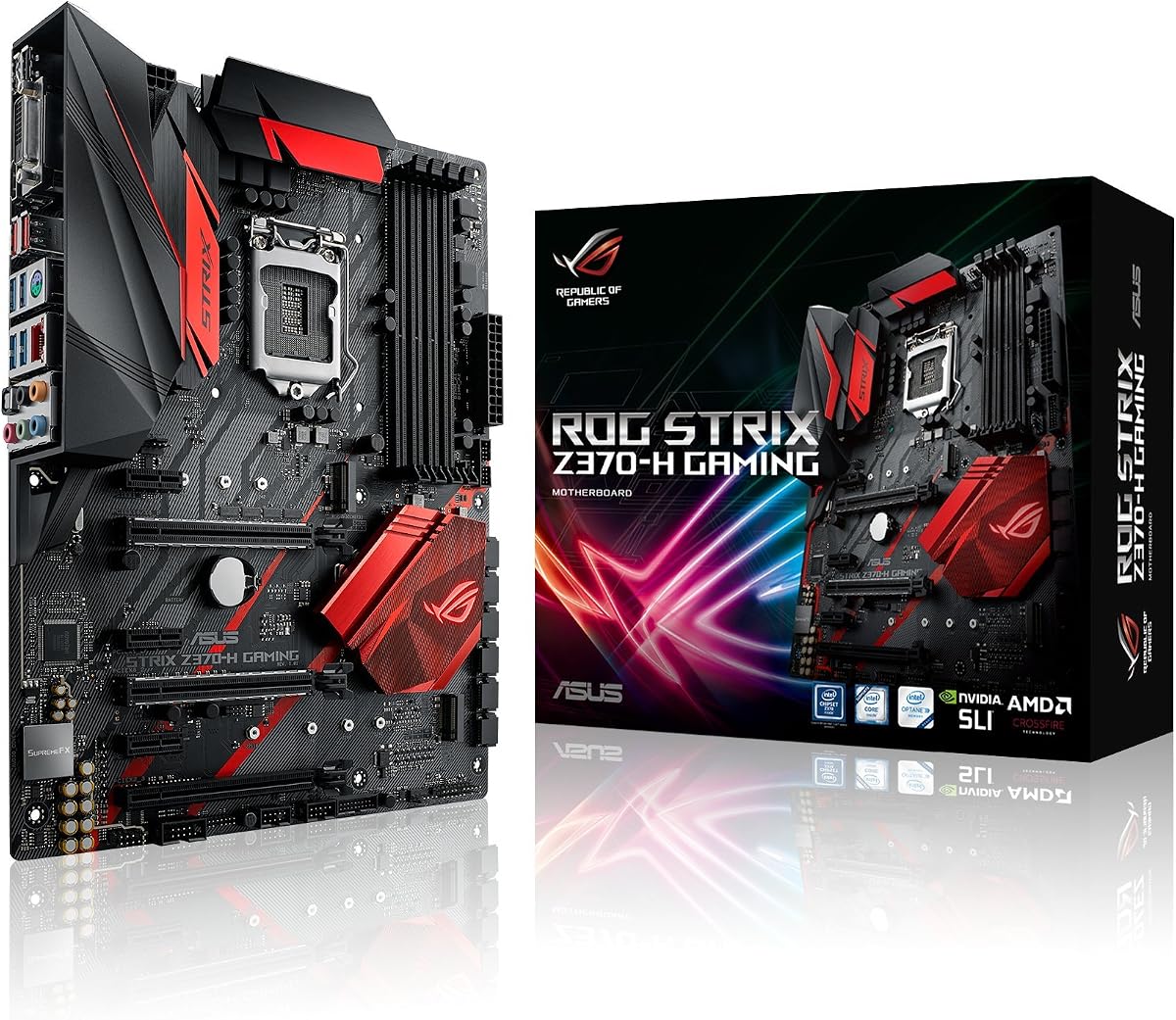
The ASUS ROG Strix Z370-H targets gamers needing connectivity. It supports up to 64GB DDR4. Multiple USB ports are available for peripherals.
We may earn a commission when you buy through this link, at no additional cost to you.
The ATX form factor fits standard cases. A 3-year warranty adds security. Audio and LAN are standard for gaming. It aims for broad compatibility.
Trade-offs include a high price point. It lacks some unique premium features of higher-end boards. These are minor for users needing many ports.
This board is good for multi-peripheral setups. It supports heavy memory needs well. Gamers needing many ports will find it useful.
Numerous USB ports support multiple peripherals without needing hubs.
ROG branding suggests gaming optimizations and support.
We may earn a commission when you buy through this link, at no additional cost to you.
Selecting the right Z370 motherboard requires checking key factors. This section breaks down what to consider for your build needs.
Ensure the board uses the LGA 1151 socket for Intel 8th Gen processors. This matches the Z370 chipset requirements exactly.
Check that your CPU is on the supported list to avoid compatibility issues.
Look for DDR4 slots that support your desired capacity. Most boards offer four slots allowing up to 64GB or more.
Verify speed support to match your RAM modules for optimal performance.
Consider how many PCIe slots you need for GPUs or other cards. Some boards support CrossFire or SLI for multi-GPU setups.
Check the slot lengths and spacing to ensure your GPU fits properly.
M.2 slots provide fast SSD connections. Boards vary from one to three M.2 slots for storage flexibility.
Ensure you have enough SATA ports for any traditional hard drives you plan to use.
Realtek codecs are common but vary in quality. Premium boards might include high-end DACs for better sound.
Check if you need dedicated audio or if standard onboard is sufficient.
Integrated Ethernet speeds like Gigabit LAN are standard. Some boards include gaming-optimized network chips.
Verify Wi-Fi if you need wireless connectivity built into the board.
ATX is the standard size for most cases. Mini-ITX or micro-ATX might be needed for smaller builds.
Measure your case interior to ensure the board fits correctly.
Look for heatsinks on VRMs and M.2 slots to manage heat. Fan headers and software tools help with cooling control.
Hardware-level protections like Safe Slot or voltage safeguards increase board longevity.
Install the motherboard into your case carefully by aligning it with standoffs. Secure it with screws but avoid overtightening to prevent damage.
Connect power and data cables firmly to the ports. Double-check CPU power and front panel connections for stability.
Update BIOS regularly via USB for new features and security. Keep the system dust-free with regular cleaning to maintain performance.
ASUS and Gigabyte are top brands for Z370 motherboards. They offer reliable builds and good support. MSI and ASRock are also strong options for different budgets.
Some Z370 boards support 9th Gen CPUs with BIOS updates. Check specific models like Prime Z390 for better compatibility. Not all Z370 boards support 9th Gen.
Most modern Z370 boards include at least one M.2 slot. Some high-end models have three slots for faster storage. Verify the exact count before buying.
Many Z370 boards include RGB headers or onboard lighting. Some support Sync software for synchronized effects. Check the model for specific RGB features.
Z370 boards typically support up to 64GB of DDR4 memory. Some models allow higher capacities with specific configurations. Check the official specs for limits.
Z370 boards remain viable for 8th Gen Intel builds. They offer solid features for general use. Consider newer chips if you need advanced connectivity.
The top picks like Prime Z370-A and Z370 AORUS Gaming 7 offer great features. They balance performance and value for most users.
Prioritize connectivity and expansion if you plan to upgrade later. Consider durability and audio if those matter for your setup.
Prices change often so check current listings for the best deals. Compare specs against your needs before making a final decision.