
BUFFALO LinkStation 210 6TB 1-Bay NAS
3.9Editor score
Value NAS with RAID included
Subscription-free personal cloud access
US-based 24/7 support
This guide compares ten top Buffalo NAS models for home and business, highlighting features like RAID, encryption, cloud sync, and performance to help you
Network attached storage devices provide a reliable way to centralize data across multiple devices. Buffalo offers a range of options from personal cloud units to business-grade racks. Choosing the right model depends on your storage needs and security requirements.
We evaluated each product based on capacity, drive inclusion, warranty terms, and specific features like encryption or cloud integration. Our analysis focuses on real-world usability and value for different user types ranging from families to enterprises.
Each selection highlights key strengths and trade-offs to help you make an informed decision. Prices and availability can change frequently so verify current details before purchasing. This list covers the most relevant Buffalo NAS options available today.
3.9Editor score

4.8Editor score

4.4Editor score
The following table provides a side-by-side comparison of all ten selected models. Review capacities, bay counts, included drives, and unique features to find the best fit for your network.
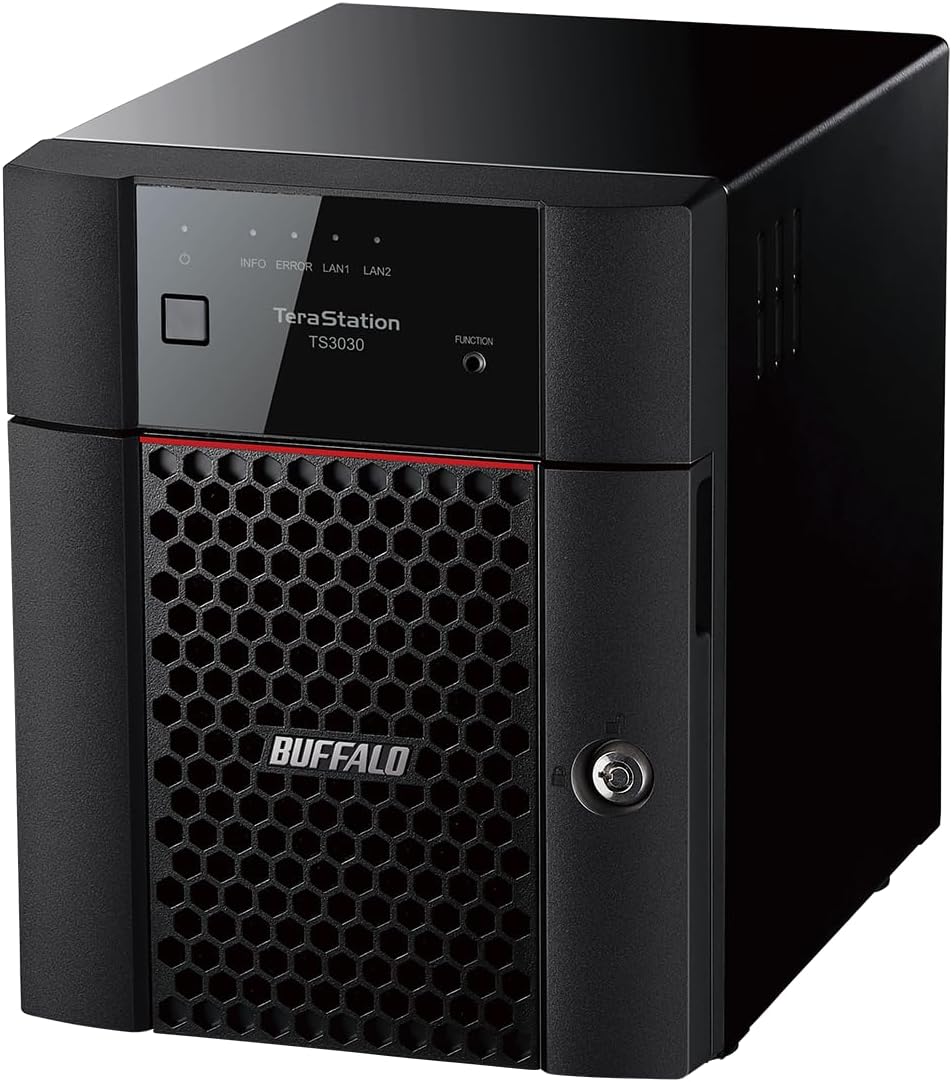


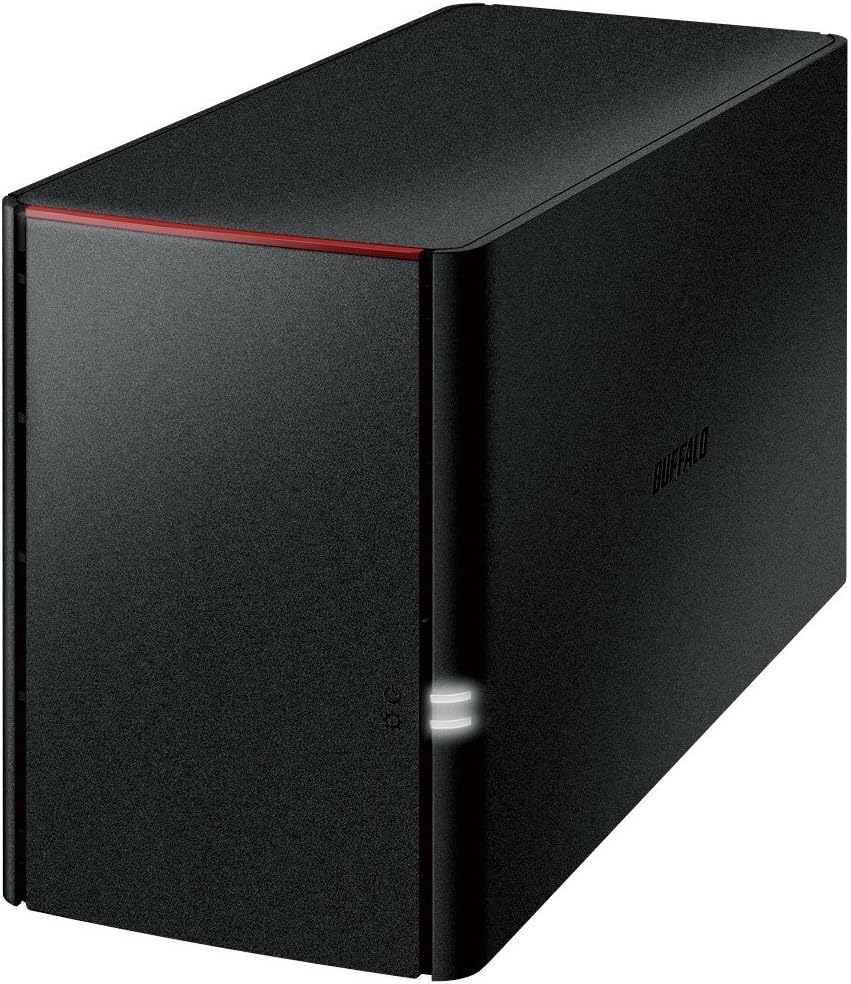


The LinkStation 210 serves as an entry-level network storage solution with six terabytes of space included. It achieves a three point nine rating due to its straightforward design and affordable price point making it suitable for basic home use.
We may earn a commission when you buy through this link, at no additional cost to you.
Its primary strength lies in the subscription-free personal cloud feature which allows users to store and manage photos and videos without monthly fees. The closed system design reduces vulnerabilities from third-party apps while SSL encryption ensures secure file transfers across the network.
Trade-offs include limited macOS compatibility which only supports versions up to fifteen and a single drive bay that restricts future storage expansion. These limitations are acceptable for users needing simple centralized backup without advanced enterprise features.
This device is ideal for home users who want to centralize data from multiple devices without complex configuration. It provides a solid foundation for basic network storage needs at a competitive price.
Users can consolidate files from various computers into one secure location accessible across the network. NAS Navigator utility simplifies automated backups ensuring consistent data protection without manual intervention.
The subscription-free cloud access allows families to share media securely without recurring costs. Access your files anytime from compatible devices ensuring convenience and cost savings over time.
We may earn a commission when you buy through this link, at no additional cost to you.
The TeraStation Essentials 2025 offers twenty-four terabytes of storage across four bays providing substantial space for small businesses or power users. With a four point three rating it balances performance features and capacity effectively for value-focused professionals.
We may earn a commission when you buy through this link, at no additional cost to you.
Key strengths include the native 2.5GbE port enabling high-speed file transfers without additional cable upgrades. The device supports hybrid cloud sync with services like Amazon S3 and Dropbox offering extra data security and flexible scalability for growing storage needs.
The main trade-off is the higher price compared to entry-level units and the need for a network switch supporting 2.5GbE speeds. These costs are justified by the reliability and performance benefits for environments handling heavy data loads regularly.
This model is recommended for small offices or users needing robust storage with minimal setup. It delivers professional features at a competitive price making it an excellent choice for expanding network storage capacity.
The 2.5GbE port allows faster data transfers compared to standard gigabit connections without needing new cabling. This ensures smooth file sharing and backup operations even with large datasets.
Syncing with cloud services creates a hybrid cloud setup that enhances data redundancy and accessibility. This approach offers cost savings and flexible scalability for evolving storage requirements.
We may earn a commission when you buy through this link, at no additional cost to you.
The LinkStation SoHo 220 is designed specifically for small home offices with four terabytes of storage across two bays. Its four point one rating reflects strong reliability and features tailored for efficient office file management and backups.
We may earn a commission when you buy through this link, at no additional cost to you.
Strengths include automatic backup via RAID 1 ensuring data redundancy without manual configuration. The direct copy USB feature allows quick backups of devices without requiring a computer making it convenient for rapid data transfers.
Trade-offs include the four terabyte capacity which might be limiting for growing offices and restricted macOS compatibility similar to other models. However for small teams these limitations are often acceptable given the ease of use and security features.
This unit is ideal for small businesses needing secure shared storage with minimal administrative overhead. It balances personal cloud access and office networking features effectively for day-to-day productivity.
RAID 1 ships pre-configured providing automatic backup across drives without complex setup. This ensures your critical files remain safe even if a single drive fails unexpectedly.
Backup your devices via USB without needing a computer intermediate step. This feature simplifies saving photos videos and files quickly from smartphones or external drives.
We may earn a commission when you buy through this link, at no additional cost to you.
The TeraStation 5420DN is a full-scale professional solution with thirty-two terabytes of storage and a four point eight rating. It stands out for its enterprise-grade features designed to handle heavy data loads without performance drops ensuring stability.
We may earn a commission when you buy through this link, at no additional cost to you.
Key strengths include the native 10GbE port enabling ultra-fast file transfers essential for large teams. Snapshots provide instant data backup and recovery protecting against ransomware with minimal system disruptions during critical operations.
The premium price and requirement for a compatible 10GbE network switch may be barriers for smaller setups. However for businesses prioritizing security and speed these investments yield significant returns in operational efficiency.
This model is best for enterprises needing reliable high-performance storage with robust recovery tools. It sets a standard for business-grade network attached storage with comprehensive feature support.
Snapshots allow near instantaneous data recovery with little to no system disruption. This protects critical files from ransomware ensuring business continuity without prolonged downtime.
The native 10GbE port delivers maximum transfer speeds without requiring additional cables. This ensures efficient handling of large datasets essential for modern business workflows.
We may earn a commission when you buy through this link, at no additional cost to you.
The TeraStation Essentials Rackmount provides eight terabytes of storage in a compact design suitable for server environments. With a four point four rating it offers professional features tailored for organizations needing space-efficient network storage solutions.
We may earn a commission when you buy through this link, at no additional cost to you.
Its strengths include the native 2.5GbE port for high-speed transfers and flexible RAID configuration options to match specific redundancy needs. The rackmount form factor saves floor space while maintaining robust protection with hybrid cloud integration.
Trade-offs involve the lower total capacity compared to desktop models and the requirement for dedicated rack space. These factors are acceptable for IT departments prioritizing space efficiency and scalable professional performance over maximum raw storage.
This device is recommended for small to mid-sized businesses with existing server racks. It delivers reliable data protection and fast access in a form factor designed for professional IT infrastructure.
The rackmount chassis fits standard server racks saving valuable floor space in IT rooms. This design supports centralized management and improved airflow for consistent device reliability.
Choose between RAID modes like 5 or 6 to balance capacity and redundancy based on your needs. This flexibility ensures you optimize storage efficiency while maintaining critical data safety.
We may earn a commission when you buy through this link, at no additional cost to you.
The TeraStation WS5220DN integrates Windows Server IoT 2025 directly providing a cost-effective small business NAS with familiar management tools. While the rating is N/A the product offers unique advantages for teams already invested in Microsoft ecosystems.
We may earn a commission when you buy through this link, at no additional cost to you.
Its standout feature is the absence of Client-Access License requirements which reduces software costs significantly. The inclusion of NovaBACKUP software licenses enables professional-level server and PC backups without additional third-party purchases.
Trade-offs include the need for familiarity with Windows Server environments and the new OS potentially having fewer community resources initially. These factors are manageable for IT admins accustomed to Windows management interfaces.
This model suits small businesses using Windows infrastructure seeking integrated management and backup. It simplifies deployment by combining hardware and software into a single supported unit.
Native Windows Server OS ensures seamless integration with existing Microsoft Active Directory and user permissions. This reduces complexity for IT teams already managing Windows environments.
Eliminates the need for separate CAL licenses saving money on software compliance. This cost saving makes enterprise features accessible for smaller organizations on limited budgets.
We may earn a commission when you buy through this link, at no additional cost to you.
The LinkStation 220 is a classic network storage model designed with media streaming and basic file sharing in mind. With a four rating it remains relevant for users needing DLNA support to stream content to compatible devices on the network.
We may earn a commission when you buy through this link, at no additional cost to you.
Key strengths include the Marvell ARMADA processor and DLNA support allowing smooth media playback without a PC. The USB 2.0 port provides basic expansion options for external drives or backup peripherals.
Trade-offs include older hardware specifications that may not match modern performance standards and limited advanced cloud integration. These limitations are acceptable for users focused on local media sharing rather than complex data workflows.
This device is best for home entertainment setups or small offices needing simple file access. It offers reliable performance for basic networking tasks without unnecessary complexity.
DLNA support allows streaming stored media directly to TVs or players on the network. This enhances home entertainment experiences by turning the NAS into a media server.
The USB 2.0 port lets you attach external storage or printers to the network. This adds basic peripheral sharing capabilities without needing additional hardware.
We may earn a commission when you buy through this link, at no additional cost to you.
The TeraStation 1200D offers an economical storage solution designed for plug-and-play setup with any router. With a four rating it provides essential network storage features at a competitive price point for users entering the NAS market.
We may earn a commission when you buy through this link, at no additional cost to you.
Strengths include bundled PC backup software enabling business-level protection without extra costs. The free personal cloud feature allows access to files from any PC Mac or mobile device with internet access.
Trade-offs involve lower performance compared to newer high-speed models and limited advanced features like high-speed Ethernet ports. These are acceptable for small offices or home users prioritizing ease of use over raw throughput.
This model is suitable for first-time NAS buyers needing reliable backup and sharing. It delivers essential functionality with minimal setup complexity for daily operations.
Just plug the unit into your router for instant network storage without complex configuration. This approach ensures rapid deployment for users with limited IT expertise.
Business-level server and PC backup software is bundled to simplify data protection. This provides robust automated backup capabilities without additional subscription costs.
We may earn a commission when you buy through this link, at no additional cost to you.
The ls220dg Series is tailored for mobile users needing reliable storage access from smartphones and tablets. With a three point nine rating it emphasizes data protection and simple connectivity for users prioritizing mobile flexibility over enterprise features.
We may earn a commission when you buy through this link, at no additional cost to you.
Key strengths include a mirroring function that protects files from hard drive failures automatically. This ensures important family photos or job data are not lost even if a drive fails unexpectedly.
Trade-offs include only half the total capacity being usable due to mirroring and older hardware interfaces limiting speed. These factors are acceptable for personal use where data safety outweighs raw storage space.
This model is ideal for individuals needing secure storage accessible from mobile devices. It balances basic protection features with ease of use for personal networking needs.
Optimized for smartphone and tablet access allowing users to manage files on the go. This ensures you can retrieve photos or documents without needing a desktop computer.
The mirroring function copies files across drives automatically ensuring no data loss during failures. This provides peace of mind for critical personal or business files.
We may earn a commission when you buy through this link, at no additional cost to you.
The DriveStation Duo functions as a direct attached storage device ideal for creative professionals and local backups. With a three point eight rating it offers high capacity and reliability through USB 3.2 connectivity for desktop workflows.
We may earn a commission when you buy through this link, at no additional cost to you.
Strengths include hot swap support allowing drive replacement without powering down the device. This minimizes downtime for professionals who cannot afford interruptions during active work sessions or large backup jobs.
Trade-offs include lack of network access since it requires a direct connection to a single machine. This limits sharing capabilities but ensures fast reliable data access for workstation users.
This model suits creative users needing high-capacity local backup for media files. It provides robust protection and easy maintenance without requiring network configuration.
Replace a failed hard drive without shutting down the system ensuring continuous operation. This feature is essential for professionals managing critical projects on tight deadlines.
USB 3.2 provides universal connectivity for PCs and Macs after formatting. This simplifies integration with existing workstation setups without complex drivers.
We may earn a commission when you buy through this link, at no additional cost to you.
Selecting the right NAS involves evaluating capacity, connectivity, and security needs based on your environment and workload requirements.
Storage capacity determines how much data you can store while drive bays affect expandability. Models with more bays allow adding drives later as needs grow making them ideal for long-term planning.
For personal use single or dual bays suffice whereas business needs often require four bays for redundancy and scale.
Some models include pre-tested hard drives with RAID pre-configured saving setup time and ensuring compatibility. RAID modes like 1 or 5 protect data from drive failure by distributing or mirroring information.
Choose RAID levels based on whether you prioritize data safety or maximum raw storage space for your workloads.
Network speed affects how quickly files transfer across devices with models offering 2.5GbE or 10GbE ports delivering faster performance. These require compatible switches but ensure smooth operation for heavy data workflows.
Standard gigabit ports work for basic home use but professionals should consider faster options for efficiency and throughput.
Secure NAS units feature closed systems and drive encryption to protect sensitive data from unauthorized access. SSL encryption and two-factor authentication further safeguard files during transfers and remote access.
Prioritize models with built-in security features if you handle confidential business or personal information regularly.
Hybrid cloud integration allows syncing with services like Dropbox or Azure for backup redundancy and remote access. This adds flexibility by combining local speed with cloud accessibility for disaster recovery.
Look for cloud sync support if you need offsite backups without relying solely on third-party subscription services.
Most Buffalo models include warranties ranging from two to three years covering hard drives and data recovery services. US-based support ensures you can get assistance quickly for installation or technical issues.
Verify warranty terms before purchasing to understand coverage limits and additional protection options for your investment.
Desktop units are simple to place on a desk while rackmount models fit in server racks for centralized management. Choose based on your available space and whether you need professional IT integration.
Rackmount options are best for IT departments whereas desktop NAS suits home offices or small businesses without dedicated server rooms.
Compatibility with operating systems like Windows and macOS determines device access and backup software functionality. Some models restrict macOS versions so check requirements before purchase.
Ensure the NAS supports your primary operating systems and offers compatible utilities for seamless integration and management.
Begin by connecting the NAS to your router using an ethernet cable to establish a stable network connection. Power on the unit and run the provided setup utility to configure basic settings like IP address and admin passwords.
Set up automatic backups using the included software to ensure data is regularly saved across devices. Configure RAID modes and security settings like encryption to protect sensitive files according to your specific needs.
Regularly check the status of drives through the management utility to monitor health and replace any failing units promptly. Keep firmware updated to maintain security and performance while ensuring proper ventilation for long-term reliability.
NAS connects to a network allowing multiple users to access files simultaneously while DAS connects directly to one computer via USB. NAS offers shared access and remote capabilities whereas DAS provides high-speed local storage for single users.
Most selected models include pre-tested hard drives with RAID pre-configured for immediate use. Some units may offer bare drive options so always verify product details before purchasing to ensure you get the full setup.
Models with multiple drive bays allow adding extra drives to increase capacity as needed. Ensure the new drives match the existing specifications for compatibility and optimal RAID performance without data loss.
Most Buffalo NAS models support macOS but some have version restrictions like requiring macOS 15 or earlier. Verify OS compatibility before purchase to avoid issues with newer operating systems and backup utilities.
Common RAID modes include RAID 0 for speed RAID 1 for mirroring and RAID 5 for balanced capacity and redundancy. Some units allow changing modes after purchase to suit evolving storage and protection needs.
Cloud integration enables syncing with services like Dropbox or Azure for hybrid backups and remote access. This setup provides extra security and flexibility without requiring additional third-party cloud storage subscriptions.
Most units include a three-year warranty covering hard drives along with data recovery service qualification. Some models offer optional extensions for registered products providing extended peace of mind for your investment.
The LinkStation 210 and TeraStation 5420DN lead our picks for budget-friendly and enterprise needs respectively. These models demonstrate Buffalo's range from simple home storage to robust business solutions tailored to different user requirements.
Prioritize storage capacity and security features based on your data protection needs and workflow demands. Evaluating factors like network speed and RAID options will ensure you select a device that supports your long-term goals effectively.
Always verify current pricing and availability as product details can change over time. This guide serves as a reference point so confirm specifications before making your final purchase decision for peace of mind.