
Corded Landline Phones for Seniors
4.2Editor score
9 Big Picture Buttons
110dB Loud Ringer
No Battery Required
This guide compares the top captioned telephone models for seniors and hearing impaired users, evaluating features like real time captions, amplification, and
Captioned telephones provide a vital bridge for seniors and those with hearing loss, allowing them to listen and read conversations simultaneously. These devices combine traditional phone functionality with real time text display to ensure no words are missed during important calls with family or caregivers.
We evaluated ten leading models based on clarity, ease of use, amplification levels, and accessibility features like large buttons or voice control. Our analysis focuses on devices that offer reliable connectivity, intuitive interfaces, and robust support services to enhance communication independence for users with varying needs.
Each pick highlights specific strengths such as touchscreen interfaces, photo dialing, or VoIP compatibility to help you find the right fit. Please note that product availability and pricing can change frequently, so verify current details before making a final purchase decision for your home setup.
4.2Editor score

4.3Editor score

5.0Editor score
This side-by-side comparison outlines key specifications for each model to help you quickly identify the device that best matches your specific hearing and accessibility requirements.




The Hamilton CapTel 2400iSPNBT stands out as a top choice for seniors needing reliable captioned telephone service. With a 4.3 rating, it combines real time captions on a large touchscreen with amplified sound to ensure clear conversations with loved ones.
We may earn a commission when you buy through this link, at no additional cost to you.
This device allows users to listen and read simultaneously, transforming everyday calls into confident interactions. Features like auto captions or assisted captions with live operator support provide flexibility, while the built-in answering machine displays voicemail captions for easy review.
While the requirement for high speed internet may limit use in areas with poor connectivity, the clarity offered justifies the setup. The FCC-certified service ensures accessibility for US residents with hearing loss, making it a robust tool for maintaining independence.
Ideal for those who prioritize visual clarity alongside audio, this phone is a strong recommendation for seniors looking to stay connected without missing words. It effectively bridges the gap between hearing loss and meaningful communication.
The large easy-to-read touchscreen ensures text is visible even for users with low vision, allowing them to follow conversations effortlessly.
Volume control up to 40dB amplified gain helps users hear callers clearly without straining, complementing the visual captions effectively.
We may earn a commission when you buy through this link, at no additional cost to you.
This landline phone offers an affordable solution for seniors needing accessibility features without complex technology. With a 4.2 rating, it includes large picture buttons and a loud ringer to ensure no calls are missed due to memory or hearing issues.
We may earn a commission when you buy through this link, at no additional cost to you.
The photo dialing function allows users to call family members by seeing their image, reducing the need to remember numbers. Additionally, the adjustable receiver and ringer volume accommodate varying hearing needs, while the visual light provides an extra alert when calls come in.
Though it lacks advanced voice commands, its simplicity is a strength for those with dementia or mobility challenges. The lack of battery dependency means it works during power outages, ensuring constant connectivity for peace of mind.
For budget-conscious buyers seeking reliability, this model delivers essential accessibility features efficiently. It is particularly suitable for seniors who need straightforward dialing without the burden of charging or Wi-Fi setup.
Customizable photo speed-dial buttons make calling effortless for those with poor memory, simply touching a face connects them to loved ones.
Powered entirely by a standard RJ11 phone line, this device stays functional during outages, offering reliability when other electronics fail.
We may earn a commission when you buy through this link, at no additional cost to you.
With a perfect 5.0 rating, this VoIP phone excels in providing accessible features for seniors with dementia or Alzheimer's. Its customizable image keys offer a personalized touch, making it easy to identify who to call without memorizing numbers.
We may earn a commission when you buy through this link, at no additional cost to you.
The speakerphone volume exceeding 110dB ensures crystal-clear calls even in noisy environments, while the dedicated HELP key provides instant access to emergency assistance. Visual alerts for incoming calls add another layer of reliability for users with hearing impairments.
Note that this device requires an active VoIP service rather than a traditional phone line, which may need setup planning. However, once configured, it offers a modern, user-friendly experience that prioritizes safety and comfort for elderly individuals.
For those seeking a premium solution with top-tier usability, this model stands out. It combines modern technology with thoughtful design to support independence and connection for seniors in various living settings.
Family photos inserted into keys bring familiarity and comfort, helping those with memory loss recognize contacts instantly.
The one-touch help key ensures quick access to assistance, offering peace of mind for users with health or mobility concerns.
We may earn a commission when you buy through this link, at no additional cost to you.
This hybrid system offers flexibility with both corded and cordless handsets, designed for seniors needing mobility without sacrificing reliability. Rated 4.0, it includes a reliable corded base that works during power outages plus a cordless handset for convenience.
We may earn a commission when you buy through this link, at no additional cost to you.
Key features include a 90dB extra-loud ringer with a visual indicator, ensuring calls are never missed in noisy environments. The smart call blocker protects against up to 1,000 robocalls, while photo dial slots simplify calling loved ones with one touch.
While it involves a higher investment, the durability and comprehensive features justify the cost for many households. It balances modern safety tools with essential accessibility needs like amplified audio and clear visual displays for low vision users.
Best suited for families wanting a complete communication setup, this model handles everyday calls and safety alerts effectively. It supports independence through easy-to-use design and robust protection against unwanted calls.
Using a corded base for reliability and a cordless handset for mobility offers the best of both worlds for active seniors.
Flashing visual ringer alerts ensure users know when a call comes in, even if they cannot hear the standard ring.
We may earn a commission when you buy through this link, at no additional cost to you.
This unique model allows users to manage calls using only voice commands, eliminating the need to touch buttons. While it lacks user ratings, its design targets seniors with mobility and vision difficulties who need truly hands-free operation.
We may earn a commission when you buy through this link, at no additional cost to you.
Users can answer, dial, and hang up by speaking commands, with active listening keeping the phone ready at all times. This approach minimizes physical effort and makes communication accessible for those with weak grip strength or tremors.
The absence of button pressing reduces frustration for users with dexterity challenges, streamlining the call process. It uses the home phone line directly, ensuring traditional connectivity without extra power requirements or complex setup.
Ideal for those who cannot use standard handsets comfortably, this device provides a seamless way to stay connected. It is a practical choice for prioritizing ease of access through voice interaction over visual controls.
Always listening for voice commands ensures users never miss a chance to connect, removing barriers of physical dexterity.
No buttons need to be pressed to activate the phone, offering a truly passive user experience for those with disabilities.
We may earn a commission when you buy through this link, at no additional cost to you.
This corded landline offers a straightforward design with large buttons and picture assist for seniors needing clarity. It carries a 4.2 rating, highlighting its effectiveness in providing amplified sound and simple dialing for hearing impaired users.
We may earn a commission when you buy through this link, at no additional cost to you.
Stored phone numbers remain protected even if the line is unplugged, ensuring no data loss during maintenance. The wall mountable design adds versatility, allowing the device to be placed at comfortable heights for users with limited reach.
With 40dB amplified volume, it accommodates varying degrees of hearing loss while the replaceable picture buttons store favorite numbers for quick access. This simplicity makes it an accessible tool for daily communication without technical complexity.
For families wanting a reliable, easy-to-use phone, this model serves well. It focuses on essential needs like sound amplification and visual cues to support seniors in staying connected with family and caregivers.
Stored phone numbers do not disappear when unplugged, preventing data loss and saving setup time for users.
Mounting the phone on a wall provides better accessibility for those with mobility issues, keeping it within easy reach.
We may earn a commission when you buy through this link, at no additional cost to you.
This phone emphasizes high-quality audio performance designed for clarity during conversations. With a 3.5 rating, it targets users needing amplified sound and reliable transmission for daily communication needs.
We may earn a commission when you buy through this link, at no additional cost to you.
The focus on performance ensures that calls are transmitted with minimal interference, supporting those who struggle with background noise. It is a straightforward device without excessive features, appealing to users who prefer simplicity over complex menus.
While detailed specs are not broadly listed, the commitment to high definition audio suggests an effort to enhance voice fidelity. This makes it a viable option for those prioritizing sound quality over additional smart capabilities.
Best for buyers seeking a no-frills phone with a focus on voice clarity, this model offers a dependable solution. It serves as a functional tool for maintaining connections through clear and amplified sound delivery.
The design prioritizes audio quality, ensuring that voices are heard clearly without distortion during important conversations.
Without complex menus, the device remains user-friendly, focusing on core functions needed for successful daily calls.
We may earn a commission when you buy through this link, at no additional cost to you.
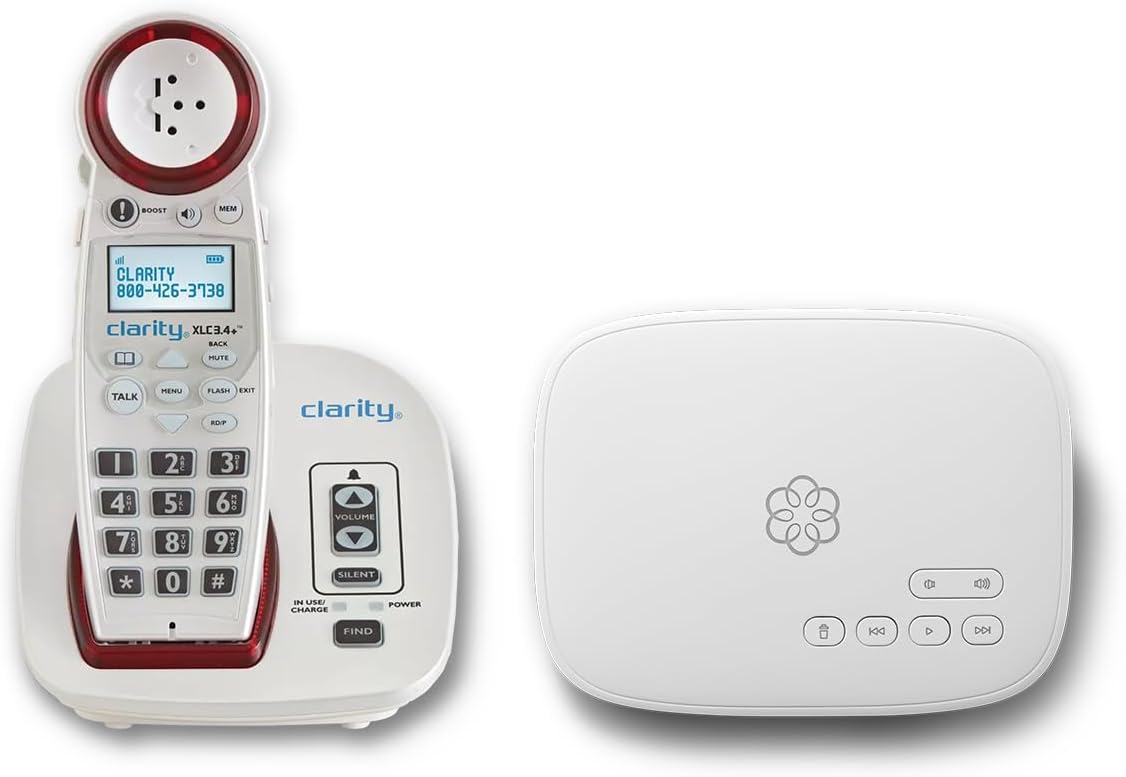
This bundle combines a top-rated phone service with an amplified cordless phone to deliver comprehensive home communication. Rated 4.5, it includes unlimited calling and call blocking tools, ensuring secure and continuous contact with loved ones.
We may earn a commission when you buy through this link, at no additional cost to you.
Users benefit from visual ringer alerts and text notifications, which help those with hearing loss stay aware of incoming calls. Address-based 911 alerts provide enhanced safety by sending location data to dispatchers automatically during emergencies.
Setup assistance and a concierge plan simplify the onboarding process, making technology accessible even for non-tech-savvy users. However, ongoing subscription costs should be considered as part of the total expense for maintaining full functionality.
For families wanting a complete solution with service included, this bundle offers significant value. It supports independent living through robust safety features and reliable voice communication with clear audio settings.
Adjustable ringer volume paired with visual cues ensures no call is missed, adapting to the user's hearing needs.
SMS texts to loved ones when 911 is dialed offer an extra layer of safety for family members monitoring from afar.
We may earn a commission when you buy through this link, at no additional cost to you.
This device offers voice dialing commands to make and answer calls, aiming to assist users with special needs. Rated 2.1, it combines voice prompts with traditional features like a visual ringer and large buttons for accessibility.
We may earn a commission when you buy through this link, at no additional cost to you.
It includes a talking caller ID and an LCD display to show the caller's name, helping users identify incoming contacts. The hands-free volume control up to 40dB supports those with earbud needs, while the LED ring provides visual notification of calls.
Despite its intent to simplify dialing, user feedback suggests limitations in performance compared to modern standards. The lifetime memory backup ensures contacts are not lost, but the lower rating reflects potential usability challenges.
For those seeking an older model with voice integration, this may serve as a basic option. However, newer devices often provide more reliable performance and better user experiences for daily communication.
Three voice commands allow users to dial, end, or answer calls, reducing the need to interact with physical buttons.
A bright visual LED ring indicator ensures callers can see notifications even if they cannot hear the ring tone.
We may earn a commission when you buy through this link, at no additional cost to you.
This landline phone focuses on simplicity with 9 photo memory keys for one-touch dialing. With a 4.2 rating, it delivers powerful amplification up to 110dB, ensuring users hear ringers and conversations clearly in any setting.
We may earn a commission when you buy through this link, at no additional cost to you.
Hands-free calling makes it easier for those with limited mobility to operate without holding the handset. The phone does not require batteries or a power supply, working directly from the phone line to stay connected during power outages.
While it lacks advanced features like voicemail, its core design prioritizes reliability and ease of use. The redial and flashback buttons add convenience for correcting mistakes, supporting a stress-free calling experience for seniors.
For budget-friendly and reliable communication, this model is a strong contender. It ensures seniors can connect with family effortlessly, providing peace of mind for caregivers through clear and robust hardware design.
Simply pressing a photo makes a call instantly, eliminating the need to memorize or search for phone numbers.
No batteries or power source are required, allowing the phone to function continuously using the standard RJ11 line.
We may earn a commission when you buy through this link, at no additional cost to you.
Selecting the right captioned telephone involves balancing accessibility features with connectivity needs and ease of use for the end user.
Some models rely on high-speed internet or VoIP services for captioning, while traditional landlines may lack this capability. Ensure your home network can support the phone's needs before purchase to avoid setup issues.
Verify the connection type—RJ11 analog or digital—to match your existing infrastructure.
Large touchscreens and high-contrast text are vital for users with low vision to read captions effectively. Interfaces should be intuitive with clearly labeled buttons to prevent confusion.
Prioritize devices with adjustable font sizes and backlighting for visibility in various lighting conditions.
Look for volume amplification ranging from 40dB to 110dB to accommodate different degrees of hearing loss. Adjustable settings allow customization based on the user's environment.
Ensure the handset and speakerphone both support high gain to maintain clarity during conversations.
Photo dialing or large picture buttons simplify the process for those with memory impairments or cognitive challenges. One-touch options reduce the physical steps needed to reach a contact.
Models with voice dialing can further reduce effort for users with dexterity limitations.
Visual indicators like flashing lights help users with hearing loss notice incoming calls when audio ringtones are missed. These features ensure important communication is not overlooked.
Check if the device supports customizable alert patterns to match personal preferences.
Built-in SOS buttons or help keys provide peace of mind for users living alone or with health risks. Ensure these keys are easy to locate and program.
Some bundles offer location-based 911 alerts for enhanced safety during medical emergencies.
Phones that do not require external power sources stay functional during outages, which is crucial for emergency communication. Consider how the device handles power loss.
Corded options generally provide more reliability than battery-dependent cordless models during storms.
Captioned phones often require registration or subscriptions for text services. Verify if the service is free or costs extra and if it covers your region.
Choose brands offering responsive customer support to assist with technical setup and maintenance.
Start by connecting the phone to your internet or phone line as instructed in the manual. Ensure the device is powered correctly and the network signal is stable before making any calls to avoid interruptions.
Customize settings like volume, ring tones, and caption size to match the user's comfort level. Take time to practice using photo dialing or voice commands if available, ensuring familiarity before actual use.
Regularly clean the touchscreen and buttons with a soft dry cloth to maintain responsiveness. Keep the device away from moisture and direct heat to prolong its lifespan and ensure consistent performance over time.
Traditional landline captioned phones generally require an internet connection or VoIP service to display real-time captions. However, basic amplified landline phones without captioning features can work on standard phone lines without internet access.
Amplification between 40dB and 110dB is typically recommended depending on the severity of hearing loss. Adjustable volume settings allow users to find a comfortable level for both ringtones and conversation volume.
Many modern models offer photo dialing features that allow users to assign family member photos to specific buttons. This simplifies the calling process for those with memory impairments or difficulty remembering numbers.
Many providers offer free captioning services funded by federal programs, but some may require registration or have specific eligibility criteria. Always check with the manufacturer or service provider for details on costs and availability.
Corded landline phones often continue working during power outages as they draw power from the phone line. Avoid cordless or digital phones that rely on external power adapters unless they have battery backups.
Many high-end models and service bundles include personal setup assistance and customer support. Check the product description to see if help is offered during installation or troubleshooting phases.
Yes, most captioned phones support emergency 911 calls. Some advanced models even send address details to dispatchers automatically, ensuring quick location identification during urgent situations.
A well-maintained captioned telephone can last several years depending on usage and care. Regular cleaning and avoiding physical impacts help ensure the device remains functional for long-term communication needs.
The top three picks highlight diverse options ranging from advanced captioning displays to simple, budget-friendly dialers. The Hamilton CapTel 2400iSPNBT leads in visual clarity, while the FLYINGVOICE FIP12WP offers premium safety features for those needing modern solutions.
When selecting a model, prioritize features that directly address your hearing and mobility needs such as amplification levels and visual alerts. Consider whether a traditional landline or VoIP service fits your home network better before making a final decision.
Keep in mind that availability and pricing may shift frequently, so double-check current details before completing your purchase. Ensuring the right fit will help maximize independence and keep communication lines open for your loved ones.