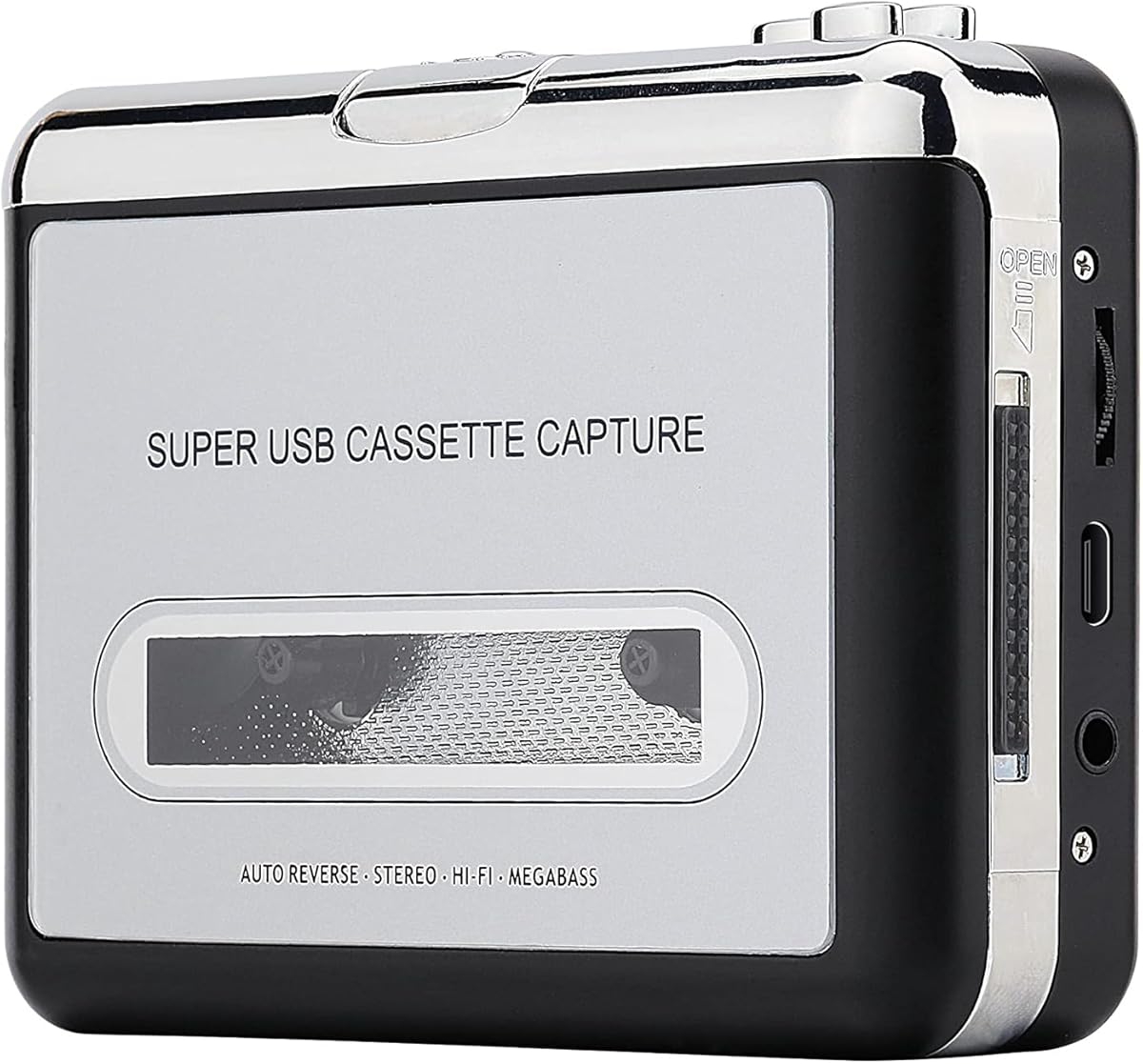
Reshow Cassette Tape Player (Silver)
3.8Editor score
Lightweight compact design
Standard 3.5mm AUX input
Converter software included
Clear sound quality
This guide compares the top cassette to MP3 converter models available in October 2026, evaluating features like portability, audio quality, and conversion
Preserving your favorite old audio cassettes requires a reliable cassette to MP3 converter. These devices let you digitize tapes easily without needing a complex computer setup or expensive studio gear to complete the task efficiently.
We evaluated ten real products based on their build quality, conversion methods, and user feedback. Our list covers portable players with SD card slots, USB-only converters, and advanced models offering Bluetooth streaming capabilities for modern convenience.
Each pick shows key specs, pros, and cons to help you choose quickly. Prices and availability change often, so verify the current deal before buying to ensure you get the best value for your specific audio archiving needs.
3.8Editor score

4.5Editor score

4.3Editor score
The following table provides a side-by-side comparison of all ten products to help you quickly identify the right model for your specific digitization and playback requirements.


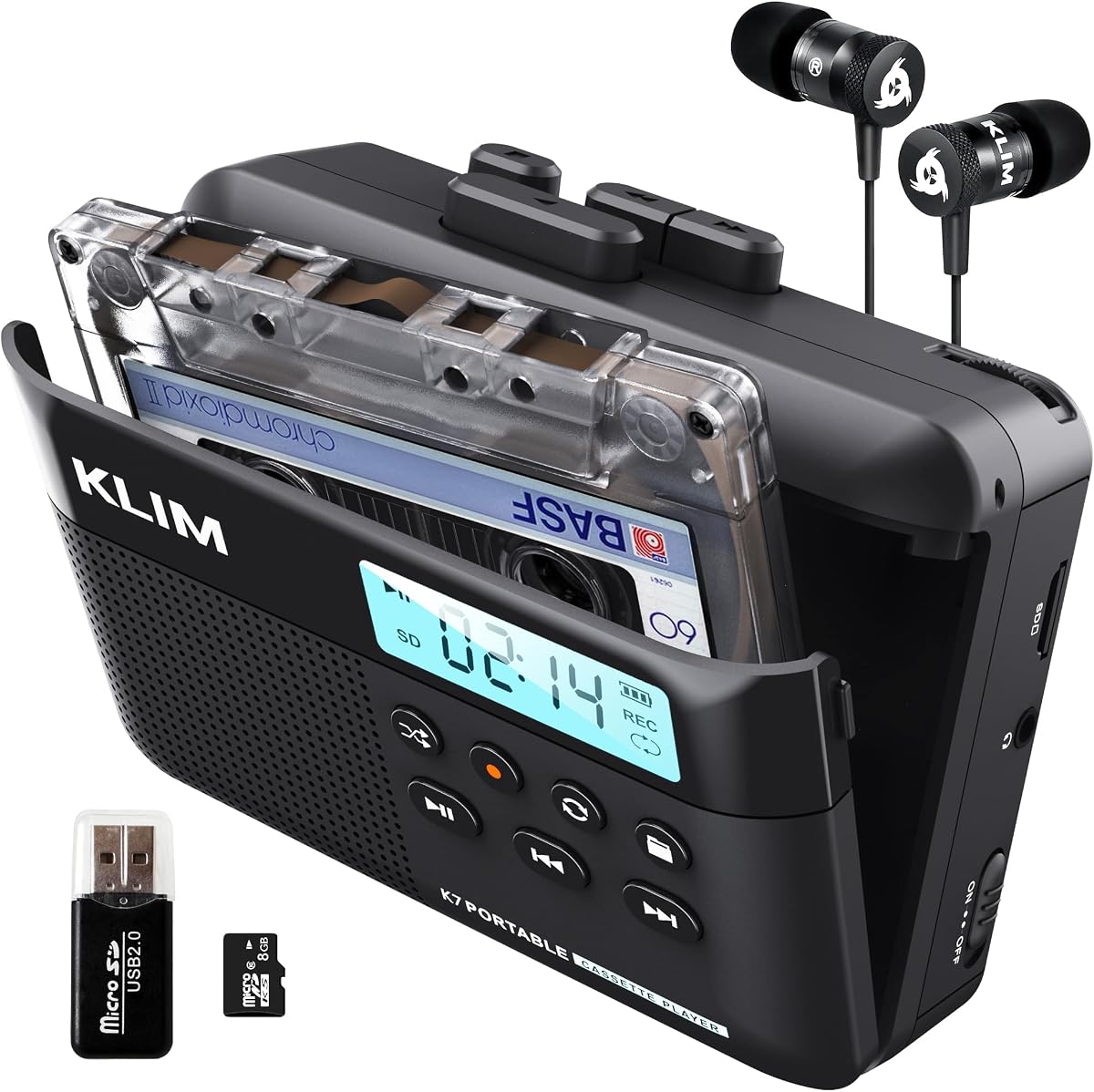


This device stands out as an immediate and simple solution for digitizing cassette tapes without requiring a computer. Its high rating reflects user satisfaction with the plug-and-play design that saves audio files directly to a USB drive. The automatic track splitting feature is a significant advantage for organizing your collection automatically.
We may earn a commission when you buy through this link, at no additional cost to you.
The instant setup ensures you can start converting tapes minutes after opening the box. Since it saves onto a USB flash drive included in the package, you do not need to purchase extra storage. The portable design doubles as a personal cassette player, allowing you to listen to your old tapes anytime with included earbuds.
While it offers many conveniences, it lacks SD card support, meaning you are restricted to USB storage. Additionally, it does not offer advanced recording features like a built-in microphone for capturing new audio. These trade-offs are acceptable for users focused solely on transferring existing tape collections to digital formats.
This converter is ideal for anyone seeking a straightforward, no-fuss method to digitize cassettes. If you value simplicity and automatic file organization over advanced recording capabilities, this model is a top recommendation. It bridges the gap between vintage media and modern USB storage effectively.
The file splitting feature automatically separates long recordings into individual tracks based on silence or cues, saving manual editing time.
Its compact size allows it to double as a personal cassette player with included earbuds, offering both conversion and playback utility.
We may earn a commission when you buy through this link, at no additional cost to you.
This player offers a cost-effective way to convert old cassettes to digital formats using a standard USB connection. While its rating is modest, it appeals to budget-conscious users who already have a computer and software for audio processing. The vintage style design adds a touch of nostalgia to the conversion process.
We may earn a commission when you buy through this link, at no additional cost to you.
Its lightweight and compact build makes it easy to store and transport. The 3.5mm AUX input allows for flexible connectivity with standard headphones or car stereos for crisp sound quality. Converter software is included to facilitate the transfer from cassette to MP3 format via the USB cable.
However, it does not offer standalone functionality without a computer, which adds complexity to the workflow. Some users report lower sound fidelity compared to high-end models. These limitations are acceptable if you prioritize a low entry cost and already own the necessary computer setup for transfers.
Consider this option if you need an affordable entry point into tape digitization and are comfortable using a computer. It provides a reliable path to preserving old tapes without a significant financial investment. Always ensure your system meets the software requirements before purchasing.
Accommodates standard 3.5mm AUX input for various headphones and devices, making it versatile for listening while converting.
Includes converter software and a guide to ensure quick and convenient conversions every time you transfer a tape.
We may earn a commission when you buy through this link, at no additional cost to you.
This device offers an all-in-one solution with dual Bluetooth capabilities, allowing you to stream audio wirelessly. The high power speaker delivers clear tape playback with deep sound, perfect for reliving nostalgic audio. A large rechargeable battery ensures long usage without needing frequent charges.
We may earn a commission when you buy through this link, at no additional cost to you.
The dual Bluetooth modes let you either stream tapes to wireless headphones or play modern music through the cassette player via receiver mode. USB direct recording allows saving audio to a flash drive without a computer. It also lets you record digital music from your phone onto blank cassette tapes.
Despite its advanced features, the price is higher than basic models, and the setup may be complex for users unfamiliar with Bluetooth pairing. Some users find the interface less intuitive than simpler plug-and-play units. However, the versatility justifies the cost for audiophiles seeking maximum functionality.
This model is ideal for tech-savvy users who want a comprehensive cassette player and converter with modern connectivity. If you need to both play and record tapes and enjoy wireless streaming, this premium option is the best choice. It bridges vintage and modern audio seamlessly.
Transmitter mode streams tape audio to Bluetooth devices, while receiver mode plays phone music through the cassette player speaker.
The 6W speaker provides clearer playback than standard models, supported by a 2000mAh battery lasting up to 10 hours in Bluetooth mode.
We may earn a commission when you buy through this link, at no additional cost to you.
This player allows easy conversion of cassettes to MP3 files using an SD card without needing a computer. The built-in microphone lets you record thoughts or meetings directly onto the card. Its lightweight build makes it perfect for commuting or traveling.
We may earn a commission when you buy through this link, at no additional cost to you.
The rechargeable battery supports portable use for several hours before needing a quick recharge via USB-C. It also functions as an SD card music player, offering versatility beyond tape conversion. Premium earphones are included for private listening on the go.
While versatile, it does not support recording onto cassette tapes, limiting it to capturing audio from tapes or the microphone. Sound quality is decent but may lack the richness of higher-end audiophile gear. These constraints are acceptable for casual users seeking convenience.
This model is best for those who want a portable tool to digitize tapes and record notes on the fly. If you prioritize ease of use and mobility over high-fidelity recording, it is a strong contender. The included accessories make it ready to use out of the box.
With a lightweight design and rechargeable battery, it supports music on the move for commuting, traveling, or outdoor listening.
The mic enables recording of thoughts, meetings, or impromptu sessions directly onto the SD card without extra gear.
We may earn a commission when you buy through this link, at no additional cost to you.
This player combines playback and recording capabilities in a compact form factor. It supports converting tapes to MP3 via SD card or USB software like Audacity. The LCD display helps navigate settings easily, and it includes a 16GB SD card.
We may earn a commission when you buy through this link, at no additional cost to you.
You can record audio using the built-in microphone to a computer or SD card. It supports both USB-C and AA battery power, offering flexible usage options. The 2W speaker provides decent sound quality for casual listening without external equipment.
However, it does not support Type IV or metal tapes, which limits its compatibility with some older media. The build is solid but not premium, so users should handle it carefully. These limitations are manageable if your collection mainly consists of standard Type I tapes.
This model is suitable for users needing a portable, two-way converter with simple LCD controls. It balances functionality and size well for home or travel use. If you have a mix of tape types, verify compatibility before purchase to avoid disappointment.
Convert cassettes to MP3 via SD card or USB cable using included software, preserving music in modern digital formats.
Powered by USB-C or four AA batteries, ensuring you can use the device anywhere without being tethered to a wall outlet.
We may earn a commission when you buy through this link, at no additional cost to you.
Similar to the 16GB variant, this version offers essential features at a slightly lower cost. It converts cassettes to MP3 files directly onto an included 8GB SD card without needing a computer. The built-in microphone allows for capturing audio notes or sessions.
We may earn a commission when you buy through this link, at no additional cost to you.
The rechargeable battery supports extended listening sessions, and the lightweight build makes it ideal for travel. It also plays MP3 files stored on the SD card, adding to its versatility. Premium earphones are included for a private audio experience.
However, the 8GB capacity may fill up faster with high-quality recordings or large tape collections. Like other models, it cannot record onto cassette tapes, limiting its use to digital capture. These trade-offs are acceptable for users with smaller collections or limited storage needs.
Choose this model if you prefer a compact player with essential conversion features at an accessible price. It is ready to use out of the box and perfect for casual digitization. Ensure your tape volume fits within the storage capacity before buying.
Functions as an SD card music player beyond tapes, allowing playback of stored MP3 files for versatile use.
No additional devices or app downloads are needed; simply follow the user manual for easy conversion to MP3 format.
We may earn a commission when you buy through this link, at no additional cost to you.
This version provides increased storage with a 32GB SD card, ideal for extensive tape collections. It converts tapes to MP3 files directly without computer setup. The built-in microphone supports recording thoughts or meetings onto the card, offering added utility.
We may earn a commission when you buy through this link, at no additional cost to you.
The rechargeable battery and lightweight build ensure portability for commuting or travel. It also plays MP3 files from the SD card, making it a versatile media player. Premium earphones are included for private listening anytime.
While it offers more space than lower variants, it cannot record onto cassette tapes, limiting recording options to digital formats. The higher price reflects the storage upgrade, which may not be necessary for users with few tapes. These factors should be weighed against your storage needs.
This model is perfect for collectors with large tape libraries requiring ample digital storage. If you need room for hundreds of converted tracks, the 32GB capacity is a valuable asset. It remains simple to use and ready for immediate digitization.
The 32GB SD card included provides seamless storage for extensive collections without needing to manage files frequently.
Beyond tapes, it functions as an SD card music player, supporting a wide range of digital audio files for variety.
We may earn a commission when you buy through this link, at no additional cost to you.
This player offers the same functionality as the silver variant but in a black finish that fits modern aesthetics. It converts cassettes to MP3 via USB connection to a computer using included software. The 3.5mm AUX input supports various headphones and speakers.
We may earn a commission when you buy through this link, at no additional cost to you.
Its lightweight and compact build ensures easy storage and portability. Converter software helps with quick and convenient conversions every time. The vintage style design appeals to those who appreciate retro tech while maintaining modern utility.
However, it relies on a computer for conversion, adding complexity. Some users note lower audio fidelity compared to standalone units. These limitations are acceptable if you value style and already have a PC setup for audio processing needs.
Choose this if you prefer a stylish addition to your tech setup for converting old tapes. It offers a reliable path to preserving audio with a clean look. Ensure your computer meets the software requirements for optimal performance.
Compatible with laptops and PCs to quickly convert dusty cassettes to digital format for modern devices.
Works seamlessly with standard headphones for private listening or connect to car stereo for crisp sound quality.
We may earn a commission when you buy through this link, at no additional cost to you.
This converter allows recording tapes to MP3 directly onto a USB drive without a computer. It features an auto reverse function to switch sides automatically during conversion. You can adjust volume during recording or playback using the control button for better audio quality.
We may earn a commission when you buy through this link, at no additional cost to you.
It works with FAT and FAT32 USB drives up to 128GB. Auto mode saves each song as a separate file, while manual mode lets you decide. A carry bag protects the device during travel, and headphones are included for monitoring audio.
However, performance depends on USB drive speed, and higher read rates prevent skipping during playback. Settings are basic compared to advanced units, limiting fine-tuning. These trade-offs are acceptable for users prioritizing simplicity and direct file saving.
This option is great for those wanting to avoid software entirely. If you need to convert tapes quickly without setup hassles, it is a practical choice. Ensure your USB drive meets the format requirements to avoid compatibility issues.
Automatically switches sides of tape while conversion is underway, ensuring continuous recording without manual intervention.
Auto mode saves songs as separate files while manual mode gives control over when to start and stop recording.
We may earn a commission when you buy through this link, at no additional cost to you.
This model combines essential features like portability and SD card storage in one package. It converts cassettes to MP3 files without computer setup. The built-in microphone allows recording thoughts or meetings onto the SD card directly.
We may earn a commission when you buy through this link, at no additional cost to you.
With a rechargeable battery and lightweight build, it is ideal for commuting or traveling. It also plays MP3 files stored on the card, adding versatility. Premium earphones are included for private listening on the go.
While it lacks tape-to-tape recording, it delivers solid value for digitizing existing collections. Sound quality is acceptable for casual use but may not satisfy audiophiles. These trade-offs are reasonable given the affordability and included accessories.
This model is best for users wanting a simple, all-in-one solution at a fair price. It is ready to use out of the box and perfect for casual digitization. Ensure the storage meets your needs before buying.
Built to last with quality components and covered by a 5-year assurance for long-term support and reliability.
Everything you need is in the package including a type-C USB cable, earphones, 16GB SD card, and user manual.
We may earn a commission when you buy through this link, at no additional cost to you.
Selecting the right cassette to MP3 converter depends on your storage preferences, budget, and whether you need standalone functionality or computer-based conversion.
Decide between SD card, USB drive, or computer-based storage. Some models include storage, while others rely on external devices. Choose based on your capacity needs and convenience.
Prioritize models with included storage if you want an all-in-one solution.
Check if the device runs on rechargeable batteries, AA cells, or USB power. Portable models with rechargeable batteries offer flexibility for travel. Fixed devices may require a wall outlet.
Rechargeable options are better for mobile use without constant access to power.
Some units convert without computers, saving directly to SD or USB. Others require software on a laptop. Standalone models simplify the process for non-tech users.
Choose computer-free conversion for ease of use and faster setup times.
Look for devices with high sampling rates and good speakers. Built-in microphones affect recording clarity. High-end models often offer better sound fidelity.
Prioritize units with higher-rated audio components for better output.
If you plan to carry the device, consider weight and size. Lightweight models are easier to transport. Built-in speakers and headphone jacks add convenience.
Compact designs ensure you can convert tapes anywhere without bulk.
Bluetooth, auto reverse, and track splitting are valuable extras. These features enhance usability and file organization. Decide which matter most for your workflow.
Extra features can save time and improve the user experience significantly.
Prices range from affordable to premium. Determine your limit and find the best value within it. Higher cost often correlates with better build and features.
Balance cost with necessary features to avoid overspending on unused capabilities.
Warranty and company support matter for long-term satisfaction. Look for brands with clear policies. USA-based support can simplify issue resolution.
Strong support ensures peace of mind during and after purchase.
First, charge the battery fully before use if it is rechargeable. Insert the tape and press play or record buttons according to instructions. Ensure the device is powered correctly for stable conversion.
Second, monitor recording levels if adjustable to prevent distortion. Pause playback if the tape jams to avoid damaging the tape or heads. Transfer files to your computer regularly for backups.
Third, store the converter in a dry place away from dust. Clean the tape head with a soft cloth periodically to maintain quality. Handle tapes gently to prevent tangling during conversion.
Not all devices require a computer. Some standalone models save directly to SD cards or USB drives without PC software. However, many budget units rely on computer software for file transfer and conversion processes.
Some models have built-in microphones allowing you to record thoughts or external audio. Most focus on transferring existing tapes to digital formats and may not support recording onto tapes themselves.
A 16GB or 32GB card is often sufficient for many collections. Higher capacity helps if you have hundreds of tapes or high-quality recordings. Choose based on how many tapes you plan to digitize.
Advanced models offer automatic track splitting based on silence. Manual converters require you to edit files later. Check product specs for auto-split features to save time during digitization.
High-resolution settings and proper device calibration help maintain audio fidelity. Using a good converter reduces noise. Storing in lossless formats like WAV preserves quality better than compressed MP3.
Damaged tapes may skip or jam during conversion. Repair tapes if possible using adhesive tape before converting. A converter with good tension control may reduce damage during playback.
We reviewed ten top-rated converters including ClearClick, SEMIER, and Gracioso models. Standalone units like ClearClick offer ease of use while Bluetooth models add modern connectivity features.
Prioritize your specific needs such as storage type, power source, and whether you need computer-free conversion. Balance features with budget to find the model that fits your workflow best.
Always check current prices and availability before buying to ensure you get the best value. This guide helps narrow choices for preserving your favorite audio cassettes in digital formats.