
Amzboy 15.6 Laptop
4.8Editor score
FHD Display
Windows 11 Ready
Expandable Storage Up to 1TB
Finding a cheap laptop for everyday use can be tricky with so many options available. You need reliable performance for browsing, streaming, and basic work tasks without breaking the bank. This guide helps you navigate the market to find devices that balance cost and functionality effectively.
We have analyzed ten top-rated models based on user feedback, specifications, and real-world utility. Each selection offers unique strengths for students, remote workers, and casual users. Our comparison focuses on processor speed, storage capacity, display quality, and battery life to ensure you get lasting value.
Every pick in this list highlights key features and potential trade-offs for informed decisions. Prices and availability fluctuate regularly so always check the latest details before purchasing. Use this resource to identify the perfect machine for your daily computing needs and budget constraints today.
4.8Editor score

4.3Editor score
4.2Editor score
As an Amazon Associate we earn from qualifying purchases.
This side-by-side comparison highlights the core specifications of all ten models to help you quickly identify the right fit for your daily computing needs and budget.


The HP Chromebook 14 stands out as a reliable workhorse for daily tasks. With a solid 4.3 rating from users, it delivers consistent performance for browsing, streaming, and writing documents. Its standout quality lies in its incredible battery life, which ensures you stay productive throughout the day without hunting for outlets.
We may earn a commission when you buy through this link, at no additional cost to you.
Powered by the Intel Celeron N4120 processor, this device handles multitasking with ease. The quad-core design provides smooth operation for web-based applications and educational tools. The 14-inch HD display offers clear visuals with anti-glare technology, making it comfortable to use in various lighting conditions. Additionally, the inclusion of 4K graphics support allows for high-quality video streaming without buffering.
While the storage is limited to 64 GB of eMMC, this is manageable for users who rely heavily on cloud storage. The lack of Full HD resolution is a minor trade-off for the price point, but it does not hinder general usability. The lightweight design makes it easy to carry between classes or meetings.
This laptop is ideal for students and casual users who prioritize portability and battery life over heavy computing power. It offers a secure environment with automatic updates and built-in virus protection. For anyone seeking a dependable machine for everyday use, this Chromebook provides exceptional value and performance.
The impressive 14-hour battery life ensures you can work through a full day of classes or meetings without interruption. HP Fast Charge adds convenience by replenishing 50 percent of power in just 45 minutes.
Chrome OS keeps your device protected with automatic updates and built-in security features. Access thousands of Android apps through the Google Play Store for enhanced functionality.
We may earn a commission when you buy through this link, at no additional cost to you.
The Amzboy 15.6 laptop offers an impressive 4.8 rating from users who value affordability and screen quality. It serves as a robust Windows machine for those who need traditional desktop compatibility without a high cost. The large 15.6-inch Full HD display provides ample space for multitasking and viewing media comfortably.
We may earn a commission when you buy through this link, at no additional cost to you.
Performance is handled by an efficient N4020 CPU designed for daily tasks like Zoom classes and document editing. The fanless design ensures silent operation, making it perfect for quiet environments like libraries or home offices. Storage flexibility is a key strength, with an external slot supporting up to 1TB of expansion for your files.
The main trade-offs are the basic processor speed and limited built-in RAM, which may struggle with heavy multitasking. However, for web browsing and streaming, it performs admirably. The inclusion of Type-C PD charging modernizes the connectivity options, reducing the need for bulky adapters.
Buy this if you need a budget-friendly Windows laptop with a big screen and flexible storage. It is perfect for students and home users who prioritize visual quality and silence over raw processing power. This model delivers solid value for everyday productivity needs.
The fanless solid-state design prevents internal dust buildup and ensures absolute silent operation during use. This makes it ideal for quiet study sessions or professional video calls.
Built-in 128GB eMMC handles daily tasks while an external slot supports up to 1TB TF card expansion. You can store massive amounts of media and documents without technical tools.
We may earn a commission when you buy through this link, at no additional cost to you.
The HP Everyday Laptop 2026 brings modern features to an affordable price point with a strong user rating. It distinguishes itself with the latest Intel N150 processor and integrated Copilot AI tools. This combination provides a contemporary user experience that feels faster and more responsive than older budget models.
We may earn a commission when you buy through this link, at no additional cost to you.
Designed for mobility, the sleek Natural Silver chassis weighs just 3.24 lbs. The 14-inch HD display with anti-glare technology offers comfortable viewing for long sessions. Connectivity is enhanced with Wi-Fi 6 and Bluetooth 5.4, ensuring reliable wireless performance in crowded networks or modern home setups.
The main limitation is the HD resolution which may not satisfy users who demand sharp pixels for detailed work. However, the inclusion of AI tools and a modern processor mitigates this for general productivity. The battery life supports all-day usage for students or professionals on the go.
This laptop is perfect for those who want a premium feel and AI features without the premium price tag. It is ideal for professionals who need reliability and style. For anyone seeking a 2026-ready machine, this model offers compelling performance and aesthetics.
Preloaded with Windows 11 and Copilot AI to help with research, summaries, and everyday tasks. This feature streamlines workflow for students and professionals alike.
Enjoy faster wireless performance with Wi-Fi 6 and Bluetooth 5.4. These standards ensure stable connections and quick data transfers for your devices.
We may earn a commission when you buy through this link, at no additional cost to you.
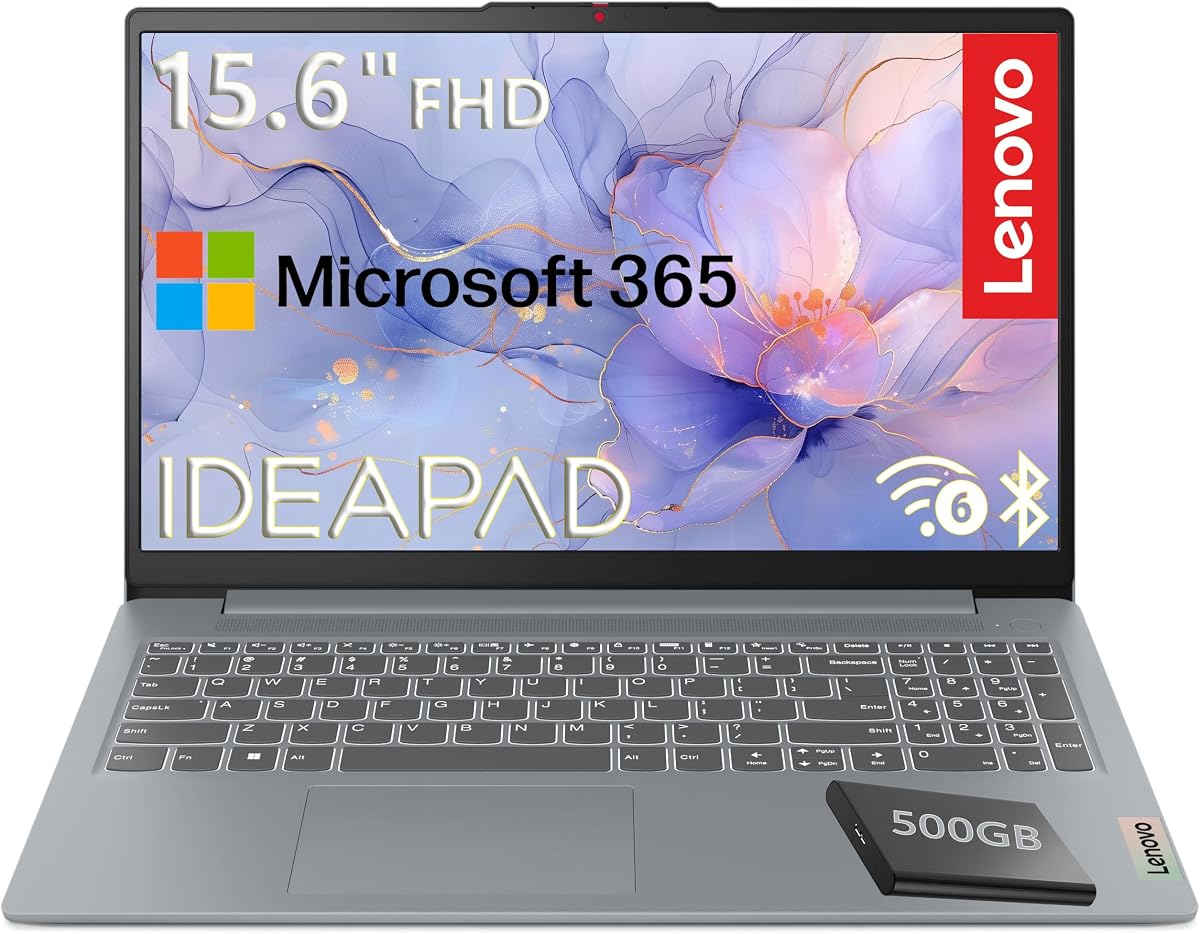
The Lenovo 15.6 2026 laptop delivers robust storage and durability features at a competitive price. With a strong 4.2 rating, it appeals to families and students needing reliable computing power. The standout feature is the inclusion of a 500GB portable external hard drive for massive storage capacity.
We may earn a commission when you buy through this link, at no additional cost to you.
Powered by an Intel N100 processor with four cores, it handles everyday computing and streaming smoothly. The Full HD display provides clear visuals for entertainment and work. Built with MIL-STD-810H certification, this device is designed to withstand daily wear and tear better than most laptops in its class.
While the external hard drive offers significant storage, it can be less convenient than internal SSDs for portability. Windows 11 S Mode provides security but limits app installations unless you switch to full Windows. Despite these minor points, the value proposition is strong for bulk storage needs.
Buy this if you need a durable laptop with ample space for files and media. It is suitable for home users who want longevity and reliability. This model ensures you stay productive without worrying about running out of storage space.
Equipped with 128GB UFS and a 500GB portable external hard drive. This combination ensures fast boot times and plenty of room for your entire multimedia library.
MIL-STD-810H military-grade certification ensures durability through rigorous test items. Features firmware TPM 2.0 and a camera privacy shutter for enhanced security.
We may earn a commission when you buy through this link, at no additional cost to you.
The HP Chromebook 14 2024 offers enhanced memory and storage for a smooth Chrome OS experience. With a 4.4 rating, users appreciate its responsiveness for daily tasks. The 8GB RAM significantly improves multitasking capabilities compared to standard 4GB models in the budget category.
We may earn a commission when you buy through this link, at no additional cost to you.
Powered by the Intel Processor N100, this device handles web browsing and streaming with ease. The Universal Flash Storage provides faster speeds and lower power consumption, making it efficient for on-the-go use. The non-reflective anti-glare panel ensures clear viewing even in bright environments.
The main limitation is the HD resolution which may not be sharp enough for detailed visual work. However, for general browsing and media consumption, it is adequate. The 4K graphics support allows for smooth streaming of high-definition content when available.
This laptop is ideal for users who want a fast Chromebook with better memory. It suits students who need to keep multiple tabs open while studying. For a reliable and efficient daily driver, this model is a strong contender.
8 GB LPDDR5 RAM provides speedy and responsive performance for multitasking. This ensures smooth operation across multiple browser tabs and applications.
128 GB Universal Flash Storage gives faster speeds and lower power consumption. This helps the laptop stay cool and efficient during extended use sessions.
We may earn a commission when you buy through this link, at no additional cost to you.
The Lenovo Chromebook S330 serves as an entry-level option for basic daily computing needs. With a 4.2 rating, it provides solid functionality for web browsing and light tasks. Its lightweight design makes it easy to carry around campus or the office without strain.
We may earn a commission when you buy through this link, at no additional cost to you.
Powered by a MediaTek MT8173C processor, it handles basic applications efficiently. The Chrome OS provides built-in virus protection and automatic updates for a secure environment. Users get 100 GB of cloud storage via Google Drive for two years to supplement the limited local space.
The limited 32GB storage is a significant constraint requiring constant reliance on cloud or external storage. The older processor may struggle with heavier workloads or many open tabs. However, for simple tasks like email and reading, it performs adequately.
Buy this if you need an extremely affordable and portable Chromebook. It is suitable for children or elderly users with simple digital needs. This model offers a secure and simple experience without complexity.
Less than 1 inch thick and 3.3 lbs light for effortless carrying. This sleek design is perfect for day-to-day work and multimedia anywhere.
Offers built-in virus protection and automatic updates for peace of mind. No setup is needed beyond a Google account to keep data secure.
We may earn a commission when you buy through this link, at no additional cost to you.
The HP Essential Laptop 2026 focuses on productivity with integrated office tools and AI features. A strong 4.5 rating highlights its effectiveness for remote work and study. The inclusion of Microsoft 365 Personal for one year adds significant value for document creation and cloud storage needs.
We may earn a commission when you buy through this link, at no additional cost to you.
Powered by the Intel N150 processor with up to 3.6 GHz Turbo Boost, it handles daily tasks smoothly. The dedicated Copilot key allows instant access to AI assistance for research and summaries. This feature enhances efficiency for professionals needing quick answers and streamlined workflows.
The main limitations are the standard RAM and HD display which may not support intense multitasking or detailed design. However, for general productivity and communication, it is sufficient. The Wi-Fi 6 ensures fast and reliable internet connections for video calls.
This laptop is perfect for professionals and students who rely on Microsoft Office. It provides a modern setup with AI tools to boost workflow. For a balanced work machine, this model delivers essential features effectively.
Includes 1-year Microsoft 365 Personal subscription for Word, Excel, and PowerPoint. This ensures you have access to essential productivity tools immediately.
AI Noise Reduction filters background sounds to improve voice clarity during calls. This feature ensures clear communication in virtual meetings.
We may earn a commission when you buy through this link, at no additional cost to you.
The Lenovo Flagship Chromebook combines a touchscreen with solid processing power for a versatile experience. With a 4.2 rating, it appeals to users who prefer interactive navigation. The 14-inch Full HD touchscreen offers vibrant colors and wide viewing angles for media consumption.
We may earn a commission when you buy through this link, at no additional cost to you.
Powered by the MediaTek Kompanio 520 processor, it delivers class-leading battery life and performance. The 8-core design ensures smooth operation across multiple applications and browser tabs. This processor is a significant upgrade for Chromebooks, elevating CPU and graphics performance for everyday activities.
The main trade-off is battery drain due to the touchscreen usage, which is standard for such features. Storage remains limited to 64GB, requiring cloud reliance for large files. However, the combination of touch and speed makes it unique in the budget category.
Buy this if you want a responsive Chromebook with touch capabilities. It is ideal for students who take notes digitally or view interactive content. For a modern browsing experience, this model stands out.
Natural finger-touch navigation makes the most of Chrome OS. The 1920 x 1080 resolution boasts impressive color and clarity with IPS technology.
MediaTek Kompanio 520 processor offers an 8-core design for fast reliability. This elevates CPU performance for home, student, and business use.
We may earn a commission when you buy through this link, at no additional cost to you.
The HP Slim Laptop 2026 focuses on mobility and speed with DDR5 RAM and a slim chassis. Users appreciate its lightweight construction for daily carry. The inclusion of the Copilot key adds modern utility for AI-enhanced tasks and efficient workflows.
We may earn a commission when you buy through this link, at no additional cost to you.
Powered by the Intel N150 processor, it delivers reliable performance for browsing and document editing. The DDR5 RAM ensures power efficiency and responsive multitasking. The Natural Silver chassis blends durability with modern style for a professional look.
The main limitation is the HD display resolution which may not meet high visual standards. However, the weight and battery life compensate for this in travel scenarios. The Wi-Fi 6 ensures stable connections for remote work.
This laptop is ideal for professionals on the go who need a thin device. It suits users who prioritize weight and battery over screen resolution. For a portable productivity tool, this model offers great utility.
4GB LPDDR5 RAM provides power-efficient and speedy performance. This ensures responsive multitasking across essential applications.
Includes a dedicated Copilot key for instant access to Microsoft Copilot. This assists with research and summaries for faster productivity.
We may earn a commission when you buy through this link, at no additional cost to you.
The Laptop 15.6 Inch offers a rare 12GB RAM at this price point for better multitasking. With a 4.2 rating, it stands out for memory capacity. The Full HD IPS screen provides vibrant colors and wide viewing angles for media and work.
We may earn a commission when you buy through this link, at no additional cost to you.
Powered by a Pentium Gold 6500Y processor, it handles everyday tasks smoothly. The inclusion of a physical camera privacy slider adds peace of mind for remote workers. The robust connectivity includes USB 3.2, HDMI, and multiple USB-C ports without needing hubs.
The main limitation is the older processor which may not support heavy applications well. Also, it comes with Windows 10 which may need upgrading for latest features. However, the RAM amount compensates for general stability and speed.
Buy this if you need maximum RAM for smooth multitasking. It is suitable for students who run multiple apps at once. For a budget laptop with strong memory, this model is unique.
12GB high-speed memory runs up to 1.5 times faster than entry-level 8GB laptops. This makes it ideal for business and student tasks.
Physical camera privacy slider provides peace of mind. Rich connectivity includes USB 3.2 and HDMI without extra adapters.
We may earn a commission when you buy through this link, at no additional cost to you.
Selecting the right laptop requires balancing performance, portability, and price. This section covers essential factors to consider for informed decisions.
The processor is the brain of your laptop and dictates how fast it runs applications. For everyday use like browsing and streaming, entry-level Intel Celeron or N-series processors are sufficient. Avoid older dual-core chips if you plan to multitask heavily.
Choose a processor that matches your workflow needs to ensure smooth operation without lag.
RAM determines how many applications you can run simultaneously without slowdowns. Most budget laptops offer 4GB which is workable for basic tasks but can bottleneck when many tabs are open.
Aim for at least 8GB of RAM if you plan to do significant multitasking or run multiple browser tabs daily.
Modern laptops use SSDs or eMMC storage which are faster than traditional hard drives. 64GB to 128GB is standard in budget models but limits local file storage significantly.
Prioritize models with at least 128GB storage or options for external expansion to manage your files effectively.
The screen is your main interface for content consumption and work. Look for Full HD resolution (1920×1080) for sharp text and vibrant images over HD resolutions.
IPS panels offer better viewing angles than TN panels which is helpful for group work or shared viewing sessions.
Portability depends heavily on how long a laptop lasts away from a power outlet. Daily users should look for ratings of 10 hours or more to last through work or school.
Fast charging support is a valuable feature that adds convenience when you need quick power between meetings.
Modern connectivity options like Wi-Fi 6 and USB-C ensure your laptop stays relevant for years. Check for enough USB ports to connect peripherals without needing extra hubs.
Adequate ports simplify your setup for monitors and external storage saving you money on adapters.
Chrome OS offers simplicity and security while Windows provides broad compatibility with traditional software. Consider your specific app needs before deciding between the two major platforms.
Ensure the OS supports your preferred software to avoid compatibility issues or limitations.
Durability matters for laptops that travel often. Look for models with military-grade testing or robust plastic construction to withstand daily wear.
A lightweight chassis under 3.5 pounds makes it easier to carry in a backpack all day.
Keep your laptop clean by regularly wiping the screen and keyboard with a microfiber cloth. Dust and debris can accumulate over time and cause overheating or mechanical issues.
Manage your storage by offloading large files to cloud services or external drives. This keeps the internal storage from filling up and slowing down system performance.
Update your operating system and drivers promptly to maintain security and stability. Automatic updates ensure you have the latest patches against vulnerabilities and bugs.
Yes, 4GB RAM is sufficient for web browsing and streaming but may struggle with heavy multitasking. For better performance consider models with 8GB or 12GB RAM if budget allows.
Chromebooks are excellent for web-based work and document editing. However they may have limitations for specialized desktop software that requires Windows.
Most models offer between 7 to 14 hours depending on usage intensity. For mixed usage expect around 8 to 10 hours of continuous work.
Absolutely. These models provide portability and reliability needed for schoolwork and online classes. Look for durable designs and all-day battery life for campus use.
Most modern laptops come with built-in security like Windows Defender. Chromebooks do not require antivirus as they are designed to be secure by default.
Many budget laptops have non-upgradeable RAM. Check specifications before buying to confirm if components are upgradeable.
We have reviewed ten excellent options ranging from Chromebooks to Windows machines. Each offers a balance of performance and value for daily computing needs.
Prioritize factors like RAM and screen quality based on your specific tasks. Portability and battery life are key if you move frequently between locations.
Prices and availability change so always verify the latest details before buying. Use this guide as a reference to find a machine that fits your lifestyle perfectly.