
CORSAIR RS120 ARGB 120mm PWM Fans Triple Pack
4.6Editor score
Daisy-chain PWM ARGB connections
2100 RPM PWM speed control
72.8 CFM airflow capacity
This guide compares the top Corsair case fans for cooling and aesthetics, reviewing airflow, noise, RGB lighting, and connectivity features to help you choose
Choosing the right case fans is essential for maintaining optimal temperatures and ensuring your PC runs quietly. Corsair offers a wide range of options designed to balance performance with visual appeal for any build.
We evaluated ten popular Corsair fan models based on airflow capacity, static pressure, noise levels, and lighting customization. Our analysis focuses on real-world usability and integration with modern motherboards and controllers.
Each pick highlights specific strengths like daisy-chaining, reverse rotor designs, or thick blades for radiators. Note that availability and pricing fluctuate frequently, so verify current details before purchasing your next upgrade.
4.6Editor score

4.6Editor score

4.5Editor score
The following table provides a side-by-side overview of key specifications for each of the ten selected Corsair case fans, helping you quickly compare sizes, performance metrics, and unique features.
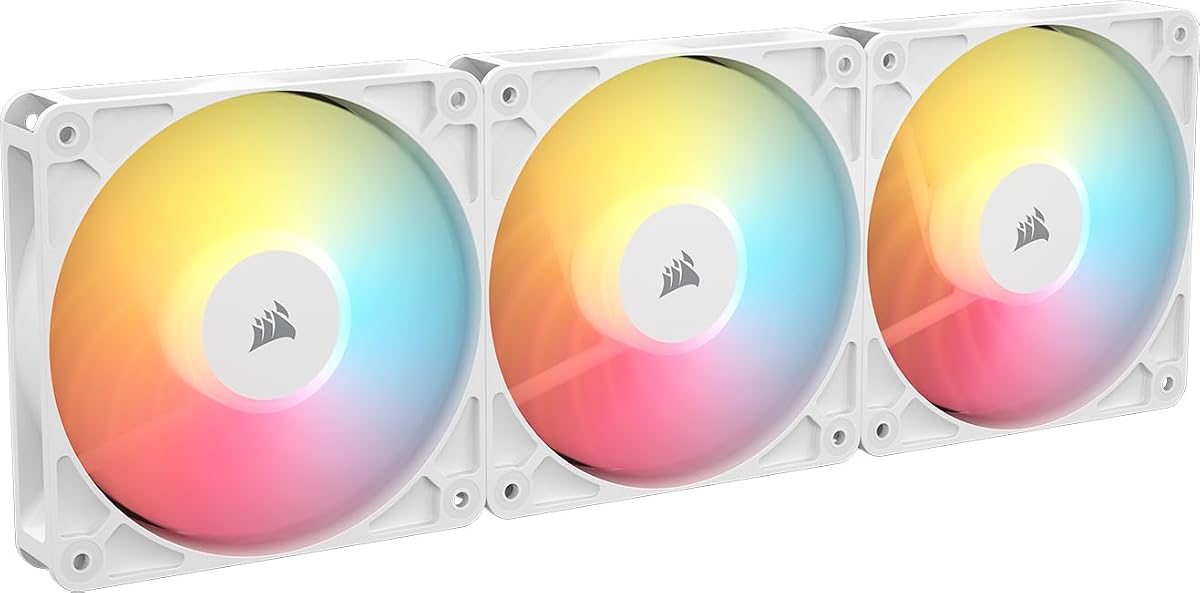

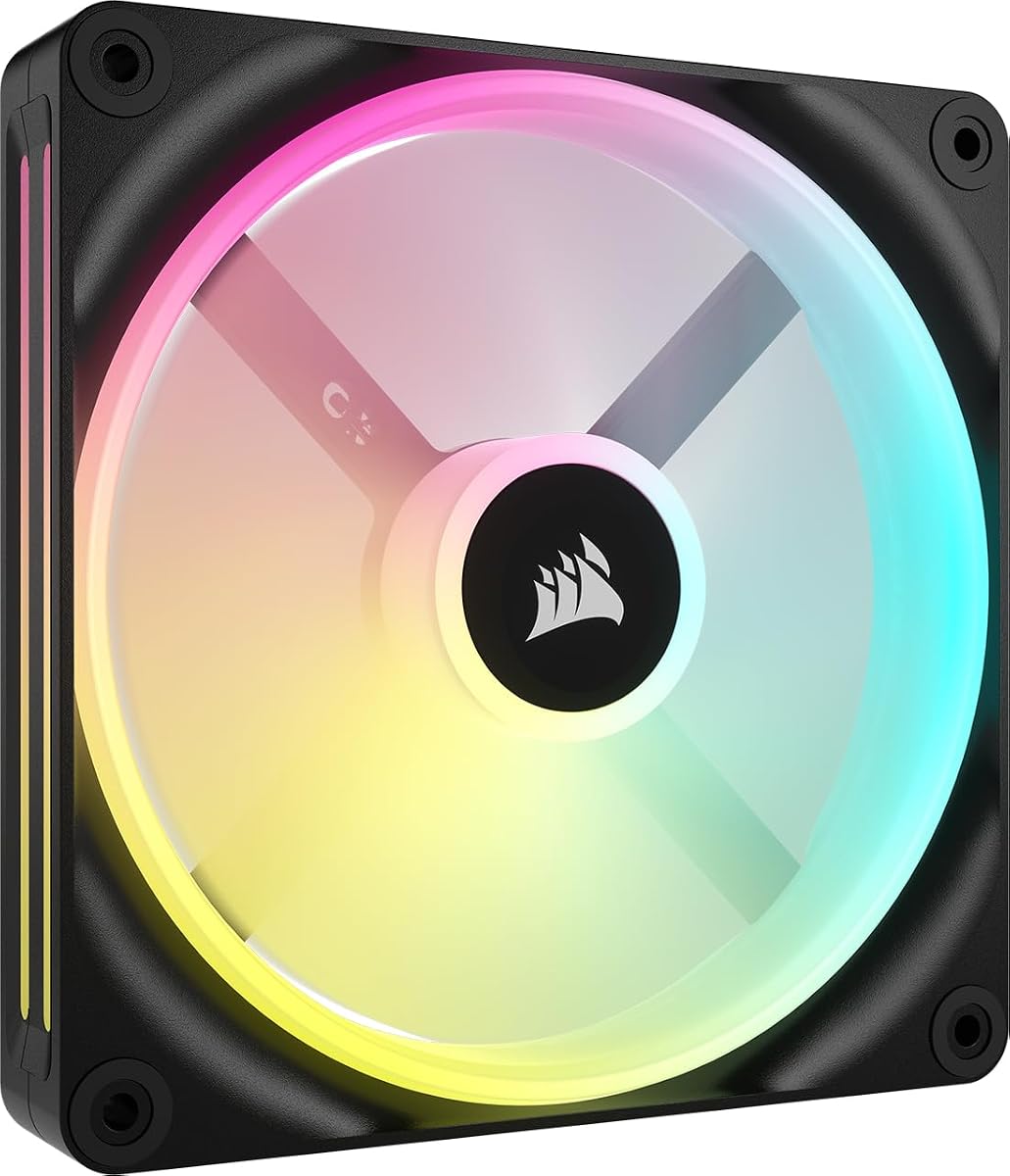


The CORSAIR RS120 ARGB fans offer a compelling entry point for builders seeking reliable cooling without breaking the bank. With a strong rating of 4.6 stars, these triple pack fans deliver efficient PWM control and customizable lighting through standard motherboard headers.
We may earn a commission when you buy through this link, at no additional cost to you.
Key strengths include the streamlined daisy-chain connection, which reduces cable clutter by linking multiple fans via single PWM and ARGB connectors. The Magnetic Dome Bearing ensures quiet operation while the AirGuide Technology directs airflow precisely to hot components like radiators.
Trade-offs involve the simpler lighting scheme compared to more expensive series, lacking dual light loops or advanced hub integration. However, these factors are acceptable for budget-conscious users prioritizing cooling efficiency and clean cable management over premium aesthetics.
Ideal for first-time builders or upgrades needing three standard 120mm fans, these RS120s balance performance and value effectively. They are a recommended choice for those wanting straightforward installation and solid airflow at an accessible price point.
Daisy-chain technology allows you to connect up to three fans using just one PWM and one ARGB header, significantly reducing motherboard clutter.
AirGuide Technology uses anti-vortex vanes to concentrate airflow exactly where it is needed, improving heat dissipation on radiators and heatsinks.
We may earn a commission when you buy through this link, at no additional cost to you.
The CORSAIR iCUE Link LX120 RGB fans stand out as the top choice for builders wanting both performance and visual sophistication. This triple pack includes the iCUE Link System Hub, ensuring easy integration and control of your entire lighting ecosystem.
We may earn a commission when you buy through this link, at no additional cost to you.
These fans excel with their Dual Light Loops design featuring 18 LEDs per fan for brilliant synchronization with other iCUE devices. The Magnetic Dome Bearing provides quiet durability while AirGuide Technology enhances cooling efficiency with optimized airflow direction.
While the cost is higher than basic models, the inclusion of the hub and superior lighting justifies the expense for enthusiasts. The bridge connectors simplify wiring further, creating a seamless look that traditional cables cannot match easily.
This set is perfect for those prioritizing aesthetics and ecosystem integration alongside strong cooling. If you want premium RGB control and robust performance, the LX120 RGB triple pack is the definitive pick for your system.
The included iCUE Link System Hub manages all connected fans through a single cable connection to your motherboard, minimizing wiring complexity.
Dual Light Loops distribute LEDs across inner and outer rings, enabling complex lighting effects that look impressive from any angle.
We may earn a commission when you buy through this link, at no additional cost to you.
The CORSAIR iCUE Link RX140 MAX RGB is a premium option designed for users who demand maximum airflow with minimal noise. Its thicker blade design moves more air at lower speeds, reducing acoustic output while maintaining high performance.
We may earn a commission when you buy through this link, at no additional cost to you.
With up to 102.9 CFM of airflow, this fan handles high-density radiators exceptionally well. The RGB lighting is vivid with built-in frame windows, and iCUE Link connectivity ensures seamless integration into larger fan arrays.
The main trade-off is the size and the cost associated with a single thick fan compared to standard models. However, for critical cooling zones, the efficiency gains and noise reduction make the investment worthwhile for serious builders.
Buy this if you need top-tier cooling performance and value silence. It is best suited for high-end liquid cooling loops where pushing air through tight fins efficiently is the primary goal.
The 5mm thickness allows a larger blade surface area, moving more air at lower RPMs to reduce noise levels significantly.
Optimized for high-density radiators, this fan maintains pressure and volume even when airflow is restricted by dense fin arrays.
We may earn a commission when you buy through this link, at no additional cost to you.
The Corsair RS120-R ARGB White Triple Pack is tailored for white builds that require intake fans without visible motor hubs. Its reverse rotor design ensures RGB lights face forward, maintaining a clean and consistent look from the front of your case.
We may earn a commission when you buy through this link, at no additional cost to you.
Performance remains strong with 65.8 CFM airflow and solid static pressure for radiator mounting. The inclusion of Zero RPM mode allows fans to stop completely at low loads, keeping your system silent during idle periods.
One limitation is that these are standard PWM fans rather than hub-integrated models, which may require more connectors. Yet for those prioritizing a cohesive white theme, the aesthetic benefits outweigh the minor complexity.
This pack is ideal for users building a sleek white PC with budget-friendly reverse fans. It delivers the visual appeal of premium reverse fans without the higher price tag of newer hub-based series.
Reverse rotor design hides the motor hub and exposes RGB LEDs on intake mounts for a seamless, uncluttered front panel appearance.
Zero RPM mode detects low system loads and stops fans completely, ensuring near-silent operation when high cooling is not required.
We may earn a commission when you buy through this link, at no additional cost to you.
The Corsair RS120-R ARGB Black Triple Pack provides the same reverse rotor benefits as the white version but in a classic dark color. This is perfect for dark-themed builds where front intake aesthetics are equally important as rear exhaust.
We may earn a commission when you buy through this link, at no additional cost to you.
With eight RGB LEDs per fan and support for motherboard ARGB control, customization remains high. The AirGuide vanes help direct airflow efficiently, while the Magnetic Dome Bearing ensures long life with minimal noise.
While it lacks the advanced iCUE Link hub connectivity, the daisy-chain option still simplifies wiring significantly compared to standard fans. It is a practical choice for users wanting reverse visuals without spending on premium controllers.
Consider this for standard black PC builds needing three reverse fans. It balances cost and function well, offering visible lighting and solid cooling for those who prefer simplicity.
Magnetic Dome Bearing technology reduces friction and noise at high RPMs, extending the lifespan of the fan motor over time.
Anti-vortex vanes channel air towards specific hot spots like CPU coolers or VRMs for targeted cooling efficiency.
We may earn a commission when you buy through this link, at no additional cost to you.
The Corsair iCUE Link QX140 RGB is a single 140mm fan designed for cases needing larger intake or exhaust airflow. Its 34 LEDs across two zones provide extensive lighting control, especially when paired with the iCUE Link System Hub.
We may earn a commission when you buy through this link, at no additional cost to you.
The Time Warp lighting mode offers unique visual effects that are exclusive to the Link ecosystem. With 82.5 CFM airflow, it handles standard cases well and supports Zero RPM modes for silent operation under light loads.
Keep in mind that the System Hub is sold separately, which adds to the total cost. However, the bridge connectors allow easy expansion if you add more QX fans later without running extra cables.
Choose this if your case supports 140mm fans and you want detailed lighting customization. It is a solid choice for upgrading a single spot or starting a larger Link setup.
With an iCUE Link System Hub, you can access advanced modes like Time Warp that create dynamic lighting animations across your fans.
Zero RPM support ensures fans stop spinning during idle tasks, maintaining a completely silent environment when maximum cooling is not needed.
We may earn a commission when you buy through this link, at no additional cost to you.
The CORSAIR iCUE Link LX120-R RGB Triple Fan Kit combines the aesthetic advantages of reverse fans with the advanced connectivity of the iCUE Link ecosystem. This set delivers premium visuals and high performance for modern white or black builds.
We may earn a commission when you buy through this link, at no additional cost to you.
The Dual Light Loops create striking RGB patterns visible from the front intake. Included QuikTurn screws simplify installation, saving time and reducing stress on the case frame during fan mounting.
While expensive, the combination of reverse aesthetics, Link bridge connectivity, and strong cooling justifies the price for high-end systems. It avoids cable clutter and offers a cohesive look standard fans cannot match.
Select this kit if you want top-tier reverse fans with advanced control. It is best for users committed to the iCUE Link ecosystem and willing to invest in premium components.
Included QuikTurn screws allow for fast and easy mounting without the need for traditional screwdrivers or extensive tooling.
High static pressure of 4.72mm H2O ensures the fans push air effectively through dense radiator fins for optimal liquid cooling.
We may earn a commission when you buy through this link, at no additional cost to you.
The CORSAIR RS120 MAX is a specialized 30mm thick fan designed for cases with extra clearance and high cooling requirements. Its thicker blade design increases surface area for better air movement and noise efficiency.
We may earn a commission when you buy through this link, at no additional cost to you.
With 4.2mm-H2O static pressure, it excels at pushing air through dense obstructions like radiators or filters. The Liquid Crystal Polymer construction reduces vibration and maintains durability over extended periods of operation.
This fan lacks RGB lighting but offers pure performance. If your case allows for the extra height, the cooling gains are significant compared to standard 25mm fans without extra costs.
Buy this for silent high-performance setups or radiator mounts needing extra thickness. It is ideal for users who value raw cooling power over lighting effects.
The 5mm thickness allows for larger blades that move more air at lower RPMs, reducing noise while maintaining cooling capability.
Liquid Crystal Polymer construction ensures high rigidity to minimize blade vibration and increase the overall lifespan of the fan.
We may earn a commission when you buy through this link, at no additional cost to you.
The CORSAIR iCUE Link RX140 RGB White Single Fan offers powerful airflow in a larger 140mm form factor. Its high static pressure ensures it handles radiators effectively, while the white frame adds a polished aesthetic.
We may earn a commission when you buy through this link, at no additional cost to you.
With 95.7 CFM of airflow, it delivers substantial cooling capacity for high-end builds. The iCUE Link bridge connectors allow you to integrate it into a larger hub setup easily if needed.
Cost is a factor for a single unit, but the performance justifies it for critical zones. This fan is designed for users wanting high efficiency and modern connectivity without sacrificing style.
Opt for this if you need strong cooling for a 140mm mount and prefer white builds. It balances performance and connectivity well for serious system builders.
At 3.79mm-H2O, this fan pushes air through restricted areas like radiator fins more effectively than standard case fans.
Bridge connectors allow easy addition to an iCUE Link system, enabling control via a single cable to your motherboard.
We may earn a commission when you buy through this link, at no additional cost to you.
The Corsair iCUE LINK QX140 RGB White Double Fan Starter Kit offers a budget-friendly way to enter the iCUE Link ecosystem. This renewed pack includes two fans and a hub, making it an affordable entry point.
We may earn a commission when you buy through this link, at no additional cost to you.
While the condition is renewed, it provides the same connectivity benefits as new kits at a lower cost. It supports the full feature set of iCUE Link including bridge connectors and dynamic lighting effects.
Be aware that renewed items may have limited warranty compared to brand new purchases. However, for cost-conscious users willing to take a calculated risk, the value proposition is strong.
Select this if you want iCUE Link integration without paying full price. It is best for those looking to build a lighting ecosystem on a tighter budget.
Purchasing a renewed starter kit significantly lowers the entry barrier for building a full iCUE Link fan setup.
Includes everything needed to get started with a full hub-based system without needing to buy extra components later.
We may earn a commission when you buy through this link, at no additional cost to you.
Selecting the right fans involves weighing performance metrics, physical dimensions, and control systems. This guide breaks down the most important factors to consider.
Airflow is measured in CFM and indicates how much air moves through the fan generally. High airflow is ideal for unrestricted case ventilation where fans move air freely.
Static pressure refers to how effectively a fan pushes air through obstructions like filters or radiators. Look for higher static pressure if mounting fans directly on radiators or in tight spaces.
Common sizes include 120mm and 140mm. Ensure your case supports the size you choose for specific mounts like front or top.
Check vertical clearance especially for 30mm thick fans. Some cases cannot accommodate thicker models which might limit your options for high static pressure fans.
RGB lighting adds visual appeal but requires compatible headers or hubs. ARGB usually offers more dynamic color control than standard RGB.
Consider whether you want standalone lighting control or ecosystem synchronization. Models with iCUE Link allow centralized management across multiple devices.
Noise levels depend on RPM and bearing technology. Magnetic Dome Bearings reduce friction and offer quieter operation over time compared to sleeve bearings.
Zero RPM modes allow fans to stop spinning at low loads. This feature is valuable for silent builds where cooling is not required during idle periods.
PWM fans allow precise speed control via motherboard headers. Ensure your motherboard has enough PWM headers if you connect fans directly without hubs.
Hub systems simplify wiring and centralize speed control. They are ideal if you plan to install many fans and want cleaner cable management.
Standard fans show the motor hub on one side which can look cluttered on intake mounts. Reverse fans hide the hub showing the blades and lighting instead.
Reverse fans are generally more expensive due to their specialized construction. If aesthetics are a priority, the extra cost may be justified for a clean look.
Check if fans include daisy-chain or bridge connectors. These features allow you to link multiple fans together reducing the number of cables connected to your motherboard.
Hub systems typically support expansion chains. Verify compatibility with your motherboard's USB headers and available power connections.
Frames made of rigid plastics like Liquid Crystal Polymer resist bending and vibration. This improves performance and reduces noise caused by flex.
Ensure the fan construction is durable enough for continuous operation. Look for reputable brands that offer warranties to protect your investment.
Always verify your case supports the fan size and orientation before installation. Ensure you have enough clearance for thicker models or reverse rotor designs to avoid physical conflicts.
Use the included daisy-chain or bridge connectors to simplify wiring whenever possible. This reduces clutter and ensures fans run through a single cable header for better management.
Regularly clean dust from fan blades and intake filters. Accumulated dust can increase noise and reduce airflow efficiency over time leading to higher system temperatures.
Corsair fans are optimized for their own ecosystem. While some standard ARGB fans may work with third-party controllers, iCUE Link fans require the specific hub for full control. Check compatibility before mixing brands.
RGB typically uses a single controller for fixed color zones while ARGB allows individual LED control for more dynamic effects. ARGB usually requires a 3-pin header while RGB uses a 4-pin connector.
Using daisy-chain or bridge connectors allows you to link multiple fans to one header. Generally you can connect 2 to 3 fans per header depending on power draw limits.
Reverse fans use similar technology so noise levels are comparable to standard models. The design changes visibility but not necessarily the acoustic performance significantly.
No hubs are needed for basic PWM control via motherboard headers. However hubs help manage cable clutter and allow centralized lighting if you have many fans.
Zero RPM mode stops the fan completely when the system load is low. This saves noise and power but requires compatible software or hardware to enable the function properly.
Choose 140mm for better airflow and lower noise if your case supports it. 120mm is better for tighter spaces or specific radiator layouts.
Yes you can mix models but lighting may look different if they have distinct RGB designs. Ensure all fans use compatible connectors or hubs for unified control.
We reviewed ten top Corsair case fans covering budget options premium reverse designs and thick performance models. Each offers unique strengths depending on your specific case and aesthetic goals.
Prioritize airflow and static pressure if cooling is your main concern. For visual appeal consider models with Dual Light Loops or reverse rotors to match your build theme.
Prices and availability change frequently so always check current listings before buying. Select the model that best fits your case constraints and performance needs for optimal results.