
CyberPower ST425 Standby UPS Battery Backup and Surge Protector
4.4Editor score
425VA/260W standby
8 NEMA 5-15R outlets
High efficiency design
This guide compares the top Cyberpower UPS battery options for 2026, covering sine wave models, replacement cartridges, and smart features to help you choose
Reliable power protection is essential for modern electronics and networks. A quality uninterruptible power supply keeps your devices running during outages while guarding against surges and spikes.
We evaluated ten top Cyberpower UPS battery solutions based on capacity, waveform type, outlet count, and management features. Our analysis highlights models for homes, offices, and servers.
Each pick shows real-world performance and value. Prices fluctuate often, so check current listings before buying. This list helps you find the right backup power for your needs.
4.4Editor score

4.5Editor score

4.5Editor score
The following table provides a side-by-side comparison of all ten models. Look at specifications, outlet counts, and warranty details to find the best fit.


The CP1500PFCLCD is a top tier UPS designed for active PFC power supplies. It delivers a clean sine wave output and includes a versatile color LCD for monitoring power conditions.
We may earn a commission when you buy through this link, at no additional cost to you.
This model offers 1500VA capacity with 1000W real power. It features 12 outlets split between battery backup and surge-only. Two USB ports allow device charging without additional adapters.
While it is pricier than simpler models, the PFC compatibility ensures safe operation for modern PCs. The tilting display makes reading data easier on tall desks.
Buy this if you need reliable backup for servers or gaming rigs. It provides strong protection and long-term reliability for demanding workloads.
Active PFC supplies need true sine waves. This unit provides exactly that to prevent hardware damage.
The color LCD tilts for better visibility and shows detailed battery and power status in real time.
We may earn a commission when you buy through this link, at no additional cost to you.
This model balances cost and capacity well. It offers 1500VA rating with a simulated sine wave suitable for most non-PFC devices. The color LCD gives clear status updates.
We may earn a commission when you buy through this link, at no additional cost to you.
With 12 outlets you can protect multiple devices at once. Automatic voltage regulation handles minor power fluctuations without using battery power which extends runtime.
It is not ideal for active PFC supplies due to the simulated wave. But for routers and desktops it is a very capable choice.
Pick this for general home office setups. It delivers ample power and smart features at a competitive price point.
Six outlets get full backup protection while the other six offer surge-only coverage for less critical gear.
Download PowerPanel Personal to manage shutdowns and view logs when your PC is running Windows.
We may earn a commission when you buy through this link, at no additional cost to you.
The EC850LCD introduces ECO mode to reduce power usage. When your PC sleeps outlets marked ECO turn off peripherals to save energy. It has a standard LCD panel for status.
We may earn a commission when you buy through this link, at no additional cost to you.
With eight total outlets it covers most home setups. It provides enough power for monitors and routers but not high-end workstations.
ECO mode is a unique feature for cost conscious users. It helps lower idle power draw without needing smart plugs.
Choose this if you want smart power management. It is a great fit for basic desktop needs and sustainability goals.
Detected sleep mode triggers ECO outlets to shut down monitors or speakers automatically.
Just plug in and use the LCD for battery health checks and test button functions.
We may earn a commission when you buy through this link, at no additional cost to you.
The ST425 is ideal for basic protection. It offers 425VA output suitable for small devices. It uses a simulated sine wave and has LED indicators for quick checks.
We may earn a commission when you buy through this link, at no additional cost to you.
Its high efficiency design reduces power waste. This is helpful when running a unit long-term in a small space like a closet.
Runtime is limited due to capacity. It is meant for shutdowns not extended work during outages. Keep expectations realistic for this tier.
Buy this for routers or small office gear. It is the most budget friendly way to add surge and backup power.
GreenPower design uses less electricity while delivering backup power to your equipment.
Small footprint fits behind desks or on shelves without taking up much room.
We may earn a commission when you buy through this link, at no additional cost to you.
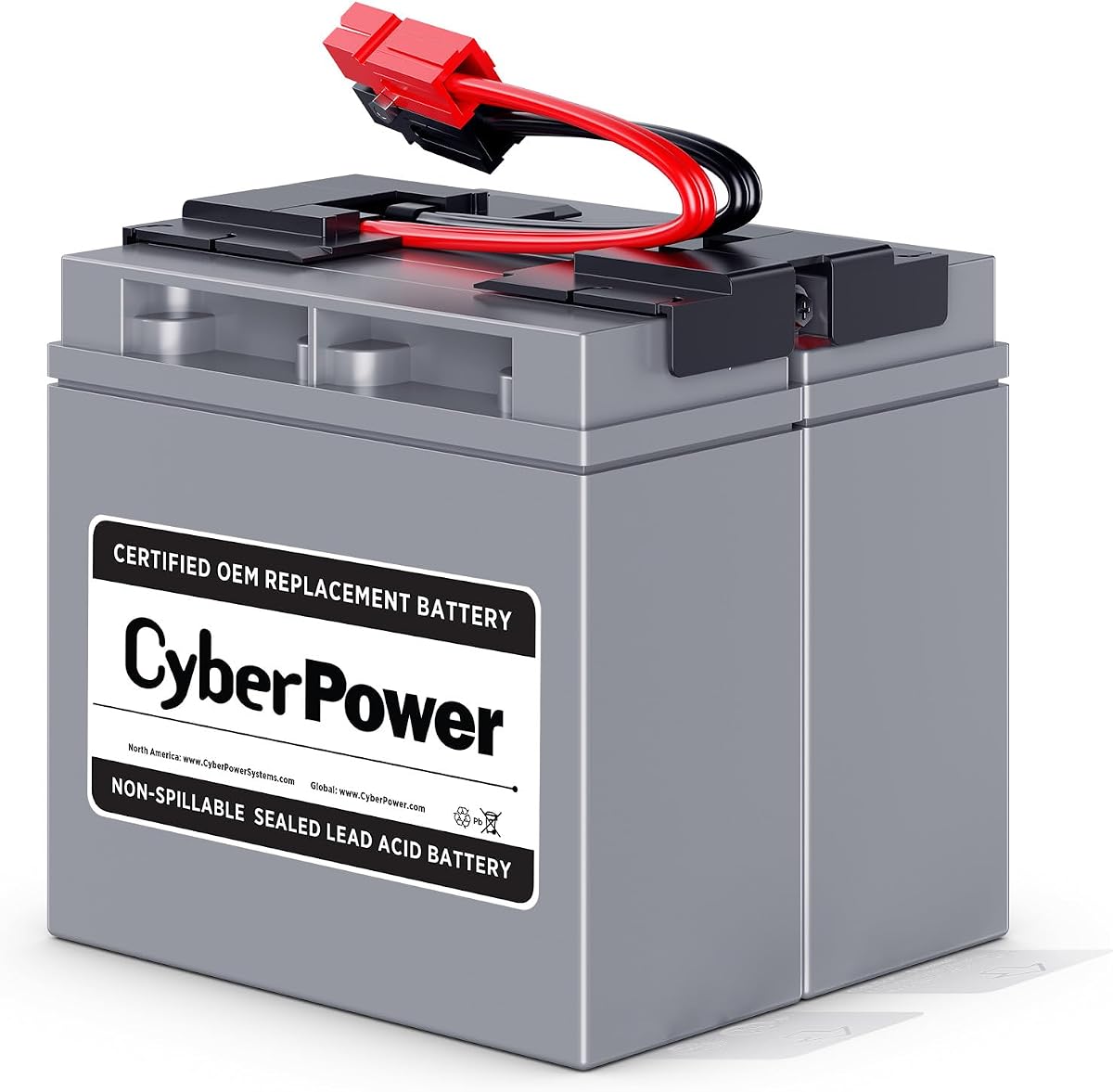
This cartridge restores life to older units like CP1000AVRLCD. It is a sealed lead acid battery with a user-friendly design. Just swap it in without tools.
We may earn a commission when you buy through this link, at no additional cost to you.
It provides high surge currents for quick startup. The packaging allows easy recycling. This makes disposal safer and simpler.
Check compatibility before buying. Not all UPS support this specific cartridge. Always verify your model number.
Pick this if you need a quick fix. It is a cost effective way to extend your existing UPS life.
Cartridges arrive pre assembled. Just slide out old and slide in new to power up.
Sealed fluid avoids leaks. Keep unit upright during installation to maintain battery integrity.
We may earn a commission when you buy through this link, at no additional cost to you.
This dual pack works for BRG1350 and similar models. It comes with two 12V batteries to restore full capacity. The units are pre assembled for ease of use.
We may earn a commission when you buy through this link, at no additional cost to you.
High surge output ensures quick power recovery. It is a direct replacement for older batteries that have degraded over time.
Only buy if you have a matching model. Using wrong cartridges can void warranty or damage the UPS.
Buy this to restore older BRG units. It gives you two replacements at a bundled rate for future needs.
One package gives two units so you can replace both or keep one as a spare.
Check serial number and model before purchase to ensure cartridge compatibility.
We may earn a commission when you buy through this link, at no additional cost to you.
This unit adds phone line protection to guard against surges. It offers 900VA capacity and 12 outlets. It uses a simulated sine wave and has an LCD panel.
We may earn a commission when you buy through this link, at no additional cost to you.
Data protection is rare at this price. It helps avoid modem or network damage from outside spikes. AVR also stabilizes input voltage.
It is ideal for homes with DSL. It keeps both power and data lines safe during storms or grid issues.
Pick this if phone lines connect to your network. It gives peace of mind for connected devices.
Protects modems and routers from power line noise and outside surges.
LCD shows load and battery level at a glance for quick checks.
We may earn a commission when you buy through this link, at no additional cost to you.
This pack is designed for CP1500PFCLCD with certain serials. It includes two batteries to restore runtime. It is sealed and maintenance free for ease.
We may earn a commission when you buy through this link, at no additional cost to you.
It allows simple user install. No tools needed to swap units out. Just match the serial number before you buy.
Using the correct cartridge prevents issues. Always check the CQC CR9 or CXF serial prefix before ordering.
Buy this if you have a matching unit. It restores full power and gives a long warranty period.
Check your label to ensure compatibility. Wrong units may not fit or function correctly.
Two units included save time when replacing both sides for full capacity.
We may earn a commission when you buy through this link, at no additional cost to you.
This cartridge offers 17Ah capacity for PR models. It provides more runtime than standard 9Ah units. It comes with two batteries in one package.
We may earn a commission when you buy through this link, at no additional cost to you.
Higher capacity means longer shutdown time. Ideal for critical gear needing extra minutes. It fits PR1500 series units.
It costs more but is worth it for servers. Check compatibility first to ensure proper fit.
Pick this for long runtimes. It helps protect data during extended outages.
17Ah units hold more charge for longer power during outages.
Designed for PR1500 models. Use only with matching units to avoid issues.
We may earn a commission when you buy through this link, at no additional cost to you.
This unit is built for workgroups and servers. It has 1500VA capacity and a longer 10 foot cord. It uses an LCD and supports optional remote management.
We may earn a commission when you buy through this link, at no additional cost to you.
Remote management adds control for data centers. It helps teams handle outages without onsite visits. LED lights show status quickly.
Fewer outlets reflect server focus. It protects core gear not peripherals. Ideal for rack environments.
Buy this for department servers. It delivers reliable backup and management features.
Add card for web access to monitor power and manage shutdowns remotely.
Sturdy design fits server cabinets and protects critical infrastructure.
We may earn a commission when you buy through this link, at no additional cost to you.
Choosing the right UPS involves checking capacity, waveform, outlets, and features. Use this guide to match a unit to your gear.
Look for VA and Watt ratings. VA is peak power and Watts is real power. Match Watt rating to your device load.
Choose a unit with 20 percent more Watt capacity than your gear.
Sine wave or simulated sine affects device safety. Pure sine is required for Active PFC supplies. Simulated is fine for routers.
Use pure sine for modern PCs and gaming rigs to avoid hardware damage.
Count outlets and split between battery and surge only. More outlets help with multi-device setups.
Choose units with at least eight outlets for offices.
Runtime depends on battery size and load. Higher VA means longer runtime. Check specs for minutes at half load.
Pick larger batteries if you need minutes to save data.
USB charge and software add value. Look for LCD panels for status and software for shutdowns.
Get USB ports for device charging and software for automation.
Most units have three-year warranty and battery guarantee. Higher guarantees protect your gear from surge damage.
Check the equipment guarantee amount before buying.
Consider availability of cartridges. Sealed lead acid batteries last years. Ensure easy install options exist.
Buy a unit with accessible battery trays for future swaps.
Cord length affects placement. Longer cords help reach outlets behind furniture.
Select at least five foot cord for flexibility.
Plug the UPS into a grounded wall outlet first. Then connect devices to the battery backup outlets. This ensures the UPS charges properly.
Run the self test monthly to check battery health. Use the LCD or LED panel to view status. If errors show replace the battery.
Avoid overloading the unit. Do not connect heaters or printers to battery outlets. They draw too much power. Keep the area dry and cool.
Typically the internal battery lasts three to five years under normal use. Replace it when runtime drops or errors appear. Keep the UPS cool to extend life.
Pure sine wave matches utility power and is safe for Active PFC supplies. Simulated sine wave is cheaper and works for most basic devices.
Most UPS units include built-in surge protection for connected gear. This avoids adding extra strip. Ensure the outlets are labeled surge protected.
Yes many models allow user install. Look for a battery access panel and screwless trays. Always power down before swapping.
Check the status lights or LCD display. A green light or normal reading means it is healthy. Run a self test if unsure.
Yes their CP1500PFCLCD and CPS1500AVR are built for servers. They offer AVR voltage regulation and optional remote management for control.
The top picks cover homes offices and servers. The CP1500PFCLCD leads for PFC safety while the ST425 offers budget value.
Choose based on your load and waveform needs. Pure sine wave is safer for modern PCs. More outlets help with multi-device setups.
Prices change often so check current listings before buying. Verify your model for battery replacements to ensure compatibility.