
Dell Latitude 5350 Touch
5.0Editor score
Intel Core Ultra 7 CPU
32GB DDR5 RAM
13.3-inch Touchscreen
Finding the right business laptop requires balancing power, portability, and reliability. The Dell Latitude series offers a wide range of models tailored for professionals who demand consistent performance and robust security features in their daily workflows.
We have analyzed ten distinct models from the current lineup, evaluating processors, memory configurations, display quality, and connectivity options. Each entry represents a specific configuration available for purchase, ensuring you see real-world specifications.
Each pick highlights key strengths and potential trade-offs to help you match a device to your needs. Please note that availability and pricing can change frequently, so verify current details before finalizing your purchase decision.
5.0Editor score

4.6Editor score

4.9Editor score
As an Amazon Associate we earn from qualifying purchases.
The following table provides a side-by-side overview of the ten selected Dell Latitude models. Compare key specifications like processor type, memory, storage, and screen size to quickly identify the best fit for your specific requirements.




The Dell Latitude 5450 stands out as a top choice for professionals needing reliable power. It combines a latest-generation processor with ample memory for smooth daily operation. Its design focuses on functionality and durability for demanding work environments.
We may earn a commission when you buy through this link, at no additional cost to you.
Powered by the Intel Ultra 7 155U, this laptop handles complex applications without lag. The 32GB of RAM ensures you can run multiple heavy tasks simultaneously. The 400-nit display provides clear visuals even in bright office settings.
While it is robust, the weight might be a consideration for frequent travelers. However, the trade-off is a wider range of ports and better cooling. This balance makes it ideal for hybrid workers who prioritize performance.
If you need a dependable workhorse for daily business tasks and collaboration, this model delivers. It supports external displays easily and includes modern connectivity like Thunderbolt 4. It is a strong recommendation for enterprise users.
The processor and memory combination ensures efficient workflow management for large files and virtual meetings.
The high brightness and color accuracy make it suitable for presentations and detailed design work.
We may earn a commission when you buy through this link, at no additional cost to you.
This model offers a premium experience with a responsive touchscreen display. It is ideal for users who interact frequently with touch interfaces or presentations. The build quality feels sturdy and professional for daily carry.
We may earn a commission when you buy through this link, at no additional cost to you.
The Intel Ultra 7 165U provides significant processing power for creative and analytical tasks. With 32GB RAM, you avoid slowdowns when switching between applications. The storage capacity supports large project files without needing external drives.
The main trade-off is the smaller form factor which limits screen real estate. However, the touch capability enhances usability for navigation and annotation. It suits professionals who value versatility over massive screen space.
It is an excellent pick for those needing a high-end portable device with modern features. The AI capabilities and secure login options add value for enterprise environments. It balances power with portability well.
The touchscreen allows for intuitive navigation and annotation during meetings or content review sessions.
Integrated AI features help optimize performance and enhance productivity for complex business tasks.
We may earn a commission when you buy through this link, at no additional cost to you.
The Dell Latitude 5350 is a compelling choice for budget-conscious professionals. It delivers solid performance for everyday business tasks without breaking the bank. Its lightweight design makes it easy to carry during commutes or travel.
We may earn a commission when you buy through this link, at no additional cost to you.
Powered by the Ultra 5 processor, it handles web browsing, document editing, and video calls smoothly. The 16GB RAM ensures responsive multitasking for standard office workloads. The fast storage reduces wait times when launching applications.
While the screen brightness is lower than premium models, it remains adequate for indoor use. The lack of massive storage can be managed with cloud services. This configuration targets practical productivity over high-end features.
For students or small business owners needing reliability and mobility, this unit is highly recommended. It includes essential security features and modern wireless connectivity. It is a practical investment for daily operational needs.
The lightweight chassis makes it ideal for professionals who move frequently between locations.
It offers a strong balance of performance and cost for essential business computing requirements.
We may earn a commission when you buy through this link, at no additional cost to you.
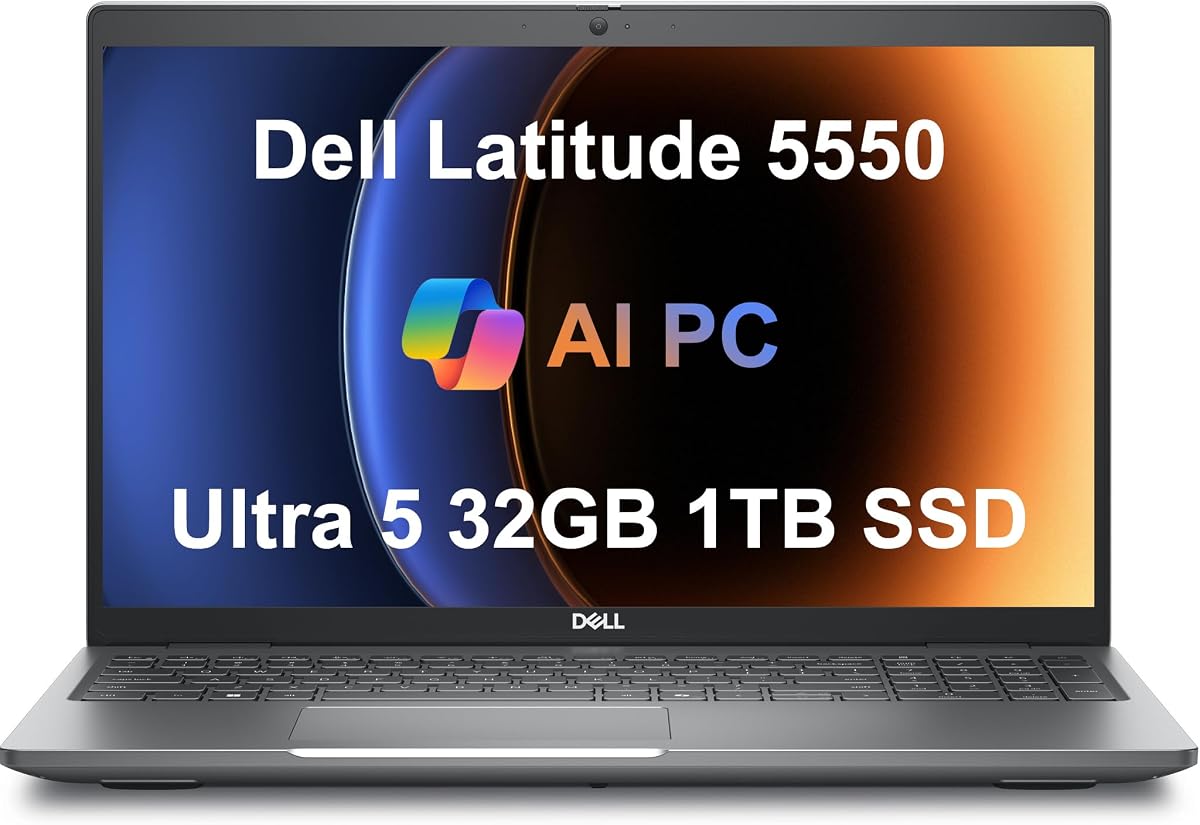
This 5550 model offers a robust balance for users needing memory and storage. The dual SSD configuration helps organize system and personal files efficiently. It supports demanding workloads through its generous RAM allocation.
We may earn a commission when you buy through this link, at no additional cost to you.
The processor provides reliable performance for office applications and general computing. The screen delivers crisp visuals suitable for long hours of typing and reading. Connectivity options are well placed for external monitors and peripherals.
It may not suit extreme gaming or heavy rendering tasks. However, for standard business workflows, it is more than sufficient. The privacy shutter on the webcam adds peace of mind for remote work.
It is a practical choice for teams deploying standardized hardware across an organization. The durability features ensure it can handle daily transport and use. It balances cost and capability effectively for most users.
Split SSDs allow users to isolate OS files from personal data for better organization and speed.
The included privacy shutter ensures security during sensitive video calls and virtual meetings.
We may earn a commission when you buy through this link, at no additional cost to you.
The 16-inch screen offers ample space for multitasking without external monitors. It is perfect for users who prefer a larger workspace for spreadsheets or coding. The build quality meets rigorous durability standards for field use.
We may earn a commission when you buy through this link, at no additional cost to you.
While the processor is mid-range, it handles standard productivity tasks efficiently. The battery supports extended work sessions without constant outlet access. Fast charging ensures you get back to work quickly after short breaks.
The size might be less ideal for frequent air travelers. But for desk-based users or those moving within a campus, it is convenient. The display brightness helps reduce eye strain during long hours.
It is recommended for professionals who prioritize screen quality and durability. The connectivity ports allow easy expansion to other devices. It serves as a reliable replacement for larger desktop workstations.
The widescreen display accommodates multiple windows side by side for improved workflow efficiency.
MIL-STD testing confirms the device can withstand rough handling during business travel or field work.
We may earn a commission when you buy through this link, at no additional cost to you.
This 3550 variant offers a high-end processor in a business-class chassis. It provides significant processing power for its price category. The storage capacity is generous for local file management and backups.
We may earn a commission when you buy through this link, at no additional cost to you.
The screen is functional but not exceptional in terms of brightness. However, the processor handles complex calculations and data analysis well. The included ports reduce the need for dongles in most environments.
It is a bit heavier than portable models which affects travel. But for stationary office use, the weight is less relevant. The security features align well with enterprise requirements.
It is a smart choice for teams needing speed on a budget. The keyboard supports comfortable typing for long documents. It balances power and cost for standard business operations.
The 12-core CPU delivers efficient multitasking and handles data-heavy applications smoothly.
A full range of ports including Ethernet and USB ensures compatibility with various peripherals.
We may earn a commission when you buy through this link, at no additional cost to you.
This renewed model offers impressive memory and storage for a lower cost. The older processor still handles standard office tasks reliably. It is a practical choice for those on a strict budget.
We may earn a commission when you buy through this link, at no additional cost to you.
The HD display is functional for text but lacks sharpness for detailed work. However, the large storage allows for extensive local data. The Thunderbolt port enables high-speed data transfer when needed.
Refurbished items come with warranties which reduce purchase risk. The build remains durable despite previous use. It suits users who prioritize specs over the latest display tech.
It is recommended for students or entry-level professionals needing reliable hardware. The security features support safe remote access. It provides good value for essential computing needs.
Renewed units offer cost savings while maintaining essential performance for daily tasks.
The SSD and high RAM allow for quick file access and efficient multitasking.
We may earn a commission when you buy through this link, at no additional cost to you.
This model highlights AI features for smarter workflow automation. It is designed for professionals who want assistance with routine tasks. The build ensures stability for daily business use.
We may earn a commission when you buy through this link, at no additional cost to you.
The processor provides consistent speed for general applications. While storage is moderate, it supports common office workflows. The connectivity includes standard options for easy integration.
It is not aimed at high-end graphics or heavy rendering. But for typical business needs, it performs reliably. The security protocols protect sensitive business data effectively.
It is a solid pick for enterprises standardizing on AI-ready hardware. The keyboard and screen support long work sessions. It offers a modern platform for current and future apps.
Built-in AI tools help optimize system performance and assist with daily productivity tasks.
Enterprise-grade security and management features ensure data safety and compliance.
We may earn a commission when you buy through this link, at no additional cost to you.
This unit offers a wide display for better document viewing. It is well-suited for users who work with spreadsheets or code. The wireless standards ensure fast network connections.
We may earn a commission when you buy through this link, at no additional cost to you.
The processor handles standard tasks well but may struggle with heavy apps. The storage is adequate for documents but consider cloud options for media. The build supports daily office use comfortably.
It provides a balance of cost and screen utility. The keyboard layout is ergonomic for typing. It is a practical choice for remote workers.
It is recommended for teams needing consistent performance on a budget. The display helps reduce eye strain. It serves as a reliable daily driver for business tasks.
The wider aspect ratio provides more horizontal space for multitasking with two applications.
Wi-Fi 6E ensures stable internet connections for seamless video conferencing and cloud work.
We may earn a commission when you buy through this link, at no additional cost to you.
This compact model is easy to carry and fits well in bags. It offers essential performance for standard business tasks. The audio features improve call quality for remote meetings.
We may earn a commission when you buy through this link, at no additional cost to you.
The processor is suited for web work and documents. It handles basic apps well. The fingerprint reader provides quick and secure access to your system.
It is not designed for heavy creative work. But for general users, it delivers reliability. The display offers decent clarity for text and media.
It is a good pick for light workers or backup units. The build quality supports regular use. It provides a stable platform for everyday needs.
The 14-inch chassis is easy to transport making it great for daily commutes.
Intelligent noise reduction ensures clear audio during virtual calls and online meetings.
We may earn a commission when you buy through this link, at no additional cost to you.
Selecting the right Latitude laptop depends on your specific workflow needs. Below are key factors to evaluate when making a purchase.
The processor determines how quickly your laptop handles tasks. For office work, Intel Core i5 or Ultra 5 is sufficient. Heavy users might need Ultra 7 or i7 for better speed.
Choose a processor that matches your workload intensity.
RAM affects multitasking speed. 16GB is standard for modern business use. 32GB helps if you run many apps at once or handle large data.
More RAM ensures smoother performance over time.
SSD storage provides fast boot times. 512GB is enough for most. 1TB is better if you store many local files or media.
Ensure you have enough space for your projects.
Look for Full HD resolution for clarity. Brighter screens help in sunlight. Touchscreens add versatility if you prefer direct interaction.
Select a screen that suits your visual comfort.
Long battery life is vital for travelers. Models with ExpressCharge allow quick top-ups. Check ratings for real-world duration.
Prioritize battery for remote work needs.
Thunderbolt 4 and USB-A are essential. Ethernet and HDMI support external setups. Ensure enough ports to avoid dongles.
Verify ports match your peripheral needs.
MIL-STD rated laptops resist shocks and dust. This adds reliability for field work. Standard office use requires less ruggedness.
Choose durability based on your environment.
Fingerprint readers and webcams with shutters protect data. Windows 11 Pro offers enterprise tools. Security is key for business use.
Look for built-in security for safety.
Start by setting up Windows and installing updates. Use the fingerprint reader for secure logins. Organize your files in the cloud to save space.
Keep the laptop cool and clean. Use a sleeve for transport. Avoid liquids near the keyboard to prevent spills.
Update drivers regularly for performance. Restart the device weekly to clear memory. Follow these tips to extend battery life.
Latitude laptops are designed for general business and office use. Precision laptops are workstations built for heavy rendering and engineering tasks. Latitude is more portable and affordable for typical workflows.
Most models support external displays via HDMI or Thunderbolt. Higher-end models support more monitors and higher resolutions. Check the port count on the specific model you choose.
Yes, most business models come with Windows 11 Pro. It includes features like remote desktop and better security. Some consumer editions may use Home instead.
Use the Dell SupportAssist tool in Windows. It provides a battery report and health status. You can also check in BIOS settings for detailed data.
Some models allow RAM upgrades while others do not. Check the specifications for your specific model. Many business units have soldered memory that is not replaceable.
Many models meet MIL-STD standards for resistance to drops and dust. They are built to withstand daily use and travel. Durability varies by specific series and construction.
Most business models use integrated graphics to save power. Some high-end units may include dedicated GPUs. For general office tasks, integrated graphics are sufficient.
The Dell Latitude 5450 leads as a top pick for overall value and performance. The 5350 Touch offers premium features for those who need a screen. Budget users find great value in the 5350 base model.
Focus on processor speed and memory for your daily tasks. Ensure you have enough ports and battery for your routine. These factors help avoid frustration during long workdays.
Always check current availability and specs before buying. Prices and configurations change frequently online. Select the model that fits your current workflow best.