
XIAOWTEK Wireless Earbuds
4.9Editor score
50H playtime total
LED power display case
4 ENC mic noise cancelling
This guide compares the top earbuds for laptop conference calls in October 2026, focusing on microphone quality, noise cancellation, and connection stability
Finding the right earbuds for laptop conference calls is essential for remote work success. Clear audio and reliable connections ensure you stay engaged during meetings without technical distractions or frustration.
We evaluated ten top models based on microphone clarity, battery life, comfort, and compatibility with laptops. Our analysis focuses on features that matter most during long work sessions and virtual presentations.
Each pick highlights specific strengths like noise cancellation or multipoint connectivity. Prices may change, so check current listings before purchasing to ensure you get the best value for your needs today.
4.9Editor score

3.9Editor score
4.0Editor score
The following table compares key specifications across all ten models to help you quickly identify the best fit for your laptop setup and work environment.




The JLab Work Buds are specifically engineered for professionals who need crystal clear communication during work calls. This headset delivers excellent microphone performance that filters out background noise effectively.
We may earn a commission when you buy through this link, at no additional cost to you.
Its detachable boom mic ensures your voice is always prioritized during conference calls. The Bluetooth multipoint feature lets you switch between your laptop and phone seamlessly without disconnection issues.
While the case is slightly larger than standard models, the inclusion of a USB-C charging dock adds convenience for office desks. The 55+ hour total playtime supports long work weeks without frequent charging.
If you prioritize call quality and reliability over compact design, these earbuds are the top recommendation for laptop users in busy environments.
The boom mic uses advanced noise-canceling tech to isolate your voice from office noise or traffic sounds effectively.
Maintain connections with multiple devices at once so you never miss a notification or call during critical meetings.
We may earn a commission when you buy through this link, at no additional cost to you.
The XIAOWTEK Wireless Earbuds offer impressive value for remote workers needing reliable call performance without breaking the bank. Their 4-mic system with ENC tech ensures your voice cuts through distractions during virtual meetings.
We may earn a commission when you buy through this link, at no additional cost to you.
Bluetooth 5.4 ensures a stable connection to laptops within 15 meters so you can move freely without audio dropouts. The LED display case helps you monitor battery levels accurately before starting important calls.
Although these buds lack advanced active noise cancellation, their passive seal is effective for basic environments. The 50-hour total battery life means you rarely need to recharge during a busy work week.
For those seeking an affordable yet effective solution for daily calls and streaming, these earbuds deliver excellent reliability and sound quality.
Upgraded chipset provides stronger signal penetration for consistent audio even when you move around your workspace.
Extended playtime ensures you stay connected through multi-hour meetings without worrying about sudden power loss.
We may earn a commission when you buy through this link, at no additional cost to you.
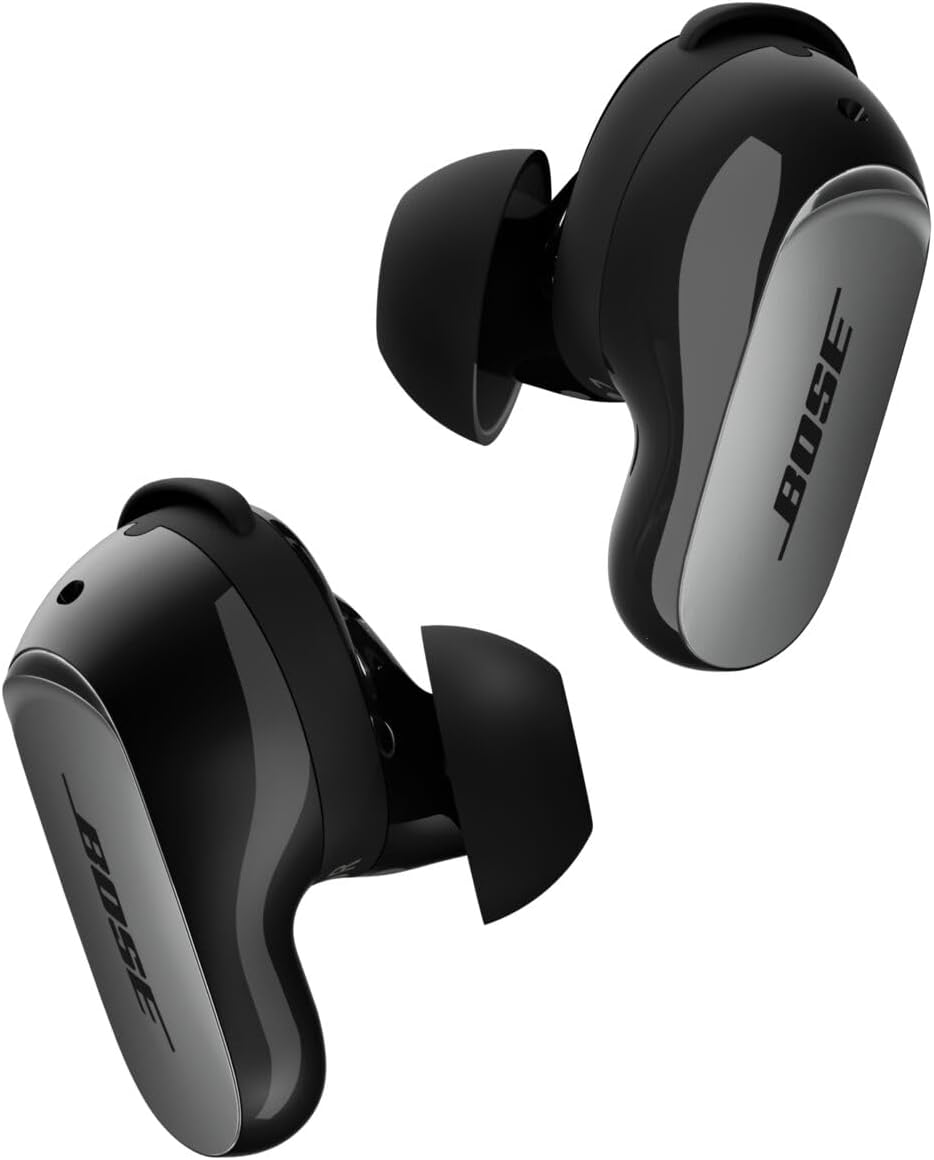
The Bose QuietComfort Ultra Earbuds are designed for professionals working in noisy environments who demand total silence and clarity. Their noise cancellation is best-in-class, making it easy to focus on your own voice during presentations.
We may earn a commission when you buy through this link, at no additional cost to you.
CustomTune technology personalizes audio to your ear shape ensuring comfort during long calls. Bluetooth multipoint lets you seamlessly switch between your laptop and phone when receiving urgent messages mid-meeting.
While battery life is moderate at six hours per charge, the case provides three additional full charges. The wireless charging capability adds convenience for desk setups without needing cables.
If you value peace and high-fidelity sound during work hours, these premium earbuds justify the investment with superior comfort and sound isolation.
Analyzes your ear shape to deliver optimized audio that enhances call clarity and reduces listening fatigue.
Spatializes audio for video content making training sessions and presentations more engaging and lifelike.
We may earn a commission when you buy through this link, at no additional cost to you.
The Soundcore P30i combines practical features for remote workers needing hands-free setups during video conferences. Its case doubles as a phone stand, allowing you to view your laptop screen or phone while speaking freely.
We may earn a commission when you buy through this link, at no additional cost to you.
Four microphones with AI enhancement ensure your voice remains clear even when typing or moving around. The 45-hour total battery life supports long days without frequent charging interruptions.
Active noise cancellation reduces up to 42dB of background noise helping you stay focused on important conversations. The BassUp technology delivers deep sound which is great for media breaks between meetings.
For users who want practical functionality alongside audio quality, these earbuds offer a unique mix of convenience and performance.
Open the back panel of the case to prop up your phone or tablet while you join video calls.
Advanced algorithms filter out keyboard clicks and ambient noise to deliver clear voice transmission.
We may earn a commission when you buy through this link, at no additional cost to you.
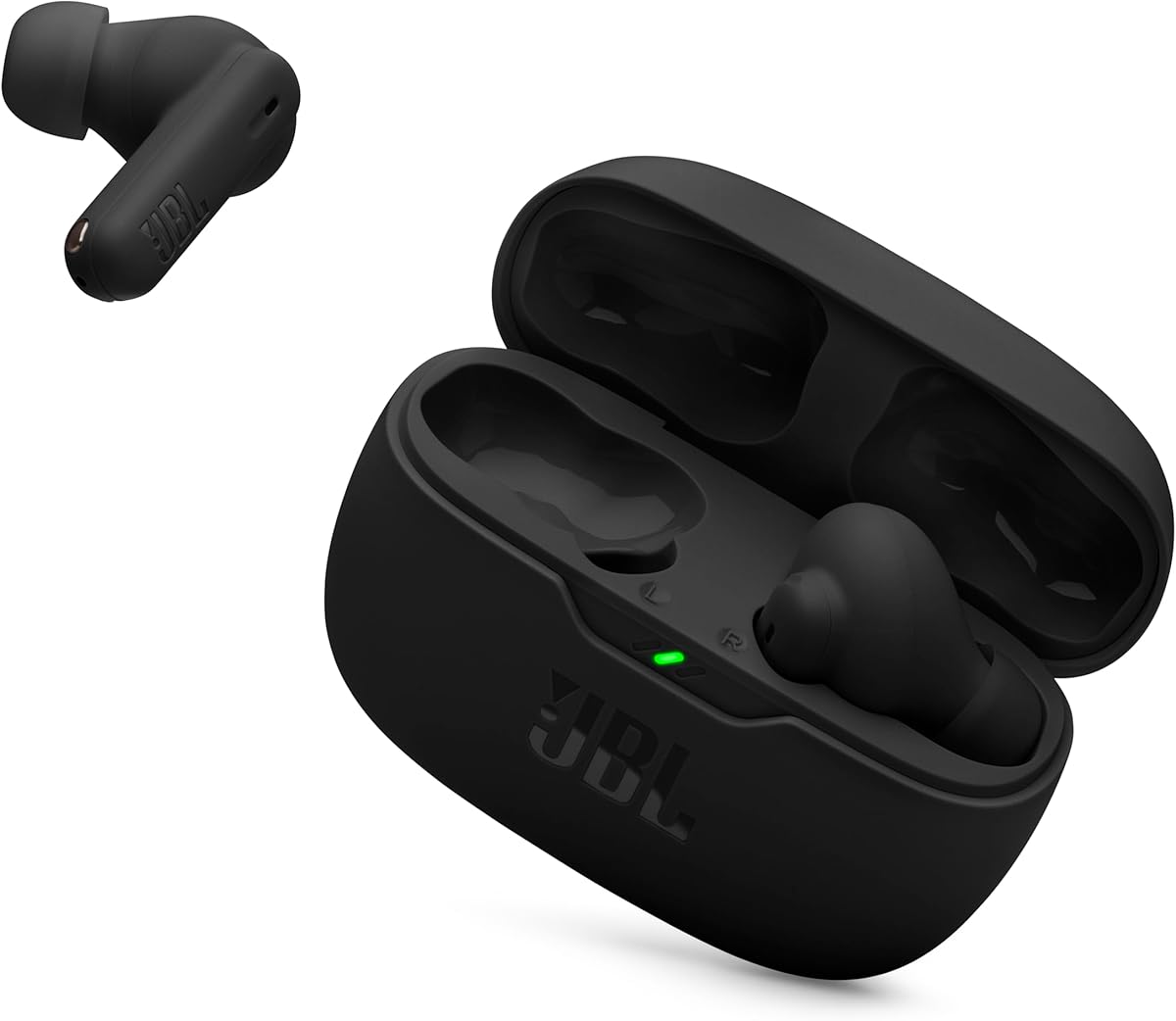
The JBL Vibe Beam 2 delivers the iconic JBL Pure Bass sound making it ideal for users who want rich audio during breaks and meetings. Its four-mic system ensures crystal clear voice transmission even in windy or noisy areas.
We may earn a commission when you buy through this link, at no additional cost to you.
Active Noise Cancelling lets you choose how much outside sound enters your ears so you can focus on work or stay aware. The total of 40 hours of playtime keeps you connected through long work sessions effortlessly.
Smart Ambient mode helps you monitor your surroundings without removing the earbuds. Ten minutes of USB-C charging provides three hours of playtime for quick top-ups before critical meetings.
If you want powerful audio and reliable calling features in a standard design, these earbuds meet those needs effectively.
Delivers deep low notes that make audio breaks immersive while maintaining vocal clarity during calls.
Adjusts how much outside noise you hear allowing you to talk to colleagues without removing earbuds.
We may earn a commission when you buy through this link, at no additional cost to you.
The Soundcore Liberty 5 Pro Max introduces AI-powered note-taking directly in the charging case to help professionals track meeting details. It features 10 sensors and the Thus AI Chip to ensure crystal-clear call quality in noisy environments.
We may earn a commission when you buy through this link, at no additional cost to you.
Local AES-256 encryption ensures conversations remain private without cloud exposure. The AMOLED display on the case gives easy access to recording settings and adjustments without needing your phone.
Battery life supports up to 28 hours with the case allowing full work weeks between charges. The AI Note-Taker can summarize in-person meetings but does not capture online calls directly.
If you need advanced automation for meetings and top-tier privacy, these earbuds represent the cutting edge of professional audio tech.
Records in-person interviews and meetings then transcribes them with summaries directly through the case.
Local processing and encryption ensure no audio data is retained permanently for maximum confidentiality.
We may earn a commission when you buy through this link, at no additional cost to you.
The Dell Pro Plus Earbuds are engineered specifically for enterprise environments prioritizing secure and distraction-free communication. Their AI-based microphone filters out background noise to ensure your voice is heard clearly by colleagues.
We may earn a commission when you buy through this link, at no additional cost to you.
Adaptive ANC lets you toggle between deep focus and awareness depending on your surroundings. On-device touch controls make switching modes simple without needing to access settings menus.
Designed to recognize your voice these earbuds deliver best-in-class call quality for business use. The comfortable fit ensures they stay secure during long conference calls.
For corporate users needing reliable and secure audio devices Dell's solution offers a purpose-built experience for work tasks.
AI mic technology focuses on your voice while suppressing distractions for clearer call transmission.
Simple pinch gestures switch between modes helping you stay aware or focused instantly.
We may earn a commission when you buy through this link, at no additional cost to you.
The Antool Wired Earbuds provide a reliable plug-and-play solution for laptops without needing charging or Bluetooth pairing. Their built-in microphone filters noise effectively for clear voice transmission during Zoom or Skype sessions.
We may earn a commission when you buy through this link, at no additional cost to you.
A lightweight 3g design minimizes discomfort during extended meetings. The 3.5mm jack ensures universal compatibility with any laptop having a standard headphone port.
The included remote allows easy control of volume and tracks without interrupting your workflow. These durable buds are pet-resistant and wear-resistant for long-term use.
If you prefer simplicity and zero latency during voice calls these wired earbuds are a practical choice for office setups.
Requires no batteries or pairing just plug into your laptop for immediate use.
High-quality TPE materials resist tangles and bending for long-lasting daily use.
We may earn a commission when you buy through this link, at no additional cost to you.
The Panasonic ErgoFit Wired Earbuds use an ergonomic design with three earpad sizes for a secure custom fit during work hours. Their tonally balanced audio ensures clear voice transmission and pleasant music listening.
We may earn a commission when you buy through this link, at no additional cost to you.
The integrated call controller allows easy management of calls without reaching for your laptop. Designed for stability they stay in place during commutes or movement around the office.
Japanese legacy sound mastery ensures these earbuds deliver immersive high-fidelity audio. This makes them ideal for users prioritizing comfort and audio clarity during daily tasks.
If you need a dependable wired option with a guaranteed secure fit these earbuds provide reliable performance.
Includes S, M, and L earpads to match your ear shape for maximum comfort.
Delivers crisp highs and deep lows for an enjoyable listening experience during breaks.
We may earn a commission when you buy through this link, at no additional cost to you.
The Wireless Earbuds A90 deliver solid performance for daily calls using advanced ENC noise cancellation to clarify your voice in noisy environments. Their dual 14.2mm drivers provide immersive sound for meetings and music alike.
We may earn a commission when you buy through this link, at no additional cost to you.
Bluetooth 5.4 ensures stable transmission up to 15 meters so you move freely around your desk. The 36-hour total playtime supports full work weeks with occasional charging needs.
The LED display keeps you informed about battery levels so you avoid unexpected power loss. A durable IPX7 waterproof rating adds resilience for light rain or workouts.
For those seeking a balanced mix of affordability and reliability these earbuds are a strong contender for work-from-home setups.
Advanced call cancellation ensures crystal-clear voice quality even in busy or noisy environments.
Type-C fast charging keeps your device ready whenever you need to join urgent meetings.
We may earn a commission when you buy through this link, at no additional cost to you.
Selecting the right earbuds for laptop conference calls involves evaluating several key factors that impact your daily work experience.
Microphone quality is the most critical feature for conference calls. Look for models with multiple microphones and ENC or AI noise suppression to ensure your voice is clear while blocking background noise like typing or traffic.
Prioritize earbuds that focus on voice clarity over music bass for professional communication.
Stable Bluetooth connectivity prevents dropouts during critical meetings. Choose models with Bluetooth 5.3 or 5.4 to ensure a strong connection up to 15 meters from your laptop without interference.
Multipoint connectivity is a bonus if you use multiple devices like a laptop and phone simultaneously.
Long battery life reduces the anxiety of devices dying during long meetings. Aim for at least 6 hours of talk time per charge with a case that provides extra charges totaling 20 hours or more.
Quick charging features help you regain hours of play time with just minutes of charge.
Comfort is vital for calls lasting hours. Look for ergonomic designs with multiple ear tip sizes to find a secure fit that does not fatigue your ears over time.
Lightweight models are preferable if you wear earbuds all day.
Active noise cancellation helps you focus on your conversation by filtering external noise. While not always necessary, it is useful in open offices or noisy home environments.
Transparency modes let you hear your surroundings when needed.
Durability ensures longevity. Check for IPX7 waterproof ratings if you work outdoors or in humid environments to protect against sweat and rain.
Sturdy charging docks add reliability for daily desk usage.
Ensure the earbuds are compatible with your laptop's OS whether Windows, macOS, or ChromeOS. Wired models with 3.5mm jacks work universally without drivers or pairing issues.
Universal compatibility simplifies setup and usage.
Set a realistic budget that aligns with your usage needs. Budget options offer great value for basic calls while premium models provide better ANC and audio quality.
Determine your priorities before spending more on features you may not need.
Pair your earbuds with your laptop by enabling Bluetooth settings and selecting the device from the list. Ensure your OS recognizes them as both audio output and input devices for calls.
Clean ear tips and the case regularly with a dry cloth to prevent buildup. Store them in their case when not in use to preserve battery health and protect from dust.
Avoid exposing them to extreme heat or water beyond their rated protection. Keep firmware updated via manufacturer apps for best performance and security.
Look for models with dedicated noise-canceling microphones and Bluetooth 5.0 or higher. JLab Work Buds and Bose QuietComfort Ultra are excellent for clarity.
Yes, wired earbuds provide zero latency and do not require charging. They are ideal if your laptop has a 3.5mm jack for direct connection.
Yes, most Bluetooth earbuds pair easily with Windows laptops. Check that your device supports standard audio profiles for input and output.
Check system settings to ensure the microphone is enabled and set as default. Update drivers or try a different USB port for wired adapters.
Active noise cancellation helps if you work in noisy environments. It ensures colleagues hear you clearly without distractions.
Avoid draining them to zero before charging. Store in a cool place and use the charging case for regular top-ups to extend lifespan.
We highlighted top choices like the JLab Work Buds for professionals and XIAOWTEK for budget buyers. Each model offers distinct features suited for remote work needs.
Focus on microphone quality and connection stability above all else when selecting for calls. Comfort also matters if you join meetings all day.
Always check current prices and deals before purchasing as offers change frequently. Invest in the model that best aligns with your daily work routine.