
Dell Tower Desktop
4.4Editor score
Intel Core Ultra 7 Processor
32GB RAM for multitasking
Multiple monitor support
This guide compares the top 10 desktop computers for home use based on performance, value, and features to help you find the perfect system.
Finding the right desktop computer for home use can be challenging given the vast array of options available today. You need a machine that balances performance, reliability, and cost to meet your specific household needs effectively.
We have carefully evaluated ten distinct models ranging from budget-friendly towers to premium all-in-one solutions. Our analysis focuses on processor power, memory capacity, storage speed, and overall build quality to ensure durability.
Each pick below highlights specific strengths and ideal use cases for different users. Please note that prices and availability change frequently so verify current details before making your final purchase decision.
4.4Editor score

4.5Editor score

4.0Editor score
The following table provides a side-by-side comparison of all ten desktop computers to help you quickly identify which model aligns best with your specific home computing requirements.




The Dell Slim Desktop stands out as a top choice for modern home users seeking a balance of sleek design and powerful performance. With a solid 4.5 rating from users, this machine leverages the latest Intel Core Ultra processor to handle everyday tasks efficiently.
We may earn a commission when you buy through this link, at no additional cost to you.
Its standout features include built-in AI tools that unlock new levels of productivity and creativity for home users. The ability to connect up to four FHD monitors makes it ideal for multitasking and visual workflows without cluttering your desk space.
While the 512GB SSD is fast it may require external storage for large media libraries over time. The tool-less entry design mitigates this by allowing convenient upgrades and access to internal components whenever you need extra space.
This desktop is perfect for small home workspaces where style meets functionality. Its commitment to sustainability and modern aesthetics makes it a great fit for users who value both performance and responsible manufacturing in their technology.
The Intel Core Ultra processor includes built-in AI features that enhance everyday computing tasks and streamline your workflow effectively.
Connect up to four FHD monitors or two 4K displays for a versatile visual setup that supports complex home office needs.
We may earn a commission when you buy through this link, at no additional cost to you.
The Dell Tower Desktop offers premium performance with its Intel Core Ultra 7 processor and generous 32GB of RAM. This combination ensures that heavy multitasking and demanding applications run smoothly without any noticeable slowdowns in your home environment.
We may earn a commission when you buy through this link, at no additional cost to you.
It shares many design features with the Slim model including AI capabilities and extensive monitor support up to four displays. The tower form factor allows for better thermal management and upgrade potential for users who plan to expand their system later.
The primary trade-off is the higher cost compared to entry-level models and the larger physical footprint required for setup. However for the included 32GB of RAM and powerful processor provide future-proofing that justifies the investment for serious users.
This machine is ideal for power users who need significant processing power and memory for work or creative hobbies. Its blend of high performance and elegant design ensures it fits seamlessly into a modern home office setup.
The 32GB of RAM ensures smooth performance when running multiple heavy applications simultaneously without slowing down the system.
The tower chassis provides better airflow and heat dissipation allowing the high-performance components to operate at optimal temperatures.
We may earn a commission when you buy through this link, at no additional cost to you.
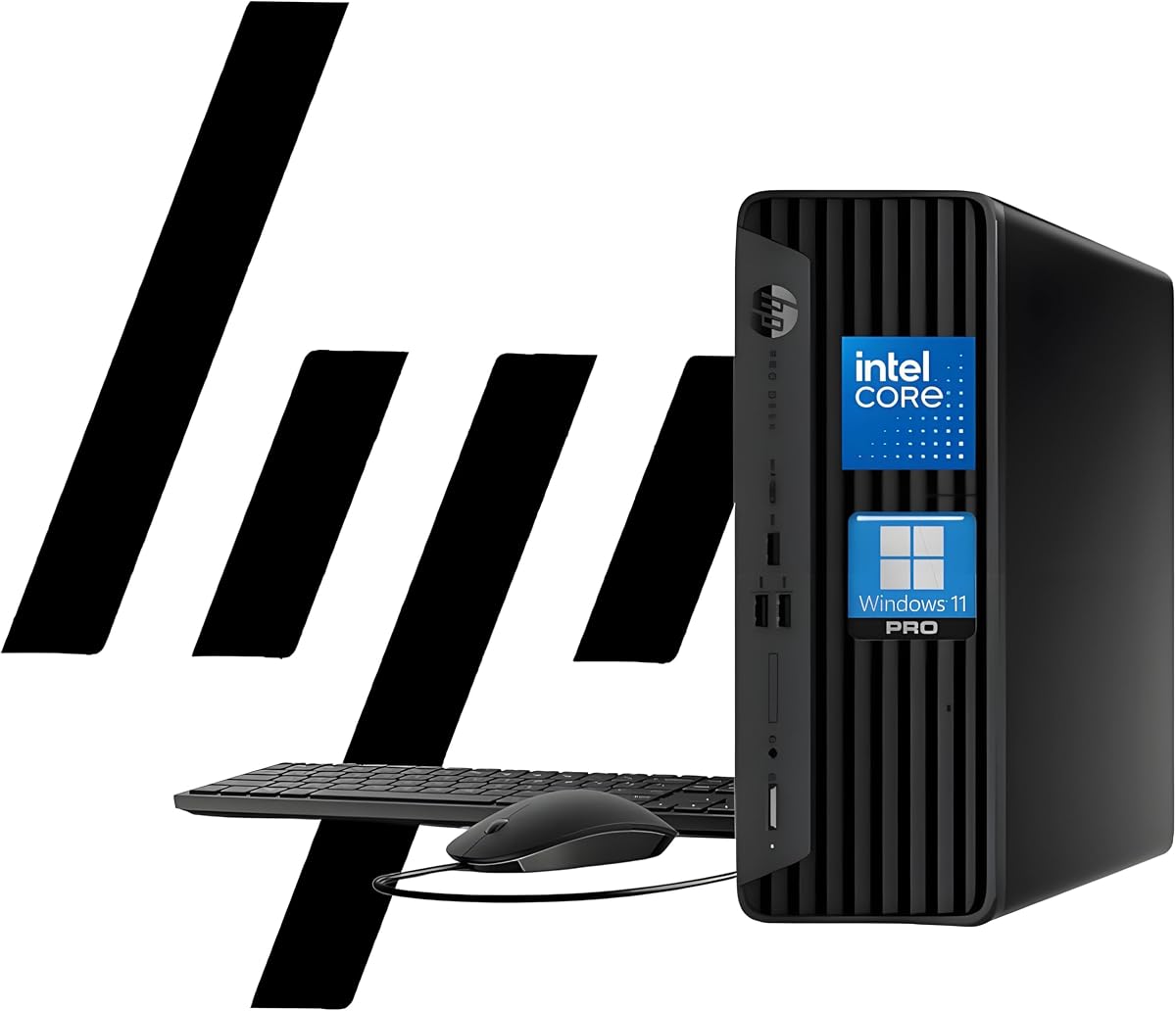
The HP 2026 Desktop Tower is an excellent option for students and home office users who need reliable performance without breaking the bank. It features an Intel i7-11700F processor that handles multiple applications simultaneously with ease for remote work or study.
We may earn a commission when you buy through this link, at no additional cost to you.
With 16GB of RAM and a massive 1TB PCIe SSD this computer offers ample space for assignments projects and media files. The included keyboard and mouse mean you can start using it immediately without needing to buy extra peripherals right away.
The main limitation is the use of integrated graphics which may struggle with high-end gaming or intensive video rendering tasks. However for typical home office and student use cases the performance is more than adequate for daily productivity needs.
This system is a great choice for families seeking a dependable and cost-effective computer for learning and productivity. The complete package approach adds significant value making it easy to set up in any home environment quickly.
The 1TB SSD provides plenty of room for storing thousands of documents photos and videos without needing external drives.
Includes keyboard and mouse right out of the box so you can start working on your homework or projects immediately.
We may earn a commission when you buy through this link, at no additional cost to you.
This HP Desktop Computer Tower PC is designed to meet the diverse needs of a whole family using a single household computer. The Intel Core i5 processor paired with 16GB of RAM handles homework video streaming and casual gaming without issues.
We may earn a commission when you buy through this link, at no additional cost to you.
The 256GB SSD ensures lightning-fast boot times and quick access to your most important files and applications. While smaller than the 1TB options this storage is sufficient for essential documents and can be expanded later if your needs grow.
Dedicated graphics enhance entertainment options allowing for smooth video playback and light gaming for children. The compact microtower design fits easily on desks or in entertainment centers while keeping noise levels low for a quiet home environment.
It is an ideal choice for households where multiple users need access to the computer for various purposes. The balance of speed capacity and reliable performance makes it a solid investment for everyday family computing tasks.
The fast SSD storage means everyone spends less time waiting for the computer to start up and more time working.
The small microtower design saves valuable desk space while still delivering powerful performance for the whole household.
We may earn a commission when you buy through this link, at no additional cost to you.
The Dell Optiplex 3060 offers incredible value for budget-conscious users who need serious performance without a high price tag. With 32GB of RAM and a 1TB SSD this renewed machine handles multitasking and media streaming with impressive smoothness and speed.
We may earn a commission when you buy through this link, at no additional cost to you.
It features Windows 11 Professional which includes advanced security features and management tools ideal for small business owners or professionals. The built-in WiFi and Bluetooth connectivity ensure you can stay connected without worrying about wired network limitations.
The main trade-off is the use of an older processor which may lack some modern efficiency features compared to newer generations. However for most home office tasks like browsing and document processing it remains highly capable and reliable over time.
This system is perfect for anyone who wants premium specs like high RAM and large storage at a fraction of the cost. It is a smart buy for those who prioritize performance capacity over having the very latest hardware technology available.
You get 32GB of RAM and a large SSD at a price point that rivals basic systems with far lower specifications.
The Professional edition of Windows offers better security and management tools compared to the standard Home version.
We may earn a commission when you buy through this link, at no additional cost to you.
The HP ProDesk 400 G9 SFF is designed for users who need significant computing power in a tiny and portable footprint. Weighing under 9 pounds it is easy to move between rooms or take to different locations as your home office setup changes.
We may earn a commission when you buy through this link, at no additional cost to you.
It features a massive 32GB of RAM and a fast 1TB PCIe SSD which makes up for the lower-end Celeron processor in multitasking scenarios. The inclusion of USB-C and dual 4K display support adds significant versatility for modern peripheral setups.
The compact size might limit internal expansion options compared to larger towers but it is perfect for basic productivity and media consumption. Its sleek design and reliability make it a dependable choice for both personal and small business needs effectively.
This model is ideal for small spaces where desk real estate is limited but performance cannot be compromised. The combination of ample memory and storage ensures a smooth experience even when running multiple applications at once without hassle.
Measuring just 11.9 x 10.6 x 3.7 inches it saves space while still delivering robust performance for daily tasks.
USB-C and dual 4K support allow you to connect to modern high-resolution monitors and new devices easily.
We may earn a commission when you buy through this link, at no additional cost to you.
The Dell 2026 Edition Tower is built to last with its inclusion of DDR5 RAM which is the latest standard for fast and efficient memory. This ensures that your system remains responsive and capable of handling future software demands for several years.
We may earn a commission when you buy through this link, at no additional cost to you.
It pairs the DDR5 RAM with a 1TB NVMe SSD and a 14th Gen Intel Core i3 processor for quick boot times and smooth application loading. The optimized thermal layout helps maintain performance levels during extended use without overheating or throttling speeds.
While the i3 processor is not the top tier it provides sufficient power for most daily office tasks and light creative work efficiently. The high-speed RAM and storage compensate well for this ensuring a fluid user experience across most common applications you need.
This computer is a great choice for those planning a long-term setup who want to avoid frequent upgrades. The enterprise-ready design and comprehensive connectivity options make it suitable for professional home offices that require consistent reliability daily.
DDR5 RAM offers faster data transfer speeds and better power efficiency compared to previous DDR4 generations for your PC.
The internal design ensures proper airflow which keeps the system cool and stable even during long hours of use.
We may earn a commission when you buy through this link, at no additional cost to you.
This HP 2026 Desktop Computer is tailored for small business owners and home office workers who need consistent performance for daily operations. The Intel i5-12500 processor provides smooth multitasking capabilities that handle inventory and CRM tools without any lag or delay.
We may earn a commission when you buy through this link, at no additional cost to you.
With 16GB of RAM and a 512GB SSD you get a reliable balance of speed and storage for your essential business files. The system includes lifetime access to Office 365 on the web allowing you to edit and share documents instantly without needing extra subscriptions.
The versatility in connectivity ensures you can connect all your business devices including multiple monitors and external drives. It is ready to use right out of the box which saves time on setup so you can focus on getting your work done quickly.
Ideal for budget-conscious professionals this model offers premium software support and dependable performance for collaboration tasks. It stands out as a reliable workhorse for daily business activities where consistency and productivity are paramount for success.
Lifetime access to Office 365 on the web means you can create and share documents from any browser without fees.
Built for everyday business use with a comprehensive port selection and integrated graphics for smooth video conferencing.
We may earn a commission when you buy through this link, at no additional cost to you.
The Lenovo IdeaCentre Tower boasts a powerful 10-core Intel Ultra 5 processor that is exceptionally good at handling multiple tasks at once. This design ensures that your system remains responsive and reliable whether you are editing photos or browsing the web.
We may earn a commission when you buy through this link, at no additional cost to you.
It includes 16GB of DDR5 RAM which offers higher bandwidth and efficiency compared to DDR4 for smoother multitasking. The system comes with Office 365 for the web and supports dual monitors via HDMI and VGA for flexible workspace options.
The inclusion of Wi-Fi 6E provides faster and more stable wireless connections which is crucial for video calls and large file transfers. While storage is limited to 512GB it is quick and sufficient for many users who utilize cloud storage for larger archives.
This tower is a solid choice for users who prioritize processing power and modern connectivity options in their home setup. It provides a premium experience with efficient hardware that handles everyday computing needs with ease and speed.
The 10-core processor design allows for smooth multitasking so you can run multiple apps without slowdowns.
Next-gen Wi-Fi 6E ensures fast and stable wireless internet connections for streaming and video conferencing.
We may earn a commission when you buy through this link, at no additional cost to you.
The Dell Pro Tower Desktop PC has earned an impressive 4.9 rating from users due to its reliable performance and professional build quality. It is pre-installed with Windows 11 Pro which offers enhanced security features and remote desktop capabilities for business users.
We may earn a commission when you buy through this link, at no additional cost to you.
Equipped with 16GB of DDR5 RAM and a 512GB SSD this system delivers seamless multitasking and rapid application loading. The comprehensive port selection includes USB-C and HDMI allowing you to connect dual monitors for a more productive workspace.
While it uses a base i3 processor it is sufficient for most business applications and daily productivity tasks without issues. The compact tower design includes security features like a Kensington lock slot ensuring your valuable data is physically protected from theft.
This machine is perfect for small businesses or professionals who need a secure and reliable workstation at home. Its high customer rating and modern specifications make it a trusted choice for consistent and efficient work output daily.
Windows 11 Pro includes advanced security features that protect your business data better than standard Home editions.
With a 4.9 rating this model stands out as one of the most trusted and reliable options available on the market.
We may earn a commission when you buy through this link, at no additional cost to you.
Choosing the right desktop computer for your home involves considering several key factors that align with your specific usage needs and budget constraints.
The processor is the brain of your computer and determines how fast it can handle tasks. For general home use like browsing and word processing a mid-range Intel Core i5 or equivalent is sufficient. However if you plan to run heavy applications like video editing or gaming look for an Intel Core i7 or Ultra series processor for better speed.
Always check the generation of the processor as newer models offer better efficiency and performance. An older i7 might be slower than a newer i5 so prioritize recent generations for future-proofing.
RAM or memory is essential for multitasking and running multiple applications smoothly at the same time. For most families and home offices 16GB is the sweet spot that balances cost and performance. If you run virtual machines or heavy software consider 32GB or more to prevent slowdowns.
DDR5 RAM is the newer standard found in premium models and offers faster speeds than DDR4. Ensure your system has enough RAM slots to upgrade later if your needs grow over time.
Modern desktop computers should use Solid State Drives (SSDs) for storage because they load data much faster than traditional Hard Drives. Aim for at least 512GB of SSD space to ensure your system boots quickly and has room for your files. If you store lots of media consider models with 1TB or more capacity.
Some systems offer a hybrid setup with a small SSD for the OS and a larger hard drive for bulk storage. This can be a cost-effective solution but a large SSD alone is generally more convenient for home users.
Check the ports available on the desktop to ensure you can connect all your peripherals like printers, monitors, and external drives. USB-C and USB 3.2 ports are modern standards that offer faster data transfer speeds. Wireless connectivity via Wi-Fi 6 or 6E is also crucial for stable internet access.
Dual monitor support is a valuable feature for home office workers who need more screen real estate. Look for HDMI and DisplayPort connections if you plan to use multiple screens for productivity.
Desktops come in various sizes ranging from large towers to compact small form factor units. If you have limited desk space a Small Form Factor (SFF) or Slim design is ideal. Towers offer better cooling and upgradability but take up more physical space.
Consider the noise level of the unit especially if it will be in a living area or quiet study. Models designed for home use often prioritize quiet operation compared to industrial business units.
Most desktops come with Windows 11 Home which is user-friendly and supports most consumer applications. However Windows 11 Pro includes advanced features like remote desktop and enhanced security that might be useful for business users. Check if the system includes essential software like Office suites.
Some manufacturers offer lifetime web access to productivity tools which can add value to the purchase. Ensure the operating system is up to date to receive security patches and feature updates regularly.
A reliable warranty and support plan can save you money and hassle if the computer develops issues. Look for on-site service options where a technician comes to your home to fix hardware problems. Extended warranties are worth considering for expensive models.
Renewed or refurbished models often come with shorter warranties so check the seller reputation and guarantee details. Trusted brands usually offer better customer service channels for resolving technical issues quickly.
Your budget will dictate which features you can prioritize when shopping for a new desktop. Set a clear spending limit and compare models that offer the best specs within that range. Sometimes a model with slightly older hardware but higher RAM and storage offers better value.
Balance the upfront cost with the expected lifespan of the machine. Investing a bit more in a durable unit might save money in the long run by avoiding early replacements.
Once you have set up your desktop computer ensure it is placed in a well-ventilated area to prevent overheating. Dust can accumulate on fans and vents so use compressed air occasionally to keep the internals clean and maintain performance.
Install reputable security software to protect your data from malware and unauthorized access. Keep your operating system and applications updated to the latest versions to patch security vulnerabilities and ensure compatibility with new features.
Organize your files using folders and cloud backups to prevent data loss. Regularly back up important documents and photos to an external drive or cloud service so you do not lose them if the hardware fails unexpectedly.
A tower desktop is larger and offers better cooling and upgrade options for internal components. A small form factor desktop is compact and saves desk space but may limit expansion and airflow. Choose based on your available space and need for future upgrades.
Yes most desktop computers listed here are systems that require a separate monitor keyboard and mouse. These are sold as tower or chassis units so ensure you have all peripherals or buy a bundle that includes them.
Many models support upgrades but it depends on the design. Tower systems usually allow easy access to swap RAM and storage. Small form factor units might have limited slots or require specific types of modules so check specs before buying.
Windows 11 Home is sufficient for most family and personal use cases. However Windows 11 Pro offers advanced security and remote access features better suited for business users. Choose Pro if you need enterprise-grade management tools.
For gaming look for processors like Intel Core i7 or Ultra 7 paired with dedicated graphics. Most listed models have integrated graphics which work for light gaming but dedicated cards are needed for high-performance titles.
Yes renewed computers from trusted sellers like Dell are reliable and tested. They often come with warranties and offer significant cost savings. Ensure the seller provides a guarantee for support and repairs if needed.
We hope this guide has helped you narrow down the vast options to find a desktop that fits your home needs. Whether you chose the Dell Slim for its AI features or the Optiplex for its budget value there is a right match for everyone.
Prioritize your specific use case whether that is gaming business work or family shared use when making your decision. Investing in the right amount of RAM and fast storage will ensure your machine stays useful for years to come.
Remember to check current prices and availability before you buy as these numbers can fluctuate regularly. Verify the warranty details and return policy to ensure you are fully protected when you take your new computer home.